

 FS2004 Civil Jet Aircraft
British Airways Boeing 727-200 ZS-NVR
Vistaliners B727-200 British Airways Waves of the City circa 2000 livery. Def…
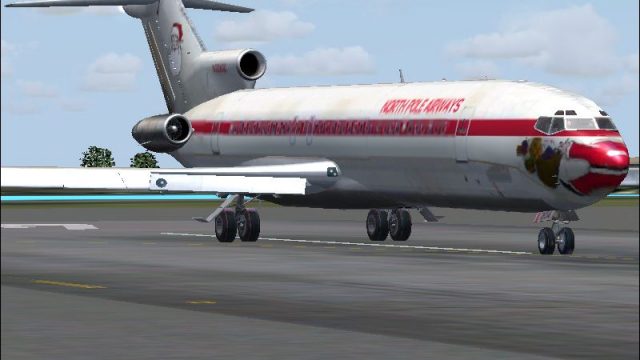
North Pole Airways Boeing 727 brings holiday flair to the classic tri-jet in Microsoft Flight Simulator 2004, pairing Bill Baldwin’s festive repaint with Erick Cantu’s Vistaliners model. Expect animated flaps, spoilers, and wing flex, cabin wing views, and interactive doors, airstairs, and cockpit windows; the panel and sounds require the default 737 set.
 Rate
Rate
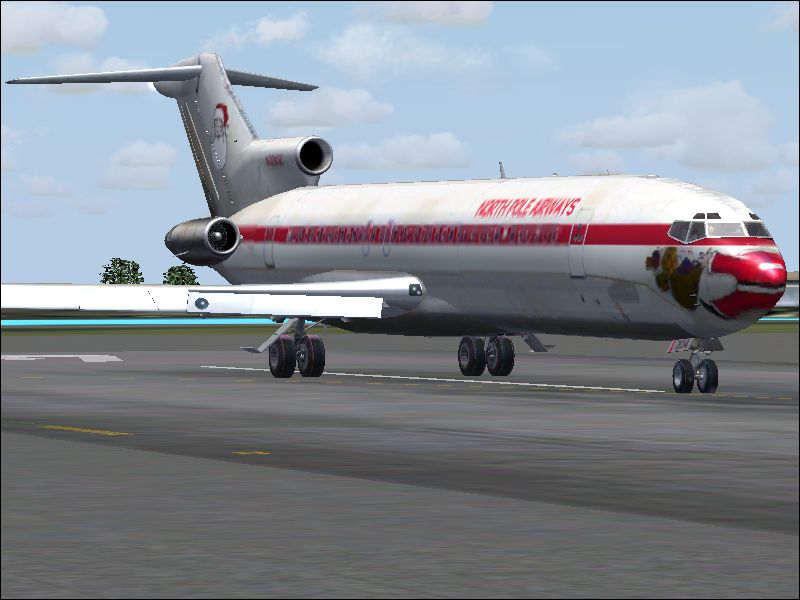

Discover a festive twist on a classic tri-jet with this complete freeware package for Microsoft Flight Simulator 2004, featuring Bill Baldwin’s imaginative holiday-themed repaint of Erick Cantu’s Vistaliners Boeing 727.
This release showcases an eye-catching North Pole Airways design, paying homage to the legendary home of Santa’s workshop. Bill Baldwin, the creator of this seasonal texture set, based his repaint on Erick Cantu’s expertly crafted Vistaliners 727 model. This aircraft, known for its aerodynamic T-tail and three-engine layout, flew extensively for many real-world carriers, demonstrating remarkable range and unique handling.
Screenshot of North Pole Airways Boeing 727 on runway.
To deploy the integral airstairs, assign a key to the wing fold function. Keep in mind that once these stairs are lowered, external surfaces fold and flight is not operational. Additionally, cockpit windows animate with the tailhook key assignment, offering another layer of realism.
Simply extract the package into your “Aircraft” folder within your main FS2004 directory, ensuring that “Use folder names” is checked in your unzipping tool. This package is fully self-contained, so you will find the aircraft listed under the Boeing manufacturer, 727-200 series.
The model is aliased to the default 737 panel and soundset. For enhanced immersion, consider installing Erick’s specialized 727 sound package or the recommended panel by Richard Probst, which includes functionality tailored specifically for the Boeing 727 cockpit environment.
With all components bundled together, this North Pole Airways repaint by Bill Baldwin unites creativity and technical detail on Erick Cantu’s solid Vistaliners platform, making it an engaging option for anyone looking to celebrate the holiday spirit while enjoying authentic Boeing 727 flight characteristics in Microsoft Flight Simulator 2004.
Free for all simmers · 3.63 MB · Scanned clean Oct 2026
Download speed: Free tier is capped at 0.5 Mbps (this file takes approximately 1 min at the cap). PRO members download at full line speed.
FS9\Aircraft\, FS9\Addon Scenery\, FS9\Gauges\, or FS9\Effects\.readme.txt or README file. It tells you exactly where files go, what dependencies are needed, and any quirks specific to this add-on.The archive santa_0.zip has 32 files and directories contained within it.
This list displays the first 500 files in the package. If the package has more, you will need to download it to view them.
| Filename/Directory | File Date | File Size |
|---|---|---|
| Plane_1 Santa_0 | 12.15.04 | 0 B |
| b727-200 | 12.15.04 | 0 B |
| 727 readme.pdf | 11.17.04 | 223.69 kB |
| Aircraft.cfg | 12.15.04 | 11.49 kB |
| b727-200 Specifications.txt | 11.29.04 | 694 B |
| B727200_VL.air | 11.07.04 | 8.44 kB |
| ENGINE THRUST SETTINGS.txt | 11.15.04 | 714 B |
| model | 12.15.04 | 0 B |
| B727200.mdl | 11.16.04 | 2.31 MB |
| model.cfg | 10.18.04 | 24 B |
| panel | 12.15.04 | 0 B |
| panel.cfg | 10.27.04 | 30 B |
| Plane_1 Santa_0.PNG | 12.15.04 | 581.98 kB |
| Readme-727.txt | 12.15.04 | 2.54 kB |
| SOUND | 12.15.04 | 0 B |
| SOUND.CFG | 11.20.04 | 30 B |
| texture.Santa | 12.15.04 | 0 B |
| B727_A_L.bmp | 11.20.04 | 256.07 kB |
| B727_A_T.bmp | 12.15.04 | 682.75 kB |
| B727_B_L.bmp | 11.20.04 | 256.07 kB |
| B727_B_T.bmp | 12.15.04 | 682.75 kB |
| B727_C_L.bmp | 11.20.04 | 256.07 kB |
| B727_C_T.BMP | 11.29.04 | 682.75 kB |
| Thumbs.db | 12.15.04 | 14.00 kB |
| Thumbs.db | 12.15.04 | 5.00 kB |
| Plane_1 Santa_0.PNG | 12.15.04 | 581.98 kB |
| Thumbs.db | 12.15.04 | 8.50 kB |
| Santa_0.JPG | 12.15.04 | 245.51 kB |
| santa_0.zip.text.txt | 12.15.04 | 199 B |
| Thumbs.db | 12.15.04 | 5.50 kB |
| flyawaysimulation.txt | 10.29.13 | 959 B |
| Go to Fly Away Simulation.url | 01.22.16 | 52 B |
Only PRO members can place votes.
More FS2004 add-ons hand-picked based on this download.
FS2004 Civil Jet Aircraft
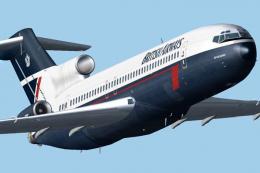
Vistaliners B727-200 British Airways Waves of the City circa 2000 livery. Def…
 FS2004 Civil Jet Aircraft
This freeware release for Microsoft Flight Simulator 2004 features a meticulo…
 FS2004 Civil Jet Aircraft
Vistaliners SilverJet B727 ANA textures. Textures only for Vistaliners latest…
 FS2004 Civil Jet Aircraft
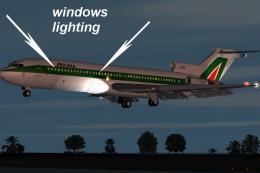
This is a repaint of ffx Boeing 727-200 in the colour British Airways Landor …
 FS2004 Civil Jet Aircraft
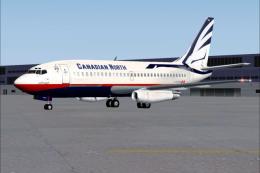
Original repaint was done by Shane Strong. This one is touched up to have it …
 FS2004 Civil Jet Aircraft
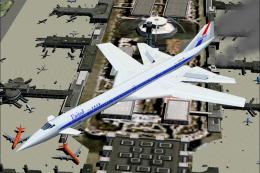
SST2010 series upgraded for FS2004 flights. Innovative concept models of next…
 FS2004 Civil Jet Aircraft
Registration D-ABWI, circa 1978. Vistaliners B727-200 in Condor Flugdienst ci…
 FS2004 Civil Jet Aircraft
This remarkable Air Florida Boeing 727-200 rendition brings the classic tri-j…
Be the first to leave a comment on this download.
Be the first to share your thoughts on this download.