

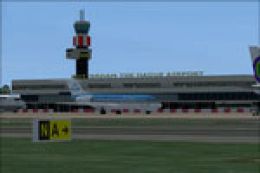
 FSX Scenery
NL2000 V4.03 Rotterdam The Hague Airport
Immerse yourself in a meticulously crafted rendition of EHRD Rotterdam The Ha…
EHSE Seppe Airport, also known as Breda International, arrives as a highly faithful NL2000 v4.03 scenery module with accurately placed buildings, custom ground markings, crisp apron textures, and lighting that matches the real layout for training and local GA flying in Microsoft Flight Simulator X. It requires the NL2000 v4.0.32 installer for seamless integration.
 Rate
Rate
 Netherlands
This freeware package integrates EHSE Seppe Airport (often referred to as Breda International) into your existing NL2000 v4.03 setup, providing a highly accurate rendition of this Dutch aviation hub. Developed by The Netherlands 2000 Scenery Design Team, it enhances the southwestern region of the Netherlands in FSX, ensuring precise object placement and immersive textures. This add-on requires the NL2000 v4.0.32 installer.
The developers have employed carefully modeled buildings, ground textures, and signage that stay true to the real-world airport layout. By incorporating high-resolution imagery, they have given flight simulation enthusiasts a detailed environment that meshes seamlessly with the broader NL2000 scenery. This meticulous attention to detail means that taxiways, runway markings, and surrounding terrain align with official references.
Seppe Airport, situated near Bosschenhoofd in the Netherlands, is known for its aviation training activities and charter flights. The simulated version leverages advanced terrain mapping to replicate the subtle elevation changes around the airfield. Expect to see correctly placed hangars, terminal buildings, and dynamic elements that reflect local traffic.
To maintain an authentic look, the design team has embedded custom ground markings, detailed apron textures, and accurate lighting cues for both daytime and dusk operations. These additions enrich the experience for virtual pilots who regularly perform short hops or practice circuits in small aircraft.
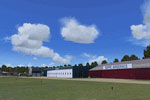
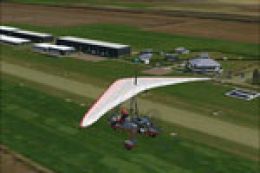
Screenshot of Seepe Airport scenery.
In summary, this EHSE airport component by The Netherlands 2000 Scenery Design Team amplifies the authenticity of your flights around the southwestern corner of the country. Precise infrastructure layout, updated 3D modeling, and careful texturing come together to create a realistic training environment for FSX pilots seeking to explore Seppe’s unique character. By combining this module with other NL2000 packages, you gain a richly detailed impression of Dutch aviation hubs in a unified manner.
Free for all simmers · 11.88 MB · Scanned clean Oct 2026
Download speed: Free tier is capped at 0.5 Mbps (this file takes approximately 3 mins at the cap). PRO members download at full line speed.
FSX\Addon Scenery\ containing scenery and texture sub-folders.readme.txt or README file. It tells you exactly where files go, what dependencies are needed, and any quirks specific to this add-on.Use these coordinates to fly directly to this location once the mod is installed.
51.55444400,4.55250000
Launch FSX or Prepar3D and use Flights → Load to open the downloaded .pln file. Your aircraft will be positioned at this location.
The archive nl2k_v4_03_ehse.zip has 8 files and directories contained within it.
This list displays the first 500 files in the package. If the package has more, you will need to download it to view them.
| Filename/Directory | File Date | File Size |
|---|---|---|
| auteursrecht.txt | 05.24.10 | 5.06 kB |
| copyright.txt | 05.24.10 | 4.43 kB |
| FILE_ID.DIZ | 10.06.12 | 356 B |
| nl2k_v4.03_ehse.gif | 05.12.11 | 8.56 kB |
| nl2k_v4.03_ehse.nl2 | 10.06.12 | 11.88 MB |
| nl2k_v4.03_ehse.txt | 10.06.12 | 355 B |
| flyawaysimulation.txt | 10.29.13 | 959 B |
| Go to Fly Away Simulation.url | 01.22.16 | 52 B |
Only PRO members can place votes.
More FSX & P3D add-ons hand-picked based on this download.
FSX Scenery
Immerse yourself in a meticulously crafted rendition of EHRD Rotterdam The Ha…
 FSX Scenery
Expand your virtual exploration of the Dutch border region by installing this…
 FSX Scenery
This freeware release brings a refined rendition of Groningen Airport Eelde (…
 FSX Scenery
Expand your Microsoft Flight Simulator X experience with a highly detailed re…
 FSX Scenery
This is the NL2000 v4.03 EHMZ Zeeland Airport package for the NL2000 scenery …
 FSX Scenery
Enhance your simulation environment with a meticulously crafted rendition of …
 FSX Scenery
Enhance your freeware collection with a detailed rendition of Teuge Airport (…
 FSX Scenery
Immerse yourself in a precisely modeled rendition of Stadskanaal Airport (EHS…
Be the first to leave a comment on this download.
Be the first to share your thoughts on this download.