


 Romania
  FSX AFCAD Files
VHHH Hong Kong International Airport
This is part of the tenth round of airports issued by Alpha India Group. AIG …
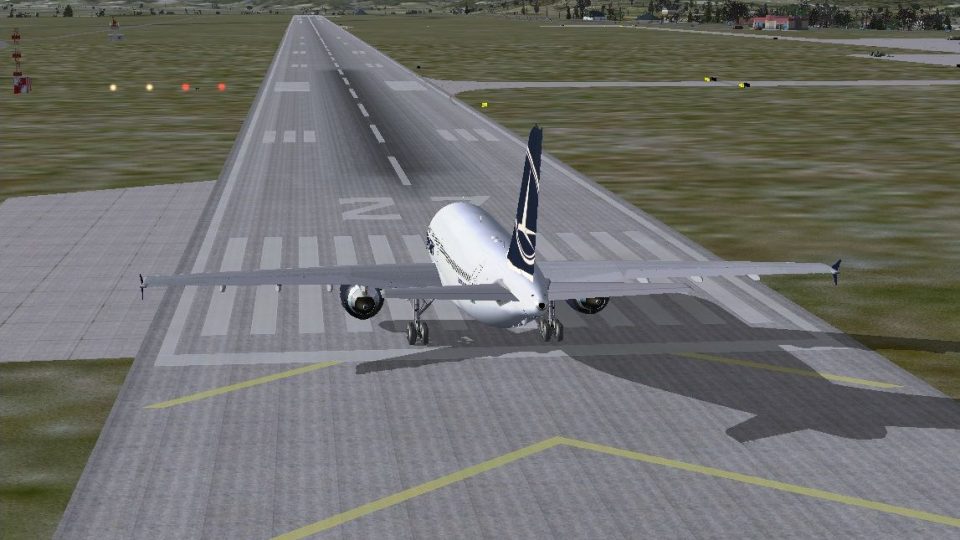
Aeroportul International Sibiu-Turnisor (LRSB) brings Sibiu, Romania up to its 2007 runway rebuild in FSX, featuring a 2,630 m by 45 m runway with ILS for runway 27 and an added SBI VOR. Reworked taxiways, a second apron, and eight parking positions improve realistic ground operations and approaches.
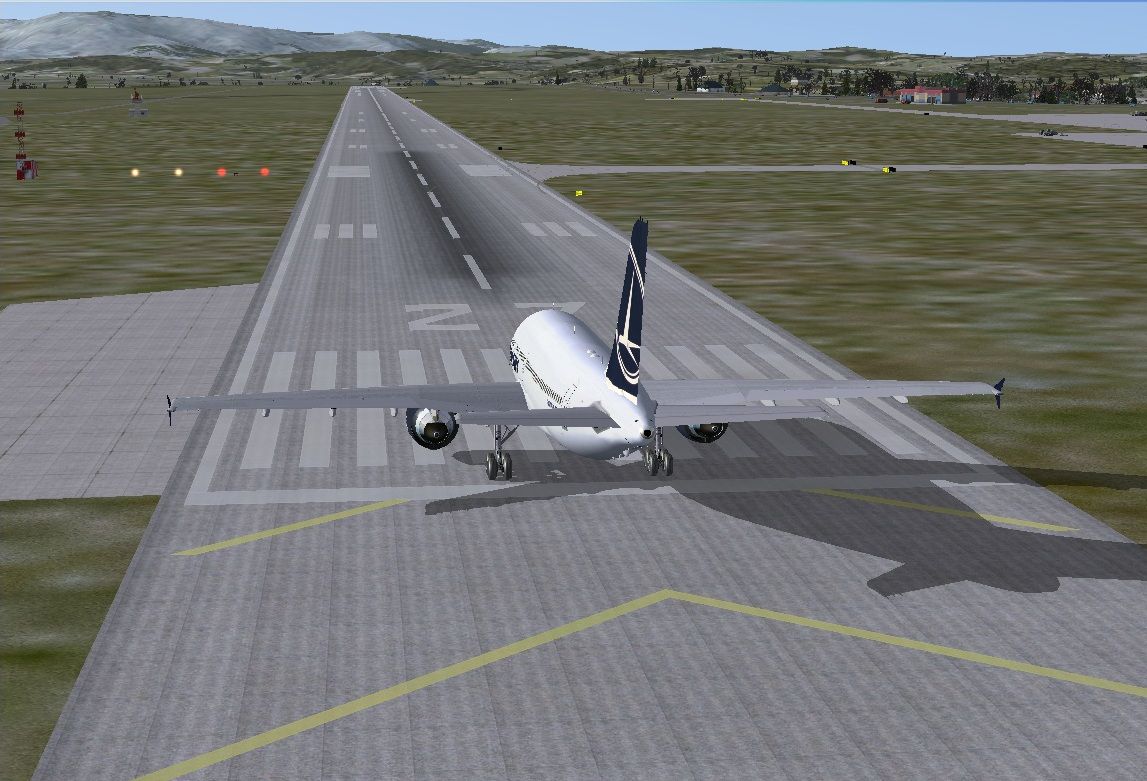
Aeroportul International Sibiu-Turnisor (LRSB), Romania. Sibiu Airport scenery rebuild according to the new characteristics of the runway which was rebuilt in 2007. TORA 2630m ILS added for runway 27. By Daniel Cretiu.
Plane on runway at Aeroportul International Sibiu-Turnisor.
This is the first scenery I made, so please try to be tolerant with the mistakes you might find in it. I made this scenery because the SIBIU Airport was rebuilt in 2007 and the default scenery airport in FSX is not like it is in the real life (for FS9 there is already a scenery). To design this scenery, I used Airport Design Editor x. That is why the buildings (terminal, fire fighting building etc) don't look like they do in reality. I added some buildings from default library of the Airport Design Editor that are similar with the real ones.
The major improvements (took from reality) in this scenery are: - runway length is now 2630 m and width 45 m
Just copy the two files with extension .bgl from this archive into ...\Microsoft Flight Simulator X\Addon Scenery\scenery.
For those who have problems with elevation, on the runway appears some hills, just delete APX54150.bgl from ...\Microsoft Flight Simulator X\Scenery\0601\scenery.
Free for all simmers · 295.04 KB · Scanned clean Oct 2026
Download speed: Free tier is capped at 0.5 Mbps. PRO members download at full line speed.
SimObjects\Airplanes\, Addon Scenery\, Effects\, or Gauges\.readme.txt or README file. It tells you exactly where files go, what dependencies are needed, and any quirks specific to this add-on.Use these coordinates to fly directly to this location once the mod is installed.
45.78500000,24.09100000
Launch FSX or Prepar3D and use Flights → Load to open the downloaded .pln file. Your aircraft will be positioned at this location.
The archive lrsb_fsx_scenary_v1_0.zip has 6 files and directories contained within it.
This list displays the first 500 files in the package. If the package has more, you will need to download it to view them.
| Filename/Directory | File Date | File Size |
|---|---|---|
| LRSB_ADEX_CD.BGL | 11.26.12 | 21.59 kB |
| LRSB_ADEX_CD_CVX.bgl | 11.26.12 | 317 B |
| LRSB-2.jpg | 11.29.12 | 285.31 kB |
| Read Me.txt | 11.29.12 | 1.54 kB |
| flyawaysimulation.txt | 10.29.13 | 959 B |
| Go to Fly Away Simulation.url | 01.22.16 | 52 B |
Only PRO members can place votes.
More FSX & P3D add-ons hand-picked based on this download.
FSX AFCAD Files
This is part of the tenth round of airports issued by Alpha India Group. AIG …
 FSX AFCAD Files
Charles-De-Gaulle International Airport (LFPG), Paris, France. This airport u…
 FSX AFCAD Files
Singapore Changi International Airport (WSSS). Adds many gates and jetways to…
 FSX AFCAD Files
King Abdulaziz International, Jeddah, Saudi Arabia. This is part of the ninth…
 FSX AFCAD Files
Incheon International Airport (RKSI), South Korea. A total makeover designed …
 FSX AFCAD Files
CaThis is part of the ninth round of airports issued by Alpha India Group. AI…
 FSX AFCAD Files
Geneva International Airport (IATA: GVA, ICAO: LSGG), commonly known as Coint…
 FSX AFCAD Files
This is part of the ninth round of airports issued by Alpha India Group. AIG …
Be the first to leave a comment on this download.
Be the first to share your thoughts on this download.