

 FS2004 Propeller Aircraft
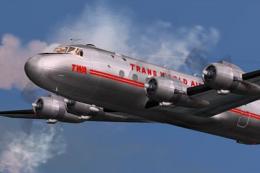
Trans World Airlines Douglas DC-4 NC45344
From 1946 to 1953 TWA used fourteen DC-4 / C-54 aircraft. This is an update (…
Trans World Airways livery for the Douglas DC-3 brings a polished bare-metal finish, period-correct striping, and classic TWA titles to Microsoft Flight Simulator 2004, ideal for recreating early transcontinental airline flying. It requires the default DC-3 base model and includes exterior textures only, with authentic-era placement tuned to the aircraft’s mapping.
 Rate
Rate
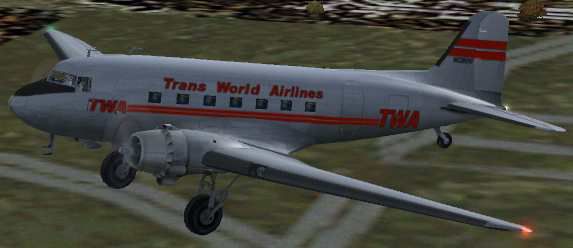
This freeware repaint offers a vintage Trans World Airways (TWA) appearance for the Douglas DC-3 in Microsoft Flight Simulator 2004 (FS2004). It combines base bare metal textures by Mark Beaumont with a custom TWA exterior crafted by Dale DeLuca. TWA was widely known for its pioneering transcontinental routes, and this reinterpretation of their color scheme allows sim pilots to experience the spirit of mid-20th century commercial flight.
TWA’s historical fleet often featured bold lettering on the wings and tail. However, this repaint is constrained by the default DC-3’s shared texture mapping, which omits separate right and left wing bitmaps. As a result, it is not feasible to include matching serials or logos on both wings, and one rudder logo appears reversed. Despite this limitation, the fuselage markings, color tones, and other livery details are carefully aligned with actual TWA branding from that era.
Screenshot showcasing the TWA Douglas DC-3 in flight.
BEADC3.ZIP) into a temporary location.[fltsim.xxx] to the next available index):
[fltsim.xxx]
title=Douglas DC-3 British European Airways
sim=Douglas_DC3
model=
panel=
sound=
texture=TWA
kb_checklists=Douglas_DC3_check
kb_reference=Douglas_DC3_ref
atc_id=
ui_manufacturer=Douglas
ui_type="DC-3"
ui_variation="Trans World Airlines"
description=="The Douglas DC-3 revolutionized air transportation and airline service during the 1930s and 1940s. It was a luxury airliner that boasted cabin heat and running water in its on-board lavatory. With the right balance of efficiency, range, speed, and payload, the DC-3 was the first aircraft to earn a profit for its owners just by carrying passengers. The hero of early airlines, a handful of DC-3s are still at work today."
This repaint requires the default DC-3 base model included in FS2004 or an equivalent freeware DC-3 model accessible in the Fly Away Simulation mod library. It does not include any 2D or 3D model files; only external textures are supplied. A portion of the metal surfaces and liveries stems from Mark Beaumont’s original work, while the TWA-specific markings, striping, and coloration are by Dale DeLuca.
Even with the mirrored text constraints, this Trans World Airways Douglas DC-3 repaint faithfully captures the essence of a classic airline that helped shape early commercial aviation. It enables sim enthusiasts to recreate TWA’s storied routes on their virtual flights while enjoying the DC-3’s timeless reputation for reliability and comfort.
Free for all simmers · 2.04 MB · Scanned clean Oct 2026
Download speed: Free tier is capped at 0.5 Mbps. PRO members download at full line speed.
This file is a repaint — the package below is the base model it paints onto. Install it first, or the textures will have nothing to load onto.
FS9\Aircraft\, FS9\Addon Scenery\, FS9\Gauges\, or FS9\Effects\.readme.txt or README file. It tells you exactly where files go, what dependencies are needed, and any quirks specific to this add-on.The archive twadc3-2.zip has 12 files and directories contained within it.
This list displays the first 500 files in the package. If the package has more, you will need to download it to view them.
| Filename/Directory | File Date | File Size |
|---|---|---|
| Douglas_DC3_1_C.bmp | 04.29.03 | 682.74 kB |
| Douglas_DC3_1_D.bmp | 04.12.03 | 682.74 kB |
| Douglas_DC3_1_T.bmp | 09.12.03 | 4.00 MB |
| Douglas_DC3_2_C.bmp | 04.29.03 | 170.74 kB |
| Douglas_DC3_2_T.bmp | 04.28.03 | 341.40 kB |
| Douglas_DC3_3_C.bmp | 04.29.03 | 42.74 kB |
| Prop_DC3.bmp | 03.09.03 | 341.40 kB |
| README.txt | 10.07.03 | 2.44 kB |
| TWA DC3.jpg | 10.07.03 | 14.12 kB |
| texture.TWA | 10.07.03 | 0 B |
| flyawaysimulation.txt | 10.29.13 | 959 B |
| Go to Fly Away Simulation.url | 01.22.16 | 52 B |
Only PRO members can place votes.
More FS2004 add-ons hand-picked based on this download.
FS2004 Propeller Aircraft
From 1946 to 1953 TWA used fourteen DC-4 / C-54 aircraft. This is an update (…
 FS2004 Propeller Aircraft
These are 32-bit textures with no mip-maps to preserve image clarity. Texture…
 FS2004 Propeller Aircraft
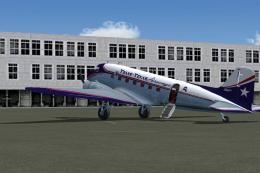
Textures only for the default DC3. These textures depict N18121 about 1954. T…
 FS2004 Propeller Aircraft
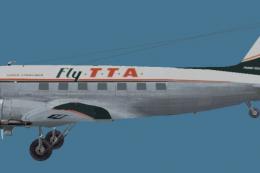
This repaint for Microsoft Flight Simulator 2004 showcases the classic Dougla…
 FS2004 Propeller Aircraft
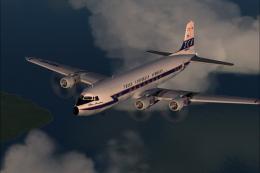
Trans Caribbean Airways textures for the FS2002, FS2004, and FSX DC-6B aircra…
 FS2004 Propeller Aircraft
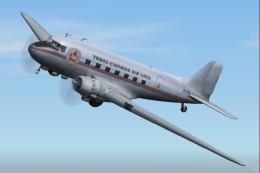
Textures only for the default DC. Repaint by Owen Davies. Screenshot of Trans…
 FS2004 Propeller Aircraft
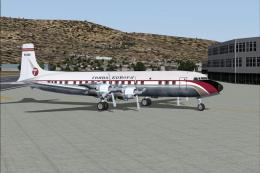
A repaint (textures and model only) of Tom Gibson's and Greg Pepper's Gmax DC…
 FS2004 Propeller Aircraft
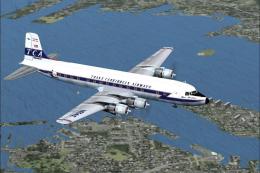
Trans Carribbean Airways textures for the DC-6B aircraft by Greg Pepper and T…
Be the first to leave a comment on this download.
Be the first to share your thoughts on this download.