

 FS2004 Propeller Aircraft
Boeing 377 Stratocruiser Pack
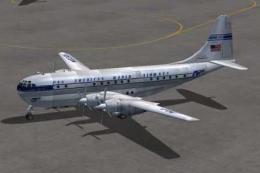
Includes several B377 Stratocruisers: Pan American (three schemes), Transocea…
Boeing 377 Stratocruiser virtual cockpit textures refresh the CalClassic non-radar model with richer night lighting, a more convincing “Christmas Tree” glow after dusk, and revised fabric detailing on cockpit walls and ceiling. Designed for FS2004, they require the CalClassic B377 without radar and integrate cleanly across texture sets.
 Rate
Rate
Includes replacement texture bitmaps for the CalClassic B377 without radar. They are designed to provide night lighting effects in the VC, and have a revised fabric covering on the cockpit walls and ceiling. Modified textures by Bruce Smythe.
Note: Don't use this set for the C-97 variants or the B377's with radar, they don't fit and they don't have the correct background for the C-97 cockpit.
Okay, launch FS9 sometime after sunset or before dawn and turn on some lights. The cockpit should do the Christmas Tree thing.
Enjoy. It's a beautiful bird.
Free for all simmers · 1.24 MB · Scanned clean Oct 2026
Download speed: Free tier is capped at 0.5 Mbps. PRO members download at full line speed.
FS9\Aircraft\, FS9\Addon Scenery\, FS9\Gauges\, or FS9\Effects\.readme.txt or README file. It tells you exactly where files go, what dependencies are needed, and any quirks specific to this add-on.The archive b377vctx.zip has 11 files and directories contained within it.
This list displays the first 500 files in the package. If the package has more, you will need to download it to view them.
| Filename/Directory | File Date | File Size |
|---|---|---|
| Clues on what to do.txt | 04.12.08 | 1.40 kB |
| Thumbs.db | 04.11.08 | 25.50 kB |
| vc_1_l.bmp | 04.01.08 | 4.00 MB |
| vc_1_t.bmp | 04.12.08 | 1.00 MB |
| vc_2_t.bmp | 04.12.08 | 1.00 MB |
| vc_3_l.bmp | 06.12.06 | 4.00 MB |
| vc_3_t.bmp | 04.12.08 | 1.00 MB |
| vc_4_l.bmp | 04.01.08 | 4.00 MB |
| vc_4_t.bmp | 04.12.08 | 1.00 MB |
| flyawaysimulation.txt | 10.29.13 | 959 B |
| Go to Fly Away Simulation.url | 01.22.16 | 52 B |
Only PRO members can place votes.
More FS2004 add-ons hand-picked based on this download.
FS2004 Propeller Aircraft
Includes several B377 Stratocruisers: Pan American (three schemes), Transocea…
 FS2004 Propeller Aircraft
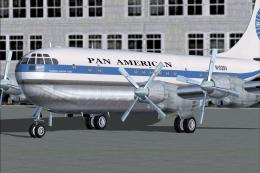
Pan American Boeing 377 Stratocruiser. This is a repaint (textures and model)…
 FS2004 Propeller Aircraft
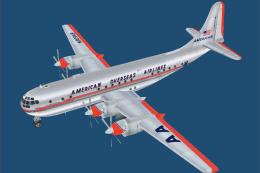
American Overseas Airlines Boeing 377 Stratocruiser. A Gmax version of the B3…
 FS2004 Propeller Aircraft
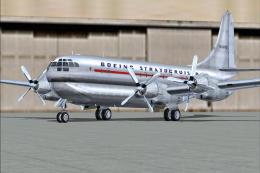
This is a repaint (textures and model only) of Greg Pepper's Gmax Boeing 377 …
 FS2004 Propeller Aircraft
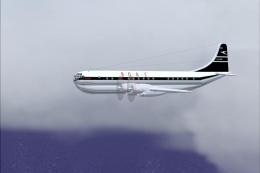
An update of the Boeing 377 Stratocruiser by Mike Stone. Now includes all the…
 FS2004 Propeller Aircraft
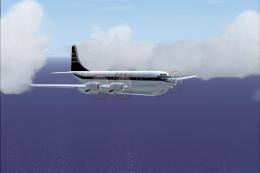
This is a second update of the Boeing 377 Stratocruiser by Mike Stone. It wil…
 FS2004 Propeller Aircraft
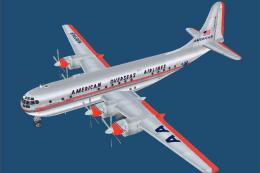
American Overseas Boeing 377 Stratocruiser. By Kalon Jeffries. Screenshot of …
 FS2004 Propeller Aircraft
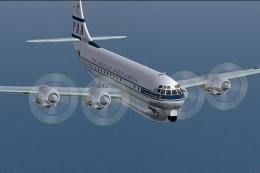
Boeing B377 Prop Textures for various civilian B-377's. Requires KC97EPRP.ZIP…
Be the first to leave a comment on this download.
Be the first to share your thoughts on this download.