

 FS2004 Propeller Aircraft
Airlift International Lockheed N6937C
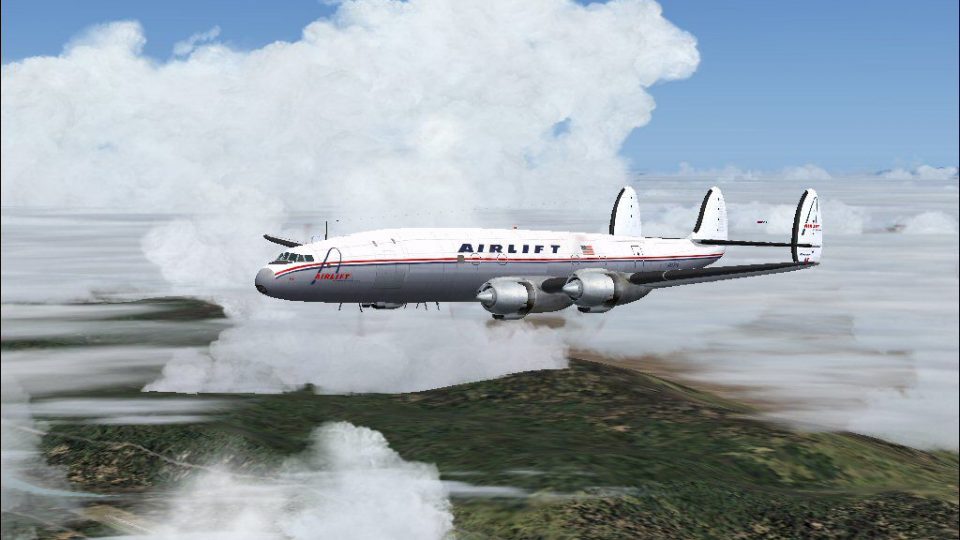
L-1049H Super Constellation. These textures depict N6937C about 1966. Model b…
Airlift International’s 1966-era livery brings registration N6937C to the Lockheed L-1049H Super Constellation, pairing period-correct cargo markings with the propliner’s distinctive triple-tail silhouette and classic presence in the virtual cockpit. Built for Microsoft Flight Simulator 2004, this repaint requires the freeware Manfred Jahn L-1049G base model.
 Rate
Rate
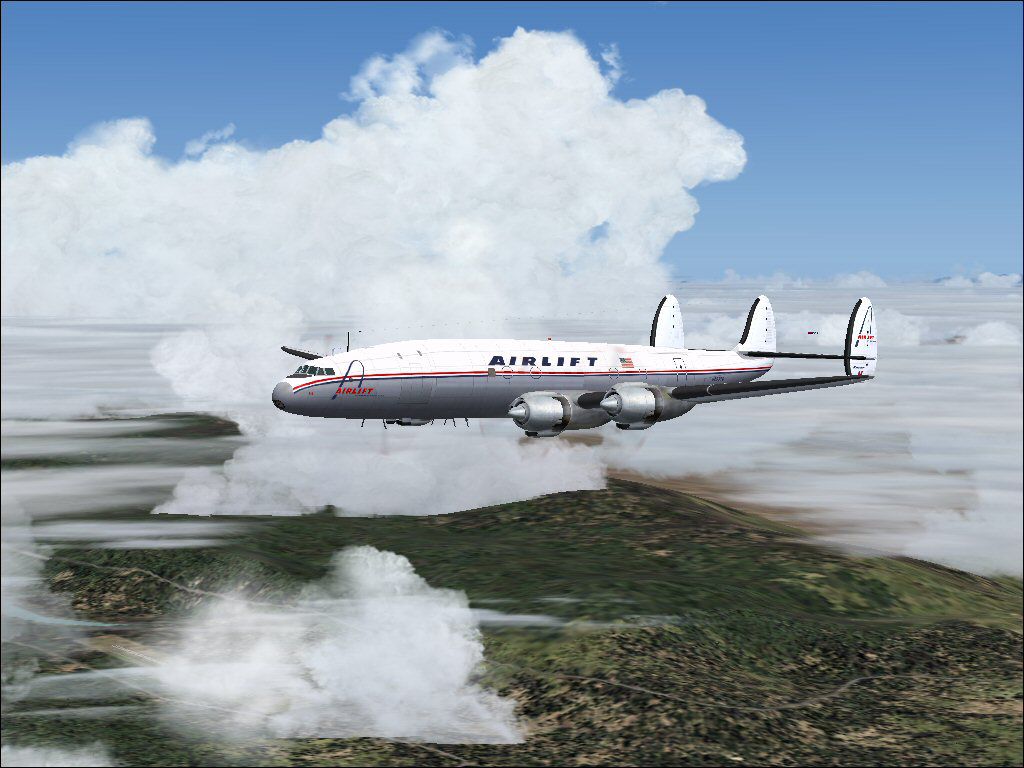
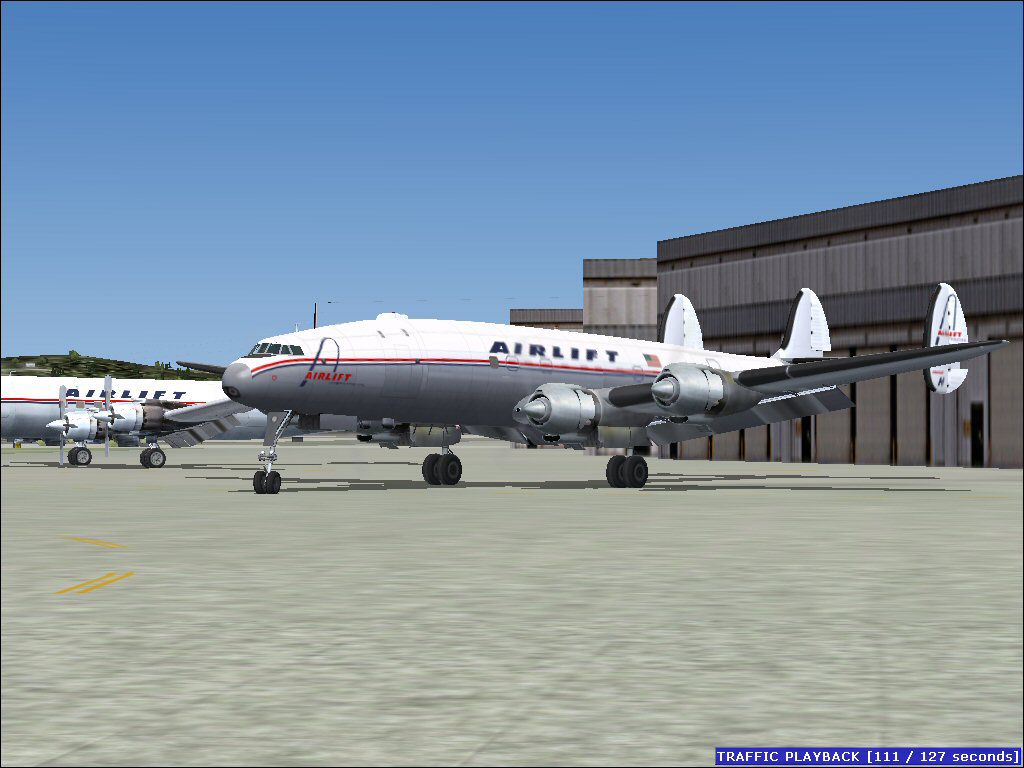
This repaint for the classic Lockheed L-1049G Super Constellation showcases an Airlift International scheme from around 1966, representing registration N6937C. It is designed specifically for Microsoft Flight Simulator 2004 enthusiasts who wish to expand their inventory of historical cargo aircraft. Both the developer Manfred Jahn, who created the model, and Gary Harper, who designed these textures, are credited for their fine work on this freeware release.
The Lockheed L-1049H was part of the storied Super Constellation family, known for its unique triple-tail design and powerful Wright R-3350 engines. Airlift International, established as a cargo-focused airline, utilized aircraft like the Super H variant to move freight across intercontinental routes. This particular livery captures the essence of the airline’s branding at a time when propliners still served in pivotal logistics operations. If you are interested in historical freight operators, you will find that this repaint highlights the era’s vibrant markings on a distinctive airframe.
This package comprises only the repaint material. In order to utilize these textures, you must have the freeware Lockheed L-1049G base model from the Fly Away Simulation library. Once you have installed the primary model, add the texture folder to your aircraft directory. Make sure to adjust the aircraft.cfg file as shown below. Replace the "xx" in [fltsim.xx] with the next available number in your configuration file to ensure proper indexing. Afterward, you can enjoy Airlift International’s timeless livery on your Constellation in all its nostalgic glory.
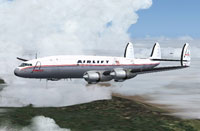
Screenshot of Airlift Super H Constellation in flight.
Insert the snippet below into your aircraft configuration file. Be sure to substitute the correct sequence number for “[fltsim.xx]”.
[fltsim.xx]

title=Lockheed L-1049H Airlift International

sim=L1049G

model=1049vc_s

panel=

sound=

texture=alft

kb_checklists=L1049_check

kb_reference=L1049G_ref

atc_id=514

atc_id_enable=1

ui_manufacturer=Lockheed

ui_type=L-1049G Super Constellation

ui_variation=Airlift N6937C

description=New FS2k4 FD for L1049G Connie. Beta v1.47 26-04/2009

atc_flight_number=121

atc_heavy=0

atc_airline=Airlift

atc_parking_codes=

atc_parking_types=GATE

prop_anim_ratio=0.99

atc_id_color=0x00000000

atc_id_font=Verdana,-11,1,600,0
Manfred Jahn deserves recognition for creating and providing the superb Lockheed L-1049G model that forms the foundation of this repaint. Special thanks also go to Gary Harper for crafting these Airlift textures with such attention to detail. Once installed, this retro propliner will bring the spirit of mid-1960s cargo flights to your simulation environment.
Free for all simmers · 1.01 MB · Scanned clean Oct 2026
Download speed: Free tier is capped at 0.5 Mbps. PRO members download at full line speed.
This file is a repaint — the package below is the base model it paints onto. Install it first, or the textures will have nothing to load onto.
FS9\Aircraft\, FS9\Addon Scenery\, FS9\Gauges\, or FS9\Effects\.readme.txt or README file. It tells you exactly where files go, what dependencies are needed, and any quirks specific to this add-on.The archive alft-1.zip has 19 files and directories contained within it.
This list displays the first 500 files in the package. If the package has more, you will need to download it to view them.
| Filename/Directory | File Date | File Size |
|---|---|---|
| AL-1.jpg | 04.30.09 | 109.54 kB |
| al-3.jpg | 05.01.09 | 118.64 kB |
| File_ID.DIZ.diz | 05.03.09 | 171 B |
| Readme.txt | 05.04.09 | 1.03 kB |
| texture.alft | 05.03.09 | 0 B |
| fins_l.bmp | 03.20.07 | 1.07 kB |
| fins_t.bmp | 05.03.09 | 1.00 MB |
| floor_2.bmp | 10.08.08 | 65.05 kB |
| fuse_l.bmp | 05.03.09 | 4.00 MB |
| fuse_t.bmp | 05.03.09 | 1.00 MB |
| propdisk.bmp | 05.01.09 | 256.07 kB |
| Thumbs.db | 05.03.09 | 28.50 kB |
| wings_l.bmp | 03.20.07 | 1.07 kB |
| wings_t.bmp | 05.01.09 | 1.00 MB |
| xx1cal.bmp | 10.14.08 | 16.07 kB |
| xxcal_121.bmp | 03.19.09 | 8.07 kB |
| Thumbs.db | 05.03.09 | 8.00 kB |
| flyawaysimulation.txt | 10.29.13 | 959 B |
| Go to Fly Away Simulation.url | 01.22.16 | 52 B |
Only PRO members can place votes.
More FS2004 add-ons hand-picked based on this download.
FS2004 Propeller Aircraft
L-1049H Super Constellation. These textures depict N6937C about 1966. Model b…
 FS2004 Propeller Aircraft
Riddle/Airlift International Douglas DC-7CF. textures for Tom Gibson / Greg P…
 FS2004 Propeller Aircraft
The L1049H was a convertible passenger/cargo version of the Super Constellati…
 FS2004 Propeller Aircraft
Reflexive and weathered textures and complete aircraft with accurate latest .…
 FS2004 Propeller Aircraft
Pre-Release Paint Kit (Flying). This paintkit contains Photoshop (.psd) maste…
 FS2004 Propeller Aircraft
Super Constellation Columbine III, President Eisenhower's personal aircraft 1…
 FS2004 Propeller Aircraft
Model by Mike Stone. Textures by Julien Scavini. View from above of Air Franc…
 FS2004 Propeller Aircraft
This paintkit is a supplement for the FS2004 Lockheed Super Constellation ser…
Be the first to leave a comment on this download.
Be the first to share your thoughts on this download.