

 FSX Civil Aircraft
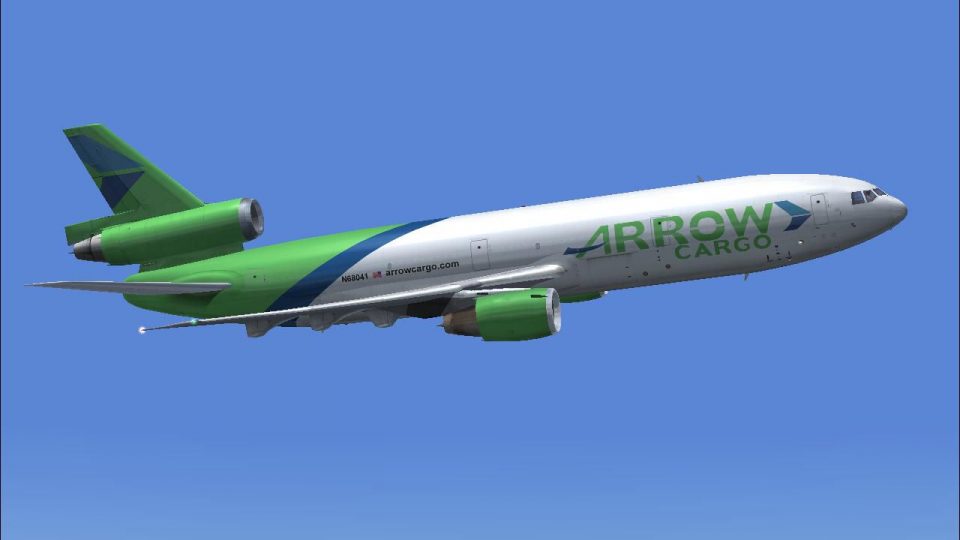
Arrow Cargo Douglas DC-10-10F N68041 "Big A"
This freeware repaint depicts the Arrow Cargo Douglas DC-10-10F in a distinct…
Arrow Cargo’s Douglas DC-10-10F N68047 “Big A” livery brings authentic wide-body freighter character to Microsoft Flight Simulator X, with crisp exterior markings, vivid tail art, and accurate registration details. The repaint keeps the CLS model’s virtual cockpit and systems intact and requires the payware Commercial Level Simulations DC-10-10 package.
 Rate
Rate

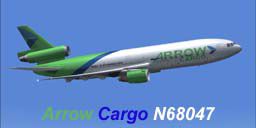
Experience a refined cargo-hauling environment in Microsoft Flight Simulator X with this specialized repaint of the Douglas DC-10-10F. The texture set depicts Arrow Cargo’s distinctive “Big A” scheme, illustrating its tri-jet heritage and robust freighter capabilities. Since this add-on exclusively supplies repainted textures, you will need the payware Commercial Level Simulations (CLS) DC10-10 package for full functionality. The repaint is expertly crafted by Bonnie Windsor, highlighting detailed external artwork while retaining all virtual cockpit elements provided by CLS.
This adaptation captures the operational aesthetic of an aircraft once used by Arrow Cargo, leveraging the DC-10’s wide-body design and triple-engine layout. Many pilots appreciate the DC-10’s General Electric CF6-6D powerplants, known for balanced thrust and reliability. Incorporating a heavy-duty airframe, the freighter role of this livery is optimized for cargo flight operations within Microsoft Flight Simulator X.
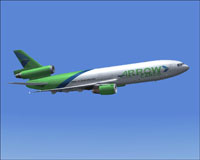
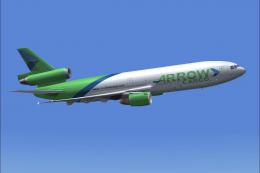
View of Arrow Cargo DC-10-10F “Big A” performing a cargo run.
Microsoft Flight Simulator X/SimObjects/Airplanes/CLS_DC10_10F directory..bmp files from a default Texture folder within CLS_DC10_10F and place them into Texture.APW N68047 BIG A. Make sure you do not overwrite any existing files within Texture.APW N68047 BIG A. (This step ensures you inherit cockpit and auxiliary graphics from the base product.)aircraft.cfg file, incrementing the fltsim.X entry accordingly.[fltsim.XX]
title=Commercial Level Simulations - DC-10-10 Freighter Arrow Cargo N68047
sim=CLS-DC10-10F-GE-CF6-6D
model=F_6D6K
panel=
sound=
texture=APW N68047 BIG A
atc_airline= BIG A
atc_flight_number=047
atc_heavy=1
atc_id=N68047
atc_parking_types=RAMP, CARGO
atc_parking_code=APW
description=Commerical Level Simulations\nBoeing / McDonnell Douglas DC-10-10F\nVersion - Version-2005.1.1\n\nFSX Only\n\nEngine Type: GE CF6-6D\n\nFor proper operation: See DC-10 manual and performance documentation.
kb_checklists=DC-10_check
kb_reference=DC-10-10_ref
ui_typerole="Commercial Airliner"
ui_createdby="Commercial Level Simulations"
ui_manufacturer="McDonnell Douglas"
ui_type=DC-10-10F
ui_variation=Arrow Cargo N68047
visual_damage=1
This repaint preserves the signature characteristics of the “Big A” livery, incorporating vibrant tail art and accurate registration markings on the fuselage. The nuances of Arrow Cargo branding are meticulously depicted to deliver an immersive cargo-flying experience. While this release focuses on the external paint scheme, the integrated cockpit remains faithful to the CLS base model, which must be obtained separately from a recognized payware source (such as SimShack or similar stores).
All credit for this texture set goes to Bonnie Windsor. With a passion for detailed liveries, Bonnie has re-created the real-world Arrow Cargo DC-10-10F exterior for enthusiasts to enjoy within Microsoft Flight Simulator X. This package delivers a historic cargo configuration that can enrich your wide-body freight operations in the simulator.
Free for all simmers · 3.49 MB · Scanned clean Oct 2026
Download speed: Free tier is capped at 0.5 Mbps. PRO members download at full line speed.
texture.{airline}) inside FSX\SimObjects\Airplanes\{base-aircraft}\.aircraft.cfg in Notepad. Add a new [fltsim.X] section per the readme.readme.txt or README file. It tells you exactly where files go, what dependencies are needed, and any quirks specific to this add-on.The archive apx68047.zip has 15 files and directories contained within it.
This list displays the first 500 files in the package. If the package has more, you will need to download it to view them.
| Filename/Directory | File Date | File Size |
|---|---|---|
| APW N68041 BIG A.gif | 04.09.07 | 5.36 kB |
| APW N68041 BIG A.JPG | 04.09.07 | 55.89 kB |
| APW N68047 BIG A.txt | 05.30.07 | 293 B |
| dc10_cf650_t.bmp | 04.10.07 | 4.00 MB |
| fspap_dc10fuseL_l.bmp | 04.10.07 | 1.00 MB |
| fspap_dc10fuseL_t.bmp | 04.10.07 | 4.00 MB |
| fspap_dc10fuseR_l.bmp | 04.10.07 | 1.00 MB |
| fspap_dc10fuseR_t.bmp | 04.10.07 | 4.00 MB |
| fspap_dc10misc_t.bmp | 04.10.07 | 1.00 MB |
| fspap_dc10tail_cf6_t.bmp | 04.10.07 | 4.00 MB |
| readme.txt | 05.30.07 | 1.47 kB |
| thumbnail.jpg | 05.27.07 | 15.75 kB |
| TEXTURE.APW N68047 BIG A | 05.30.07 | 0 B |
| flyawaysimulation.txt | 10.29.13 | 959 B |
| Go to Fly Away Simulation.url | 01.22.16 | 52 B |
Only PRO members can place votes.
More FSX & P3D add-ons hand-picked based on this download.
FSX Civil Aircraft
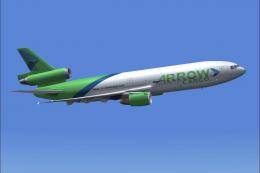
This freeware repaint depicts the Arrow Cargo Douglas DC-10-10F in a distinct…
 FSX Civil Aircraft
This freeware package provides a detailed Arrow Cargo repaint for the payware…
 FSX Civil Aircraft
Textures only for the payware Commercial Level Simulations (CLS) DC10-30 mode…
 FSX Civil Aircraft
FSX FedEx Douglas DC-10-10F. Textures only for the payware Commercial Level S…
 FSX Civil Aircraft
This exclusive repaint package showcases a Douglas DC-10-40F wearing the Arro…
 FSX Civil Aircraft
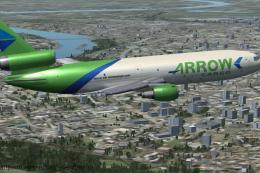
Step into the classic tri-jet experience with this freeware Douglas DC-10-30F…
 FSX Civil Aircraft
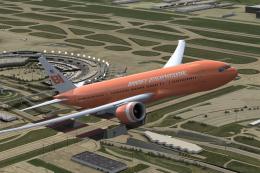
This is a fictional tribute paint for the payware PMDG B777-200 in the colors…
 FSX Civil Aircraft
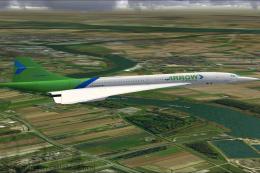
This is a Concorde of Arrow Cargo VA, registration N219AC. Repaint by Mathieu…
Be the first to leave a comment on this download.
Be the first to share your thoughts on this download.