

 FSX Misc
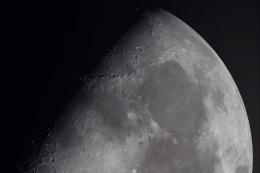
HD Moon Texture V3.0
This update will replace all previous textures from version 2.0 - complete ne…
Strange Moon Textures refreshes the night sky in Microsoft Flight Simulator X by swapping default lunar images for imaginative alternatives such as planets or space stations, delivered as crisp 512×512 BMPs that stay sharp when zoomed. Install all 15 replacements or mix and match individual moons for a personalized celestial backdrop.
 Rate
Rate
Tired of the same old moon? This replaces some, or all, default moon textures with various other things, like space stations, planets, or other things, using 512X512 BMPs for higher resolution when zoomed in.
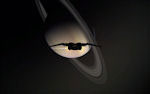
Screenshot of the Moon as Saturn?
There are several options to installing. You can install them all and replace all the 15 moon texture with the content of the "moon_strange" folder, or you can replace only a few select moons.
That's all there is to it. To view the various "moons", grab a copy of a almanac or a good calendar and set the "Time and Season" to the appropriate time and date given by the almanac or calendar.
Free for all simmers · 4.03 MB · Scanned clean Oct 2026
Download speed: Free tier is capped at 0.5 Mbps (this file takes approximately 1 min at the cap). PRO members download at full line speed.
SimObjects\Airplanes\, Addon Scenery\, Effects\, or Gauges\.readme.txt or README file. It tells you exactly where files go, what dependencies are needed, and any quirks specific to this add-on.The archive moon_str.zip has 21 files and directories contained within it.
This list displays the first 500 files in the package. If the package has more, you will need to download it to view them.
| Filename/Directory | File Date | File Size |
|---|---|---|
| id file.txt | 05.05.09 | 220 B |
| moon_strange | 05.05.09 | 0 B |
| moon1.bmp | 05.04.09 | 1.00 MB |
| moon10.bmp | 05.04.09 | 1.00 MB |
| moon11.bmp | 05.04.09 | 1.00 MB |
| moon12.bmp | 05.04.09 | 1.00 MB |
| moon13.bmp | 05.04.09 | 1.00 MB |
| moon14.bmp | 05.04.09 | 1.00 MB |
| moon15.bmp | 05.05.09 | 1.00 MB |
| moon2.bmp | 05.04.09 | 1.00 MB |
| moon3.bmp | 05.04.09 | 1.00 MB |
| moon4.bmp | 05.04.09 | 1.00 MB |
| moon5.bmp | 05.04.09 | 1.00 MB |
| moon6.bmp | 05.04.09 | 1.00 MB |
| moon7.bmp | 05.05.09 | 1.00 MB |
| moon8.bmp | 05.03.09 | 1.00 MB |
| moon9.bmp | 05.04.09 | 1.00 MB |
| Read Me.txt | 05.05.09 | 2.12 kB |
| saturn.jpg | 05.05.09 | 9.20 kB |
| flyawaysimulation.txt | 10.29.13 | 959 B |
| Go to Fly Away Simulation.url | 01.22.16 | 52 B |
Only PRO members can place votes.
More FSX & P3D add-ons hand-picked based on this download.
FSX Misc
This update will replace all previous textures from version 2.0 - complete ne…
 FSX Misc
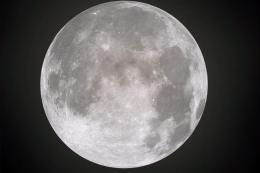
This is a replacement for the default moon textures. While the default textur…
 FSX Misc
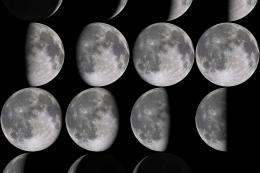
This update will replace all previous textures from version 1. 0. Complete ne…
 FSX Misc
These are higher resolution images for the default moon textures. The default…
 FSX Misc
These are higher resolution images for the default moon textures. The default…
 FSX Misc
Converted for FSX. These files act as HDE sky texture replacements for import…
 FSX Misc
These textures take the place of default water textures by changing the botto…
 FSX Misc
This file replaces the earlier "revised sky textures for FSX". It fixes an er…
Be the first to leave a comment on this download.
Be the first to share your thoughts on this download.