

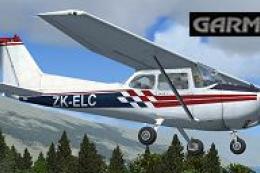
 FSX General Aviation Aircraft
Cessna 172 ZK-ELC W/Garmin 1000
Enhance your general aviation adventures with this unique paint scheme for th…
Cessna 172 ZK-ELC brings a crisp New Zealand-registered look to the default Skyhawk, with clean color separation across fuselage, tail, and high wings for believable ramp presence and screenshots in Microsoft Flight Simulator X. The repaint requires the stock C172 base model and keeps the familiar virtual cockpit and handling intact.
 Rate
Rate

This repaint presents a meticulous texture set for the default Cessna 172 in Microsoft Flight Simulator X. It showcases the ZK-ELC livery, originally crafted by Jon Murchison. Designed to replicate the genuine registration seen in New Zealand skies, it offers a vibrant scheme for pilots who appreciate an aircraft renowned for its adaptability and stable handling. This package is freeware, but remember that it only includes the repaint, so you will need to have the default C172 base model already installed from the Fly Away Simulation library.
The real-world Cessna 172 is cherished by both trainees and seasoned aviators for its predictable flight characteristics. This repaint applies crisp color work across the fuselage, empennage, and wings, echoing the high-wing design that has been a favorite in general aviation for decades. Notably, ZK-ELC belongs to an aircraft registration system that identifies New Zealand-based airplanes (ZK is the prefix). With this livery, simmers can enjoy a subtle nod to the aviation roots of that region while maintaining a realistic presence in the simulator.

Screenshot of the Cessna 172 ZK-ELC in flight.
aircraft.cfg) to include the repaint entry below. Replace [fltsim.x] with the correct fltsim index, ensuring numerical order continuity (for example, [fltsim.5]).[fltsim.x]
title=Cessna Skyhawk 172SP ZK-ELC
sim=Cessna172SP
model=
panel=
sound=
texture=ELC
kb_checklists=Cessna172SP_check
kb_reference=Cessna172SP_ref
atc_id=ELC
ui_manufacturer="ARNZ"
ui_type="C172SP Skyhawk"
ui_variation="ZK-ELC"
ui_typerole="Single Engine Prop"
ui_createdby="ARNZ"
description="A durable and dependable platform, the Cessna 172 has trained countless pilots since the mid-1950s. Its steady flight behavior and tricycle-gear layout make it popular among flight schools and rental operations worldwide. Over 35,000 units have rolled off the production line, reinforcing its title as one of the best-selling single-engine airplanes. This ZK-ELC repaint adds a distinct, recognizable look to an already iconic aircraft model."
This repaint gives you a deeper appreciation for the enduring legacy of the Cessna 172. The visual enhancements complement the already reliable flight dynamics. By including this texture, you will experience an aircraft that blends tradition with a clean, modern accent. Developed by Jon Murchison, this pack once again exhibits the dedication and passion that freeware creators bring to the community. Enjoy your flights in the ZK-ELC, knowing you are piloting one of the most time-tested airframes in general aviation.
Free for all simmers · 690.65 KB · Scanned clean Oct 2026
Download speed: Free tier is capped at 0.5 Mbps. PRO members download at full line speed.
texture.{airline}) inside FSX\SimObjects\Airplanes\{base-aircraft}\.aircraft.cfg in Notepad. Add a new [fltsim.X] section per the readme.readme.txt or README file. It tells you exactly where files go, what dependencies are needed, and any quirks specific to this add-on.The archive zk_elc.zip has 7 files and directories contained within it.
This list displays the first 500 files in the package. If the package has more, you will need to download it to view them.
| Filename/Directory | File Date | File Size |
|---|---|---|
| C172_T.dds | 06.15.07 | 1.00 MB |
| texture.cfg | 08.14.06 | 137 B |
| thumbnail.jpg | 06.17.07 | 30.29 kB |
| texture.ELC | 06.17.07 | 0 B |
| README_INSTALL.txt | 06.17.07 | 2.28 kB |
| flyawaysimulation.txt | 10.29.13 | 959 B |
| Go to Fly Away Simulation.url | 01.22.16 | 52 B |
Only PRO members can place votes.
More FSX & P3D add-ons hand-picked based on this download.
FSX General Aviation Aircraft
Enhance your general aviation adventures with this unique paint scheme for th…
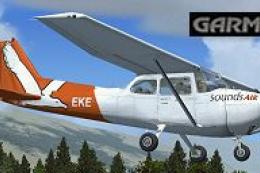 FSX General Aviation Aircraft
This freeware repaint exhibits the ZK-EKE registration markings of Sounds Air…
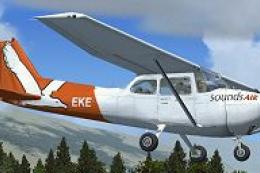 FSX General Aviation Aircraft
This repaint package showcases a Sounds Air Cessna 172 registration ZK-EKE ex…
 FSX General Aviation Aircraft
This repaint package delivers a fresh look for the default Cessna 172 in Micr…
 FSX General Aviation Aircraft
Experience a uniquely detailed Wanganui Aeroclub Air livery for the classic C…
 FSX General Aviation Aircraft
This freeware repaint introduces a customized Wanganui Aeroclub livery specif…
 FSX General Aviation Aircraft
This freeware repaint brings the Ardmore Aerodrome-inspired Cessna 172 ZK-JRA…
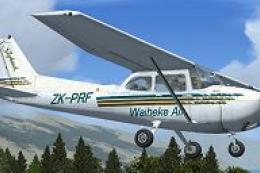 FSX General Aviation Aircraft
This repaint introduces a new Waiheke Air livery for the default FSX Cessna 1…
Be the first to leave a comment on this download.
Be the first to share your thoughts on this download.