

 FSX General Aviation Aircraft
Cessna 152 Aerobat
This exclusive package brings together an enhanced rendition of the well-know…
Cessna 152 D-EBBI brings a crisp blue paint scheme and authentic registration details to the Carenado 152, refreshing exterior textures and thumbnails for a clean, period-correct look in FSX. Textures-only repaint requires the payware Carenado Cessna 152 and fits neatly alongside existing liveries for training, touring, or casual VFR flying.
 Rate
Rate

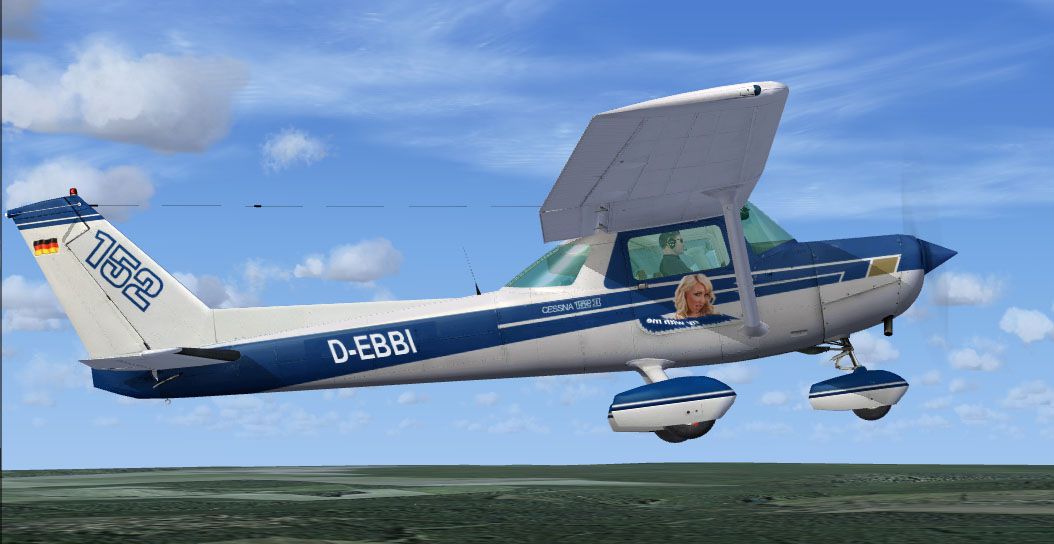
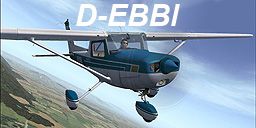
This is a repaint of the payware Carenado Cessna 152. Textures only. Repaint by Tom Norden.

Screenshot of Cessna 152 D-EBBI in flight.
This is one of my first repaints. If you have the Carenado C152 for FSX you should make a copy of the texture.CALYPSO folder. Than rename this into texture.DEBBI and copy the five files thumbnail, Alabeo152 *T into it. Aircraft.cfg part into the main Carenado C152 folder that's all. There is a little mistake on the left side with the "fly with me" because there is only on door side in the DXT, but nobody is perfect. I have no solution at the moment.
[fltsim.9]

title=C152II D-EBBI

sim=SingleEngineProp

model=

panel=

sound=

texture=DEBBI

kb_checklists=C152_CHECK

kb_reference=C152_REF

atc_id=DEBBI

ui_manufacturer="Carenado"

ui_type="C152II"

ui_variation="Blue with Gear Fairings"

ui_createdby="Carenado"

ui_typerole="Highwing single Engine Prop"

description="The C152II, two-seat, fixed tricycle gear, general aviation airplane, used primarily for flight training, touring, and personal flying. First delivered in 1977 as the 1978 model year, the 152 was a modernization of the proven C150 design. The 152 was intended to compete with the new Beechcraft Skipper and Piper Tomahawk, both of which were introduced the same year."

atc_heavy=0

atc_airline=

atc_flight_number=

atc_id_color=0x00000000

atc_id_font=Verdana,-11,1,600,0

visual_damage=1
I hope you like it.
Free for all simmers · 2.66 MB · Scanned clean Oct 2026
Download speed: Free tier is capped at 0.5 Mbps. PRO members download at full line speed.
texture.{airline}) inside FSX\SimObjects\Airplanes\{base-aircraft}\.aircraft.cfg in Notepad. Add a new [fltsim.X] section per the readme.readme.txt or README file. It tells you exactly where files go, what dependencies are needed, and any quirks specific to this add-on.The archive cac152rp.zip has 12 files and directories contained within it.
This list displays the first 500 files in the package. If the package has more, you will need to download it to view them.
| Filename/Directory | File Date | File Size |
|---|---|---|
| CarenC152repaint | 01.25.09 | 0 B |
| ALABEO152A_T.bmp | 01.25.09 | 1.33 MB |
| ALABEO152B_T.bmp | 01.20.09 | 1.33 MB |
| ALABEO152C_T.bmp | 01.20.09 | 1.33 MB |
| Alabeo152interiorD_C.bmp | 01.20.09 | 1.33 MB |
| dgtluklad1.jpg | 01.21.09 | 950.03 kB |
| readme.txt | 01.21.09 | 1.40 kB |
| thumbnail.jpg | 01.20.09 | 106.16 kB |
| thumbnailold.jpg | 01.20.09 | 36.23 kB |
| Thumbs.db | 01.21.09 | 10.50 kB |
| flyawaysimulation.txt | 10.29.13 | 959 B |
| Go to Fly Away Simulation.url | 01.22.16 | 52 B |
Only PRO members can place votes.
More FSX & P3D add-ons hand-picked based on this download.
FSX General Aviation Aircraft
This exclusive package brings together an enhanced rendition of the well-know…
 FSX General Aviation Aircraft
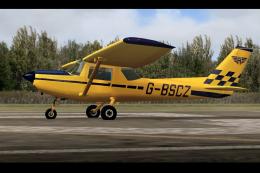
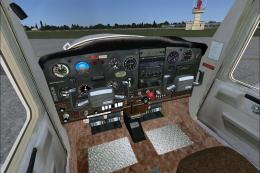
Cessna 152, registration G-BSCZ. A partially photoreal texture of Just Flight…
 FSX General Aviation Aircraft
Cessna 152 flyable blank white textures for the Just Flight/FS Insider freewa…
 FSX General Aviation Aircraft
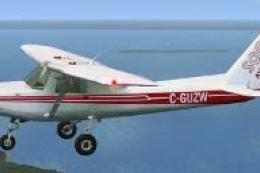
Textures only for the freeware Just Flight C152. C-GUZW is owned and operated…
 FSX General Aviation Aircraft
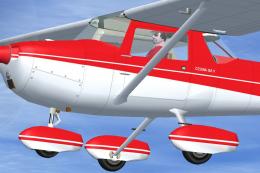
This repaint set features a distinctive red-on-white finish for the Cessna 15…
 FSX General Aviation Aircraft
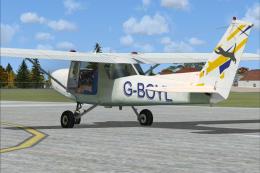
Cessna C-152 G-BOYL. A repaint of the Cessna C-152 in the livery of Central A…
 FSX General Aviation Aircraft
This lively repaint package offers a detailed blue-and-white paint scheme lab…
 FSX General Aviation Aircraft
This repaint package features a fictional registration, N6539H, over a sleek …
Read what other simmers think, or add your own.

Good day,
I just saw that you are using my aircraft as a simulator aircraft. D-EBBI is the registration of our C150.
You could have asked whether you may use the registration! We also operate a Piper PA28-181 Archer II with D-EHAB.
I am happy to provide you with the image rights if you help us with the setup (software) for a flight simulator. We have already purchased the hardware and will be flying with a projector.
Kind regards,
Flugschule Robisch
Owner: Alfred Robisch
Vorderegglburg 9a
85560 Ebersberg
Info@flugschule-robisch.de