

 FSX Historic & Vintage Aircraft
DeHavilland DH.80A Puss Moth
DeHavilland DH.80A Puss Moth. Native FSX conversion of the DH80 Puss Moth by …
De Havilland DH87B Hornet Moth C-FEEJ brings George Neal’s celebrated Canadian restoration to life with faithful exterior textures and authentic markings for a classic two-seat tourer. Built for FSX, it requires Frank Elton’s DH87B Hornet Moth base package and complements vintage flying with a clean, museum-worthy finish.
 Rate
Rate
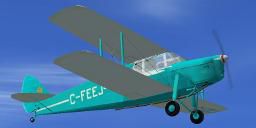
Textures for Frank Elton's de Havilland Dh87b Hornet Moth (HMOTH.ZIP). C-FEEJ was the restoration project of George Neal and his personal aircraft for nearly 40 years. Mr. Neal is a Canadian flying legend and member of Canada's Aviation Hall of Fame. In November 2008 at age 89, Mr. Neal flew this aircraft to Downsview Airport in Toronto where it was added to the collection of the Canadian Air and Space Museum. Repaint by Peter Lorimer.
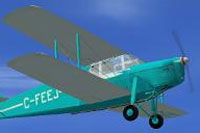
Screenshot of DeHavilland Hornet Moth C-FEEJ in flight.
Installation:
Copy the texture folder into the 'dh87' folder in the SimObjects 'Airplanes' folder and copy the text below into the aircaft cfg file, replacing the 'x' with your next number in sequence.
[fltsim.x]

title=George Neal's De Havilland Hornet Moth

sim=DH Hornet Moth

model=

panel=

sound=

texture=Neal

kb_checklists=

atc_id=C-FEEJ

ui_manufacturer=De Havilland

ui_type=DH87 Hornet Moth

ui_variation=C-FEEJ

atc_heavy=0

atc_airline=

atc_flight_number=

description=Two seat Touring Aircraft
Free for all simmers · 1.84 MB · Scanned clean Oct 2026
Download speed: Free tier is capped at 0.5 Mbps. PRO members download at full line speed.
texture.{airline}) inside FSX\SimObjects\Airplanes\{base-aircraft}\.aircraft.cfg in Notepad. Add a new [fltsim.X] section per the readme.readme.txt or README file. It tells you exactly where files go, what dependencies are needed, and any quirks specific to this add-on.The archive hornet_moth_c-feej.zip has 17 files and directories contained within it.
This list displays the first 500 files in the package. If the package has more, you will need to download it to view them.
| Filename/Directory | File Date | File Size |
|---|---|---|
| docs.diz | 12.17.12 | 1.52 kB |
| texture.Neal | 12.17.12 | 0 B |
| $vcleft | 11.02.02 | 65.05 kB |
| $vcright | 11.02.02 | 65.05 kB |
| dh872.bmp | 12.17.12 | 682.75 kB |
| dh873.bmp | 12.16.12 | 1.33 MB |
| dh874.bmp | 12.17.12 | 1.33 MB |
| dh875.bmp | 12.17.12 | 1.33 MB |
| dh876.bmp | 12.16.12 | 1.33 MB |
| dh877.bmp | 12.12.12 | 1.33 MB |
| dh879.bmp | 08.29.08 | 1.33 MB |
| pilot.bmp | 08.12.08 | 1.33 MB |
| propdisc1.bmp | 08.19.08 | 85.43 kB |
| readme.txt | 12.17.12 | 1.50 kB |
| thumbnail.JPG | 12.17.12 | 4.58 kB |
| flyawaysimulation.txt | 10.29.13 | 959 B |
| Go to Fly Away Simulation.url | 01.22.16 | 52 B |
Only PRO members can place votes.
More FSX & P3D add-ons hand-picked based on this download.
FSX Historic & Vintage Aircraft
DeHavilland DH.80A Puss Moth. Native FSX conversion of the DH80 Puss Moth by …
 FSX Historic & Vintage Aircraft
Functional VC model included; Package includes an excellent flight model and …
 FSX Historic & Vintage Aircraft
A complete De Havilland DH82a Tiger Moth package compatible with all versions…
 FSX Historic & Vintage Aircraft
Golden Age Simulations DeHavilland DH 60 Moth for FSX. Originally designed an…
 FSX Historic & Vintage Aircraft
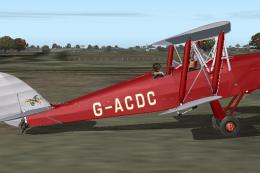
Tiger Moth G-ACDC. Textures only for JustFlight's DeHavilland Tiger Moth. Thi…
 FSX Historic & Vintage Aircraft
DeHavilland Dh89a Dragon Rapide. Features fully working VC with smooth gauges…
 FSX Historic & Vintage Aircraft
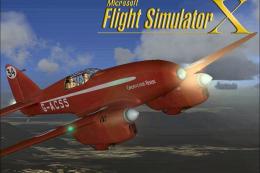
This enhanced DeHavilland Comet package brings a classic jetliner into Micros…
 FSX Historic & Vintage Aircraft
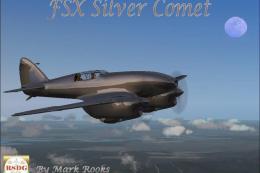
FSX DeHavilland Silver Comet. A repaint of the stock DeHavilland Comet for Fl…
Be the first to leave a comment on this download.
Be the first to share your thoughts on this download.