

 FS2004 AFCAD Files
EDDF, AFCAD2 File
Frankfurt/Main Airport, Germany, for use with AMEDDF11.ZIP. Should solve most…
Yaounde Nsimalen International Airport (FKYS) gets a cleaner, more accurate ground layout with updated gate positions, taxi routes, and refined runway geometry, plus added access roadways around the terminal for livelier ground operations. The AFCAD2 file boosts AI traffic flow and taxi navigation realism in Microsoft Flight Simulator 2004.
 Rate
Rate
This AFCAD2 package provides a refined ground layout for Yaounde Nsimalen International Airport (FKYS) located in Cameroon. It integrates surrounding roadways that extend to and from the terminal area, which can enhance traffic realism and ground operations in Microsoft Flight Simulator 2004. Developed by Lukas Kaufmann, this freeware add-on updates gate positions, taxi routes, and other critical parameters so that sim pilots can enjoy more precise navigation when operating from this important Central African hub.
Yaounde Nsimalen International Airport serves the capital city of Yaounde, handling both domestic and international flights. With this AFCAD2 file incorporated, virtual aviators gain access to carefully positioned parking spots and an accurate depiction of runway geometry. Additionally, it improves connectivity by introducing multiple roadways leading to the airport, smoothly weaving into your existing scenery.
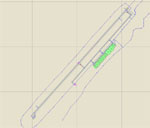
Functional representation of Yaounde Nsimalen International Airport layout.
Among the improvements in this package, updated ground paths replicate major access roads that connect to the passenger terminal. These additions create a more engaging environment, especially during taxi or pushback operations, where external views now showcase the extended road network. The scenery arrangement retains compatibility with most standard terrain or mesh configurations.
Due to potential conflicts with other scenery addons, verifying that no duplicate AFCAD2 data exists is recommended. Perform a quick check to confirm that this package is the only active file for FKYS.
All enhancements in this add-on were created by Lukas Kaufmann. Experience its benefits in your flights, and enjoy a more realistic depiction of this key African airport.
Free for all simmers · 10.86 KB · Scanned clean Oct 2026
Download speed: Free tier is capped at 0.5 Mbps. PRO members download at full line speed.
FS9\Aircraft\, FS9\Addon Scenery\, FS9\Gauges\, or FS9\Effects\.readme.txt or README file. It tells you exactly where files go, what dependencies are needed, and any quirks specific to this add-on.The archive af2-fkys.zip has 5 files and directories contained within it.
This list displays the first 500 files in the package. If the package has more, you will need to download it to view them.
| Filename/Directory | File Date | File Size |
|---|---|---|
| AF2_FKYS.bgl | 01.29.05 | 5.74 kB |
| readme.txt | 02.27.05 | 1.03 kB |
| FKYS.gif | 02.27.05 | 6.93 kB |
| flyawaysimulation.txt | 10.29.13 | 959 B |
| Go to Fly Away Simulation.url | 01.22.16 | 52 B |
Only PRO members can place votes.
More FS2004 add-ons hand-picked based on this download.
FS2004 AFCAD Files
Frankfurt/Main Airport, Germany, for use with AMEDDF11.ZIP. Should solve most…
 FS2004 AFCAD Files
FS2004 AFCAD2 File For RCKH and RCSS, Taipei Sungshan Airport and Kaohsiung A…
 FS2004 AFCAD Files
Tokyo Narita Airport (RJAA), Japan (not for the default FS2004 airport; detai…
 FS2004 AFCAD Files
Updated gates and taxiways for Amsterdam Schiphol Int'l Airport, The Netherla…
 FS2004 AFCAD Files
WSSS for Samsoft's Singapore Changi scenery (not for the default FS2004 airpo…
 FS2004 AFCAD Files
An AFCAD2 file for Soekarno-Hatta Airport, Jakarta, Indonesia (WIII) for use …
 FS2004 AFCAD Files
An AFCAD2 file for Ngurah Rai Int'l Airport, Denpasar Bali, Indonesia (WRRR),…
FS2004 AFCAD Files
Dubai Int'l Airport, United Arab Emirates. Upgrades the stock airport to prov…
Be the first to leave a comment on this download.
Be the first to share your thoughts on this download.