

 FSX Civil Aircraft
Platinum Airways Airbus A300-600 Beluga
Thomas Ruth A300-600ST Beluga. Full aircraft, repainted in Platinum Airways' …
Platinum Airways’ Airbus A340-600 brings a polished long-haul four‑engine experience with a detailed exterior model, authentic flight dynamics, and a fully functional virtual cockpit. Designed for Microsoft Flight Simulator X, it includes smooth animations, reliable performance across altitudes, multiplayer-friendly visuals, and an easy auto-installer for quick integration.
 Rate
Rate
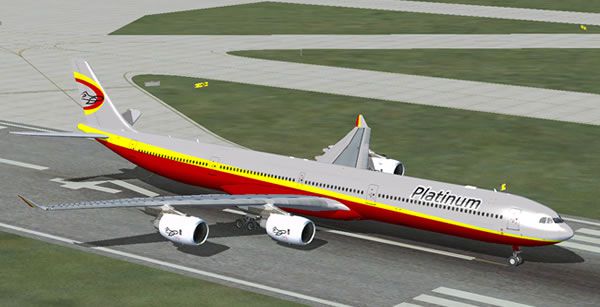
This complete freeware package showcases a refined Airbus A340-600 adorned with Platinum Airways’ latest visual identity. Created by Thomas Ruth and featuring a nuanced repaint by Al Nel, it arrives with an auto-installer courtesy of Vic Ayres. It also integrates seamlessly into Microsoft Flight Simulator X, ensuring a convenient setup for virtual pilots seeking a modern long-haul option that performs reliably.
The A340-600 is known for its four-engine layout, which provides stable thrust distribution on extended itineraries. This specific rendition includes all essential refinements for handling extensive routes, integrating an authentic flight model that remains smooth at various altitudes and speeds. Enhanced aerodynamics replicate the real aircraft’s handling attributes during climb, cruise, and descent, allowing you to explore cross-continental sectors in a truly immersive manner.
The new paint scheme is meticulously applied by Al Nel to reflect the signature style of Platinum Airways. This airline operates under an Open Skies concept, letting enthusiasts choose any route, craft their own schedules, and fly the aircraft they prefer. The featured livery exudes a crisp, modern look that stands out when taxiing around virtual airports worldwide.
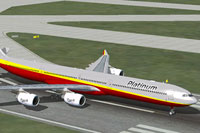
Screenshot of Platinum Airways Airbus A340-600 on runway.
This release offers a thoughtful blend of realism, versatility, and simplicity in installation. The free-to-download nature ensures any virtual pilot can explore longer corridors of flight without additional cost. Version 2 fixes various minor issues, so you can expect a more stable and engaging experience each time you venture skyward.
Free for all simmers · 30.7 MB · Scanned clean Oct 2026
Download speed: Free tier is capped at 0.5 Mbps (this file takes approximately 9 mins at the cap). PRO members download at full line speed.
FSX\SimObjects\Airplanes\. The folder must contain an aircraft.cfg file. Effects go into FSX\Effects\; gauges go into FSX\Gauges\.readme.txt or README file. It tells you exactly where files go, what dependencies are needed, and any quirks specific to this add-on.The archive pt_a340-600_fsx.zip has 5 files and directories contained within it.
This list displays the first 500 files in the package. If the package has more, you will need to download it to view them.
| Filename/Directory | File Date | File Size |
|---|---|---|
| Pt_A340-600_FSX.exe | 07.30.13 | 30.93 MB |
| PT_A340-600_FSX.jpg | 08.01.13 | 37.18 kB |
| Readme.txt | 07.31.13 | 1.77 kB |
| flyawaysimulation.txt | 10.29.13 | 959 B |
| Go to Fly Away Simulation.url | 01.22.16 | 52 B |
Only PRO members can place votes.
More FSX & P3D add-ons hand-picked based on this download.
FSX Civil Aircraft
Thomas Ruth A300-600ST Beluga. Full aircraft, repainted in Platinum Airways' …
 FSX Civil Aircraft
This complete freeware package offers a detailed four-engine Airbus A340-300 …
 FSX Civil Aircraft
Virgin Atlantic Airways Airbus A340-600, registration G-VRED. Repaint by Math…
 FSX Civil Aircraft
Virgin Atlantic Airways Airbus A340-600, registration G-VMGE; last metallic r…
 FSX Civil Aircraft
Project Airbus A380. Full aircraft, repainted in Platinum Airways' new livery…
 FSX Civil Aircraft
This free package presents a finely detailed Airbus A318-100 with distinctive…
 FSX Civil Aircraft
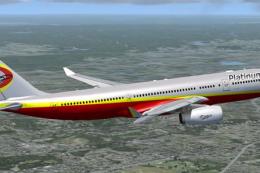
This freeware release features Thomas Ruth’s Airbus A330-200, offered as a fu…
 FSX Civil Aircraft
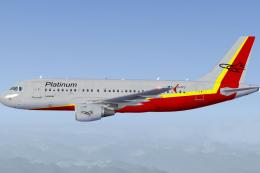
This package introduces a short-to-medium range Airbus jet in a unique Platin…
Read what other simmers think, or add your own.

Have been trying to get an A340 for weeks that flies and now I have one.........THANK YOU VERY MUCH...Roger.
