

 FSX Civil Aircraft
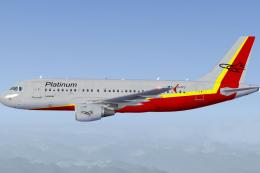
Platinum Airways Airbus A319-100
This package introduces a short-to-medium range Airbus jet in a unique Platin…
Platinum Airways Airbus A318-100 brings a detailed short-fuselage A320-family jet to Microsoft Flight Simulator X with Project Airbus modeling and Marco Fischbach’s custom livery. Expect XML-driven animations, realistic pressurization and spoiler behavior, dynamic jet wash, crisp lighting and reflections, functional doors and cargo hatches, wing views, and refined landing gear timing.
 Rate
Rate
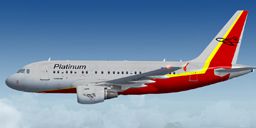
This free package presents a finely detailed Airbus A318-100 with distinctive Platinum Airways markings, specifically tailored for Microsoft Flight Simulator X. Developed by Project Airbus and painted by Marco Fischbach, this rendition includes a full base model and highlights every significant element one would expect from a short-fuselage member of the A320 series, making it an excellent choice for virtual captains seeking realism.
Platinum Airways, known for a simplified (KISS) operational style featuring liberated routes and select hubs, employs the nimble Airbus A318-100 for short-range routes. Real-world Airbus A318s belong to the A320 family and provide a robust flight deck, advanced aerodynamics, and comfortable passenger capacity. This repaint replicates those facets under Platinum Airways branding, while retaining the authentic features originally designed by Project Airbus.
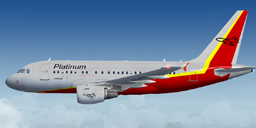
Platinum Airways Airbus A318-100 cruising at altitude.
Creator: Project Airbus
Texture Designer: Marco Fischbach
Compatibility: Tested with FSX SP2
Installation Steps:
Project Airbus’s famous A320 platform anchors this Airbus A318, so it showcases multiple XML-controlled animations and accurate flight behaviors. Below are some defining elements:
Additional refinements include:
Incorporated animations allow the following door operations:
This freeware Airbus A318-100 is made possible by the dedicated work of the Project Airbus collective, which includes:
They also extend special thanks to guest contributors like Ben Jones, Dickson Chan, Jaco du Preez, Sheldon Fernandes, and Terence Pereira. Flight dynamics have been evaluated with the help of Capt. Manny Osias, F/O Spike Acenas, Mark Bolatete, and Kester Masias.
All objects, textures, and modifications assembled here remain under the respective authors’ copyrights. Enjoy navigating this Airbus A318-100 under Platinum Airways colors in your next Microsoft Flight Simulator X adventure.
Free for all simmers · 18.76 MB · Scanned clean Oct 2026
Download speed: Free tier is capped at 0.5 Mbps (this file takes approximately 5 mins at the cap). PRO members download at full line speed.
FSX\SimObjects\Airplanes\. The folder must contain an aircraft.cfg file. Effects go into FSX\Effects\; gauges go into FSX\Gauges\.readme.txt or README file. It tells you exactly where files go, what dependencies are needed, and any quirks specific to this add-on.The archive paa318fsxplatinumairways.zip has 70 files and directories contained within it.
This list displays the first 500 files in the package. If the package has more, you will need to download it to view them.
| Filename/Directory | File Date | File Size |
|---|---|---|
| Aircraft.cfg | 06.30.10 | 19.45 kB |
| effects.rar | 10.22.09 | 5.53 kB |
| effects | 10.22.09 | 0 B |
| fx_beacon3202pa.fx | 07.24.02 | 3.03 kB |
| fx_beacon320pa.fx | 07.24.02 | 3.01 kB |
| fx_contrail_320.fx | 07.24.02 | 1.17 kB |
| fx_navgre320pa.fx | 07.24.02 | 4.56 kB |
| fx_navred320pa.fx | 07.24.02 | 4.56 kB |
| fx_navwhi320pa.fx | 07.24.02 | 3.03 kB |
| fx_strobe2320pa.fx | 07.24.02 | 2.44 kB |
| fx_strobe320pa.fx | 07.24.02 | 4.80 kB |
| fx_tchdwn320.fx | 07.24.02 | 4.54 kB |
| intelliscene.cfg | 02.26.10 | 136 B |
| Model | 06.21.10 | 0 B |
| A318_100_CFM_NoVC.mdl | 10.10.09 | 2.22 MB |
| Airbus_A321_interior.mdl | 06.18.07 | 1.06 MB |
| Model.cfg | 02.26.10 | 65 B |
| pa318-cfm56.air | 06.18.07 | 8.76 kB |
| panel | 06.21.10 | 0 B |
| Airbus_A321.cab | 06.19.07 | 2.72 MB |
| airbus_a321_panel_background.bmp | 06.18.07 | 769.05 kB |
| airbus_a321_panel_background_night.bmp | 06.18.07 | 769.05 kB |
| panel.cfg | 06.20.07 | 5.64 kB |
| Readme.txt | 06.29.10 | 4.90 kB |
| screenshot.BMP | 06.29.10 | 2.23 MB |
| sound | 12.19.09 | 0 B |
| Sound.cfg | 08.08.07 | 33 B |
| texture.platinum | 06.29.10 | 0 B |
| A318_1_l.bmp | 09.30.08 | 1.00 MB |
| A318_1_t.bmp | 06.27.10 | 4.00 MB |
| A318_2_l.bmp | 06.22.07 | 256.07 kB |
| A318_2_t.bmp | 06.28.10 | 4.00 MB |
| A318_fuse_1_l.bmp | 09.18.08 | 1.00 MB |
| A318_fuse_1_t.bmp | 06.28.10 | 4.00 MB |
| A318_fuse_2_l.bmp | 09.18.08 | 1.00 MB |
| A318_fuse_2_t.bmp | 06.28.10 | 4.00 MB |
| A318_fuse_3_l.bmp | 09.26.08 | 1.00 MB |
| A318_fuse_3_t.bmp | 06.28.10 | 4.00 MB |
| A318_misc_1.bmp | 10.24.09 | 4.00 MB |
| A318_misc_2.bmp | 09.19.08 | 1.00 MB |
| A318_wing_1_l.bmp | 07.17.06 | 256.07 kB |
| A318_wing_1_t.bmp | 06.29.10 | 4.00 MB |
| A318_wing_2_l.bmp | 07.17.06 | 256.07 kB |
| A318_wing_2_t.bmp | 06.29.10 | 4.00 MB |
| A321_1_T.dds | 06.18.07 | 1.33 MB |
| A321_1_T_Bump.dds | 06.18.07 | 1.00 MB |
| A321_1_T_LM.dds | 06.18.07 | 170.79 kB |
| A321_1_T_spec.dds | 06.18.07 | 1.33 MB |
| A321_2_T.dds | 06.18.07 | 1.33 MB |
| A321_2_T_Bump.dds | 06.18.07 | 1.00 MB |
| A321_2_T_LM.dds | 06.18.07 | 170.79 kB |
| A321_2_T_spec.dds | 06.18.07 | 1.33 MB |
| A321_Interior_T.dds | 06.18.07 | 341.45 kB |
| A321_reflection.dds | 06.18.07 | 170.79 kB |
| Airbus_A321_1_C.dds | 06.18.07 | 682.79 kB |
| Airbus_A321_1_night_C.dds | 06.18.07 | 682.79 kB |
| Airbus_A321_2_C.dds | 06.18.07 | 682.79 kB |
| Airbus_A321_2_night_C.dds | 06.18.07 | 682.79 kB |
| Airbus_A321_3_C.dds | 06.18.07 | 682.79 kB |
| Airbus_A321_3_night_C.dds | 06.18.07 | 682.79 kB |
| Airbus_A321_4_C.dds | 06.18.07 | 682.79 kB |
| Airbus_A321_4_night_C.dds | 06.18.07 | 682.79 kB |
| Airbus_Pilots.dds | 06.18.07 | 42.79 kB |
| Fresnel_Ramp.dds | 06.18.07 | 640 B |
| Jetheat_t.bmp | 11.30.07 | 64.07 kB |
| thumbnail.jpg | 06.29.10 | 37.45 kB |
| PT A318.jpg | 02.03.11 | 3.02 kB |
| file_id.diz | 02.03.11 | 285 B |
| flyawaysimulation.txt | 10.29.13 | 959 B |
| Go to Fly Away Simulation.url | 01.22.16 | 52 B |
Only PRO members can place votes.
More FSX & P3D add-ons hand-picked based on this download.
FSX Civil Aircraft
This package introduces a short-to-medium range Airbus jet in a unique Platin…
 FSX Civil Aircraft
Description: The newest aircraft for the LAN Airlines fleet. This is a repain…
 FSX Civil Aircraft
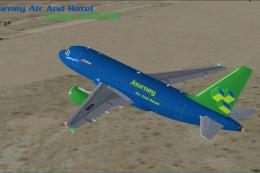
This freeware package presents an Airbus A318-100 designed for Microsoft Flig…
 FSX Civil Aircraft
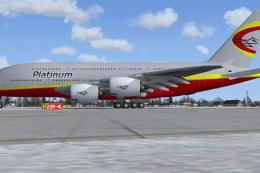
Project Airbus A380. Full aircraft, repainted in Platinum Airways' new livery…
 FSX Civil Aircraft
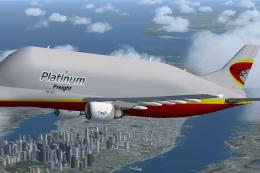
Thomas Ruth A300-600ST Beluga. Full aircraft, repainted in Platinum Airways' …
 FSX Civil Aircraft
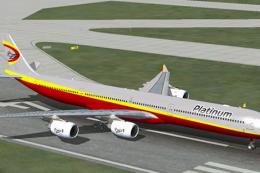
This complete freeware package showcases a refined Airbus A340-600 adorned wi…
 FSX Civil Aircraft
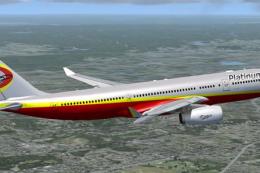
This freeware release features Thomas Ruth’s Airbus A330-200, offered as a fu…
 FSX Civil Aircraft
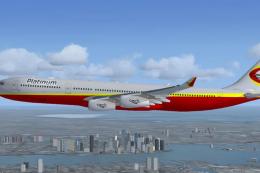
This complete freeware package offers a detailed four-engine Airbus A340-300 …
Be the first to leave a comment on this download.
Be the first to share your thoughts on this download.