

 FSX Civil Aircraft
Lufthansa Boeing 737-600 NG (Wesel)
Enhance your Microsoft Flight Simulator X hangar with a carefully crafted Luf…
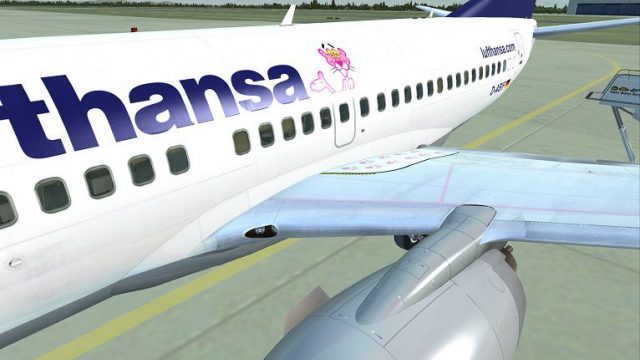
Lufthansa “Paulchen” livery brings a playful, fictional look to the Boeing 737-600 NG for short-to-medium routes, with crisp exterior textures, balanced shading, and distinctive tail artwork that stands out on the ramp. Built for FSX, it requires the payware PMDG 737-600 NGX and installs cleanly via the PMDG Livery Manager.
 Rate
Rate
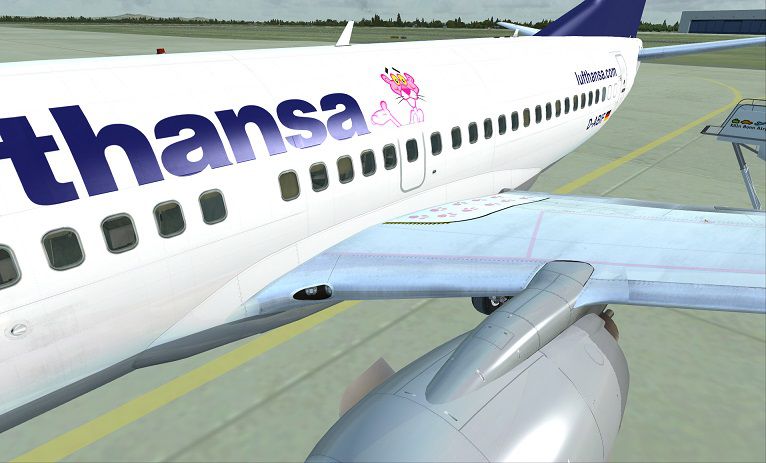
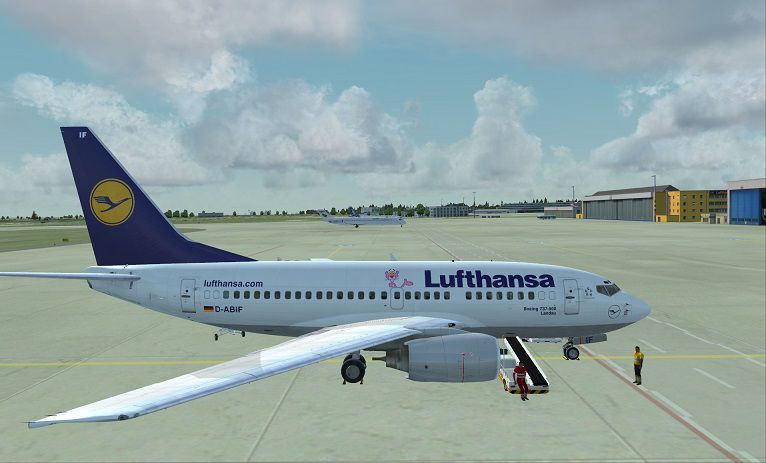
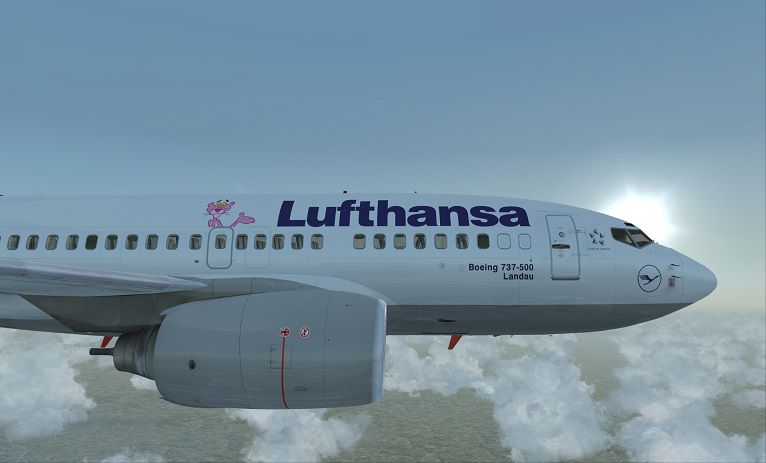
Flight sim enthusiasts seeking a bespoke twist on short-to-medium-haul operations in FSX will appreciate this inventive “Paulchen” themed repaint for the Boeing 737-600. Designed with a fictional Lufthansa-style livery, it offers a unique aesthetic not found on any real-world fleet. This mod requires the payware PMDG B737-600 NGX, which must be acquired separately. Created by Corina Meyer, the package arrives as an easy-to-install .ptp file compatible with the PMDG Livery Manager.
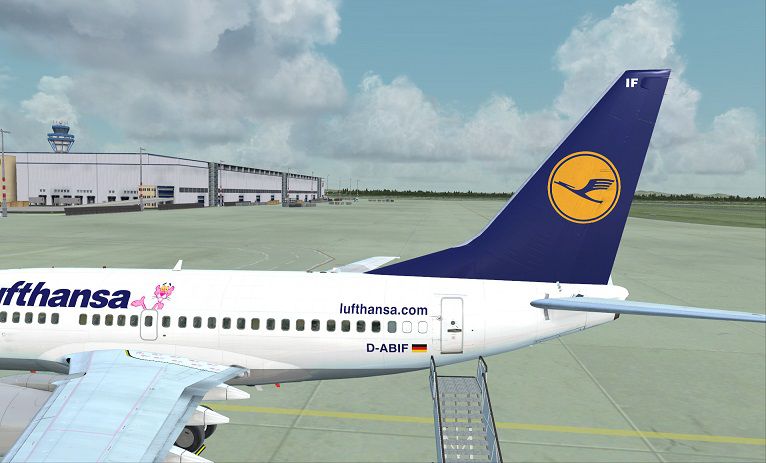
The Boeing 737-600, known for its compact fuselage and efficiency, fits regional hops and can also manage select longer routes. In this rendition, the impression of a playful Lufthansa-inspired motif is reflected on the tail logo and fuselage markings. Since it is entirely fictional, it provides a fresh alternative for any pilot looking to diversify their virtual airline routes. This adaptation maintains a balance between realism and creativity, focusing on replicating operational details while showcasing a vibrant graphic flourish on the aircraft exterior.
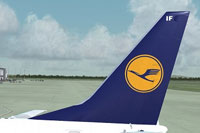
Tail section of the Boeing 737-600 displaying a fictional Lufthansa “Paulchen” decal.
Since this repaint leverages the PMDG framework, users should follow these technical steps to get started. Familiarity with the PMDG Livery Manager streamlines the process and helps avoid file conflicts:
This repaint does not contain the core PMDG aircraft model. It solely provides external textures for the payware Boeing 737-600 NGX, which can be purchased through a dedicated payware store such as SimShack. After successful installation, simmers can choose “Paulchen” from their aircraft menu and explore diverse flight scenarios with a distinctive interpretation of Lufthansa-inspired design elements.
All creative credit goes to Corina Meyer for bringing this repaint to life. Every detail, from the subtle shading across the fuselage to the playful tail artwork, is carefully adjusted to look accurate in various flight sim environments. Whether you fly short European routes or explore transcontinental tracks, this fictional addition to your hangar can deliver an engaging visual flair.
Have a smooth and enjoyable flight experience with this custom repaint.
Free for all simmers · 29.31 MB · Scanned clean Oct 2026
Download speed: Free tier is capped at 0.5 Mbps (this file takes approximately 8 mins at the cap). PRO members download at full line speed.
texture.{airline}) inside FSX\SimObjects\Airplanes\{base-aircraft}\.aircraft.cfg in Notepad. Add a new [fltsim.X] section per the readme.readme.txt or README file. It tells you exactly where files go, what dependencies are needed, and any quirks specific to this add-on.The archive a_repaint_for_the_pmdg_737-700_ngx_as_lufthansa_d-.zip has 9 files and directories contained within it.
This list displays the first 500 files in the package. If the package has more, you will need to download it to view them.
| Filename/Directory | File Date | File Size |
|---|---|---|
| FS-40546.jpg | 06.08.13 | 101.10 kB |
| FS-40547.jpg | 06.08.13 | 97.04 kB |
| FS-40548.jpg | 06.08.13 | 88.84 kB |
| PMDG737-600 Lufthansa D-ABIF Paulchen.ptp | 06.08.13 | 28.97 MB |
| ReadMe_Install.txt | 06.08.13 | 1.07 kB |
| FS-40433.jpg | 06.08.13 | 66.03 kB |
| Paulchen.gif | 06.08.13 | 6.67 kB |
| flyawaysimulation.txt | 10.29.13 | 959 B |
| Go to Fly Away Simulation.url | 01.22.16 | 52 B |
Only PRO members can place votes.
More FSX & P3D add-ons hand-picked based on this download.
FSX Civil Aircraft
Enhance your Microsoft Flight Simulator X hangar with a carefully crafted Luf…
 FSX Civil Aircraft
This custom repaint provides the Lufthansa “Anklam” livery for the payware PM…
 FSX Civil Aircraft
Immerse yourself in a visually enhanced simulation experience with this Lufth…
 FSX Civil Aircraft
A repaint for the default B737-800. Repaint by Peter Spanakos. Screenshot of …
 FSX Civil Aircraft
Lufthansa Boeing 737-600. A repaint for the B737-600 in the Lufthansa livery.…
 FSX Civil Aircraft
This freeware release offers a meticulously crafted repaint for the payware P…
 FSX Civil Aircraft
Lufthansa Airbus A340-600. Textures for the A340-600 model by Thomas Ruth (TO…
 FSX Civil Aircraft
New version of Lufthansa repaint including new windows, logo, more realistic …
Be the first to leave a comment on this download.
Be the first to share your thoughts on this download.