

 FSX Civil Aircraft
Lusitaniair Airlines Airbus A319 CS-TVF
This repaint showcases Lusitaniair Airlines’ Airbus A319 (registration CS-TVF…
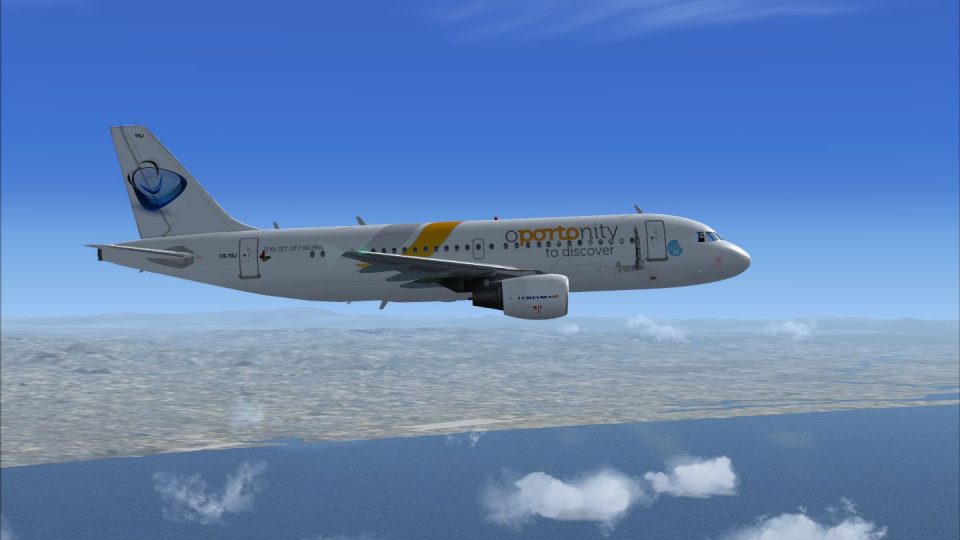
Lusitaniair Airlines Airbus A319 CS-TSJ livery refreshes the Wilco/FeelThere A319 with crisp European Connect branding, subtle airframe shading, accurate registrations, and refined window, engine, and tail detailing for believable short-to-medium haul ops in FSX. Requires the Wilco/FeelThere Airbus Series Volume 1 base model to display correctly.
 Rate
Rate
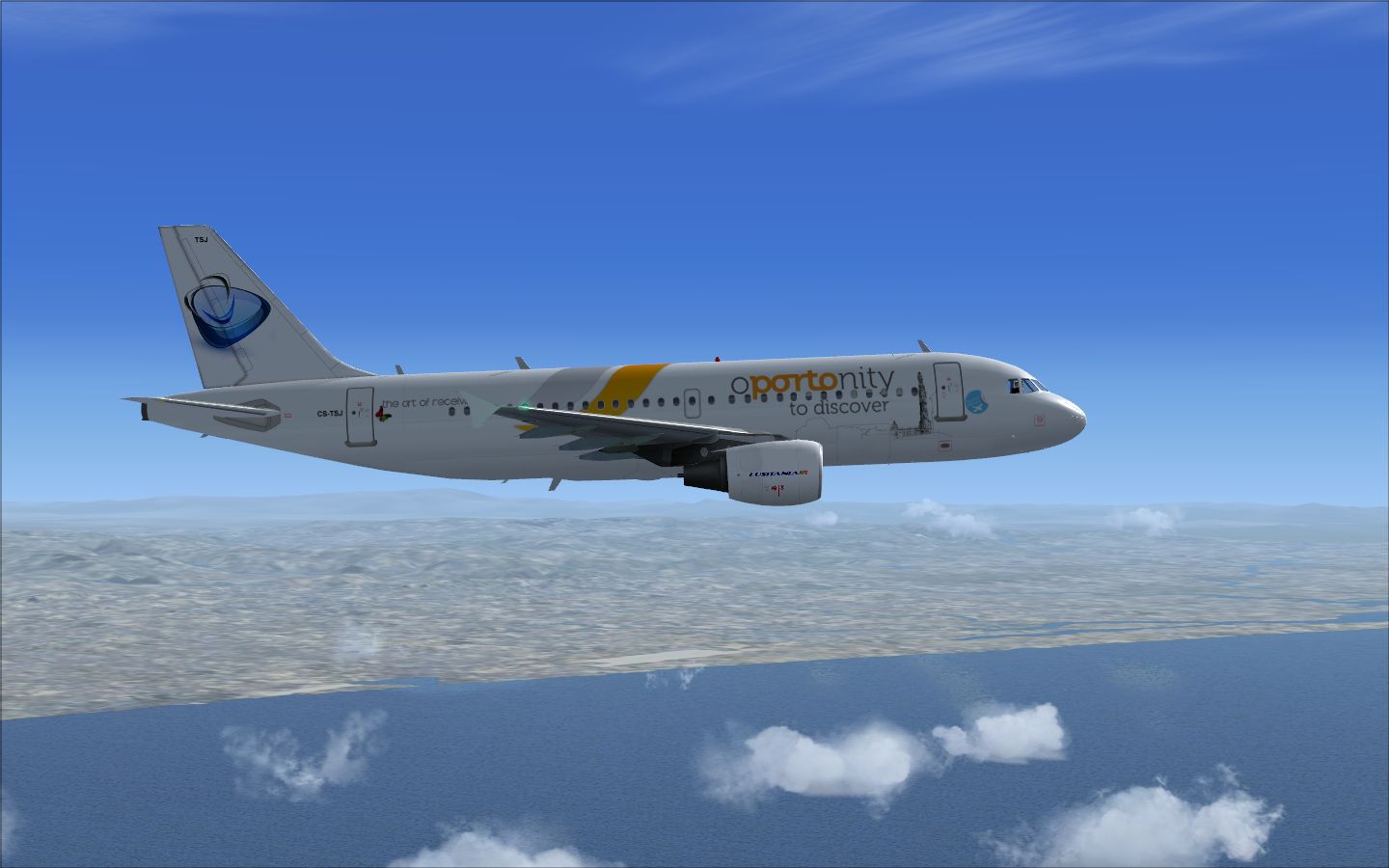
Lusitaniair Airlines’ Airbus A319 (CS-TSJ) brings a distinctive European connection to Microsoft Flight Simulator X through a carefully tailored repaint. Created by the talented developer Joao Paulino, this livery adds another layer of realism to your virtual hangar. Though the Airbus A319 is widely recognized as a compact member of the A320 family, it still features robust capabilities for short- to medium-haul operations. Pilots and enthusiasts can appreciate its versatility during flights across diverse European routes.
The repaint showcases subtle shading throughout the airframe, capturing the authentic fuselage contours and wing details. Lusitaniair’s colors demonstrate the airline’s European heritage, especially in its branding and registration markings. To keep the textures as true to the original aircraft as possible, the creator paid close attention to cabin window placements, engine shading, and tail fin color transitions.
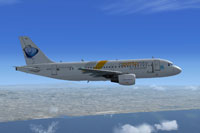
Screenshot of Lusitaniair Airlines Airbus A319 in flight.
These textures have been designed exclusively for the Wilco/FeelThere Airbus Series Volume 1, a payware package that provides a highly detailed rendition of the Airbus series—including authentic cockpit layouts and system modeling. This repaint includes the texture files only and does not come with the base model. For the best experience, acquire the original Wilco/FeelThere product from a reputable source, such as SimShack, to ensure compatibility and access to all necessary features.
[fltsim.X] with the next available number within your configuration.
[fltsim.X]
title=Feelthere A319 CFM European Connect CS-TSJ
sim=FeelThere_A319CFM
sound=
model=
texture=CS-TSJ
atc_airline=AIRBUS
panel=
checklists=
atc_id=CS-TSJ
atc_flight_number=319
atc_heavy=0
ui_manufacturer=Frota Lusitaniair
ui_type=Airbus A319 CFM - Wilco
ui_variation=European Connect CS-TSJ
ui_typerole="Commercial Airliner"
ui_createdby="feelThere/Wilco"
visual_damage=1
description=
This repaint immerses you in Lusitaniair Airlines’ visual style, reflecting the airline’s focus on smooth regional and continental connections. The Airbus A319’s shorter fuselage, compared to larger Airbus variants, aids in operations at airports with restrictive gates while still maintaining comfortable passenger capacity. Test this repaint on varied routes to witness its performance in different atmospheric conditions. Whether taxiing on a European airport apron or cruising at altitude, this livery stands out with accuracy and flair.
Enjoy your new Lusitaniair A319 skin, and be sure to credit Joao Paulino for his dedicated work on this project.
Free for all simmers · 14.28 MB · Scanned clean Oct 2026
Download speed: Free tier is capped at 0.5 Mbps (this file takes approximately 4 mins at the cap). PRO members download at full line speed.
texture.{airline}) inside FSX\SimObjects\Airplanes\{base-aircraft}\.aircraft.cfg in Notepad. Add a new [fltsim.X] section per the readme.readme.txt or README file. It tells you exactly where files go, what dependencies are needed, and any quirks specific to this add-on.The archive cs-tsj_a319_european_fsx_wilco.zip has 54 files and directories contained within it.
This list displays the first 500 files in the package. If the package has more, you will need to download it to view them.
| Filename/Directory | File Date | File Size |
|---|---|---|
| cs-tsj_a319_european_fsx_wilco | 11.16.12 | 0 B |
| CS-TSJ.jpg | 11.16.12 | 510.10 kB |
| Readme.txt | 11.16.12 | 1.10 kB |
| Texture.CS-TSJ | 11.16.12 | 0 B |
| A319_Main1_L.bmp | 01.11.07 | 4.00 MB |
| A319_Main1_t.bmp | 11.16.12 | 5.33 MB |
| A319_Main2_L.bmp | 01.11.07 | 4.00 MB |
| A319_Main2_t.bmp | 11.16.12 | 5.33 MB |
| A319_Main3_L.bmp | 01.11.07 | 4.00 MB |
| A319_Main3_t.bmp | 11.16.12 | 5.33 MB |
| A320_ENGINE_L.bmp | 12.02.06 | 1.00 MB |
| A320_ENGINE_T.bmp | 08.17.12 | 1.00 MB |
| A320_Main1_L.bmp | 12.02.06 | 1.00 MB |
| A320_Main1_t.bmp | 01.02.07 | 4.00 MB |
| A320_Main2_L.bmp | 12.02.06 | 1.00 MB |
| A320_Main2_t.bmp | 01.02.07 | 4.00 MB |
| A320_Main3_L.bmp | 12.02.06 | 1.00 MB |
| A320_Main3_t.bmp | 01.02.07 | 4.00 MB |
| A320_Various2_L.bmp | 01.27.07 | 4.00 MB |
| A320_Various2_t.bmp | 08.17.12 | 1.00 MB |
| A320_Various3_L.bmp | 12.02.06 | 64.07 kB |
| A320_Various3_t.bmp | 12.07.06 | 64.07 kB |
| A320_Various_L.bmp | 12.02.06 | 256.07 kB |
| A320_Various_t.bmp | 12.02.06 | 256.07 kB |
| A320_Wing1_L.bmp | 12.02.06 | 1.00 MB |
| A320_Wing1_t.bmp | 11.16.12 | 5.33 MB |
| A320_Wing2_L.bmp | 12.02.06 | 1.00 MB |
| A320_Wing2_t.bmp | 01.10.07 | 4.00 MB |
| cockp1_2_L.bmp | 12.02.06 | 4.00 MB |
| cockp1_2_T.bmp | 12.02.06 | 1.00 MB |
| cockp1_L.bmp | 02.01.07 | 1.00 MB |
| cockp1_T.bmp | 02.01.07 | 1.00 MB |
| cockp2_L.bmp | 01.27.07 | 1.00 MB |
| cockp2_T.bmp | 12.07.06 | 1.00 MB |
| cockp3_L.bmp | 01.27.07 | 1.00 MB |
| cockp3_T.bmp | 12.19.06 | 1.00 MB |
| cockp4_L.bmp | 02.01.07 | 1.00 MB |
| cockp4_T.bmp | 02.01.07 | 1.00 MB |
| cockp5_L.bmp | 01.27.07 | 1.00 MB |
| cockp5_T.bmp | 12.19.06 | 1.00 MB |
| cockp_mirr_L.bmp | 01.27.07 | 256.07 kB |
| cockp_mirr_T.bmp | 01.02.07 | 256.07 kB |
| interior_L.bmp | 01.27.07 | 4.00 MB |
| interior_T.bmp | 01.10.07 | 4.00 MB |
| misc_L.bmp | 01.27.07 | 1.00 MB |
| misc_T.bmp | 01.25.07 | 256.07 kB |
| panel01_L.bmp | 11.24.05 | 16.07 kB |
| panel_L.bmp | 01.27.07 | 256.07 kB |
| panel_T.bmp | 12.02.06 | 256.07 kB |
| seat1_L.bmp | 01.27.07 | 256.07 kB |
| seat1_T.bmp | 12.19.06 | 256.07 kB |
| thumbnail.jpg | 11.16.12 | 32.83 kB |
| flyawaysimulation.txt | 10.29.13 | 959 B |
| Go to Fly Away Simulation.url | 01.22.16 | 52 B |
Only PRO members can place votes.
More FSX & P3D add-ons hand-picked based on this download.
FSX Civil Aircraft
This repaint showcases Lusitaniair Airlines’ Airbus A319 (registration CS-TVF…
 FSX Civil Aircraft
This specialized repaint delivers the Lusitaniair Airlines Airbus A320, ident…
 FSX Civil Aircraft
Immerse yourself in an authentic short-to-medium range flying environment wit…
 FSX Civil Aircraft
This freeware release adds a meticulously crafted Lusitaniair-inspired Airbus…
 FSX Civil Aircraft
This freeware package features a bespoke Lusitaniair Airlines Airbus A330-200…
 FSX Civil Aircraft
Explore a distinctive livery for an Airbus A340-300 operated by Lusitaniair A…
 FSX Civil Aircraft
This repaint package introduces a distinctive Lusitaniair Airlines Airbus A33…
 FSX Civil Aircraft
Lusitaniair Airlines CS-TVU paint for LST Smile Express fleet. Textures only.…
Be the first to leave a comment on this download.
Be the first to share your thoughts on this download.