

 FSX Civil Aircraft
KLM Boeing 777-300 ER
KLM Boeing 777-300 ER, registration PH-BVB. Original model by Melvin Rafi. Up…
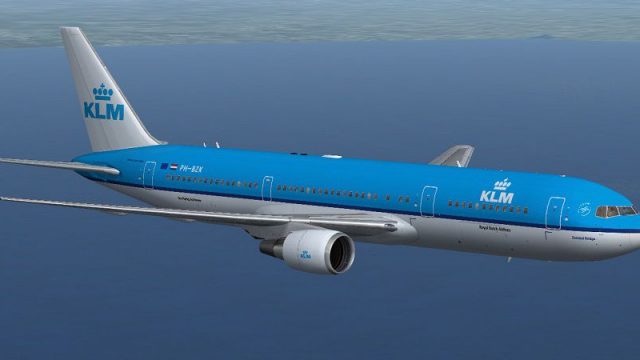
KLM Boeing 767-306/ER package for FSX delivers SkySpirit2010’s 767-300ER in two PH-BZK paint schemes, with optional winglets and refined wingflex and control-surface animations. It uses the default 737-800 virtual cockpit and 2D panel, plus POSKY utilities for doors and animated ground-service vehicles.
 Rate
Rate
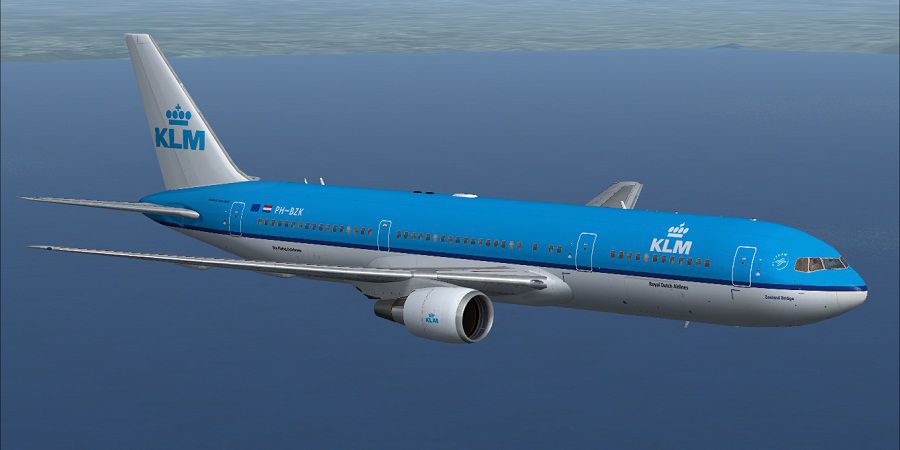
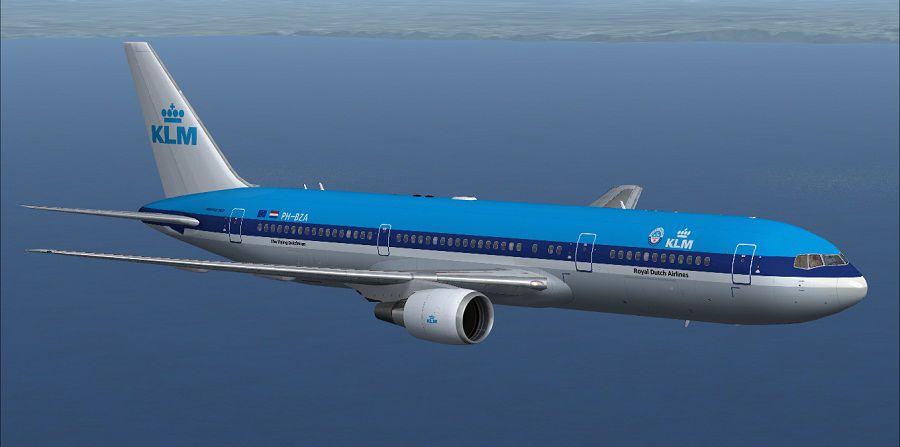
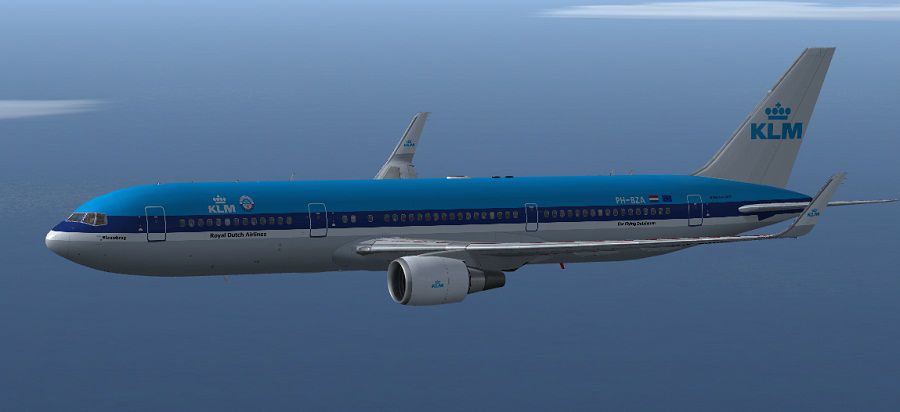
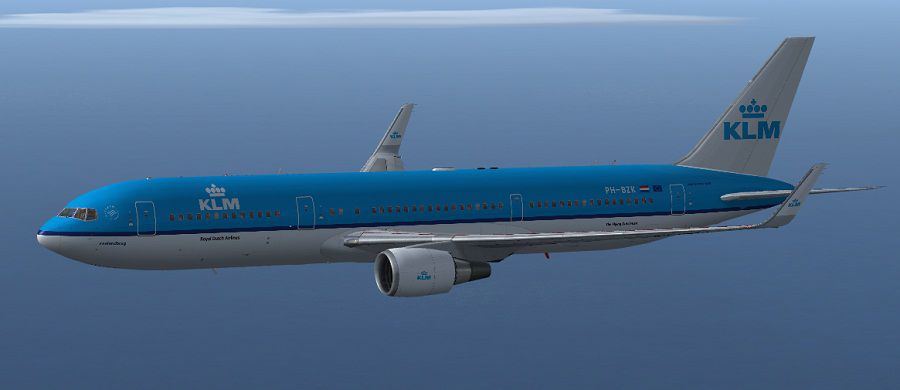
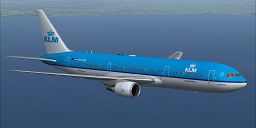
Complete package of the Skyspirit2010 B767-300 in KLM Royal Dutch Airlines livery in two different paint schemes, PH-BZK c/n 27614/651 (Blue Bridge) in current paint schemeand PH-BZK c/n 27957/587 (Zeeland Bridge) in the previous paint scheme. Both with and without winglets (models included). Comes with default B738 VC and 2D panel with the POSKY utility panel to control animations (tow truck, cargo vehicles, catering truck, etc.). Repaint by Paul Craig.
Screenshot of KLM Boeing 767-306 in flight.
Uses the FSX default 737-800 panel, but with the posky utilities and animation xml files added to the panel.cfg.
Includes animation updates for Aileron & Wingflex.
Shift+1 - Opens Port front Pax Door
Shift+2 - Opens Strb Rear Cargo Door
Shift+3 - Opens Port Cargo Door
Shift+4 - Opens Port Rear Cargo Hatch
Installation:
I have included my Posky Utility icon on the panel to enable you to show or hide the Posky Utility panel.
I have used a shared texture folder system, the "texture.KLM NCS" folder contains the common texture files while the "texture.KLM OCS" folder contains texture files that are unique to that particular livery. If you would like to add another livery texture folder using this system, delete all the texture files that are not needed for the livery and place a copy of the texture.cfg into the new livery texture folder. This is useful for saving space and does not effect performance.
Free for all simmers · 24.69 MB · Scanned clean Oct 2026
Download speed: Free tier is capped at 0.5 Mbps (this file takes approximately 7 mins at the cap). PRO members download at full line speed.
FSX\SimObjects\Airplanes\. The folder must contain an aircraft.cfg file. Effects go into FSX\Effects\; gauges go into FSX\Gauges\.readme.txt or README file. It tells you exactly where files go, what dependencies are needed, and any quirks specific to this add-on.The archive klm_ssp2010_b767-306er.zip has 163 files and directories contained within it.
This list displays the first 500 files in the package. If the package has more, you will need to download it to view them.
| Filename/Directory | File Date | File Size |
|---|---|---|
| Boeing 767-300ER CF6-80C SSP2010 | 11.02.12 | 0 B |
| 767-300ER-GE-CF6-80C2.air | 02.06.05 | 8.82 kB |
| Aircraft.cfg | 11.02.12 | 16.71 kB |
| model.BL | 11.02.12 | 0 B |
| B737_800_interior.mdl | 09.04.06 | 4.23 MB |
| Model.cfg | 08.26.12 | 71 B |
| OSX763ERV5_CF6-80C--BL.MDL | 02.16.12 | 2.54 MB |
| model.BWL | 11.03.12 | 0 B |
| B737_800_interior.mdl | 09.04.06 | 4.23 MB |
| Model.cfg | 05.26.12 | 72 B |
| OSX763ERV5_CF6-80C--BWL.MDL | 02.16.12 | 2.55 MB |
| panel | 11.03.12 | 0 B |
| 737_compass.BMP | 05.12.06 | 95.51 kB |
| 737_Panel_Decals_2.bmp | 05.12.06 | 257.05 kB |
| 737-800_panel_background.bmp | 05.12.06 | 769.05 kB |
| 737-800_panel_background_night.bmp | 05.12.06 | 769.05 kB |
| B737_800.cab | 05.11.07 | 2.01 MB |
| panel.cfg | 11.03.12 | 7.30 kB |
| Pky_util | 11.02.12 | 0 B |
| install.txt | 03.25.08 | 143 B |
| Pky_Init.xml | 04.26.08 | 621 B |
| Pky_Timer.xml | 10.30.09 | 1.92 kB |
| Pky_Util.xml | 11.09.10 | 7.30 kB |
| posky_sw_close.bmp | 03.25.08 | 2.30 kB |
| posky_sw_off.bmp | 03.25.08 | 2.30 kB |
| posky_sw_on.bmp | 03.25.08 | 2.30 kB |
| posky_sw_open.bmp | 03.25.08 | 2.30 kB |
| posky_tow_0.bmp | 11.05.10 | 3.05 kB |
| posky_tow_100.bmp | 11.05.10 | 3.05 kB |
| posky_utilbase.bmp | 11.09.10 | 60.05 kB |
| Thumbs.db | 11.09.10 | 19.50 kB |
| Posky763 | 11.02.12 | 0 B |
| $~poskydebug2.xml | 09.23.10 | 499 B |
| Pky_AdvInit.xml | 01.11.11 | 1.09 kB |
| Pky_PB_Towhead.xml | 10.22.08 | 809 B |
| Pky6WINGFLEX.xml | 12.19.11 | 2.05 kB |
| PkyAileronL.xml | 01.11.11 | 805 B |
| PkyAileronR.xml | 01.11.11 | 820 B |
| PkyAPUDoor.xml | 01.11.11 | 434 B |
| PkyCALC.xml | 01.11.11 | 2.10 kB |
| Pkycondassign.xml | 12.10.10 | 433 B |
| PkyEngRev.xml | 05.18.08 | 699 B |
| PkyFlasher.xml | 06.09.10 | 2.51 kB |
| Pkygearcalc.xml | 10.30.10 | 1.91 kB |
| PkyLSAileron.xml | 01.11.11 | 845 B |
| PkyNosegearsteerling.xml | 09.23.10 | 1.21 kB |
| PkySEA.xml | 11.09.09 | 1.41 kB |
| PkySpoiler.xml | 01.11.11 | 4.13 kB |
| poskydebug.xml | 04.26.11 | 349 B |
| poskydebug2.xml | 09.23.10 | 498 B |
| poskydebug3.xml | 01.11.11 | 437 B |
| PU_ICON | 11.03.12 | 0 B |
| PU_Icon.bmp | 04.09.12 | 3.05 kB |
| PU_Icon.xml | 04.09.12 | 297 B |
| upper_640.bmp | 05.12.06 | 18.99 kB |
| Sound | 11.02.12 | 0 B |
| sound.cfg | 03.18.09 | 32 B |
| texture.KLM NCS | 11.02.12 | 0 B |
| 737_Refection.dds | 09.04.06 | 170.79 kB |
| B737_800_1_C.dds | 09.04.06 | 682.79 kB |
| B737_800_1_night_C.dds | 02.03.12 | 512.12 kB |
| B737_800_2_C.dds | 09.04.06 | 682.79 kB |
| B737_800_2_night_C.dds | 02.03.12 | 512.12 kB |
| B737_800_3_C.dds | 09.04.06 | 682.79 kB |
| B737_800_3_night_C.dds | 02.03.12 | 512.12 kB |
| B737_800_4_C.dds | 09.04.06 | 682.79 kB |
| B737_800_4_night_C.dds | 02.03.12 | 512.12 kB |
| B737_800_5_C.dds | 09.04.06 | 170.79 kB |
| B737_800_5_night_C.dds | 09.04.06 | 170.79 kB |
| B737_800_C.bmp | 05.12.06 | 682.74 kB |
| B737_800_Interior.dds | 09.04.06 | 170.79 kB |
| DECAL_OS763V5.bmp | 04.14.12 | 4.00 MB |
| DECAL_OS763V5TAILLOGO.bmp | 11.02.12 | 4.00 MB |
| Os_wt500e_l.bmp | 10.22.08 | 1.00 MB |
| Os_wt500e_t.bmp | 09.28.12 | 1.00 MB |
| Os763V5_FLCARGOBAY_T.BMP | 11.26.09 | 1.00 MB |
| OS763V5_FSCARGOBAY_T.BMP | 09.16.09 | 1.00 MB |
| OS763V5_LFUSE_Front_L.BMP | 11.02.12 | 4.00 MB |
| OS763V5_LFUSE_Front_T.bmp | 11.02.12 | 4.00 MB |
| OS763V5_LFUSE_Mid_L.BMP | 11.02.12 | 4.00 MB |
| OS763V5_LFUSE_Mid_T.bmp | 11.02.12 | 4.00 MB |
| OS763V5_LFUSE_Rear_L.bmp | 11.02.12 | 4.00 MB |
| OS763V5_LFUSE_Rear_T.bmp | 11.02.12 | 4.00 MB |
| OS763V5_RFUSE_Front_L.BMP | 11.02.12 | 4.00 MB |
| OS763V5_RFUSE_Front_T.bmp | 11.02.12 | 4.00 MB |
| OS763V5_RFUSE_Mid_L.BMP | 11.02.12 | 4.00 MB |
| OS763V5_RFUSE_Mid_T.bmp | 11.02.12 | 4.00 MB |
| OS763V5_RFUSE_Rear_L.bmp | 11.02.12 | 4.00 MB |
| OS763V5_RFUSE_Rear_T.bmp | 11.02.12 | 4.00 MB |
| Os763V5_RSCARGOBAY_T.BMP | 09.16.09 | 1.00 MB |
| Os767_chock.bmp | 11.05.10 | 256.07 kB |
| Os767_Container_T.BMP | 09.16.09 | 4.00 MB |
| Os767_Interior_T.BMP | 09.07.09 | 4.00 MB |
| OS767_SPRING_T.BMP | 10.13.10 | 16.07 kB |
| OS767Antenna.bmp | 11.02.12 | 256.07 kB |
| Os767CF6-80_fan.bmp | 04.14.12 | 1.00 MB |
| Os767cf6-80_L.bmp | 12.05.10 | 4.00 MB |
| Os767cf6-80_Pylon_L.bmp | 12.05.10 | 4.00 MB |
| Os767cf6-80_Pylon_t.bmp | 05.02.12 | 4.00 MB |
| Os767cf6-80_t.bmp | 11.02.12 | 4.00 MB |
| OS767GSU1_T.BMP | 09.29.12 | 4.00 MB |
| OS767GSU2_T.BMP | 09.29.12 | 4.00 MB |
| OS767Option.bmp | 11.23.10 | 64.07 kB |
| OS767V5_Parts_L.bmp | 03.25.07 | 1.07 kB |
| OS767V5_Parts_T.BMP | 11.20.10 | 4.00 MB |
| OS767V5_Parts2_L.bmp | 12.06.10 | 4.00 MB |
| OS767V5_Parts2_T.bmp | 12.02.10 | 4.00 MB |
| OS767V5_Parts3_T.bmp | 10.24.10 | 4.00 MB |
| OS767Wing_L_L.BMP | 12.01.10 | 4.00 MB |
| OS767Wing_L_T.bmp | 11.02.12 | 4.00 MB |
| OS767Wing_R_L.BMP | 12.01.10 | 4.00 MB |
| OS767Wing_R_T.bmp | 07.29.11 | 4.00 MB |
| OS767Wing2_L_L.bmp | 12.01.10 | 1.00 MB |
| OS767Wing2_L_T.bmp | 12.05.10 | 1.00 MB |
| OS767Wing2_R_L.bmp | 12.01.10 | 1.00 MB |
| OS767Wing2_R_T.bmp | 12.05.10 | 1.00 MB |
| Pilots_737.dds | 09.04.06 | 42.79 kB |
| texture.cfg | 11.02.12 | 161 B |
| thumbnail.jpg | 11.02.12 | 9.15 kB |
| texture.KLM OCS | 11.02.12 | 0 B |
| DECAL_OS763V5.bmp | 04.14.12 | 4.00 MB |
| DECAL_OS763V5TAILLOGO.bmp | 11.02.12 | 4.00 MB |
| OS763V5_LFUSE_Front_L.BMP | 11.02.12 | 4.00 MB |
| OS763V5_LFUSE_Front_T.bmp | 11.02.12 | 4.00 MB |
| OS763V5_LFUSE_Mid_L.BMP | 11.02.12 | 4.00 MB |
| OS763V5_LFUSE_Mid_T.bmp | 11.02.12 | 4.00 MB |
| OS763V5_LFUSE_Rear_L.bmp | 11.02.12 | 4.00 MB |
| OS763V5_LFUSE_Rear_T.bmp | 11.02.12 | 4.00 MB |
| OS763V5_RFUSE_Front_L.BMP | 11.02.12 | 4.00 MB |
| OS763V5_RFUSE_Front_T.bmp | 11.02.12 | 4.00 MB |
| OS763V5_RFUSE_Mid_L.BMP | 11.02.12 | 4.00 MB |
| OS763V5_RFUSE_Mid_T.bmp | 11.02.12 | 4.00 MB |
| OS763V5_RFUSE_Rear_L.bmp | 11.02.12 | 4.00 MB |
| OS763V5_RFUSE_Rear_T.bmp | 11.02.12 | 4.00 MB |
| OS767Antenna.bmp | 11.02.12 | 256.07 kB |
| Os767CF6-80_fan.bmp | 04.14.12 | 1.00 MB |
| Os767cf6-80_Pylon_t.bmp | 05.02.12 | 4.00 MB |
| Os767cf6-80_t.bmp | 11.02.12 | 4.00 MB |
| OS767Wing_L_T.bmp | 11.02.12 | 4.00 MB |
| OS767Wing_R_T.bmp | 07.29.11 | 4.00 MB |
| texture.cfg | 11.02.12 | 161 B |
| thumbnail.jpg | 11.02.12 | 8.98 kB |
| Effects | 11.02.12 | 0 B |
| Opensky_747_vclight.fx | 10.02.02 | 1.31 kB |
| Opensky_beacon.fx | 02.12.02 | 3.04 kB |
| Opensky_conden.fx | 10.03.02 | 3.15 kB |
| Opensky_condens.fx | 09.08.02 | 2.71 kB |
| Opensky_logo_light.fx | 10.03.02 | 1.31 kB |
| Opensky_nacelle_refl.fx | 09.29.02 | 1.29 kB |
| Opensky_nav_yellow.fx | 03.24.04 | 3.07 kB |
| Opensky_sparks.fx | 09.08.02 | 7.05 kB |
| Opensky_vortex.fx | 10.08.03 | 1.23 kB |
| Opensky_wing_light.fx | 09.29.02 | 1.31 kB |
| FILE_ID.DIZ | 11.03.12 | 495 B |
| Installation Readme.txt | 11.03.12 | 2.26 kB |
| KLM B767-306ER (WL) Old CS Screenshot.jpg | 11.02.12 | 59.20 kB |
| KLM B767-306ER (WL) Screenshot.jpg | 11.02.12 | 57.86 kB |
| KLM B767-306ER Old CS Screenshot.jpg | 11.02.12 | 73.61 kB |
| KLM B767-306ER Screenshot.jpg | 11.02.12 | 76.51 kB |
| SSP2010 Readme.txt | 11.02.12 | 5.88 kB |
| thumbnail.png | 11.02.12 | 53.60 kB |
| flyawaysimulation.txt | 10.29.13 | 959 B |
| Go to Fly Away Simulation.url | 01.22.16 | 52 B |
Only PRO members can place votes.
More FSX & P3D add-ons hand-picked based on this download.
FSX Civil Aircraft
KLM Boeing 777-300 ER, registration PH-BVB. Original model by Melvin Rafi. Up…
 FSX Civil Aircraft
This freeware add-on provides a high-fidelity rendition of the Boeing 777-200…
 FSX Civil Aircraft
FSX American Airlines Boeing 767-300 ER with blended winglets and Animated Gr…
 FSX Civil Aircraft
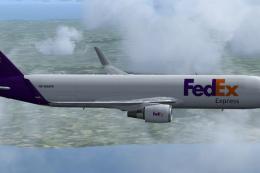
Complete package for FSX only of the Skyspirit2010 B767-300F in FedEx livery.…
 FSX Civil Aircraft
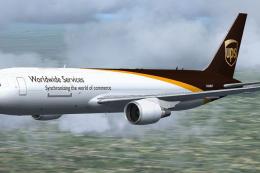
Complete package for FSX only of the Skyspirit2010 Boeing 767-300F in UPS liv…
 FSX Civil Aircraft
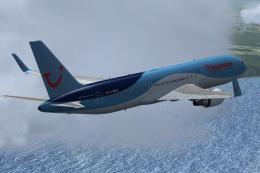
Complete package for FSX only of the Skyspirit2010 B767-300 in Thomson Airway…
 FSX Civil Aircraft
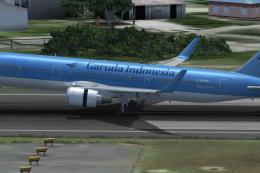
Immerse yourself in a meticulously recreated Boeing 767-304/ER in a distincti…
 FSX Civil Aircraft
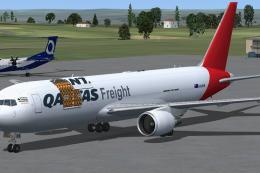
Complete package of the Skyspirit2010 B767-300F in Qantas Freight livery (ope…
Read what other simmers think, or add your own.

Great plane. I highly recommend this add on because it has a very nice VC and it is very easy to install.