

 FSX Civil Aircraft
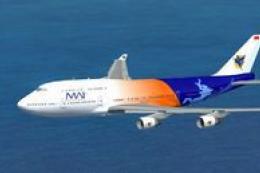
Myanmar Airways International Boeing 747-400 Default textures
This repaint package features a specialized texture set for the default Boein…
Myanmar Airways International colors bring fresh airline character to the default Boeing 747-400, featuring the updated Myanmar national flag adopted in October 2010. Designed for FSX, the repaint delivers crisp exterior markings and authentic registration details, complementing standard systems and a familiar virtual cockpit for long-haul flying.
 Rate
Rate
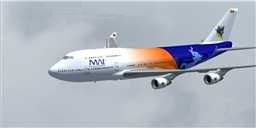
Repaint for the default B747-400 in Myanmar Airways International colors, with new Myanmar (Burma) flag, that is used in the country since October 2010. Repaint by Robby Pauletto.
Screenshot of Myanmar Airways International Boeing 747-400 in flight.
Installation:
[fltsim.X]

title=Boeing 747-400 MAI

sim=Boeing747-400

model=""

panel=""

sound=""

texture=mai

kb_checklists=Boeing747-400_check

kb_reference=Boeing747-400_ref

atc_id=XY-HRP

atc_id_color=0x00000000

atc_id_font = Arial Black,70,1,600,0

atc_airline=Unionair

atc_flight_number=790

atc_heavy=1

ui_manufacturer=Boeing

ui_type=747-400

ui_variation=Myanmar Airways International

ui_typerole=Kommerzielles Linienflugzeug

ui_createdby=Microsoft Corporation

description=Repaint by\nHOUSE-RP\nSwitzerland

atc_parking_codes=8M
That's it!
Free for all simmers · 1.29 MB · Scanned clean Oct 2026
Download speed: Free tier is capped at 0.5 Mbps. PRO members download at full line speed.
texture.{airline}) inside FSX\SimObjects\Airplanes\{base-aircraft}\.aircraft.cfg in Notepad. Add a new [fltsim.X] section per the readme.readme.txt or README file. It tells you exactly where files go, what dependencies are needed, and any quirks specific to this add-on.The archive mai744xu.zip has 14 files and directories contained within it.
This list displays the first 500 files in the package. If the package has more, you will need to download it to view them.
| Filename/Directory | File Date | File Size |
|---|---|---|
| mai744xU | 08.13.12 | 0 B |
| file ID.diz | 08.15.12 | 366 B |
| LIESMICH.txt | 08.15.12 | 1.87 kB |
| README.txt | 08.15.12 | 1.80 kB |
| Texture.mai | 08.13.12 | 0 B |
| B747_1_t.dds | 08.13.12 | 1.00 MB |
| B747_1_T_Specular.dds | 06.19.11 | 1.33 MB |
| Fresnel_Ramp.dds | 06.19.11 | 640 B |
| Fresnel_Ramp_1.dds | 06.19.11 | 640 B |
| texture.cfg | 06.19.11 | 137 B |
| thumbnail.JPG | 08.13.12 | 6.24 kB |
| thumbnail.GIF | 08.15.12 | 6.44 kB |
| flyawaysimulation.txt | 10.29.13 | 959 B |
| Go to Fly Away Simulation.url | 01.22.16 | 52 B |
Only PRO members can place votes.
More FSX & P3D add-ons hand-picked based on this download.
FSX Civil Aircraft
This repaint package features a specialized texture set for the default Boein…
 FSX Civil Aircraft
This add-on features an authentic repaint of the default Boeing 737-800 in My…
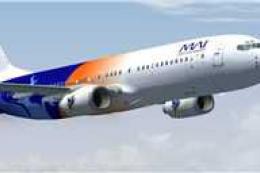 FSX Civil Aircraft
Repaint for the default B737-800 in older Myanmar Airways International color…
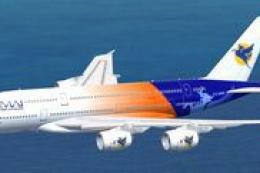 FSX Civil Aircraft
High quality Gmax model of the Airbus A380-800, the world’s largest passenger…
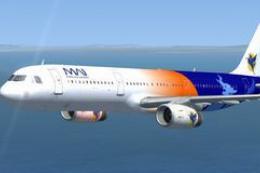 FSX Civil Aircraft
Repaint for default FSX Airbus A321 in Myanmar Airways International Colours.…
 FSX Civil Aircraft
With this update on parking position now you can get jetway by pressing Ctrl+…
 FSX Civil Aircraft
FSX Myanmar Airways International Airbus A380-800 update v3. After installati…
 FSX Civil Aircraft
When 27th Southeast Asian Games is around the corner, MAI and its domestic wi…
Be the first to leave a comment on this download.
Be the first to share your thoughts on this download.