

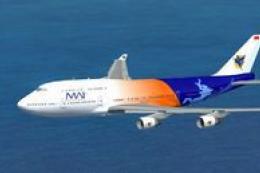
 FSX Civil Aircraft
Myanmar Airways International Boeing 747-400 Default textures
This repaint package features a specialized texture set for the default Boein…
Myanmar Airways International’s livery brings the default Boeing 737-800 to life with crisp airline titles, accurately aligned tail artwork, and nuanced shading across fuselage, wings, and engine cowlings. Built for Microsoft Flight Simulator X, it requires the included default 737-800 model while preserving the aircraft’s original handling and virtual cockpit layout.
 Rate
Rate
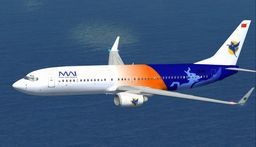
This add-on features an authentic repaint of the default Boeing 737-800 in Myanmar Airways International’s color scheme, designed specifically for Microsoft Flight Simulator X. Created by expert contributor Robby Pauletto in Switzerland, this freeware package requires the default aircraft already included with FSX. Enthusiasts who appreciate accurate airline textures will find high-resolution detailing of the fuselage, tail fin, and engine cowlings that capture the real-world livery’s distinctive appearance. It is distributed as freeware, with the base model available separately in the Fly Away Simulation mod library.
This texture makeover introduces Myanmar Airways International branding and appropriate markings across the Boeing 737-800’s airframe. The painter has ensured that the airline’s official tail insignia is precisely aligned, while the fuselage displays a balanced blend of metallic shading and national colors. All lettering has been carefully mapped so that it remains crisp around the door outlines and windows.
The vertical stabilizer displays the airline’s icon, which is instantly recognizable during takeoff and landing cycles at regional airports. The subtle shadowing effects along the wing roots and fuselage seams, along with the wear patterns, contribute to a realistic impression from external views.
Based at Mingaladon Airport (VYYY) in Yangon, Myanmar Airways International operates flights connecting various Southeast Asian cities. The airline is well-regarded for its regional coverage and uses modern narrow-body jets for short- to medium-haul routes. This repaint shines a spotlight on MAI’s understated yet polished branding, which is noticeable on the real aircraft in active commercial service.
The Boeing 737-800 (sometimes noted as the B738) is a member of the Next Generation series. It features updated avionics, winglet options, and enhanced cockpit instrumentation for better operational performance. In the world of Microsoft Flight Simulator X, this default model provides an accessible platform that is reliable for both new sim pilots and seasoned captains who appreciate consistent flight dynamics and stable handling responses. This repaint leverages the existing 3D model and flight deck layout without altering aircraft performance.
Below is a preview image showcasing the final look of this aircraft repaint:
This project is the work of Robby Pauletto, who meticulously crafted the texture details in Switzerland. The result is a faithful recreation of the Myanmar Airways International livery, bringing a captivating slice of Burmese aviation to virtual skies for dedicated sim pilots to enjoy.
Free for all simmers · 3.48 MB · Scanned clean Oct 2026
Download speed: Free tier is capped at 0.5 Mbps. PRO members download at full line speed.
texture.{airline}) inside FSX\SimObjects\Airplanes\{base-aircraft}\.aircraft.cfg in Notepad. Add a new [fltsim.X] section per the readme.readme.txt or README file. It tells you exactly where files go, what dependencies are needed, and any quirks specific to this add-on.The archive mai738x.zip has 14 files and directories contained within it.
This list displays the first 500 files in the package. If the package has more, you will need to download it to view them.
| Filename/Directory | File Date | File Size |
|---|---|---|
| thumbnail.GIF | 11.17.06 | 5.99 kB |
| LIESMICH.txt | 11.17.06 | 1.79 kB |
| README.txt | 11.17.06 | 1.71 kB |
| file ID.diz | 11.17.06 | 343 B |
| b737_800_1_T.dds | 11.17.06 | 1.33 MB |
| b737_800_1_T_Specular.dds | 09.04.06 | 1.33 MB |
| b737_800_2_T.dds | 09.04.06 | 1.33 MB |
| b737_800_2_T_Specular.dds | 09.04.06 | 1.33 MB |
| Fresnel_Ramp.dds | 09.04.06 | 640 B |
| texture.cfg | 08.14.06 | 137 B |
| thumbnail.JPG | 11.17.06 | 6.44 kB |
| texture.mai | 11.17.06 | 0 B |
| flyawaysimulation.txt | 10.29.13 | 959 B |
| Go to Fly Away Simulation.url | 01.22.16 | 52 B |
Only PRO members can place votes.
More FSX & P3D add-ons hand-picked based on this download.
FSX Civil Aircraft
This repaint package features a specialized texture set for the default Boein…
 FSX Civil Aircraft
Repaint for default FSX Airbus A321 in Myanmar Airways International Colours.…
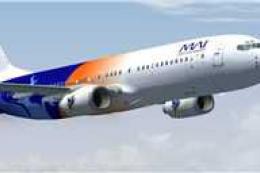 FSX Civil Aircraft
Repaint for the default B737-800 in older Myanmar Airways International color…
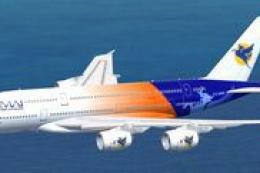 FSX Civil Aircraft
High quality Gmax model of the Airbus A380-800, the world’s largest passenger…
 FSX Civil Aircraft
With this update on parking position now you can get jetway by pressing Ctrl+…
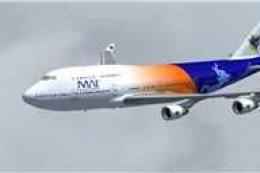 FSX Civil Aircraft
Repaint for the default B747-400 in Myanmar Airways International colors, wit…
 FSX Civil Aircraft
FSX Myanmar Airways International Airbus A380-800 update v3. After installati…
 FSX Civil Aircraft
registration EI-DCK. Revised textures for the default B737-800 with better bl…
Be the first to leave a comment on this download.
Be the first to share your thoughts on this download.