

 FSX Civil Aircraft
KLM 2004 Boeing 777-200LR PH-BQF
This repaint faithfully recreates KLM’s PH-BQF Boeing 777-200 from 2004 for u…
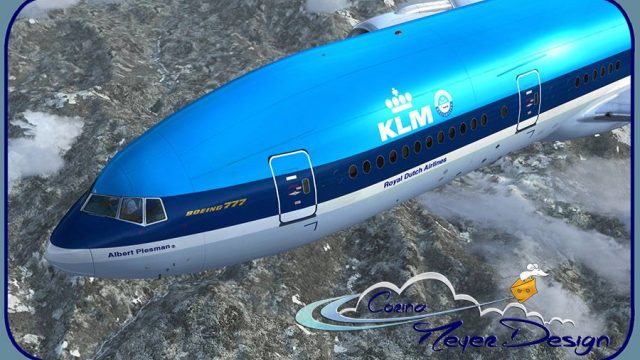
KLM Boeing 777-200LR PH-BQA brings a fictional heritage repaint to the PMDG Triple Seven, blending classic Dutch markings with subtle weathering and crisp high-definition textures for an authentic retro-modern look. Designed for Microsoft Flight Simulator X, it requires the PMDG 777-200LR base pack and integrates cleanly across exterior and virtual cockpit visuals.
 Rate
Rate
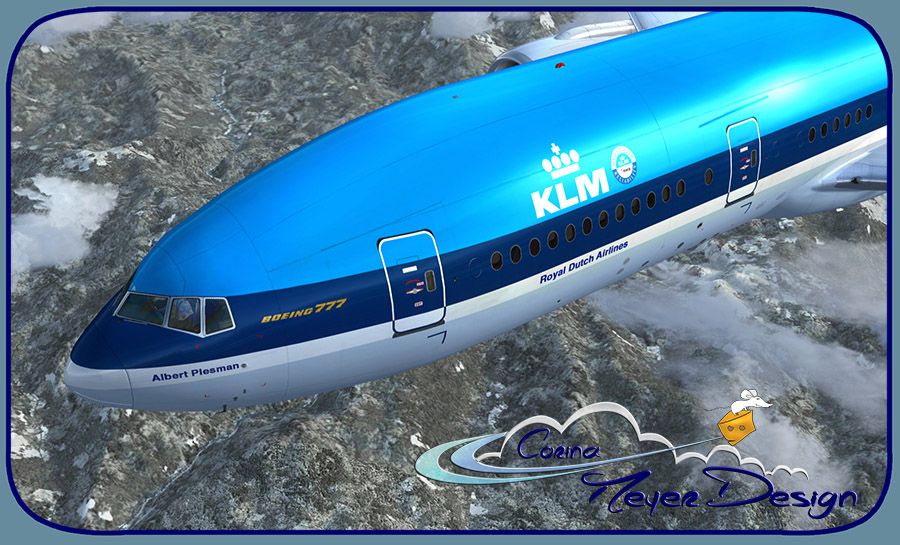

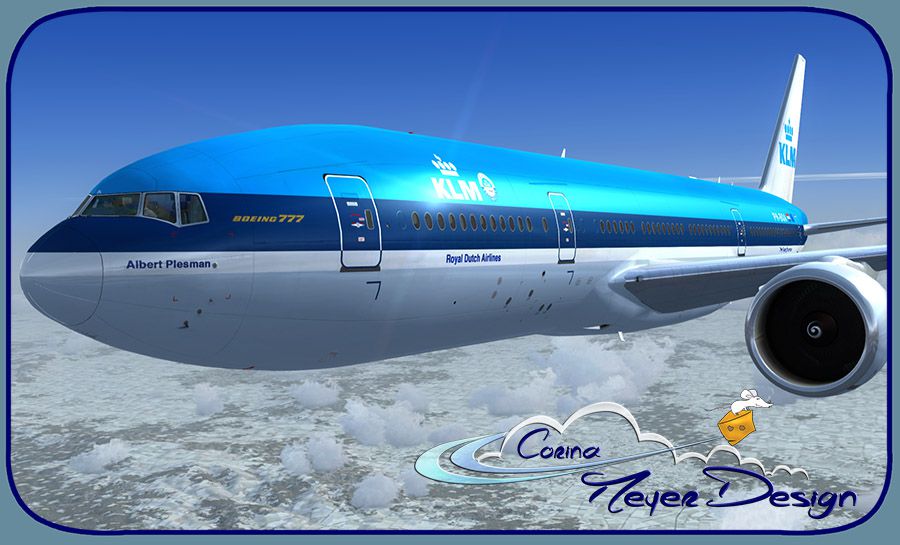
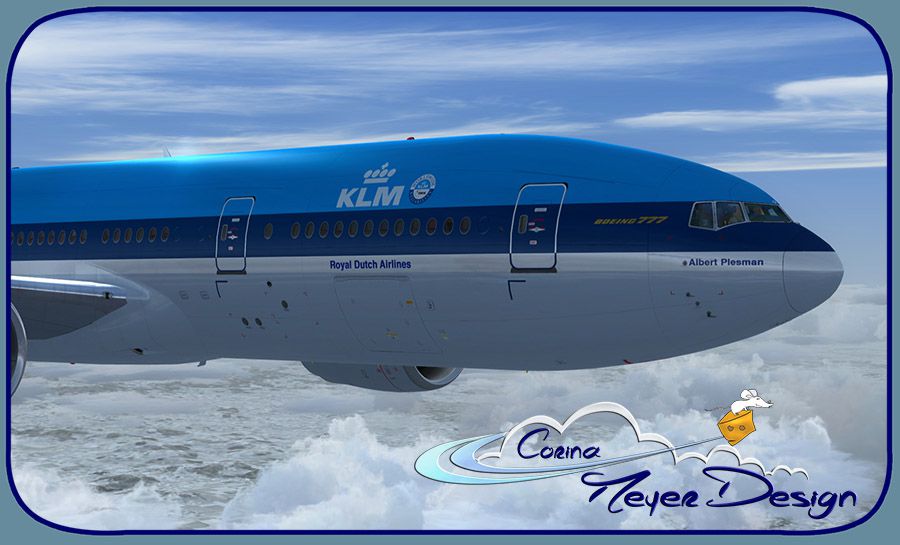
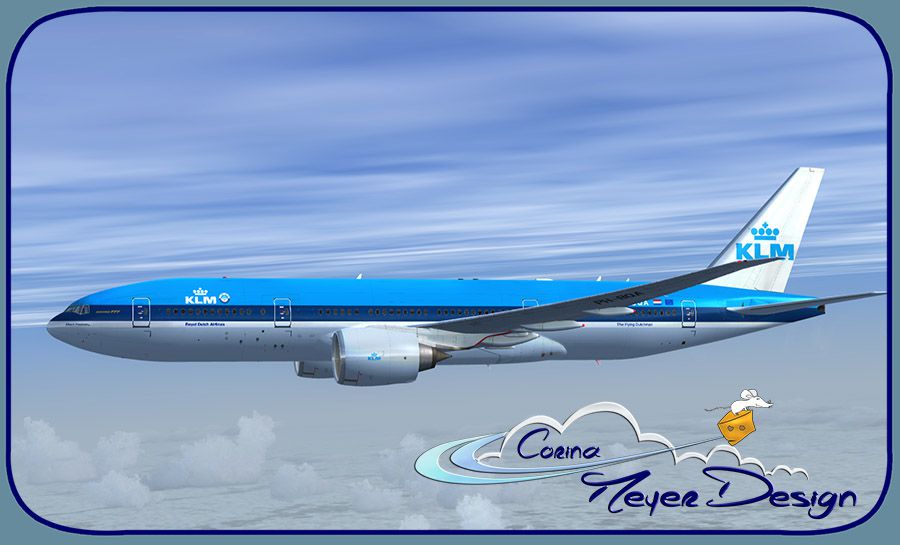
This freeware repaint depicts the PMDG Boeing 777-200LR base pack featuring the KLM “PH-BQA” registration in a fictional heritage scheme. Originally configured as a 200ER, this adaptation brings unique old-style KLM markings to the modern twinjet. Created by Corina Meyer, it requires the PMDG 777-200LR payware model, which can be purchased separately.
This repaint portrays a conceptual variation loosely inspired by KLM’s classic visual identity. Under real-world circumstances, the Boeing 777-200 is a popular long-haul aircraft recognized for its two high-thrust turbofans and advanced aerodynamics. KLM, a major carrier in the Netherlands, operates extensive international routes with its Triple Seven fleet. In this rendition, you will see an older color palette blended with the distinctive lines of the contemporary 777 airframe, providing a nostalgic visual while running in Microsoft Flight Simulator X or compatible platforms hosting the PMDG 777 lineup.

Screenshot showing the KLM Boeing 777-200LR in old-style livery during flight.
This repaint does not include the actual PMDG model itself—purchase of the PMDG 777-200LR from a payware source (such as SimShack) is required. Enjoy flying this imaginative retro design while exploring various international routes in Microsoft Flight Simulator X under the KLM banner.
Free for all simmers · 16.71 MB · Scanned clean Oct 2026
Download speed: Free tier is capped at 0.5 Mbps (this file takes approximately 5 mins at the cap). PRO members download at full line speed.
texture.{airline}) inside FSX\SimObjects\Airplanes\{base-aircraft}\.aircraft.cfg in Notepad. Add a new [fltsim.X] section per the readme.readme.txt or README file. It tells you exactly where files go, what dependencies are needed, and any quirks specific to this add-on.The archive pmdg777-200lr_klm_ph-bqa_oc.zip has 10 files and directories contained within it.
This list displays the first 500 files in the package. If the package has more, you will need to download it to view them.
| Filename/Directory | File Date | File Size |
|---|---|---|
| Avsim.gif | 01.15.15 | 12.31 kB |
| PMDG777-200LR KLM PH-BQA OC (1).jpg | 01.15.15 | 121.26 kB |
| PMDG777-200LR KLM PH-BQA OC (2).jpg | 01.15.15 | 130.23 kB |
| PMDG777-200LR KLM PH-BQA OC (3).jpg | 01.15.15 | 214.00 kB |
| PMDG777-200LR KLM PH-BQA OC (4).jpg | 01.15.15 | 155.64 kB |
| PMDG777-200LR KLM PH-BQA OC (5).jpg | 01.15.15 | 148.50 kB |
| PMDG777-200LR KLM PH-BQA OC.ptp | 01.15.15 | 16.04 MB |
| ReadMe_Install.txt | 01.15.15 | 1.02 kB |
| flyawaysimulation.txt | 10.29.13 | 959 B |
| Go to Fly Away Simulation.url | 01.22.16 | 52 B |
Only PRO members can place votes.
More FSX & P3D add-ons hand-picked based on this download.
FSX Civil Aircraft
This repaint faithfully recreates KLM’s PH-BQF Boeing 777-200 from 2004 for u…
 FSX Civil Aircraft
This fictional repaint package offers a customized Martinair-themed look for …
 FSX Civil Aircraft
The PMDG B777-200 LR as KLM Royal Dutch Airlines new design "Koningin Maxima"…
 FSX Civil Aircraft
KLM Boeing 777-200, registration PH-BQG, new design. This file contains a rep…
 FSX Civil Aircraft
This is a fixed version of the previous repaint. Fixed dutchman, logo tail ni…
 FSX Civil Aircraft
This repaint, crafted by developer Bonnie Windsor, features the KLM Boeing 77…
 FSX Civil Aircraft
This repaint package offers KLM’s “Machu Picchu” registration PH-BQM textures…
 FSX Civil Aircraft
This repaint showcases the distinctive KLM Boeing 777-206ER “Borobudur” (regi…
Be the first to leave a comment on this download.
Be the first to share your thoughts on this download.