

 FSX Civil Aircraft
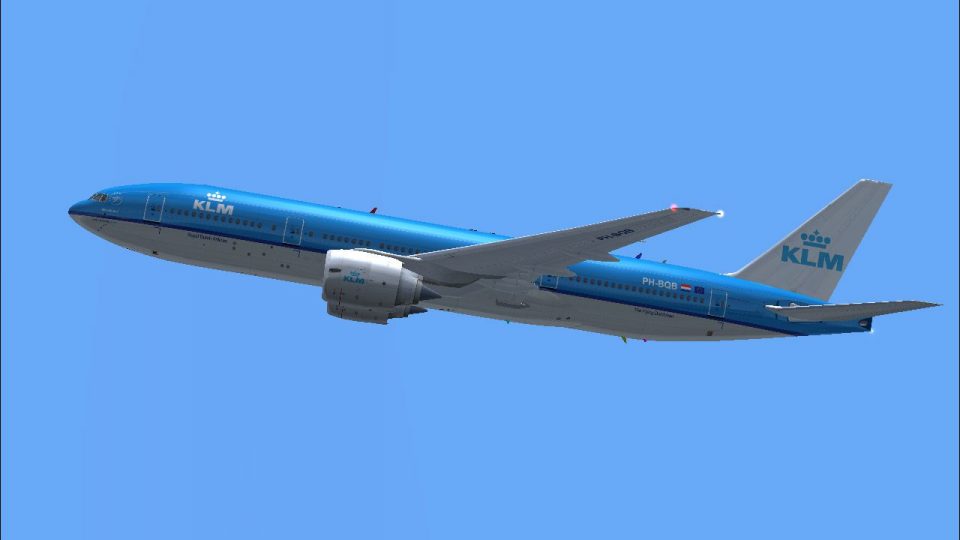
KLM Boeing 777-206ER PH-BQL "Litomysl Castle"
This repaint, crafted by developer Bonnie Windsor, features the KLM Boeing 77…
KLM Boeing 777-206ER PH-BQM “Machu Picchu” brings authentic fleet markings, correct registration details, and crisp high-resolution textures to the Overland 777-200ER model for Microsoft Flight Simulator X. The repaint captures the carrier’s signature colors and branding for convincing long-haul operations, and requires the payware Overland B777-200.
 Rate
Rate
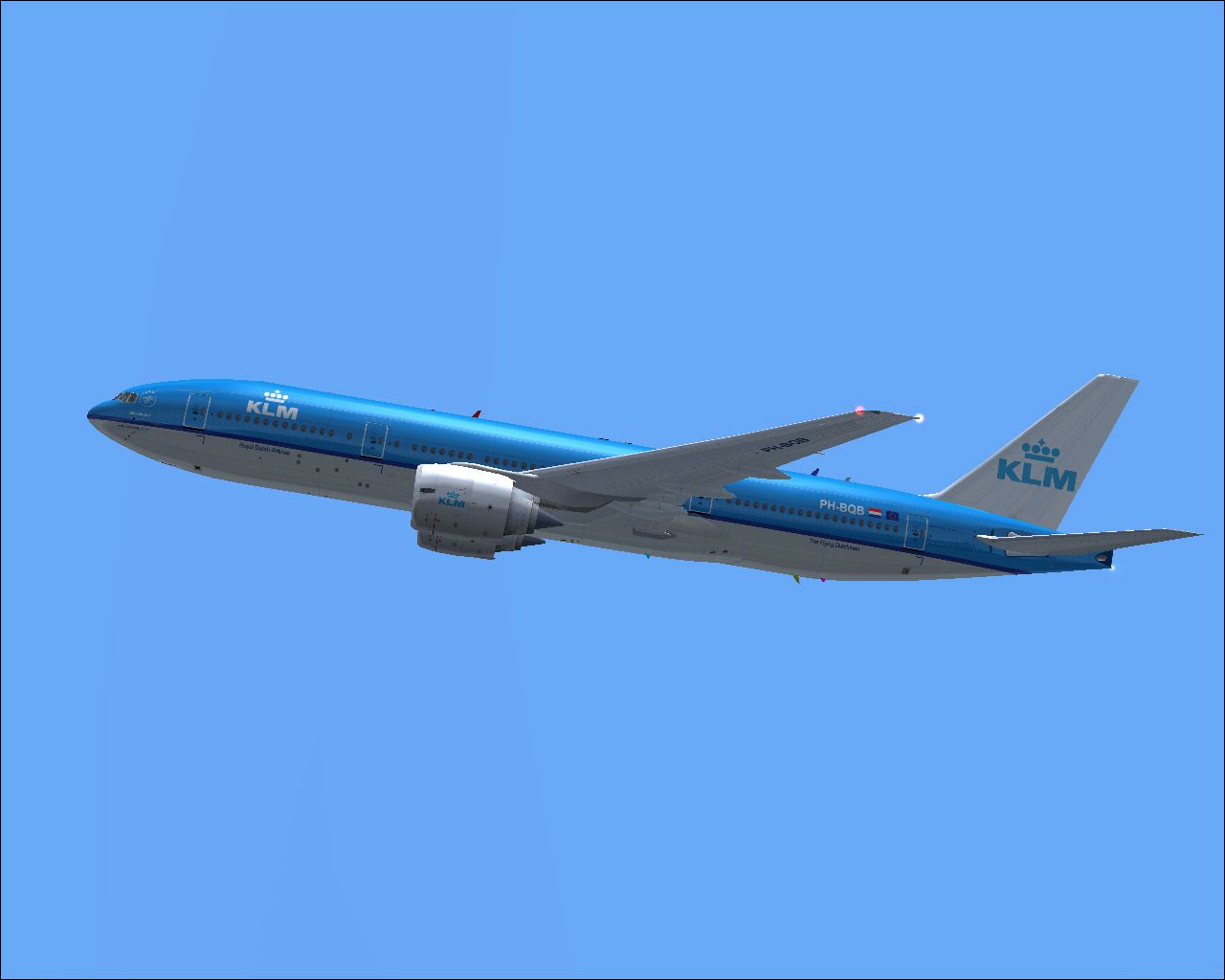
This repaint package offers KLM’s “Machu Picchu” registration PH-BQM textures specifically designed for the Overland B777-200 payware model. Created by Bonnie Windsor, these textures accurately portray the distinctive look seen on KLM’s Boeing 777 jets, giving you the chance to replicate real-world operations in Microsoft Flight Simulator X.
The Boeing 777 is a popular long-range, twin-engine airliner often selected by carriers for intercontinental routes. KLM, also known as Royal Dutch Airlines, uses its 777 fleet for extensive global operations. This particular 777-206ER, bearing the name “Machu Picchu,” reflects KLM’s tradition of naming aircraft after significant global landmarks.
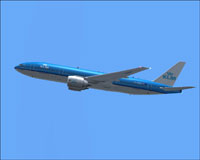
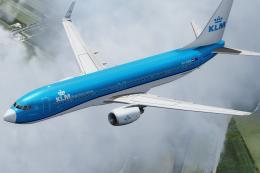
Depiction of the KLM Boeing 777-206ER cruising above the clouds.
After purchasing the required Overland B777-200 payware model, locate the aircraft folder commonly found at Microsoft Flight Simulator X/SimObjects/Airplanes/SMS_777-200ER_W. Extract the included repaint directory into this folder. Next, open the aircraft.cfg file and append the following entries, replacing xx with the appropriate sequence number:
[fltsim.xx]
title=FSPAP 777-200 GE KLM - Royal Dutch Airlines PH-BQM 'Machu Picchu'(VC)
sim=Boeing777-200ER
model=geVC
panel=
sound=
texture=FSX KLM PH-BQM 'Machu Picchu' KLM
atc_airline=KLM
atc_flight_number=867
atc_heavy=1
atc_id=PH-BQM
atc_parking_code=KLM
atc_parking_types=GATE, RAMP
description=Overland Co.,Ltd. Products --- Boeing 777-200ER

L1 Cabin Door [Shift+E] then [1]
L2 Cabin Door Wing Fold/Extend
Cargo Door [Shift+E] then [2]
APU Door Tailhook Extend/Retruct

ui_createdby="Simmer's Sky"
ui_manufacturer=Boeing
ui_type=777-206ER
ui_typerole="Commercial Airliner"
ui_variation=KLM - Royal Dutch Airlines PH-BQM 'Machu Picchu'(VC)
visual_damage=1
Once properly assigned in the aircraft.cfg, the livery will appear in your aircraft selection menu. Please note that this package supplies only the texture files, and the Overland payware product must be obtained separately, perhaps through a store like SimShack.
Enjoy incorporating PH-BQM “Machu Picchu” into your Microsoft Flight Simulator X flights. Credit for this repaint goes to Bonnie Windsor, who has focused on precise detailing to reflect the KLM 777 fleet accurately.
Free for all simmers · 5.73 MB · Scanned clean Oct 2026
Download speed: Free tier is capped at 0.5 Mbps (this file takes approximately 2 mins at the cap). PRO members download at full line speed.
texture.{airline}) inside FSX\SimObjects\Airplanes\{base-aircraft}\.aircraft.cfg in Notepad. Add a new [fltsim.X] section per the readme.readme.txt or README file. It tells you exactly where files go, what dependencies are needed, and any quirks specific to this add-on.The archive klmphbqm.zip has 38 files and directories contained within it.
This list displays the first 500 files in the package. If the package has more, you will need to download it to view them.
| Filename/Directory | File Date | File Size |
|---|---|---|
| 777vc1_l.bmp | 07.03.07 | 1.00 MB |
| 777vc1_t.bmp | 07.03.07 | 4.00 MB |
| 777vc2_l.bmp | 07.03.07 | 1.00 MB |
| 777vc2_t.bmp | 07.03.07 | 4.00 MB |
| 777vc3_l.bmp | 07.03.07 | 1.00 MB |
| 777vc3_t.bmp | 07.03.07 | 4.00 MB |
| 777vc4_l.bmp | 07.03.07 | 1.00 MB |
| 777vc4_t.bmp | 07.03.07 | 4.00 MB |
| 777vc5_l.bmp | 07.03.07 | 256.07 kB |
| 777vc5_t.bmp | 07.03.07 | 1.00 MB |
| b772fuseL_l.bmp | 07.03.07 | 1.00 MB |
| b772fuseL_t.bmp | 07.03.07 | 4.00 MB |
| b772fuseR_l.bmp | 07.03.07 | 1.00 MB |
| b772fuseR_t.bmp | 07.03.07 | 4.00 MB |
| b772ge_l.bmp | 07.03.07 | 1.00 MB |
| b772ge_t.bmp | 07.03.07 | 4.00 MB |
| b772tail_l.bmp | 07.03.07 | 1.00 MB |
| b772tail_t.bmp | 07.03.07 | 4.00 MB |
| b772wing_l.bmp | 07.03.07 | 1.00 MB |
| b772wing_t.bmp | 07.03.07 | 4.00 MB |
| b777antenna.bmp | 07.03.07 | 256.07 kB |
| b777forehead.bmp | 07.03.07 | 256.07 kB |
| b777inside1_l.bmp | 07.03.07 | 64.07 kB |
| b777inside1_t.bmp | 07.03.07 | 256.07 kB |
| b777inside2_l.bmp | 07.03.07 | 64.07 kB |
| b777inside2_t.bmp | 07.03.07 | 256.07 kB |
| fspap_pilot.bmp | 07.03.07 | 128.07 kB |
| fspap_pilot_l.bmp | 07.03.07 | 32.07 kB |
| FSX KLM PH-BQL 'Litomysl Castle' KLM.txt | 07.03.07 | 368 B |
| KLM PH-BQB 'Borobudur' KLM.gif | 06.26.07 | 4.13 kB |
| KLM PH-BQB 'Borobudur' KLM.JPG | 06.26.07 | 114.92 kB |
| main_l.bmp | 07.03.07 | 256.07 kB |
| Read me.txt | 07.03.07 | 1.61 kB |
| thumbnail.jpg | 06.29.07 | 24.17 kB |
| w1_l.bmp | 07.03.07 | 1.00 MB |
| Texture.FSX KLM PH-BQM 'Machu Picchu' KLM | 07.03.07 | 0 B |
| flyawaysimulation.txt | 10.29.13 | 959 B |
| Go to Fly Away Simulation.url | 01.22.16 | 52 B |
Only PRO members can place votes.
More FSX & P3D add-ons hand-picked based on this download.
FSX Civil Aircraft
This repaint, crafted by developer Bonnie Windsor, features the KLM Boeing 77…
 FSX Civil Aircraft
This repaint showcases the distinctive KLM Boeing 777-206ER “Borobudur” (regi…
 FSX Civil Aircraft
This repaint set offers a faithfully crafted KLM color scheme for the payware…
 FSX Civil Aircraft
KLM Boeing 777-200, registration PH-BQG, new design. This file contains a rep…
 FSX Civil Aircraft
This is a fixed version of the previous repaint. Fixed dutchman, logo tail ni…
 FSX Civil Aircraft
This repaint faithfully recreates KLM’s PH-BQF Boeing 777-200 from 2004 for u…
 FSX Civil Aircraft
This freeware repaint depicts the PMDG Boeing 777-200LR base pack featuring t…
 FSX Civil Aircraft
This highly detailed repaint showcases KLM Royal Dutch Airlines’ recently int…
Be the first to leave a comment on this download.
Be the first to share your thoughts on this download.