

 FSX Military Aircraft
RAF McDonnell Phantom FGR.2 228 OCU Update
This file contains four new texture files to update the earlier version of th…
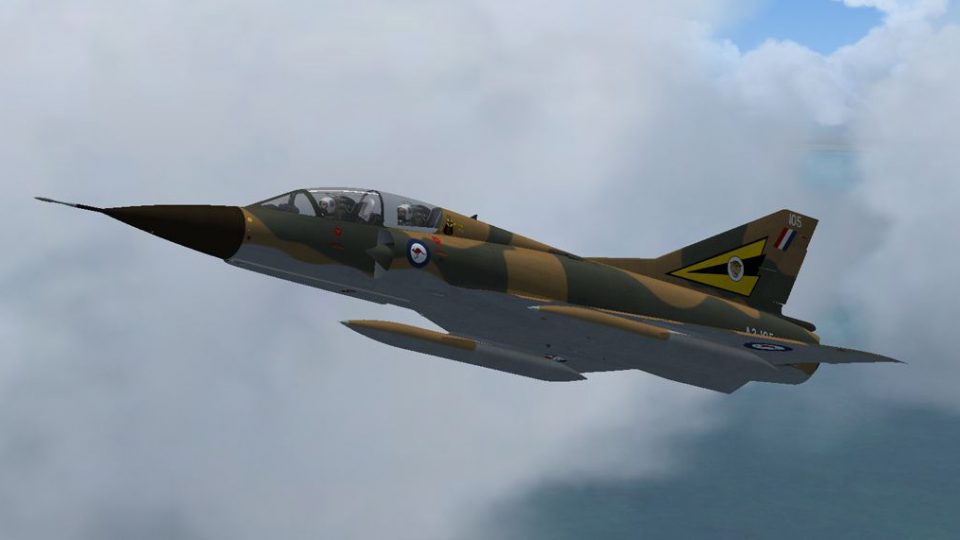
RAAF Mirage IIIE A3-105 of No. 2 OCU comes to life in a temporary brown-and-green Exercise Pitch Black 1984 camouflage livery, reflecting the aircraft later recovered near Darwin after an undercarriage failure and safe ejection. Designed for FSX, it requires the Restauravia Mirage IIIB base model and includes accurate Australian markings and weathered finish.
 Rate
Rate
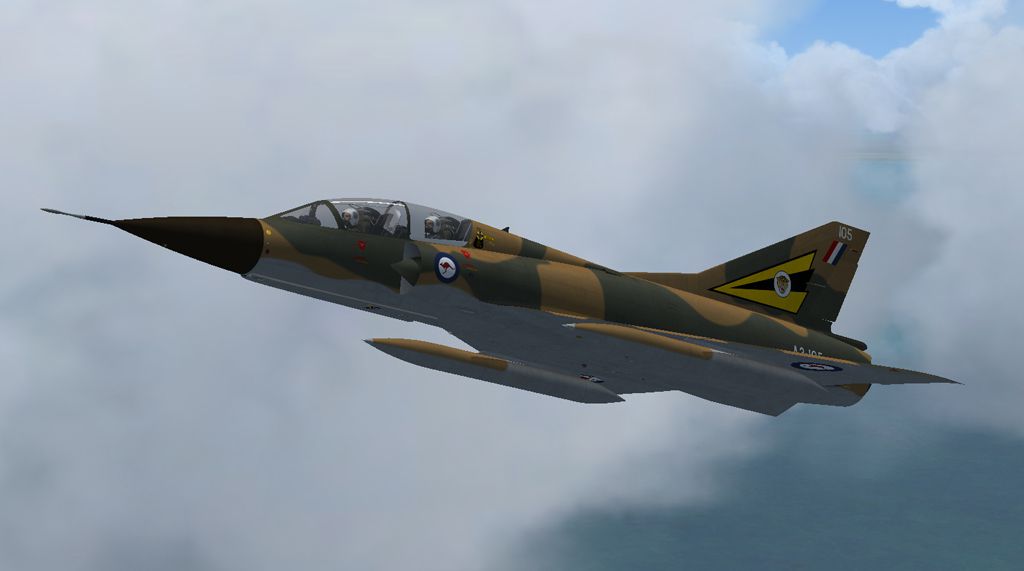
This is a repaint of the Mirage IIIB by Restauravia to represent a Royal Australian Air Force Mirage IIIE, A3-105 of No. 2 OCU, that suffered an undercarriage failure in April 1984, causing the crew to eject safely. The aircraft crashed nose-down in a bog about 7 miles east of Darwin NT and was recovered by helicopter. The tail section remains at the Australian Aviation Heritage Museum in Darwin. The repaint depicts the aircraft in the temporary brown and green camouflage scheme applied for Exercise Pitch Black in early 1984, just prior to its loss. There are significant differences between the Mirage IIIB and IIIE so this is a general representation only. By Dave Quincey.
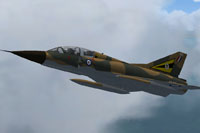
Screenshot of RAAF GAMD Mirage in flight.
Unzip the folder 'Mirage A3-105' to a location of your choice. Copy and paste the folder 'texture.A3-105' to your Restauravia Mirage IIIB directory. Open the aircraft.cfg file and add the following after the last [fltsim.xx] entry:
[fltsim.xx]

title=MIRAGEIIIB A3-105

sim=MirageIIIB

model=

panel=

sound=

texture=A3-105

kb_checklists=MirageIIIB_check

kb_reference=MirageIIIB_ref

atc_id=2-FP

atc_airline=

atc_flight_number=

ui_manufacturer=GAMD

ui_type=MirageIIIB

ui_variation=Mirage IIID A3-105

ui_typerole=Fighter

ui_createdby=RESTAURAVIA

visual_damage=

description= RAAF Mirage IIID in brown and green camo scheme at the time of its loss in April 1984.

atc_id_color=

atc_heavy=0

atc_id_font=
Replace the xx with the next number in sequence and save.
Free for all simmers · 4.72 MB · Scanned clean Oct 2026
Download speed: Free tier is capped at 0.5 Mbps (this file takes approximately 1 min at the cap). PRO members download at full line speed.
texture.{airline}) inside FSX\SimObjects\Airplanes\{base-aircraft}\.aircraft.cfg in Notepad. Add a new [fltsim.X] section per the readme.readme.txt or README file. It tells you exactly where files go, what dependencies are needed, and any quirks specific to this add-on.The archive a3105.zip has 11 files and directories contained within it.
This list displays the first 500 files in the package. If the package has more, you will need to download it to view them.
| Filename/Directory | File Date | File Size |
|---|---|---|
| Mirage IIIB RAAF2.jpg | 05.22.13 | 207.25 kB |
| Read Me.txt | 05.24.13 | 2.11 kB |
| texture.A3-105 | 05.24.13 | 0 B |
| M3B01.dds | 05.22.13 | 4.00 MB |
| M3B01_spec.dds | 05.22.13 | 4.00 MB |
| M3B02.dds | 05.22.13 | 4.00 MB |
| M3B02_spec.dds | 05.22.13 | 4.00 MB |
| texture.cfg | 02.01.13 | 164 B |
| thumbnail.jpg | 05.22.13 | 32.51 kB |
| flyawaysimulation.txt | 10.29.13 | 959 B |
| Go to Fly Away Simulation.url | 01.22.16 | 52 B |
Only PRO members can place votes.
More FSX & P3D add-ons hand-picked based on this download.
FSX Military Aircraft
This file contains four new texture files to update the earlier version of th…
 FSX Military Aircraft
Experience a specialized repaint depicting Royal Air Force 232 Operational Co…
 FSX Military Aircraft
Flotille 11F, Aeronavale. Over ten years since 12F Flotille converted to the …
 FSX Military Aircraft
The Basler BT67 is a specially modified aircraft used world-wide. FSX model b…
 FSX Military Aircraft
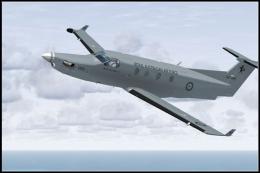
FSX RAAF Pilatus PC-12. A repaint of the payware Flight1 Pilatus PC12. By Sea…
 FSX Military Aircraft
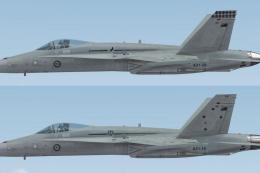
FSX Default F/A-18C RAAF Repaint. Repaints of 3 and 75 Squadron RAAF F/A-18C …
 FSX Military Aircraft
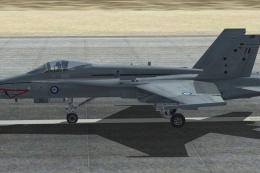
FSX RAAF F/A-18A Hornet, 75 Sqd A21-8. This repaint is intended for the Accel…
 FSX Military Aircraft
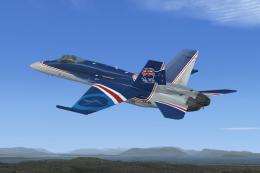
FSX RAAF Acceleration F/A-18. RAAF - 20 Years of RAAF Hornets - A21-26. This …
Be the first to leave a comment on this download.
Be the first to share your thoughts on this download.