

 FSX Military Aircraft
RAAF Pilatus PC-12
FSX RAAF Pilatus PC-12. A repaint of the payware Flight1 Pilatus PC12. By Sea…
Pilatus PC-7 “Snake” repaint brings an Austrian Air Force-inspired viper motif to Tim Conrad’s turboprop trainer, sharpening exterior detail while keeping visuals clean in varied lighting. Designed for Microsoft Flight Simulator X, it adds crisp markings and a distinctive fuselage artwork, and requires the original freeware Pilatus PC-7 base pack.
 Rate
Rate
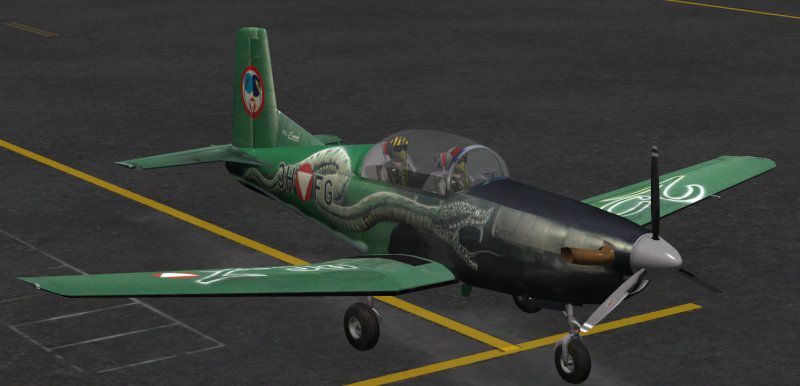
This freeware repaint depicts a specialized Austrian Air Force theme for Tim Conrad’s Pilatus PC-7 model, intended for Microsoft Flight Simulator X users seeking an enhanced visual experience. Featuring a striking “Snake” motif, this add-on is crafted by John Barner and relies on the original freeware base package by Tim Conrad (available in the Fly Away Simulation library). The Pilatus PC-7 itself is a well-known Swiss turboprop trainer, deployed for both basic and advanced flight education in several air arms worldwide, including the Austrian Air Force.
Texture Set Improvements: These custom textures incorporate unique reptilian artwork on the fuselage, reflecting a vivid “Viper” style. Created to preserve clarity at multiple zoom levels, the scheme provides enhanced sharpness across various lighting conditions within Microsoft Flight Simulator X.
Pilatus PC-7 Background: The PC-7 typically carries a single turboprop engine, designed for efficient training missions. In Austrian Air Force usage, this aircraft is leveraged for pilot familiarization and tactical drills, capitalizing on its impeccable handling and robust design.
John Barner meticulously layered accurate insignias and numbering details, balancing fidelity with performance considerations. Simplified reflections help sustain smooth frame rates while preserving an authentic exterior finish that captures the essence of Austrian military aviation.
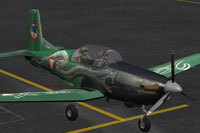
Screenshot of Pilatus P-7 "Viper" texture displayed on the ramp.
[fltsim.*] entry, ensuring you replace “xx” with your next sequential number:[fltsim.xx] title=PC-7 Snake sim=PC-7 model= panel= sound= texture=Snake kb_checklists= kb_reference= atc_id_color=0x00ff0000 atc_id=302 ui_manufacturer=Pilatus ui_type="PC-7" ui_variation="Snake" description="Swiss turboprop basic and advanced training aircraft. In service throughout the world by many air forces. Several can be found on civil registries of various nations." atc_heavy=0 atc_id_font=Verdana,-11,1,600,0 ui_createdby="Piglet's Peculiar Planes" visual_damage=1
Inspired by actual trainer schemes used in the Austrian Air Force, this Snake repaint highlights the PC-7’s global versatility. Military flight academies around the world favor the PC-7 for its balanced handling, low operating costs, and modern cockpit equipment. The Austrian adaptation often showcases pronounced insignias and grading lines, making this texture pack ideal for simmers seeking realism without compromising on performance.
By installing this repaint, enthusiasts can immerse themselves in operational procedures reflecting Austrian flight training. John Barner dedicates this skin to fans of military themes, adding further depth to Tim Conrad’s iconic freeware design. Keep in mind that the base PC-7 package must be retrieved separately to ensure full functionality in your simulator environment.
Free for all simmers · 7.66 MB · Scanned clean Oct 2026
Download speed: Free tier is capped at 0.5 Mbps (this file takes approximately 2 mins at the cap). PRO members download at full line speed.
This file is a repaint — the package below is the base model it paints onto. Install it first, or the textures will have nothing to load onto.
texture.{airline}) inside FSX\SimObjects\Airplanes\{base-aircraft}\.aircraft.cfg in Notepad. Add a new [fltsim.X] section per the readme.readme.txt or README file. It tells you exactly where files go, what dependencies are needed, and any quirks specific to this add-on.The archive pc-7snake.zip has 21 files and directories contained within it.
This list displays the first 500 files in the package. If the package has more, you will need to download it to view them.
| Filename/Directory | File Date | File Size |
|---|---|---|
| 150.gif | 09.02.13 | 6.54 kB |
| FILE_ID.DIZ | 09.02.13 | 157 B |
| Read Me First.txt | 09.02.13 | 2.27 kB |
| Snake.jpg | 09.02.13 | 43.73 kB |
| pc7_01.dds | 08.09.13 | 5.33 MB |
| pc7_01_bump.dds | 07.10.10 | 4.00 MB |
| pc7_01_spec.dds | 08.08.13 | 5.33 MB |
| pc7_02.dds | 07.14.10 | 4.00 MB |
| pc7_02_lm.dds | 07.05.10 | 4.00 MB |
| pc7_02_spec.dds | 07.04.10 | 4.00 MB |
| pc7_aircrew.dds | 06.26.10 | 1.00 MB |
| pc7_glass.dds | 06.29.10 | 256.12 kB |
| pc7_panels.dds | 07.13.10 | 4.00 MB |
| pc7_panels_lm.dds | 07.03.10 | 4.00 MB |
| pc7_panels_spec.dds | 07.03.10 | 4.00 MB |
| pc7_prop.dds | 06.22.10 | 64.12 kB |
| pc7_reflect.dds | 07.02.10 | 256.12 kB |
| thumbnail.jpg | 08.28.13 | 15.20 kB |
| texture.Snake | 09.02.13 | 0 B |
| flyawaysimulation.txt | 10.29.13 | 959 B |
| Go to Fly Away Simulation.url | 01.22.16 | 52 B |
Only PRO members can place votes.
More FSX & P3D add-ons hand-picked based on this download.
FSX Military Aircraft
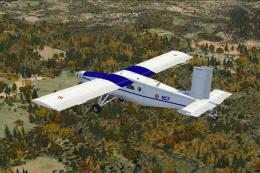
FSX RAAF Pilatus PC-12. A repaint of the payware Flight1 Pilatus PC12. By Sea…
 FSX Military Aircraft
ALAT Pilatus PC-6C. Pilatus PC-6C H2 Turbo Porter by Tim Conrad in a fictiona…
 FSX Military Aircraft
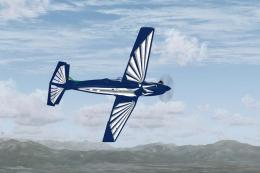
This freeware add-on provides a specialized repaint of the Pilatus PC-9A for …
 FSX Military Aircraft
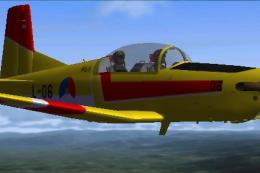
FSX Pilatus Pc-7 Turbotrainer RNAF repaint. (Model by Tim Piglet Conrad). Thi…
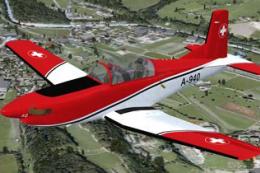 FSX Military Aircraft
Experience a refreshed level of Swiss-themed turboprop training in Microsoft …
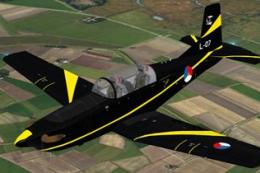 FSX Military Aircraft
This repaint features the KLu 130 EMVO Pilatus PC-7 L-07, representing the Ro…
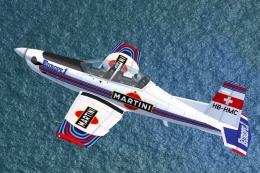 FSX Military Aircraft
Created to infuse a distinctive flair into Microsoft Flight Simulator X, this…
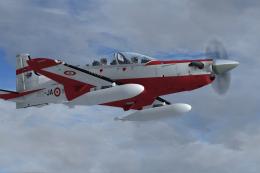 FSX Military Aircraft
A repaint for the Iris Pilatus PC21 payware aircraft. Repaint by Martial Fero…
Be the first to leave a comment on this download.
Be the first to share your thoughts on this download.