

 FSX Civil Aircraft
KLM Boeing 747-400 registration PH-BFA
FSX KLM Boeing 747-400, registration PH-BFA. Textures only for the default B7…
KLM Boeing 737-800 PH-BXV brings Royal Dutch Airlines’ crisp blue-and-white scheme to the default 737-800 in Microsoft Flight Simulator X, with carefully aligned markings, accurate window and logo placement, and subtle weathering for a realistic ramp presence. Requires the stock FSX 737-800 base model.
 Rate
Rate
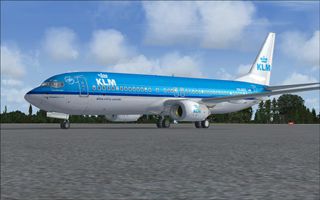
This freeware package provides a carefully rendered texture set portraying a KLM Boeing 737-800, identified by registration PH-BXV, for the default Boeing 737-800 in Microsoft Flight Simulator X. Created by Cronan Doyle and utilizing the paint kit produced by John Rose, this repaint brings out the signature Royal Dutch Airlines color scheme with refined clarity and accurate design details. Those who already possess the standard 737-800 model in FSX can integrate this repaint seamlessly, but newcomers should ensure they have the required base model from the Fly Away Simulation mod library.
KLM, also known as Royal Dutch Airlines, deploys the Boeing 737-800 series for short to medium-haul operations across Europe and beyond. This repaint strives to replicate the PH-BXV airframe’s authentic aesthetics, including precise placement of logos and matching window configurations. Close attention to the alignment of fuselage textures has been applied so that markings flow cohesively along the aircraft’s body. The result is a striking visual that accurately mirrors the real-world jet’s livery.
Thanks to John Rose’s paint kit, layering and weathering effects have been meticulously incorporated to best reflect the actual appearance of an active Boeing 737 under KLM’s fleet. Subtle color gradients are precisely calibrated, ensuring realistic reflections on the engine cowlings and fuselage. Even the aircraft’s tail section matches the rich blue characteristic of KLM’s brand.
This package only includes the texture files. Users must already have (or acquire) the default 737-800 that is part of FSX. The high-fidelity paint kit from John Rose (identified as FSX737PK.ZIP) was instrumental in achieving the detailed finish. Look for it in the Fly Away Simulation library if additional customization resources are needed.
By installing this texture set, virtual pilots can experience a realistic KLM appearance on one of the world’s most popular single-aisle airliners, reinforcing immersion on European routes and any schedule where the reliable 737-800 shines.
Free for all simmers · 4.01 MB · Scanned clean Oct 2026
Download speed: Free tier is capped at 0.5 Mbps (this file takes approximately 1 min at the cap). PRO members download at full line speed.
This file is a repaint — the package below is the base model it paints onto. Install it first, or the textures will have nothing to load onto.
texture.{airline}) inside FSX\SimObjects\Airplanes\{base-aircraft}\.aircraft.cfg in Notepad. Add a new [fltsim.X] section per the readme.readme.txt or README file. It tells you exactly where files go, what dependencies are needed, and any quirks specific to this add-on.The archive klm4.zip has 6 files and directories contained within it.
This list displays the first 500 files in the package. If the package has more, you will need to download it to view them.
| Filename/Directory | File Date | File Size |
|---|---|---|
| FILE_ID.DIZ | 06.04.08 | 255 B |
| Readme.txt | 06.04.08 | 1.88 kB |
| texture.KLM.zip | 06.04.08 | 3.96 MB |
| thumbnail.jpg | 06.04.08 | 62.07 kB |
| flyawaysimulation.txt | 10.29.13 | 959 B |
| Go to Fly Away Simulation.url | 01.22.16 | 52 B |
Only PRO members can place votes.
More FSX & P3D add-ons hand-picked based on this download.
FSX Civil Aircraft
FSX KLM Boeing 747-400, registration PH-BFA. Textures only for the default B7…
 FSX Civil Aircraft
FSX Transavia Boeing 737-800, registration PH-HZE. Textures only for the defa…
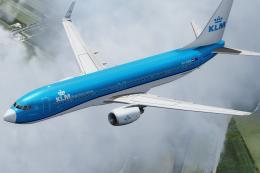 FSX Civil Aircraft
This highly detailed repaint showcases KLM Royal Dutch Airlines’ recently int…
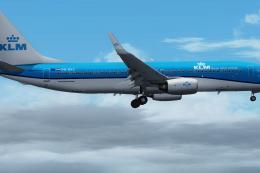 FSX Civil Aircraft
KLM Royal Dutch Airlines, the national carrier of the Netherlands, operates a…
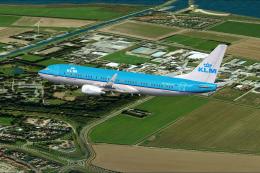 FSX Civil Aircraft
Experience a high-fidelity KLM Royal Dutch Airlines Boeing 737-800 (registrat…
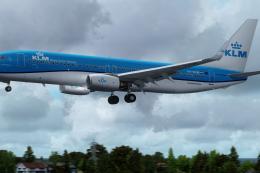 FSX Civil Aircraft
KLM Royal Dutch Airlines introduces its updated Boeing 737-800 (registration …
 FSX Civil Aircraft
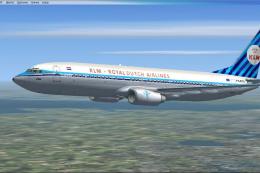
KLM Boeing 737-800, registration PH-BXA. In 2009 KLM celebrated their 90th bi…
 FSX Civil Aircraft
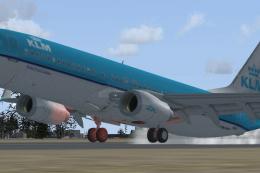
A repaint of the default B737-800. By C. Reuleaux. Screenshot of KLM Airlines…
Be the first to leave a comment on this download.
Be the first to share your thoughts on this download.