

 FSX Civil Aircraft
S7 Sibir Airlines Boeing 737-800
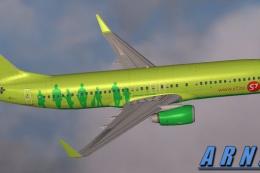
FSX S7 Sibir Airlines Boeing 737-800. A repaint for the default B737-800 by J…
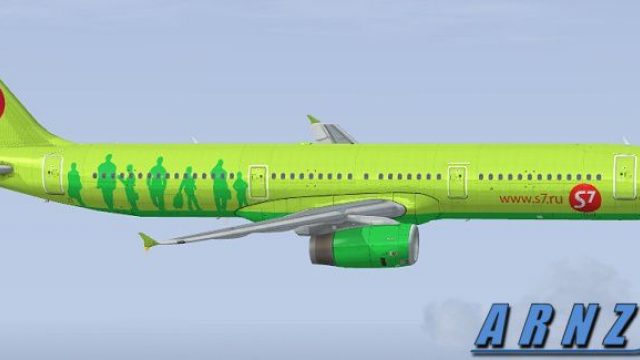
S7 Sibir Airlines’ green-and-white Airbus A321 livery brings a crisp, airline-accurate look to the default jet in Microsoft Flight Simulator X, with true-to-reference logos, registrations, and refined shading for a convincing paint finish. It requires the original FSX A321 base model and adds visuals only, leaving flight dynamics untouched.
 Rate
Rate


Augment your FSX library with a visually precise S7 Sibir Airlines Airbus A321 repaint, specifically tailored for the default model. This freeware release needs the original base package found in FSX. Repaint by Jon Murchison.
The color scheme for S7 Sibir Airlines (formerly recognized as Siberia Airlines) has been meticulously integrated into these texture files. It captures the carrier’s signature palette, ensuring accurate registration markings and emblem positioning on an Airbus A321 airframe. The Airbus A321, known for its short-to-medium-haul capabilities, is distinctively rendered here with updated shading and panel details to match the true look of the operator’s fleet.
This enhancement is solely for the default FSX A321. It will integrate seamlessly without any modifications to aircraft systems or flight dynamics. However, the necessary base model—for the default Airbus A321—must be present in your simulator before installation can be completed. You can locate that freeware model in the Fly Away Simulation library if necessary.
All repaint work featured here has been carried out by Jon Murchison. This offering remains completely freeware, reflecting a commitment to the community. Experience a carefully developed visual modification that brings an authentic Russian airline aesthetic to your flight simulation environment.
Free for all simmers · 1.41 MB · Scanned clean Oct 2026
Download speed: Free tier is capped at 0.5 Mbps. PRO members download at full line speed.
texture.{airline}) inside FSX\SimObjects\Airplanes\{base-aircraft}\.aircraft.cfg in Notepad. Add a new [fltsim.X] section per the readme.readme.txt or README file. It tells you exactly where files go, what dependencies are needed, and any quirks specific to this add-on.The archive s7321.zip has 9 files and directories contained within it.
This list displays the first 500 files in the package. If the package has more, you will need to download it to view them.
| Filename/Directory | File Date | File Size |
|---|---|---|
| S7321.jpg | 05.30.08 | 50.83 kB |
| README _INSTALL.txt | 05.30.08 | 1.81 kB |
| A321_1_T.dds | 05.29.08 | 1.00 MB |
| A321_1_T_spec.dds | 01.24.08 | 1.33 MB |
| texture.cfg | 01.16.08 | 137 B |
| thumbnail.jpg | 05.29.08 | 16.26 kB |
| FILE_ID.DIZ | 06.05.08 | 100 B |
| flyawaysimulation.txt | 10.29.13 | 959 B |
| Go to Fly Away Simulation.url | 01.22.16 | 52 B |
Only PRO members can place votes.
More FSX & P3D add-ons hand-picked based on this download.
FSX Civil Aircraft
FSX S7 Sibir Airlines Boeing 737-800. A repaint for the default B737-800 by J…
 FSX Civil Aircraft
Model by Project Airbus. Repaint by Daniel Alamilla. Screenshot of S7 Airline…
 FSX Civil Aircraft
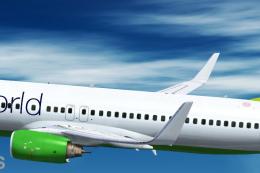
S7 Airlines Boeing 737-800 NGX, registration VQ-BKW, "Oneworld" special liver…
 FSX Civil Aircraft
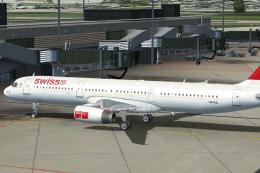
Swiss International Airlines Airbus A321, registration HB-IOL. Textures and t…
 FSX Civil Aircraft
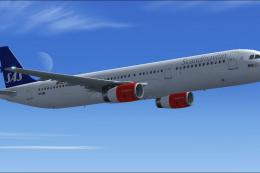
This freeware release brings a detailed Scandinavian Airlines (SAS) Airbus A3…
 FSX Civil Aircraft
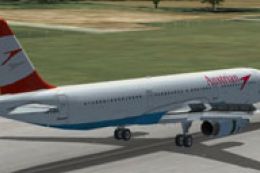
Austrian Airlines Airbus A321, registration OE-LBA. Textures only for the def…
 FSX Civil Aircraft
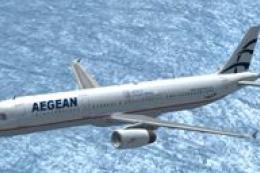
FSX Aegean Airlines Airbus A321. Textures only for the default A321. Aegean w…
 FSX Civil Aircraft
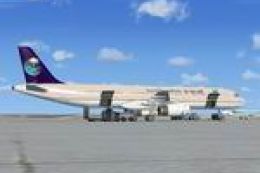
This is a repaint of the default FSX Airbus A321 in Saudi Arabian Airlines. S…
Be the first to leave a comment on this download.
Be the first to share your thoughts on this download.