

 FSX Military Aircraft
Royal Norwegian Air Force Northrop F-5A
FSX Royal Norwegian Air Force Northrop F-5A Freedom Fighter, 338 Squadron. Mo…
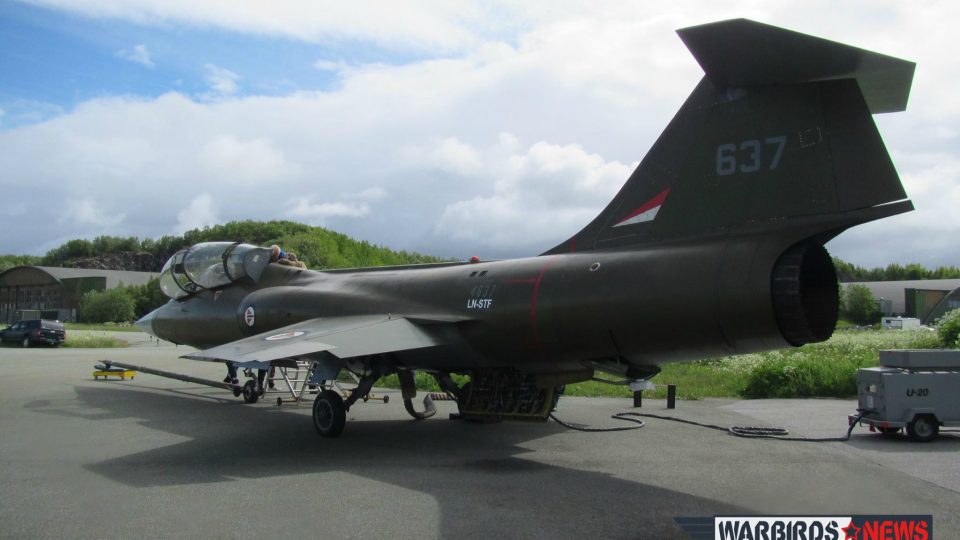
Royal Norwegian Air Force CF-104D 104637 livery brings a faithful Bodo-restoration-era look to the Captain Sim TF-104G Starfighter in FSX, with crisp external textures, accurate markings, and a glass texture option. It supports multiple model loadouts, including clean and tank configurations, for varied Starfighter sorties.
 Rate
Rate
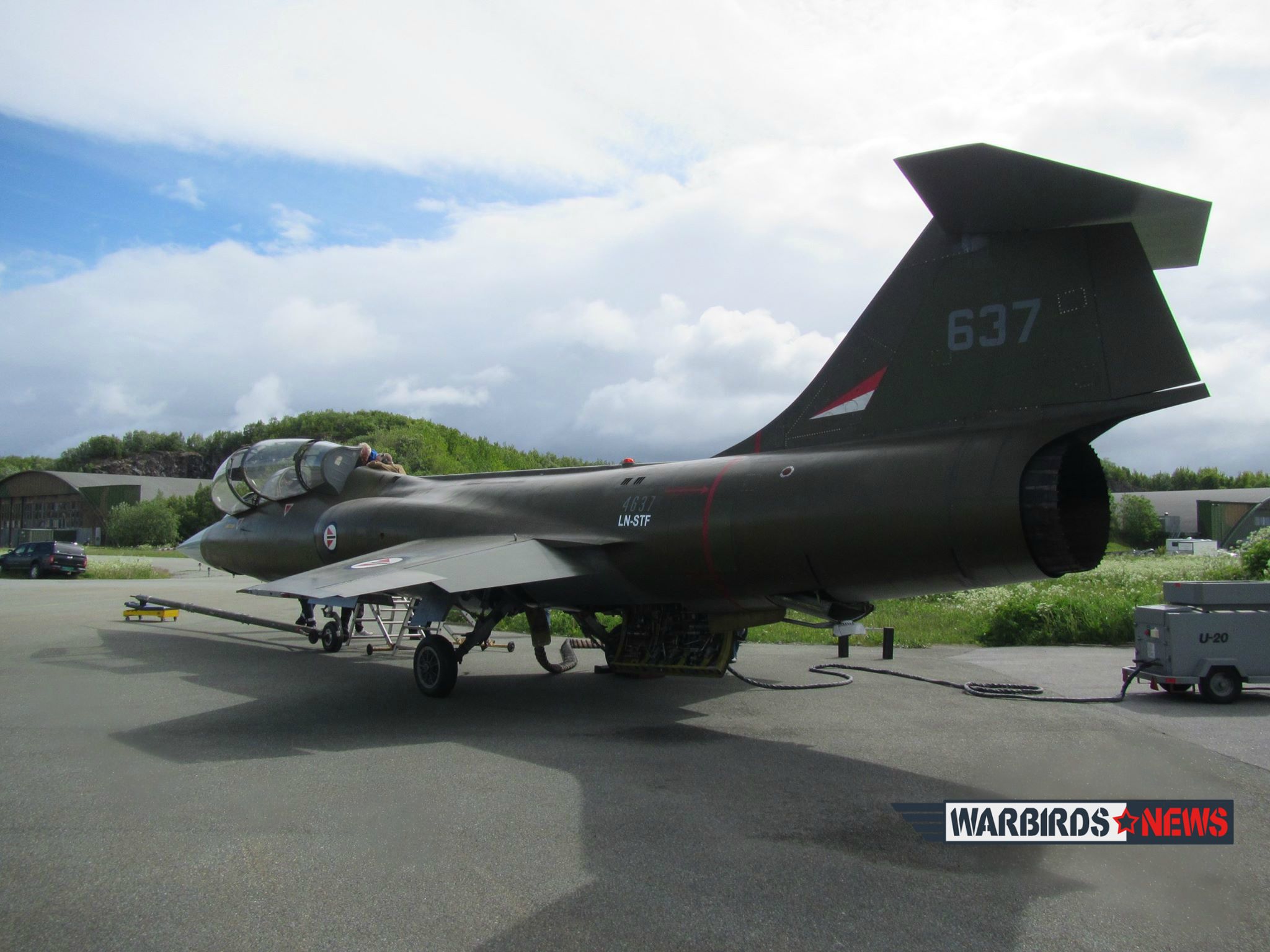
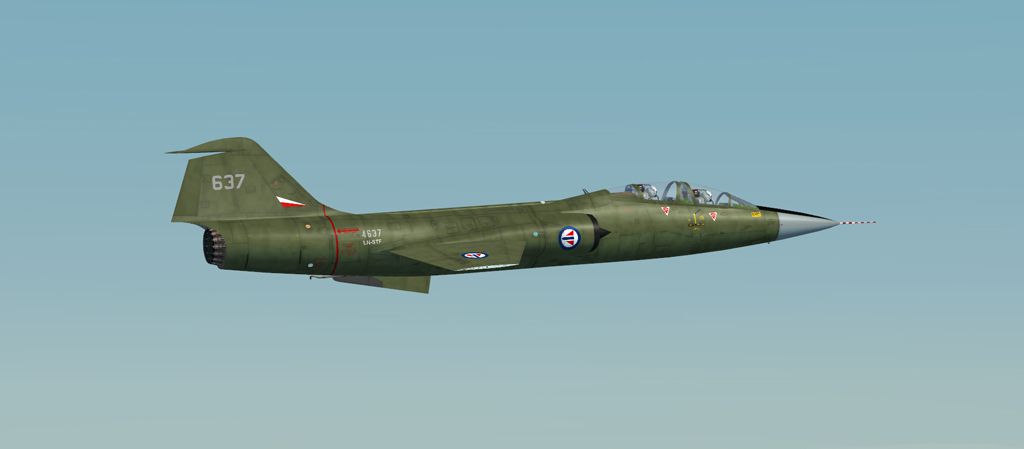
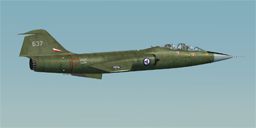
A repaint of the payware Captain Sim North American TF-104G Starfighter to represent CF-104D 104637, currently under restoration to flight status at Bodo. By Dave Quincey.
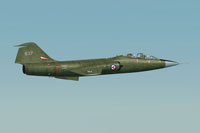
Screenshot of Royal Norwegian Air Force CF-104D in flight.
Installation:
Unzip the file to a convenient location and move the two texture folders to your 'Legendary TF-104' directory. Add the following to your 'aircraft.cfg' file below the last variant entry. Replace [fltsim.xx] with the next available variant number and save.
[fltsim.xx]

title=CS F-104 Starfighter CF-104D RNAF

sim=cs_tf104

model=55

panel=

sound=

texture=637

KB_checklists=

ui_manufacturer=Captain Sim

atc_id=658

atc_airline=Air Force

atc_flight_number=637

ui_type=TF-104 Starfighter

ui_variation=CF-104D RNAF

visual_damage=1

atc_heavy=0

description=CF-104D RNAF restored airworthy example
Any of the models can be used 5 (clean), 6 (tip tanks) or 7 (tip and pylon tanks). I prefer the look of 55, 66 and 77, where there is a degree of specular shine.
Note that these folders contain only the main external textures plus a glass texture (F-104G-0_T) you may use or not as you wish. The enclosed 'texture.cfg' file points to a /...texture.shared folder for the remainder of the texture files. If you have a different folder containing these files alter this line accordingly. Alternatively copy and paste a complete set of texture files into the 'texture.637' folder, making sure NOT to overwrite when prompted.
This texture set was created using the paint kit supplied by Captain Sim, together with stencil sets taken from the Sim Skunkworks F-104G paint kit with the kind permission of the author Alessandro Barbarini. It is freeware; it can be used and modified as you wish for your own use. It must not be used or sold for commercial gain, nor uploaded to a site requiring a subscription fee. If you want to publish any repaints based upon it they must be published as freeware and must acknowledge the authors Dave Quincey, Alessandro Barbarini and Captain Sim.
Free for all simmers · 2.04 MB · Scanned clean Oct 2026
Download speed: Free tier is capped at 0.5 Mbps. PRO members download at full line speed.
texture.{airline}) inside FSX\SimObjects\Airplanes\{base-aircraft}\.aircraft.cfg in Notepad. Add a new [fltsim.X] section per the readme.readme.txt or README file. It tells you exactly where files go, what dependencies are needed, and any quirks specific to this add-on.The archive cf104norway.zip has 12 files and directories contained within it.
This list displays the first 500 files in the package. If the package has more, you will need to download it to view them.
| Filename/Directory | File Date | File Size |
|---|---|---|
| CF-104D Norway | 01.04.16 | 0 B |
| Cf-104D RNAF 1.jpg | 01.04.16 | 93.13 kB |
| Read Me.txt | 01.04.16 | 2.29 kB |
| texture.637 | 01.04.16 | 0 B |
| Norwegian-CF-104D-Starfighter.jpg | 01.30.15 | 414.76 kB |
| texture.cfg | 05.28.09 | 123 B |
| TF-104G-1_t.dds | 01.31.15 | 4.00 MB |
| TF-104G-2_t.dds | 01.31.15 | 4.00 MB |
| thumbnail.jpg | 01.31.15 | 25.60 kB |
| Thumbs.db | 01.04.16 | 53.00 kB |
| flyawaysimulation.txt | 10.29.13 | 959 B |
| Go to Fly Away Simulation.url | 01.22.16 | 52 B |
Only PRO members can place votes.
More FSX & P3D add-ons hand-picked based on this download.
FSX Military Aircraft
FSX Royal Norwegian Air Force Northrop F-5A Freedom Fighter, 338 Squadron. Mo…
 FSX Military Aircraft
Canadian Air Force/RCAF CF-18 Squadrons low vis repaints for VRS F/A-18 Super…
 FSX Military Aircraft
Royal Air Force Beechcraft King Air. A RAF texture for the default King Air. …
 FSX Military Aircraft
Royal Air Force C-130 C3 Package adapted for FSX. This is the Simshed C-130 w…
 FSX Military Aircraft
A repaint of the David Brice and David Friswell T45 Goshawk / T1 Hawk. The pa…
 FSX Military Aircraft
This is a package of the Royal Saudi Air Force Eurofighter Typhoon. The packa…
 FSX Military Aircraft
Royal Saudi Air Force F-15S. A Royal Saudi AF McDonnell Douglas F-15C Strike …
 FSX Military Aircraft
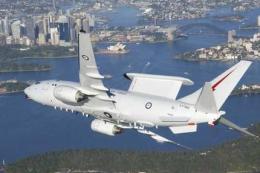
FSX Royal Australian Air Force Boeing 737-700WT "Wedgetail". Model by Project…
Be the first to leave a comment on this download.
Be the first to share your thoughts on this download.