



 MSFS Utilities & Tools
Max Flight Deck Lite - Cockpit Screens on Your Tablet
Max Flight Deck Lite sends Microsoft Flight Simulator 2024 cockpit screens to…
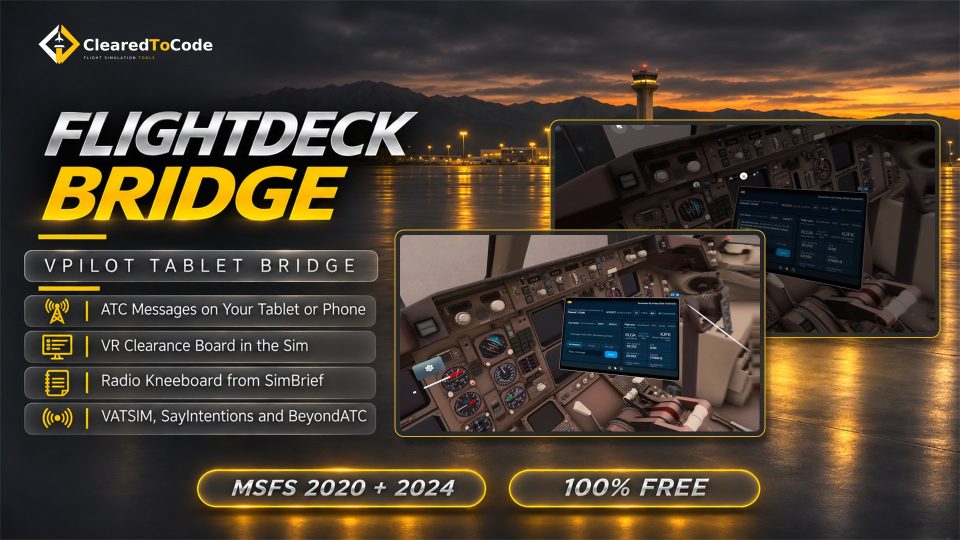
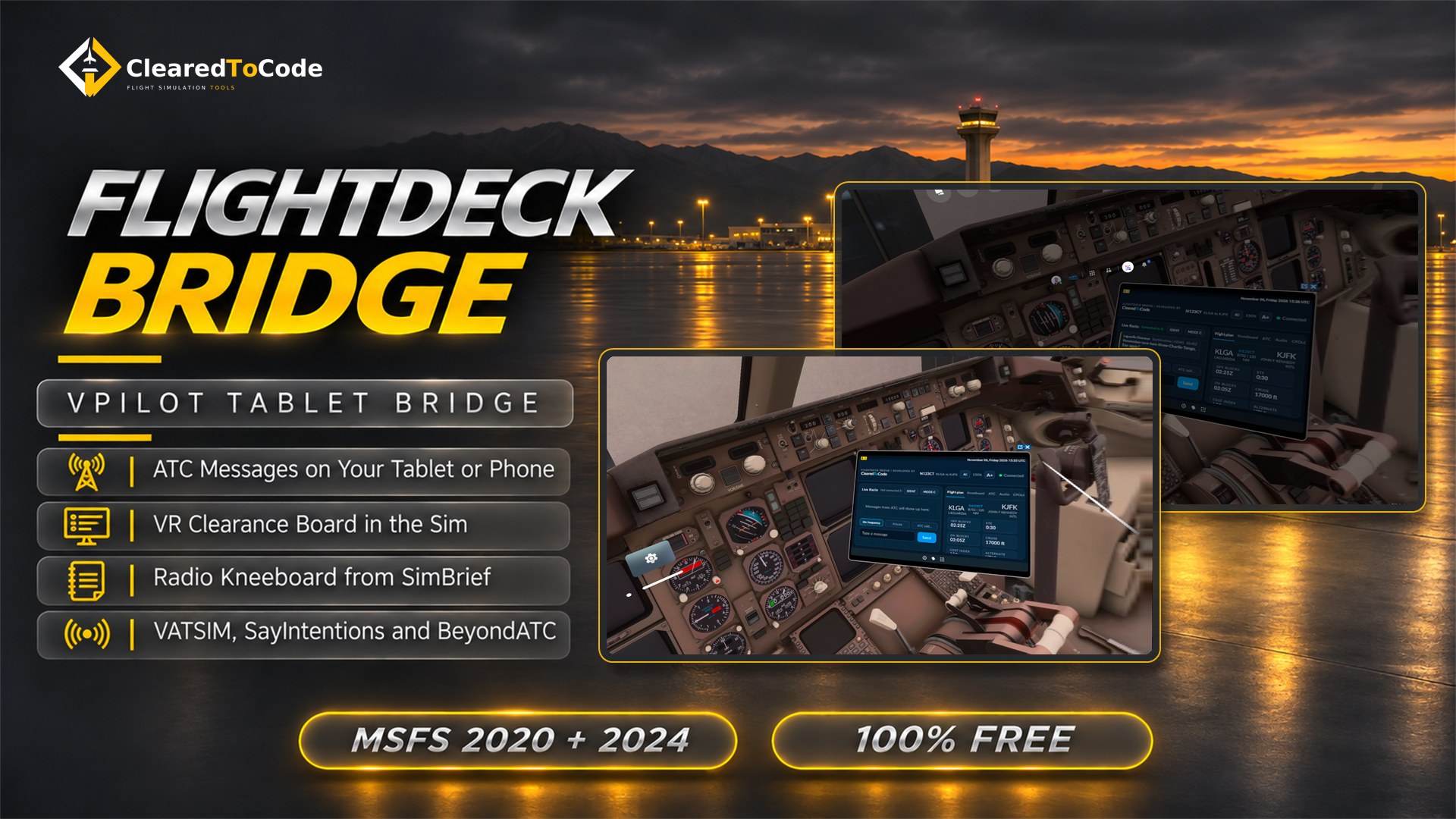
FlightDeck Bridge brings ATC messaging, weather, controller updates and SELCAL alerts to phones and tablets for Microsoft Flight Simulator 2020 and 2024; VATSIM access requires vPilot. Its VR clearance board, radio and transponder controls, printable SimBrief radio kneeboard and OBS streaming kit complement optional SayIntentions and BeyondATC support.
 Rate
 By ClearedtoCode
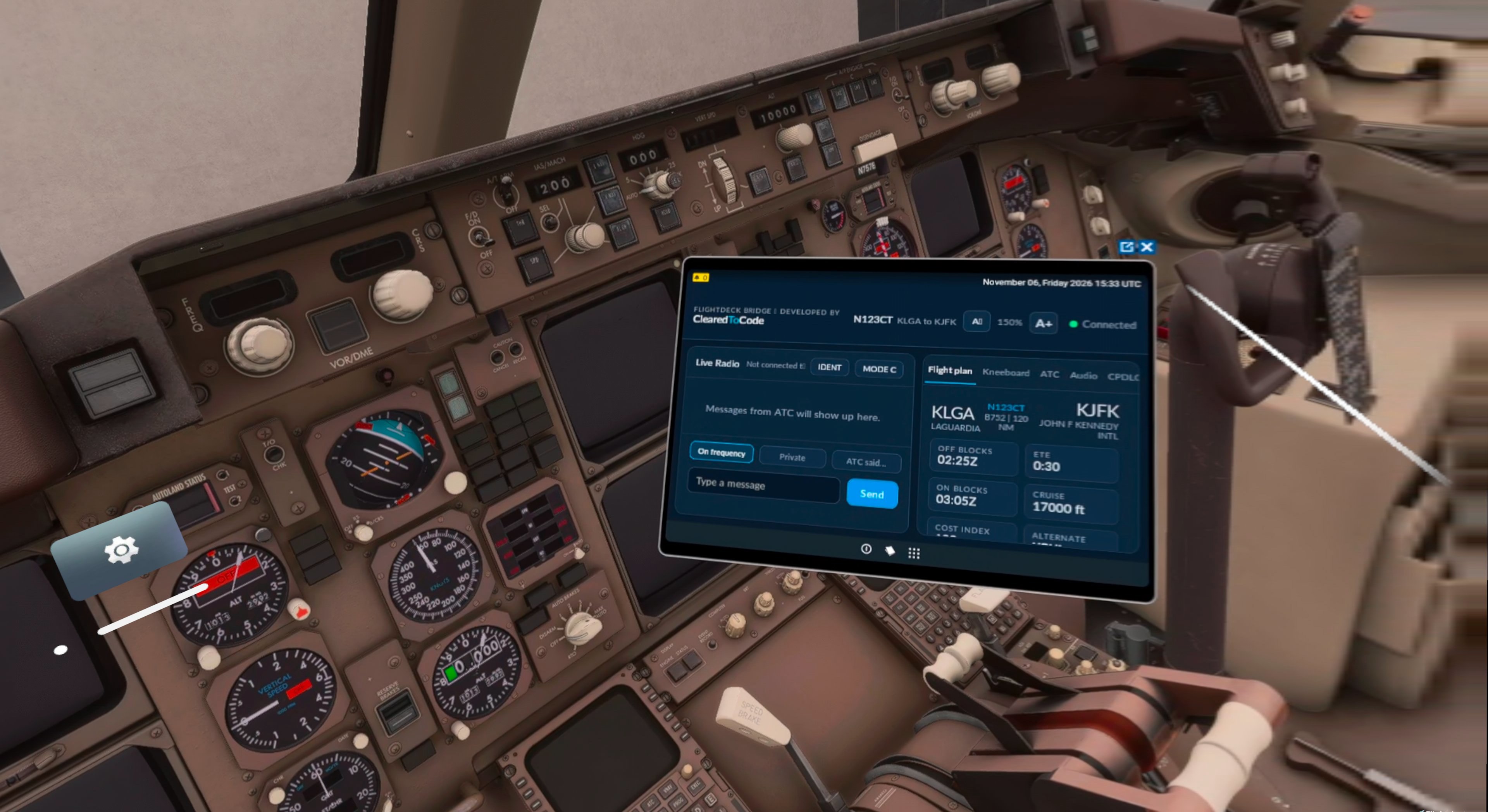
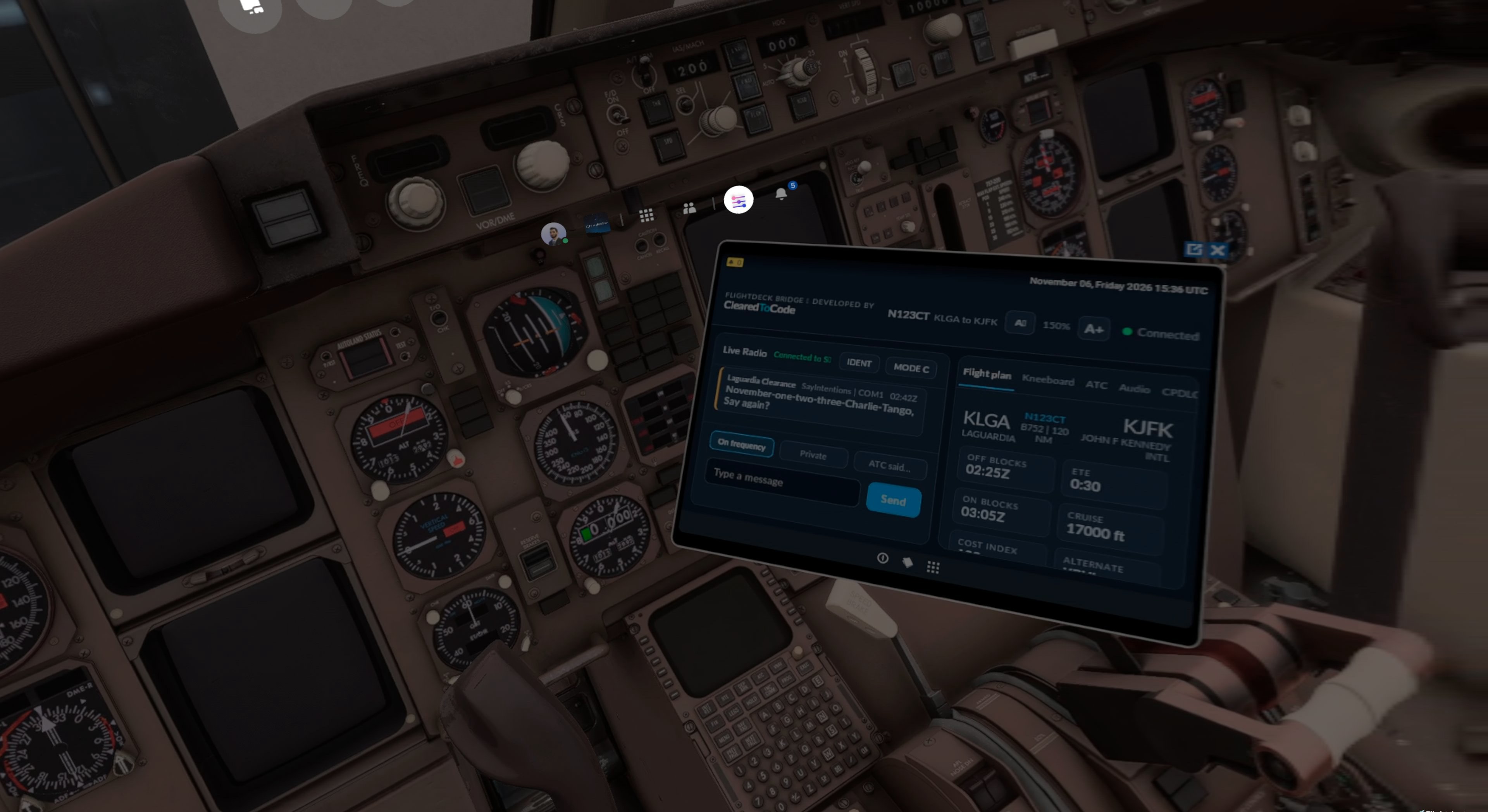

I’d recommend this to pilots who lose track of a clearance during a busy departure, especially with a headset on. Keeping cleared altitude separate from expected altitude is the choice I appreciate most: those numbers belong together, but they shouldn’t be interchangeable at a glance. The amber hold-shorts and green cleared crossings give the taxi instructions a similarly useful distinction.
At a handoff, I used NEXT FREQ to put the assigned frequency into standby rather than digging back through the message history. One less number to carry in my head. Having both Standby and Tune COM1 available makes sense; I don’t always want to change the active frequency immediately. The main tablet’s small text feels dense to me, though the separate message and flight-plan columns keep it organized.
FlightDeck Bridge by ClearedtoCode puts vPilot’s VATSIM messages on your tablet or phone while you fly in Microsoft Flight Simulator 2020 or Microsoft Flight Simulator 2024. The free utility also provides a VR clearance board, a printable radio kneeboard and controls for sending messages and operating selected radio and transponder functions.
The mobile screen shows ATC text, private messages, SELCAL alerts, nearby controllers, ATIS and METARs. You can send messages and squawk ident from it, too. The tablet connects over your local network to the PC running vPilot.
VATSIM features require vPilot, which is free from VATSIM. FlightDeck Bridge also works with SayIntentions and BeyondATC; both are optional and use the pilot’s own accounts. SimBrief is optional as well, and supplies the flight plan for the radio kneeboard.
Open the FlightDeck toolbar panel in MSFS, or the EFB tablet app in MSFS 2024, and press VR to display the headset clearance board. It keeps the assigned instructions together without asking you to read a full message history.
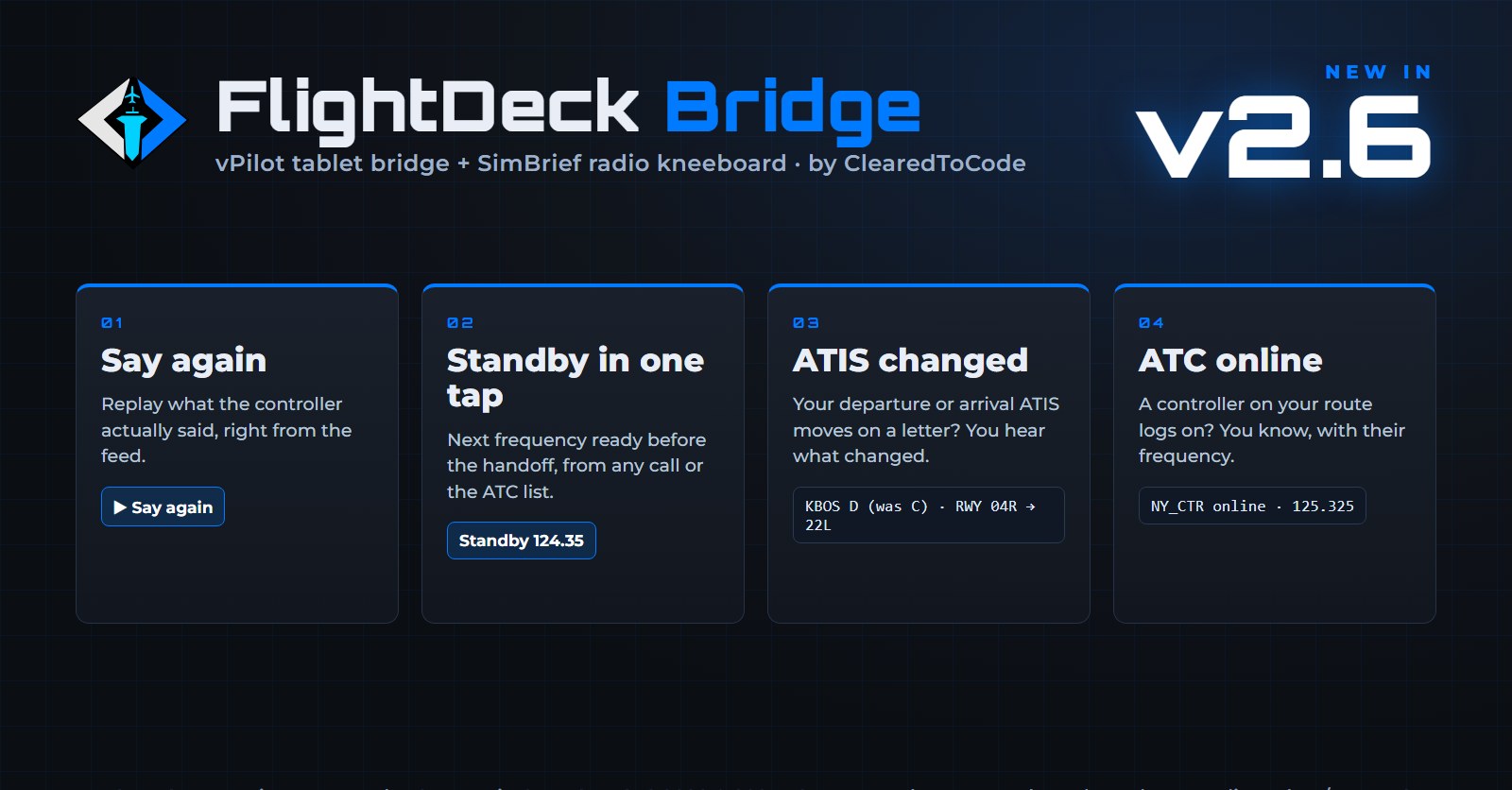
With Voice ATC enabled, Say again replays what the controller actually said. A one-tap Standby control is available for the next frequency at each handoff and in the ATC list. ATIS change alerts identify changes to runways, wind and altimeter settings; separate alerts tell you when a controller on your route comes online.
The Radio Kneeboard builds a printable, step-by-step radio script from your latest SimBrief plan and the controllers currently online on VATSIM. It opens automatically when vPilot starts.
The package also ships with a Stream Kit for OBS, containing an overlay and theme.
Install with Install FlightDeck Bridge.cmd. To remove it, run Uninstall FlightDeck Bridge.cmd. Full instructions are in READ ME FIRST.txt.
Free for all simmers · 1.4 MB · Scanned clean Nov 2026
Download speed: Free tier is capped at 2 Mbps. PRO members download at full line speed.
2.7.1: VR button on the MSFS 2024 EFB tablet too. 2.7: VR clearance board (taxi, next freq, squawk, altitude). 2.6.1: typing in the toolbar panel no longer fires sim key bindings. 2.6: Say again, one-tap Standby, ATIS changed and ATC online alerts.
%LOCALAPPDATA%\Packages\Microsoft.FlightSimulator_8wekyb3d8bbwe\LocalCache\Packages\Community\. Steam version: %APPDATA%\Microsoft Flight Simulator\Packages\Community\. Tip: enable Developer Mode in MSFS to see your exact Community folder path..exe installer if provided, or follow the readme. Some utilities use SimConnect — ensure MSFS is running before launching.readme.txt or README file. It tells you exactly where files go, what dependencies are needed, and any quirks specific to this add-on.ClearedToCode is a premium development company for Microsoft Flight Simulator 2020 and 2024. We care about two things: building every product to a high standard, and looking after the people who use them.
Are you ClearedtoCode? Sign in to Fly Away Creators for download stats, comment replies and updates. Make add-ons? Publish them here.
Only PRO members can place votes.
More MSFS add-ons hand-picked based on this download.
MSFS Utilities & Tools
Max Flight Deck Lite sends Microsoft Flight Simulator 2024 cockpit screens to…
 MSFS Utilities & Tools
AeroTuneMFS runs alongside Microsoft Flight Simulator 2020 and Microsoft Flig…
 MSFS Utilities & Tools
TechLog tracks maintenance, wear and defects across supported airliners in Mi…
 MSFS Utilities & Tools
FS Voyager lets you chain landmark visits into a multi-stop teleport tour in …
 FSX Utilities
ATC Browser has been written for flightsim enthusiasts to create an audio lin…
 FS2004 Panels
FS2004 - FlightDeck Sound Effects Panel An add-on sub-panel designed to add c…
 Free Flight Simulators
ATCsimulator®2 is the premier Air Traffic Control simulation on the market fo…
 FS2004 Utilities/Misc
EditVoicepack 3.1 for Flight Simulator 2004 Allows editing the ATC communicat…
Be the first to leave a comment on this download.
Be the first to share your thoughts on this download.