


 Costa Rica

 MSFS Scenery
Arenal Airport MRAN La Fortuna Costa Rica
Matías Barrenechea’s Arenal Airport scenery covers MRAN at La Fortuna, Costa …
Cóbano Airport (MRAF) scenery enhances the airfield and surrounding landscape on Costa Rica’s Nicoya Peninsula in Microsoft Flight Simulator 2020. Its 995-meter asphalt runway and setting near Santa Teresa, Montezuma and Mal País provide a distinctive base for general aviation, short regional flights and daylight VFR exploration along the tropical Pacific coast.
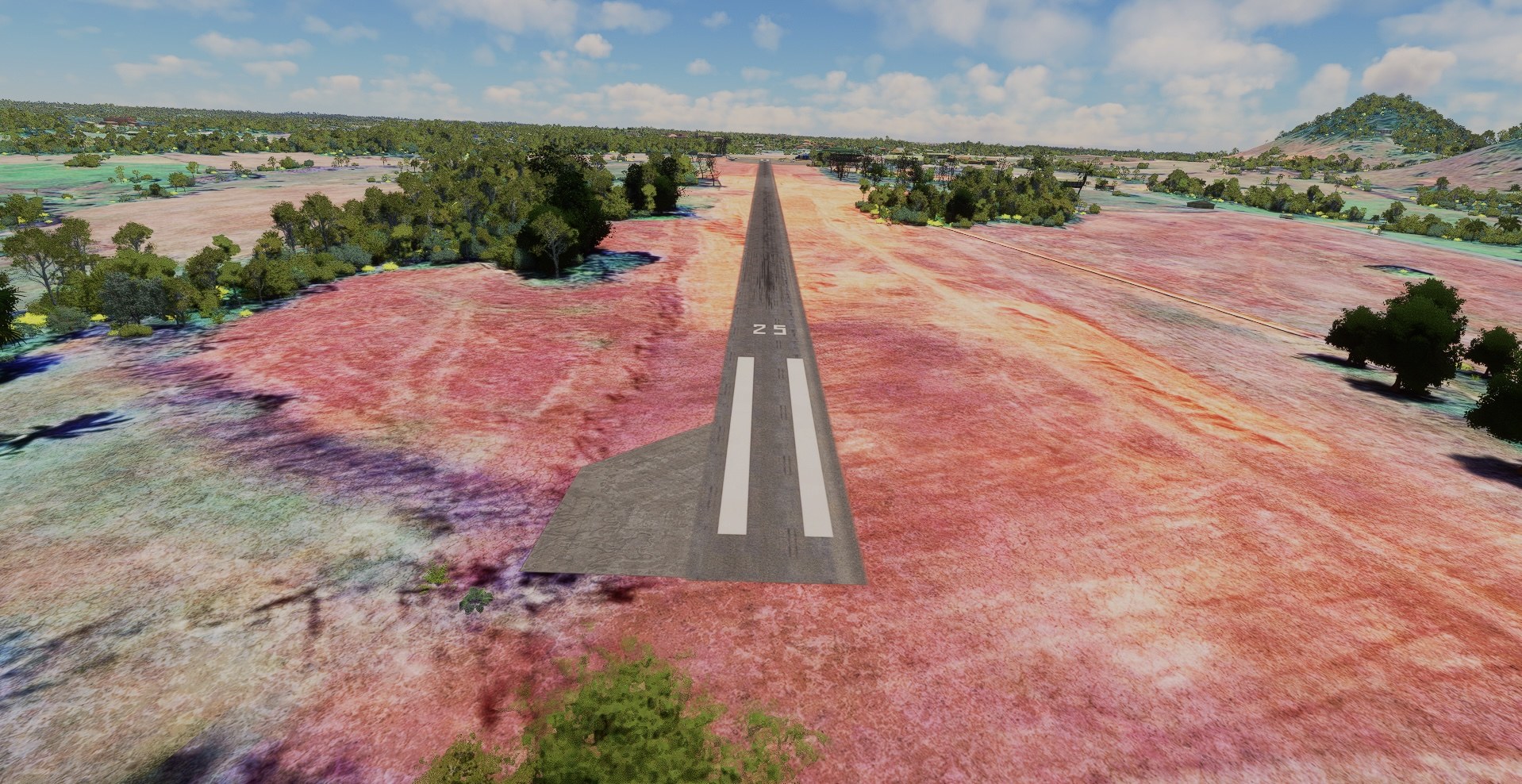
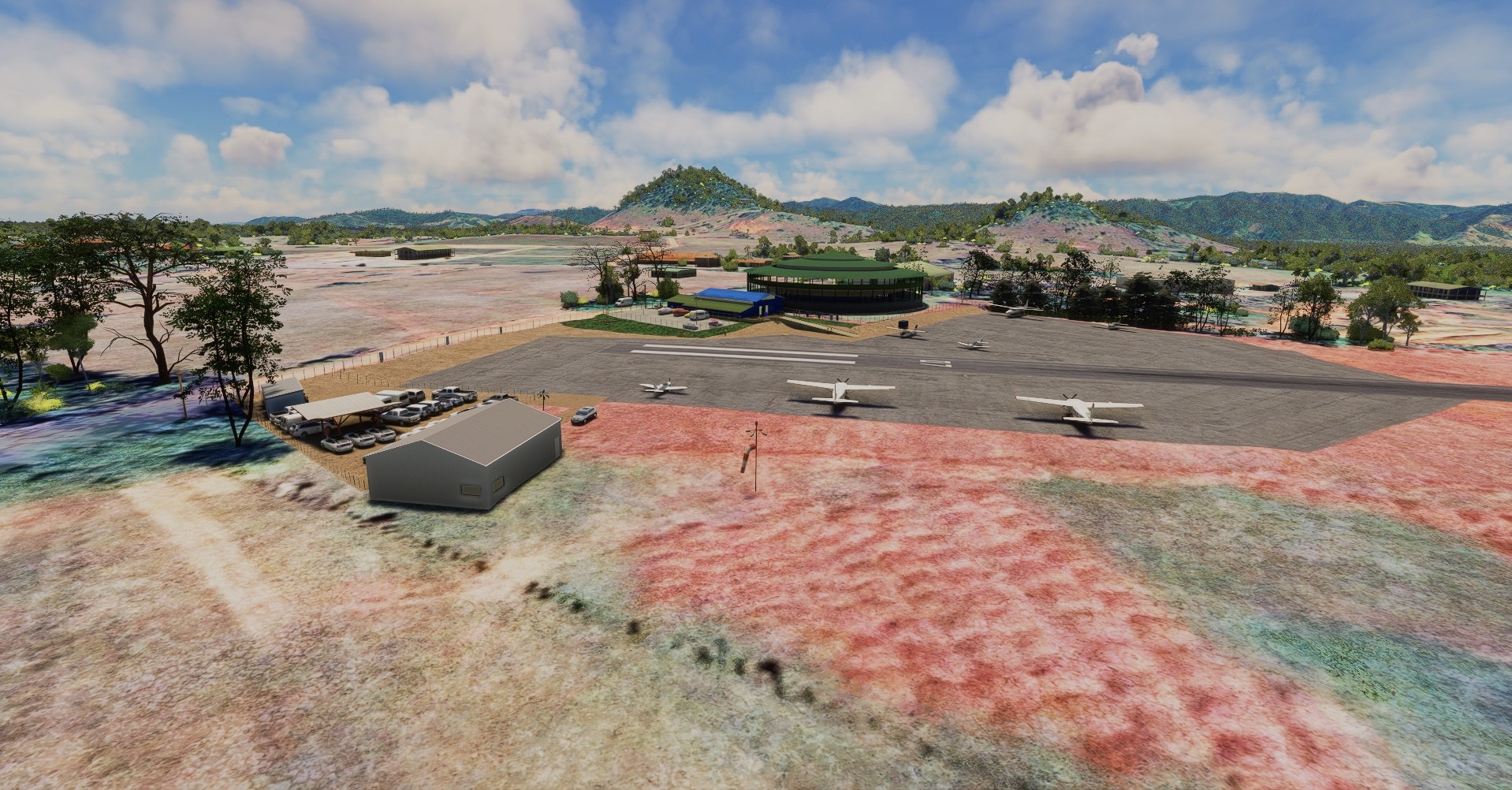
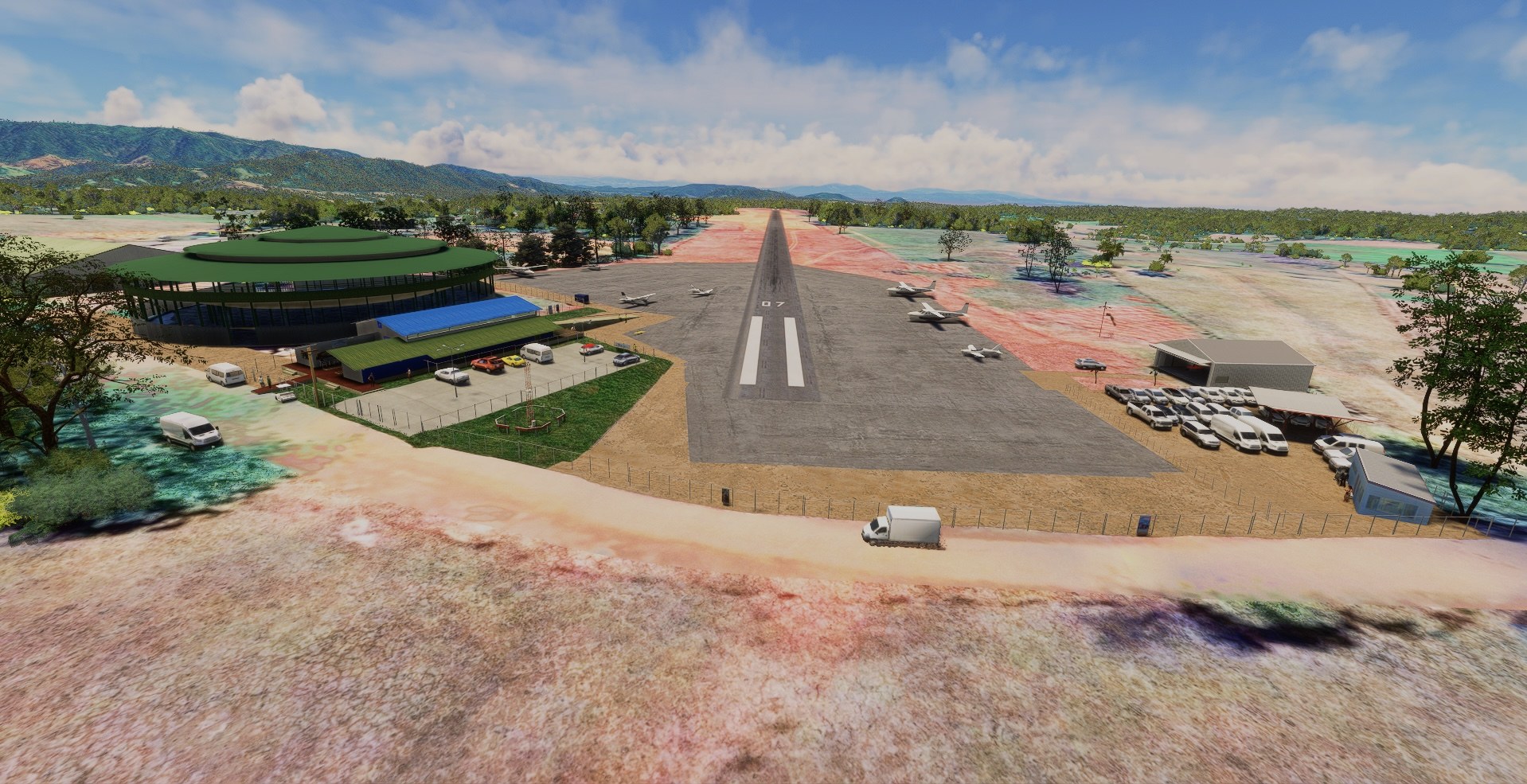
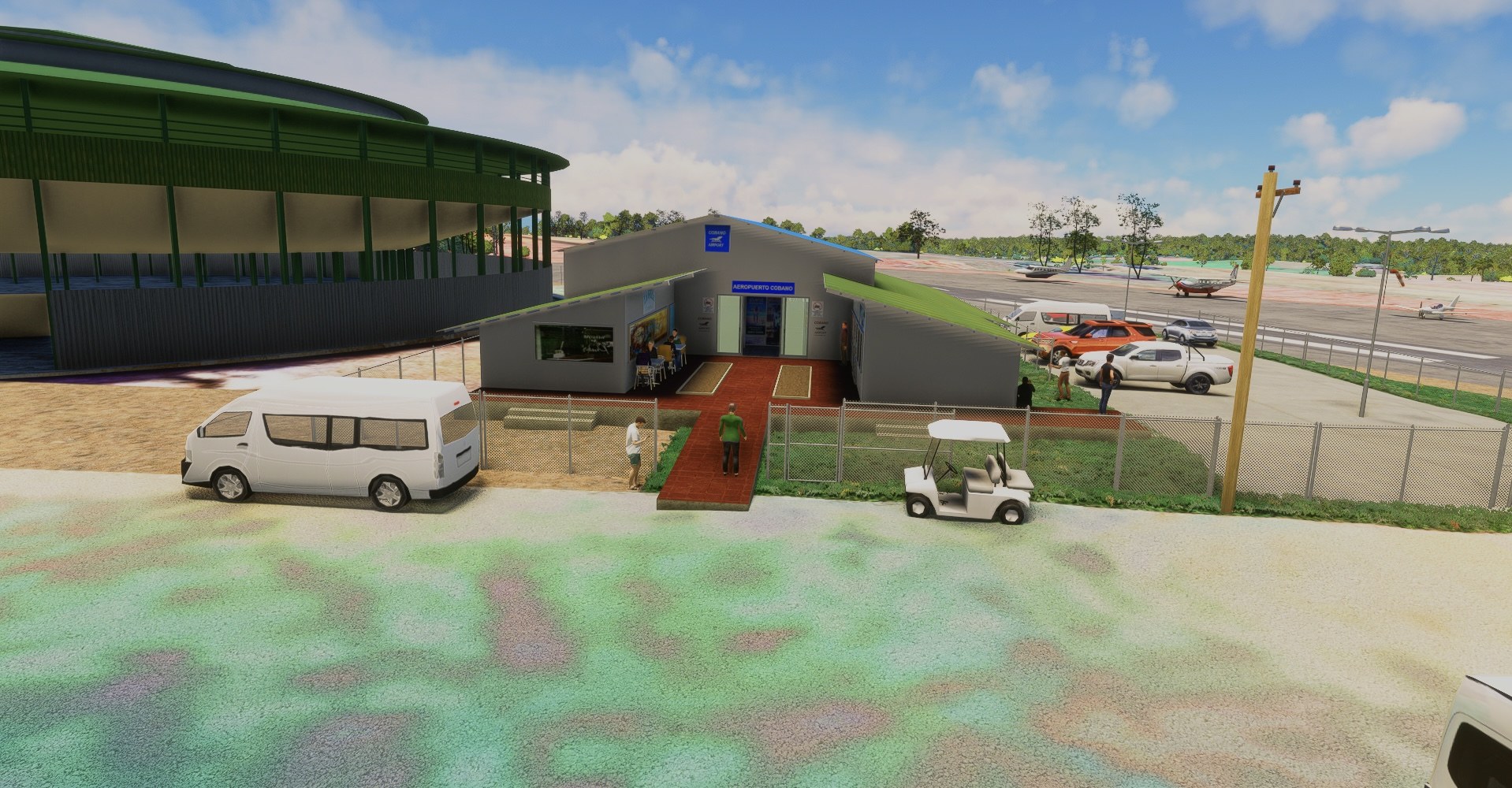
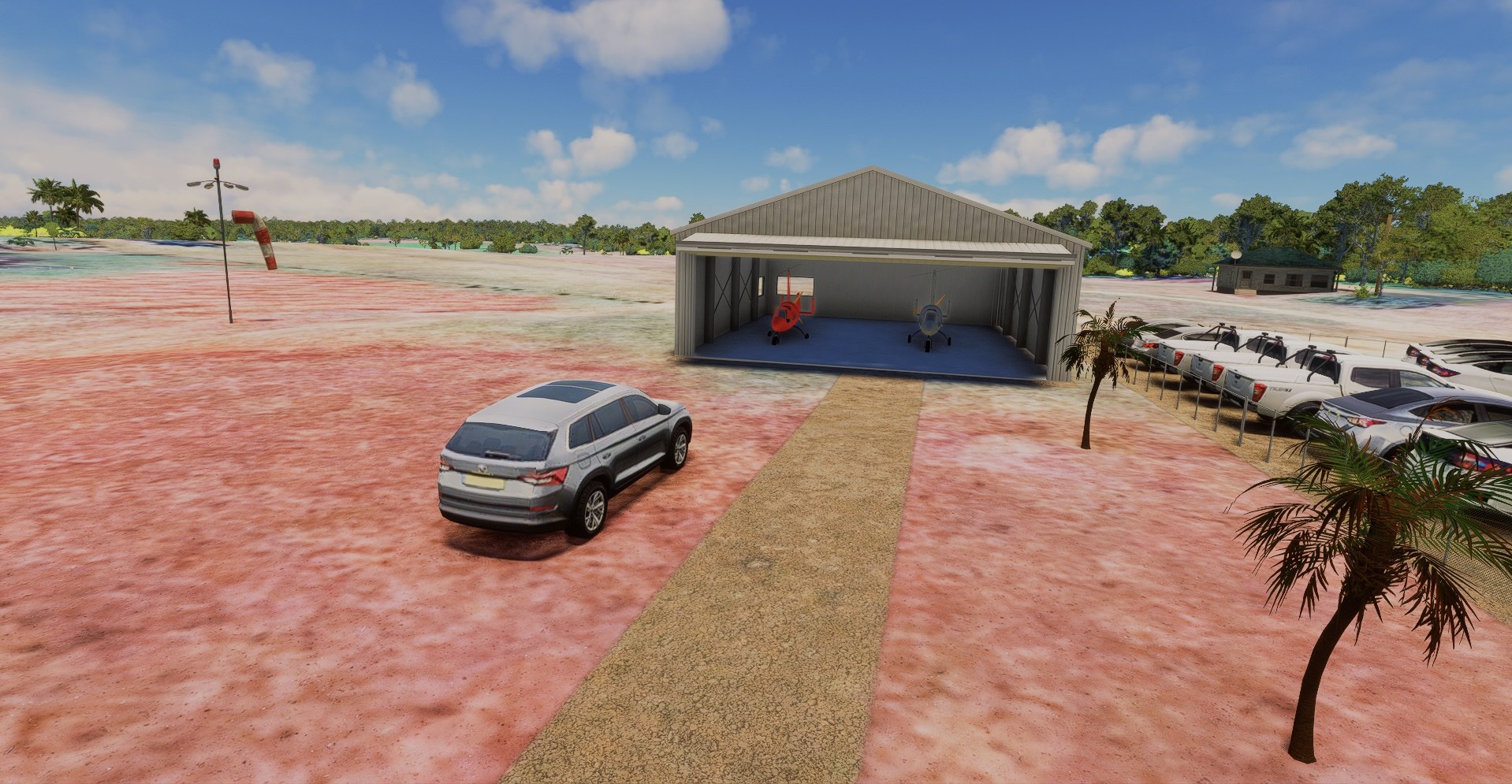
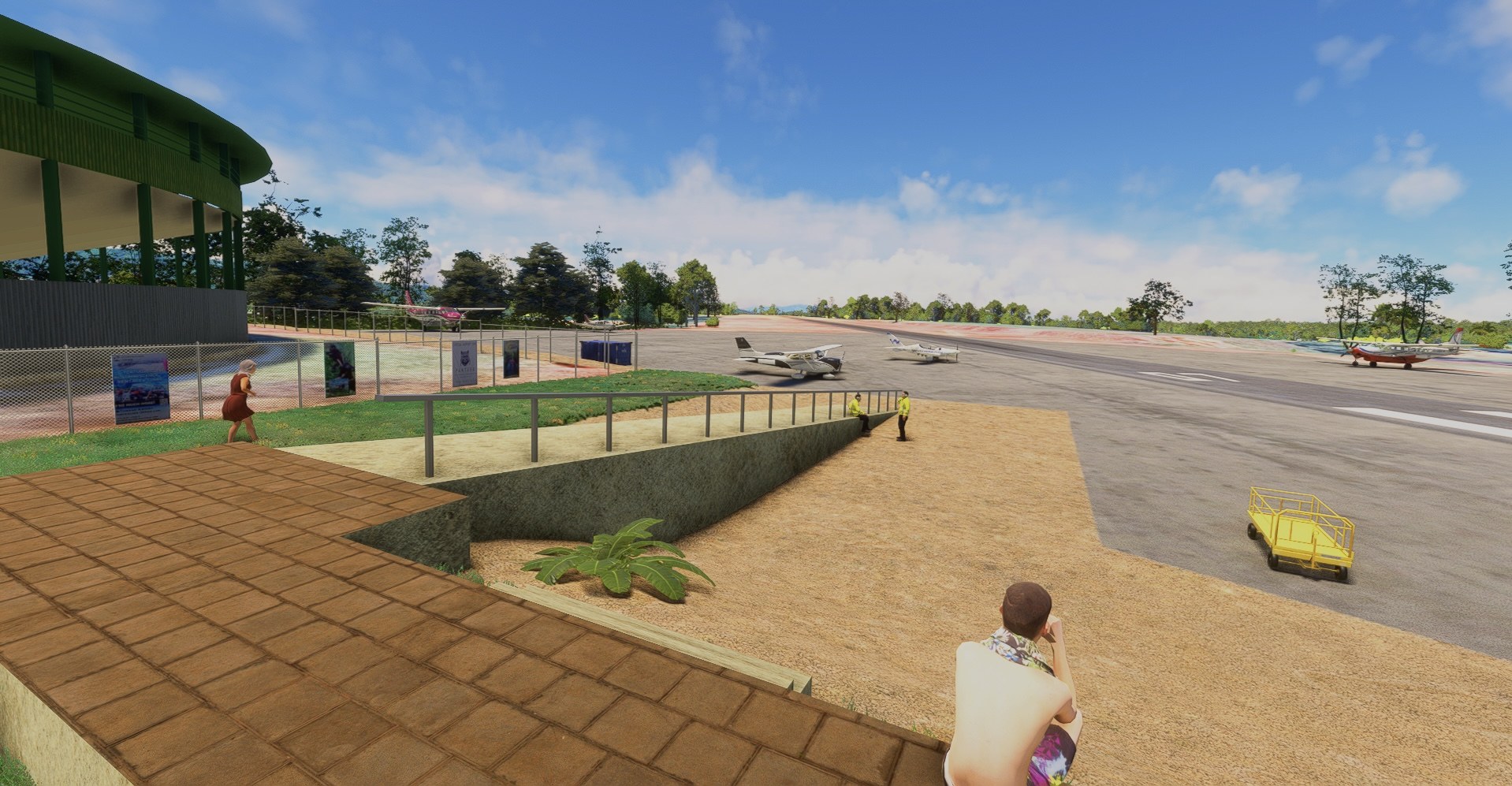
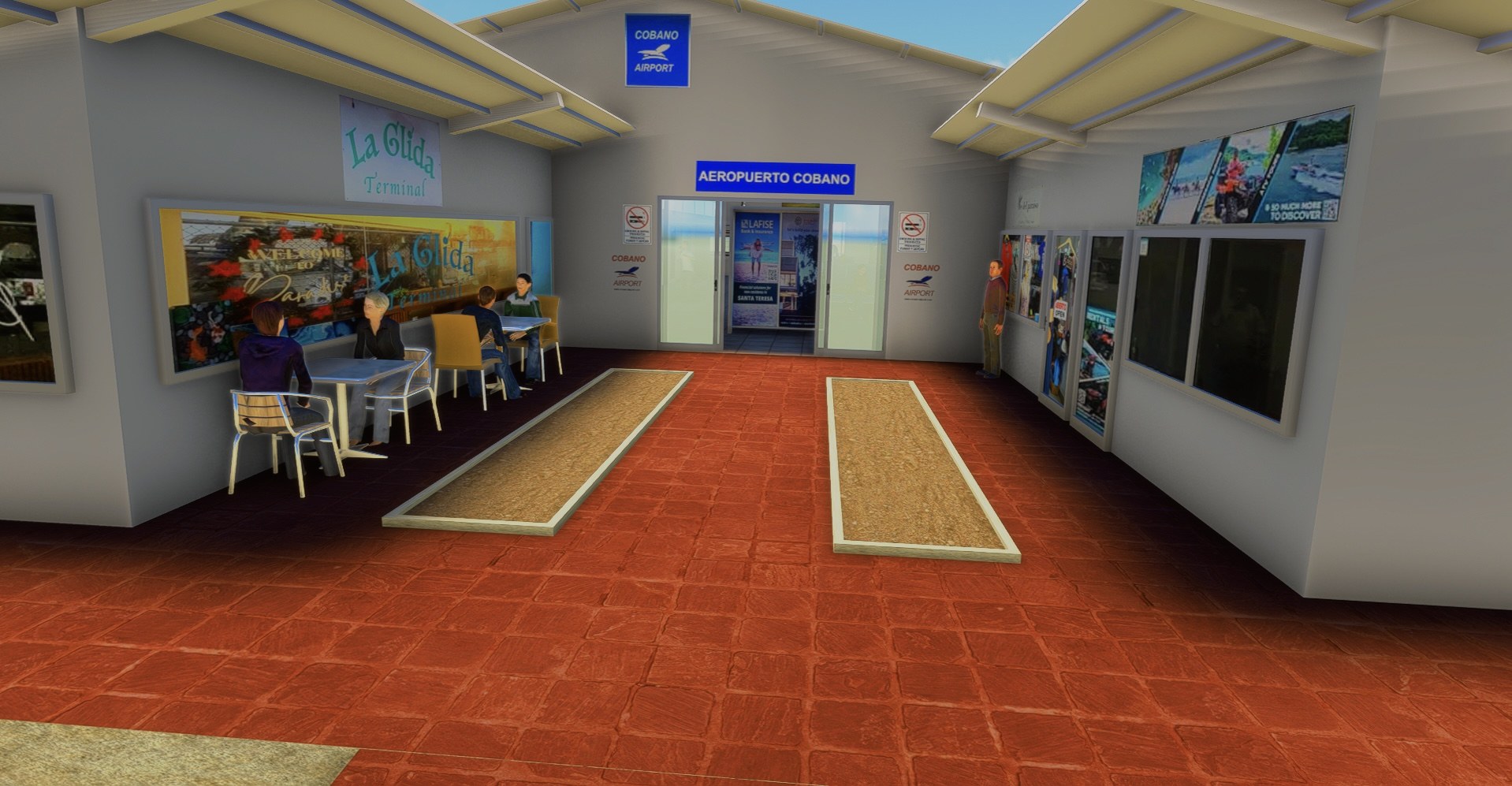

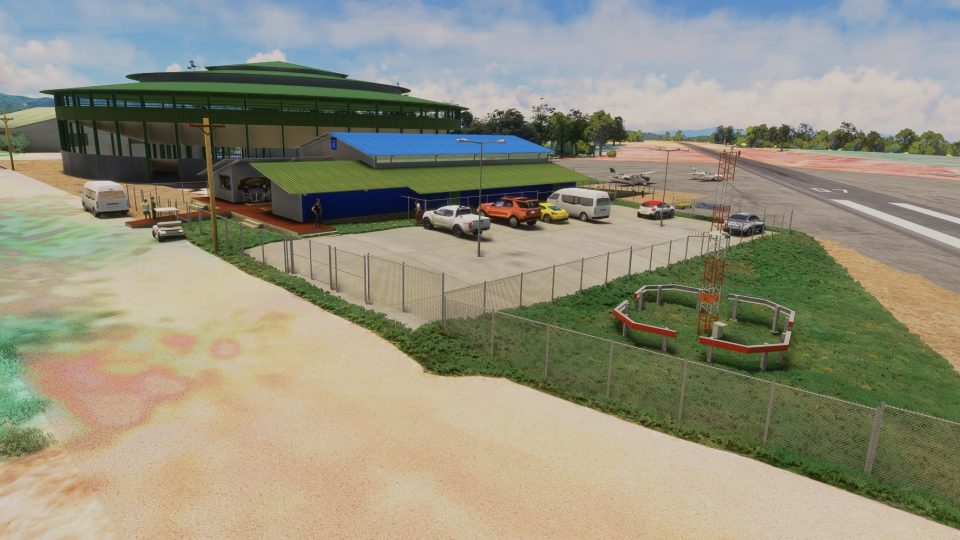
Turning onto final for runway 25, I found myself concentrating on lateral alignment earlier than usual. Eighteen meters of pavement doesn’t leave much room to wander. The vegetation around the approach also kept my attention outside the cockpit; that combination makes Cóbano an engaging arrival without needing a complicated flight to get there.
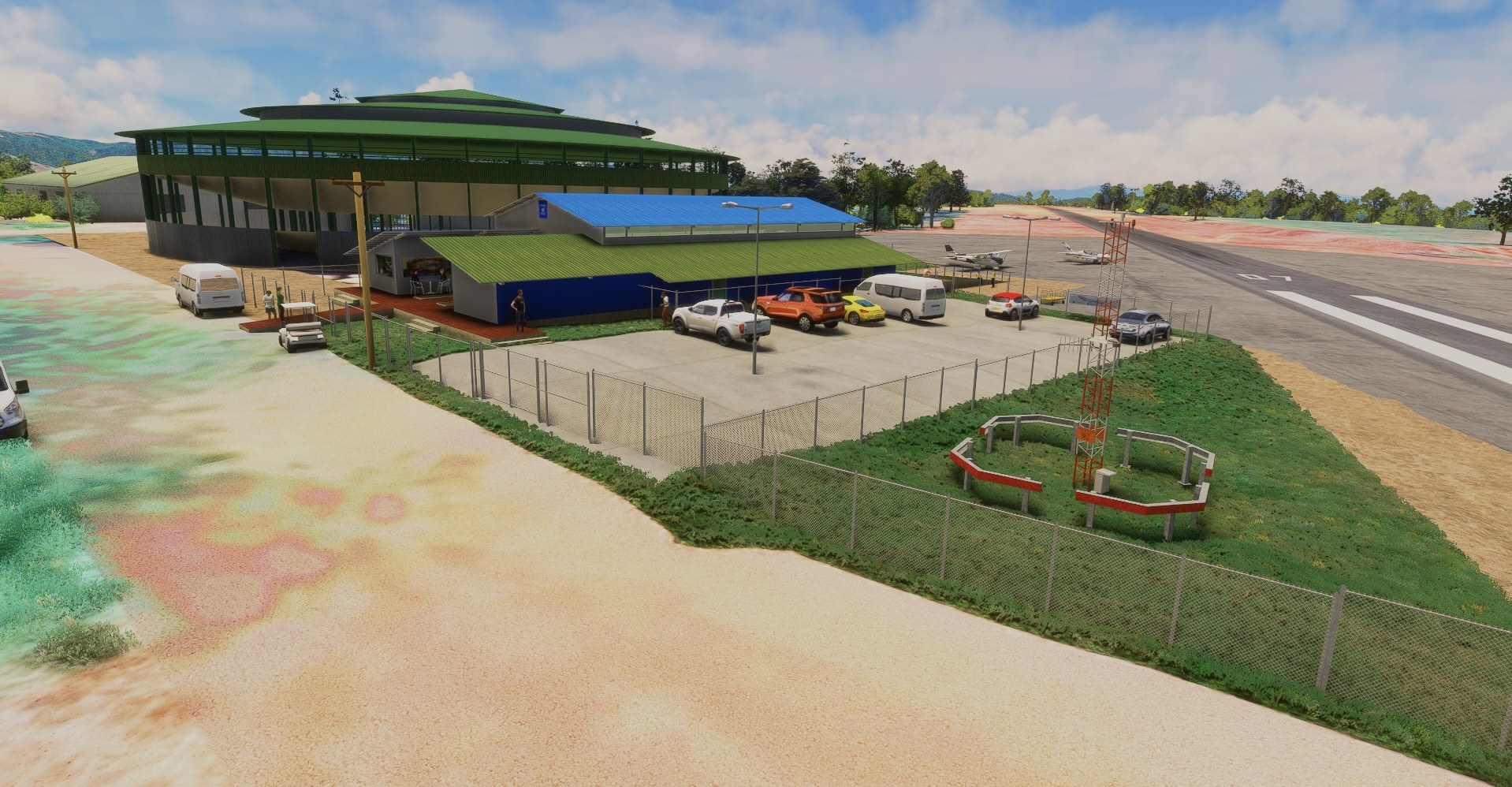
The blue-and-green-roofed buildings and fenced parking area give the developed end some character. I’m less keen on the surrounding ground colors: the broad pink and turquoise patches look distracting beside the asphalt. That’s the visual element I’d most want toned down.
Matías Barrenechea’s Cóbano Airport scenery updates Aeródromo de Cóbano (MRAF) and its surrounding landscape for Microsoft Flight Simulator 2020. On Costa Rica’s Nicoya Peninsula, this small asphalt airfield offers a stop for general aviation and regional flights along the Pacific coast. Compatibility is limited to MSFS 2020.
The airport sits in Puntarenas province, near the tourist destinations of Santa Teresa, Montezuma and Mal País. Tropical forests, small rural communities and coastal terrain give the area its VFR appeal. Vegetation and natural obstacles around the airfield deserve attention on arrival; the published operating hours are daylight only (HJ).
At 18 meters wide, the runway calls for a more precise touchdown than the broad pavement at a major airport. Short regional legs and coastal VFR trips suit the setting.
Barrenechea describes the work as a more detailed representation of the airport environment and nearby landscape, without an itemized list of modeled objects or ground treatments.
Read the README before installation. The developer explicitly identifies it as necessary for proper functioning; the description itself supplies no installation steps.
Free for all simmers · 91.04 MB · Scanned clean Nov 2026
Download speed: Free tier is capped at 2 Mbps (this file takes approximately 6 mins at the cap). PRO members download at full line speed.
Initial release.
%LOCALAPPDATA%\Packages\Microsoft.FlightSimulator_8wekyb3d8bbwe\LocalCache\Packages\Community\. Steam version: %APPDATA%\Microsoft Flight Simulator\Packages\Community\. Tip: enable Developer Mode in MSFS to see your exact Community folder path.readme.txt or README file. It tells you exactly where files go, what dependencies are needed, and any quirks specific to this add-on.Use these coordinates to fly directly to this location once the mod is installed.
9.69305600,-85.09222200
Paste these coordinates into the Microsoft Flight Simulator search bar when planning a flight, or into the Developer Mode Teleport window, to fly directly to this location.
Soy un Piloto, desarrollador de escenarios y liveries de Costa Rica!Me enfoco en completar a mi país con sus aeródromos y aerolíneas regionales para msfs2020, me encanta recrear los lugares más preciosos y atractivos para el disfrute de…
Are you Matías Barrenechea? Sign in to Fly Away Creators for download stats, comment replies and updates. Make add-ons? Publish them here.
Only PRO members can place votes.
More MSFS add-ons hand-picked based on this download.
MSFS Scenery
Matías Barrenechea’s Arenal Airport scenery covers MRAN at La Fortuna, Costa …
 MSFS Scenery
Matías Barrenechea recreates Golfito Airport (MRGF) on Costa Rica’s southern …
 MSFS Scenery
This mod developed by JustOkayPilot brings Grand Canyon National Park Airport…
 MSFS Scenery
Sandane Airport (ENSD) is located on the beautiful west coast of Norway and i…
 MSFS Scenery
Enhance your flight simulation experience with this mod for Microsoft Flight …
 MSFS Scenery
The Disney World airport/STOLport (also known as the Lake Buena Vista airport…
 MSFS Scenery
Enhance your flight simulation experience with a detailed rendition of Madrid…
 MSFS Scenery
A complete and extensive replacement freeware scenery package for Paris–Le Bo…
Be the first to leave a comment on this download.
Be the first to share your thoughts on this download.