

 FSX Civil Aircraft
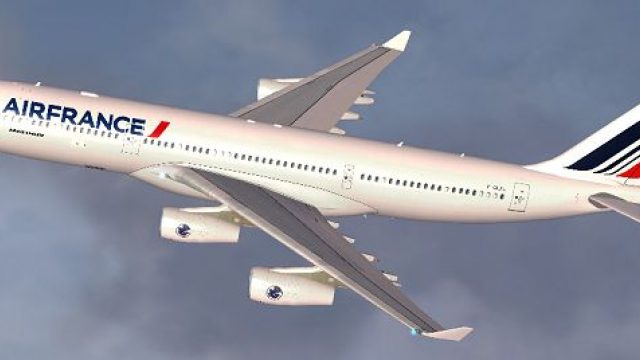
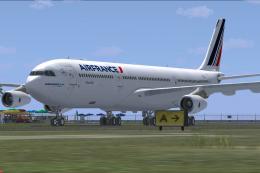
Air France Airbus A330-200 (new livery)
Air France Airbus A330-200 (new livery). Textures only for Thomas Ruth's A330…
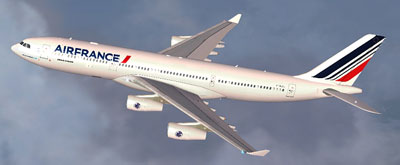
Air France’s updated livery brings a clean, contemporary look to the Airbus A340-200 in FSX, adding airline-accurate exterior textures that suit long-haul operations and screenshots alike. Textures are made for Thomas Ruth’s A340-200 and require TOM340.ZIP, pairing neatly with the model’s virtual cockpit and systems.
 Rate
Rate
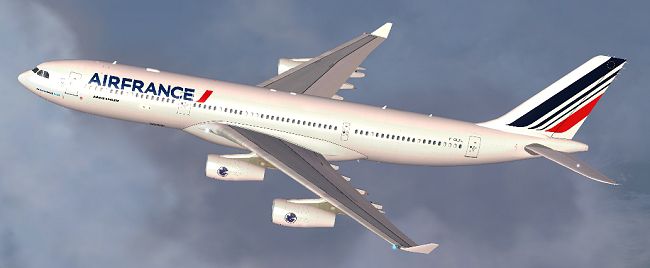
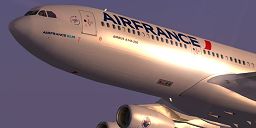
Air France Airbus A340-200 (new livery). Textures only for Thomas Ruth's A340-200 model; requires TOM340.ZIP. Repaint by Jon Murchison.
Installation Instructions
1. Place the 'Texture.AFNEW' folder into your Flight Sim X directory, under ...SimObjectsAirplanesTom_A340-200
2. Open the aircraft.cfg file and paste the following text into the file after the previous aircraft repaint, ensuring to replace [fltsim.x] with the next number in sequence, e.g. [fltsim.9]
[fltsim.X]
title=AIR FRANCE 'New' A340-200
sim=TomA342
model=
panel=340
sound=
texture=AFNEW
kb_checklists=
kb_reference=
atc_id=ZK-A34
atc_airline=Air France
atc_flight_number=1123
atc_heavy=1
ui_manufacturer=Airbus
ui_type="A340-200"
ui_variation="Air france 'New'"
description=
Free for all simmers · 2.12 MB · Scanned clean Oct 2026
Download speed: Free tier is capped at 0.5 Mbps. PRO members download at full line speed.
This file is a repaint — the package below is the base model it paints onto. Install it first, or the textures will have nothing to load onto.
texture.{airline}) inside FSX\SimObjects\Airplanes\{base-aircraft}\.aircraft.cfg in Notepad. Add a new [fltsim.X] section per the readme.readme.txt or README file. It tells you exactly where files go, what dependencies are needed, and any quirks specific to this add-on.The archive af340-1.zip has 26 files and directories contained within it.
This list displays the first 500 files in the package. If the package has more, you will need to download it to view them.
| Filename/Directory | File Date | File Size |
|---|---|---|
| AF340.jpg | 03.27.09 | 90.97 kB |
| README _INSTALL.txt | 03.27.09 | 1.37 kB |
| A321_1_L.dds | 03.12.09 | 1.00 MB |
| A321_2_L.dds | 03.12.09 | 256.12 kB |
| A330_VC01L.dds | 03.12.09 | 1.00 MB |
| A340_VC01.dds | 03.12.09 | 1.00 MB |
| Airbus_A321_1_L.dds | 03.12.09 | 1.00 MB |
| Airbus_A321_2_L.dds | 03.12.09 | 1.00 MB |
| Airbus_A321_3_L.dds | 03.12.09 | 4.12 kB |
| Airbus_A321_4_L.dds | 03.12.09 | 1.00 MB |
| glass.dds | 03.12.09 | 64.12 kB |
| glass_spec.dds | 03.12.09 | 4.12 kB |
| main.dds | 03.27.09 | 4.00 MB |
| main_bump.dds | 03.12.09 | 4.00 MB |
| main_light.dds | 03.12.09 | 1.00 MB |
| main_spec.dds | 03.12.09 | 64.12 kB |
| texture.cfg | 03.12.09 | 165 B |
| thumbnail.jpg | 03.27.09 | 20.89 kB |
| Thumbs.db | 03.12.09 | 7.00 kB |
| VCblend.dds | 03.12.09 | 1.12 kB |
| wing_bump.dds | 03.12.09 | 1.00 MB |
| wing_l.dds | 03.27.09 | 1.00 MB |
| wing_r.dds | 03.27.09 | 1.00 MB |
| wing_spec.dds | 03.12.09 | 64.12 kB |
| flyawaysimulation.txt | 10.29.13 | 959 B |
| Go to Fly Away Simulation.url | 01.22.16 | 52 B |
Only PRO members can place votes.
More FSX & P3D add-ons hand-picked based on this download.
FSX Civil Aircraft
Air France Airbus A330-200 (new livery). Textures only for Thomas Ruth's A330…
 FSX Civil Aircraft
Air France Airbus A340-300 (old livery). This is a repaint of Thomas Ruth's A…
 FSX Civil Aircraft
This repaint package features the latest Air France graphics applied to the f…
 FSX Civil Aircraft
Air France Airbus A340-300, registration F-GNIF (new colors). Textures only f…
 FSX Civil Aircraft
Air France Airbus A340-300 new colors, registration F-GLZJ. A repaint of Thom…
 FSX Civil Aircraft
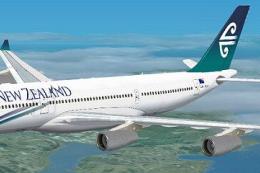
FSX Air New Zealand Airbud A340-200, registration ZK-A34. Textures only; requ…
 FSX Civil Aircraft
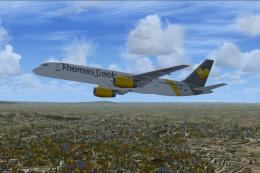
Full model and textures of the Project Open Sky B757-200 in the Thomas Cook G…
 FSX Civil Aircraft
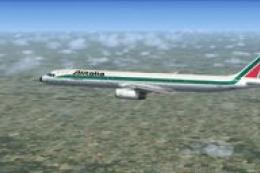
Alitalia Airbus A321 (new livery). Textures only for the default A321. Alital…
Be the first to leave a comment on this download.
Be the first to share your thoughts on this download.