
 FSX Civil Aircraft
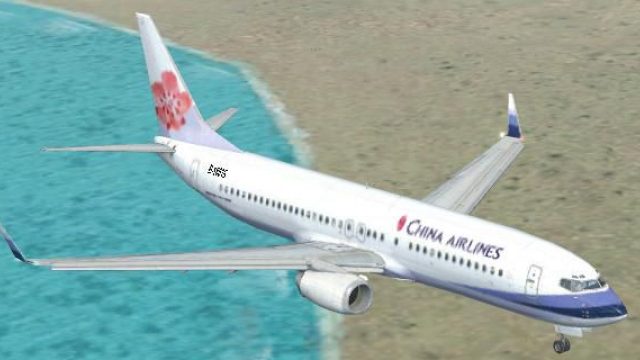
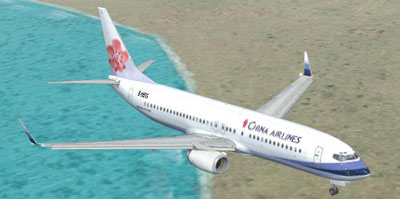
China Airlines Boeing 737-800, registration B-18616
FSX China Airlines Boeing 737-800. A repaint for the FSX Default 737, registr…
China Airlines Boeing 737-800 livery brings Taiwan’s flag carrier look to the default 737-800 with crisp exterior textures, accurate airline titles, and matching registration and ATC details for more authentic AI and user flights. Designed for Microsoft Flight Simulator X, this repaint delivers a polished finish and requires the stock aircraft model.
 Rate
Rate
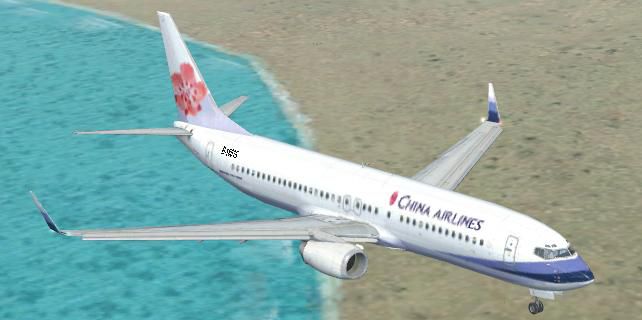
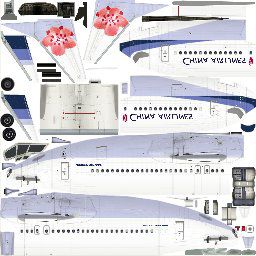
China Airlines Boeing 737-800. Textures only for the default B737-800 model. Repaint by Jaefree Lin TW.
Dear all users :
Thank you for choosing this China Airline texture in FSX use only.
Install, Unzip the file and copy texture.CI into your Flight Simulator X/SimObject/Airplanes/B737_800
1: Copy 3 file from your Flight Simulator X/SimObject/Airplanes/B737_800/texture into this texture.CI files
1.... b737_800_1_T_Specular.dds
2.... b737_800_2_T.dds
3.... b737_800_2_T_Specular.dds
2: and copy the following text into your aircraft.cfg for your 737
[fltsim.?] ( change "fltsim.?" in next number of your last fltsim texture !)
title=Boeing 737-800 china airline
sim=Boeing737-800
model=
panel=
sound=
texture=CI
kb_checklists=Boeing737-800_check
kb_reference=Boeing737-800_ref
atc_id=B-18617
atc_airline=Dynasty
atc_flight_number=7597
ui_manufacturer="Boeing"
ui_type="737-800"
ui_variation="China Airline"
ui_typerole="Commercial Airliner"
ui_createdby="Jaefree Lin.TW"
description="One should hardly be surprised that the world's most prolific manufacturer of commercial aircraft is also the producer of the world's most popular jetliner. The 737 became the best-selling commercial jetliner worldwide when orders for it hit 1,831 in June 1987 (surpassing Boeing's own 727 as the previous champ). However, it wasn't always that ways in the first few years of production, there were so few orders that Boeing considered canceling the program. They didn't, and the airplane has more than proven itself in over three decades of service."
Taiwan, ROC
Free for all simmers · 785.44 KB · Scanned clean Oct 2026
Download speed: Free tier is capped at 0.5 Mbps. PRO members download at full line speed.
texture.{airline}) inside FSX\SimObjects\Airplanes\{base-aircraft}\.aircraft.cfg in Notepad. Add a new [fltsim.X] section per the readme.readme.txt or README file. It tells you exactly where files go, what dependencies are needed, and any quirks specific to this add-on.The archive fsx738ci.zip has 8 files and directories contained within it.
This list displays the first 500 files in the package. If the package has more, you will need to download it to view them.
| Filename/Directory | File Date | File Size |
|---|---|---|
| thumbnail.jpg | 05.12.09 | 27.75 kB |
| b737_800_1_T.dds | 05.12.09 | 1.33 MB |
| fltsim.txt | 05.13.09 | 1.54 kB |
| B737_800_1_T.jpg | 05.13.09 | 22.25 kB |
| texture.CI | 05.13.09 | 0 B |
| FILE_ID.DIZ | 05.13.09 | 154 B |
| flyawaysimulation.txt | 10.29.13 | 959 B |
| Go to Fly Away Simulation.url | 01.22.16 | 52 B |
Only PRO members can place votes.
More FSX & P3D add-ons hand-picked based on this download.
FSX Civil Aircraft
FSX China Airlines Boeing 737-800. A repaint for the FSX Default 737, registr…
 FSX Civil Aircraft
This is a repaint of the payware PMDG B737-800 in the special 50th Anniversar…
 FSX Civil Aircraft
Grand China Airlines Boeing 737-800. Project Open Sky (Free Sky) B737-800 non…
 FSX Civil Aircraft
China Southern Boeing 737-800. Project Open Sky B737-800 Series China Souther…
 FSX Civil Aircraft
This complete freeware package offers an Air China Boeing 737-800 (B-5196) wi…
 FSX Civil Aircraft
This enhanced package brings the iconic Air China Boeing 737-800 (registratio…
 FSX Civil Aircraft
Textures only for the default B737-800. Repaint by So Yuet. This texture 90% …
 FSX Civil Aircraft
This repaint focuses on delivering an accurate representation of Air China’s …
Read what other simmers think, or add your own.
