

 FSX Civil Aircraft
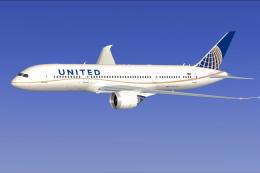
United Airlines Boeing 787-8 N20904
Experience a meticulously repainted Boeing 787-8 Dreamliner representing Unit…
United Airlines’ Boeing 787-8 Dreamliner arrives in FSX as a complete freeware aircraft with a tailored second-generation model, crisp livery textures, and smooth door and cargo animations. Animated Ground Servicing adds integrated ramp vehicles and apron sequences, delivering a polished wide-body experience with modern lines and immersive ground operations.
 Rate
Rate

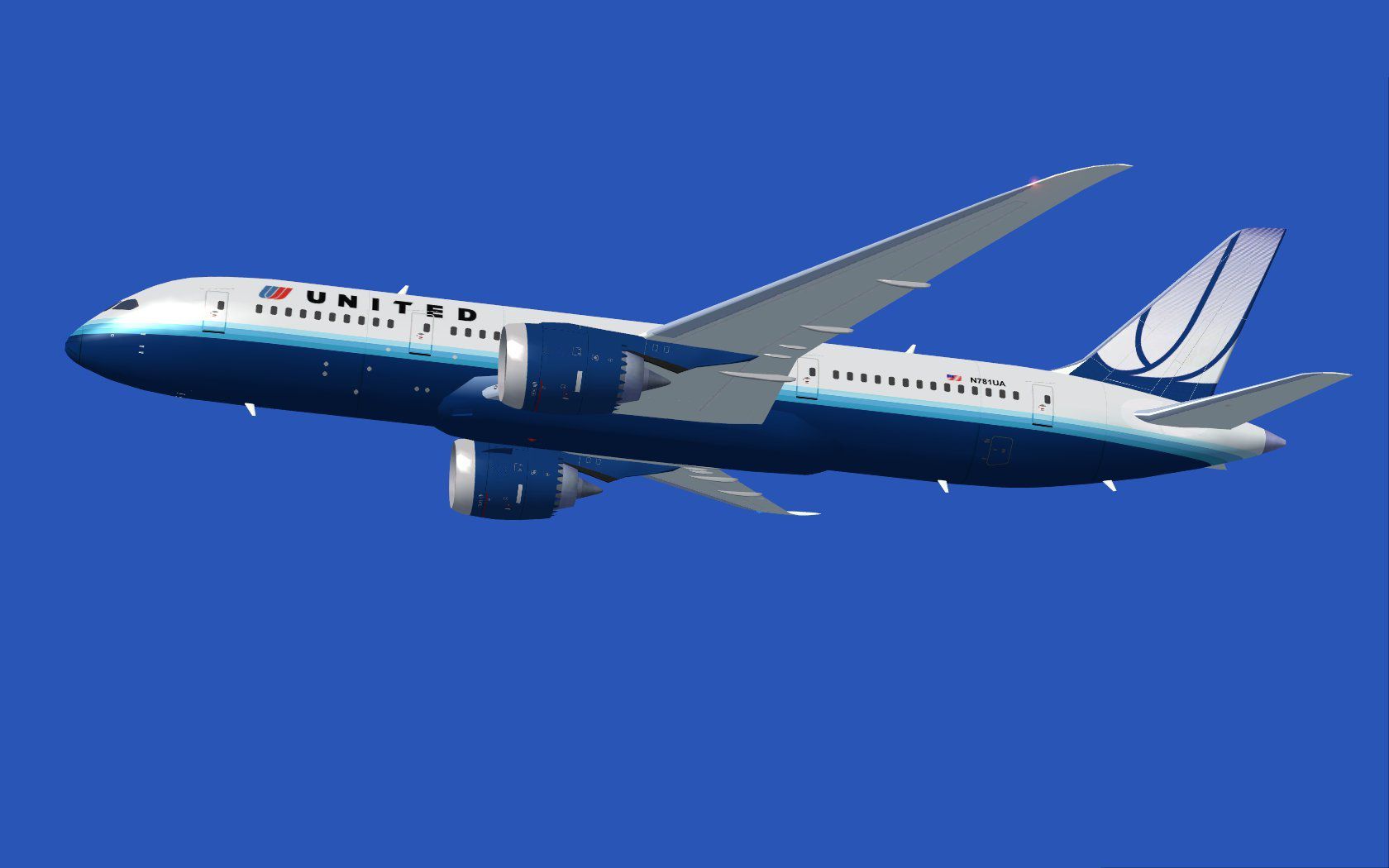
Explore a finely rendered rendition of a Boeing 787-8 in the classic United Airlines livery, complete with enhanced animations and a fully tailored model. This package, developed by Camil Valiquette and offered here as freeware, integrates seamlessly with FSX for those seeking a sophisticated wide-body Dreamliner experience without extra requirements.
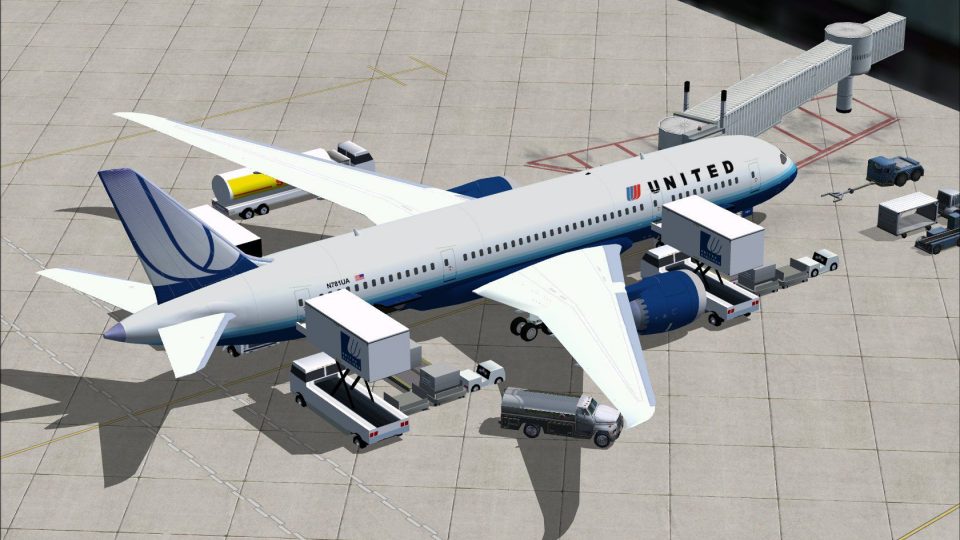
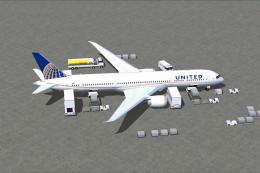
Designed by Camil Valiquette, this second-generation CamSim offering refines the jet’s structural layout and includes new Animated Ground Servicing (AGS). As a result, the simulation covers not only visual accuracy and authentic United Airlines markings, but also practical servicing sequences on the apron. The 787 variant represented here (often referred to as the “-8”) is known for improved fuel performance and modern avionics systems. This add-on strives to convey those characteristics through careful handling and detailed textures.
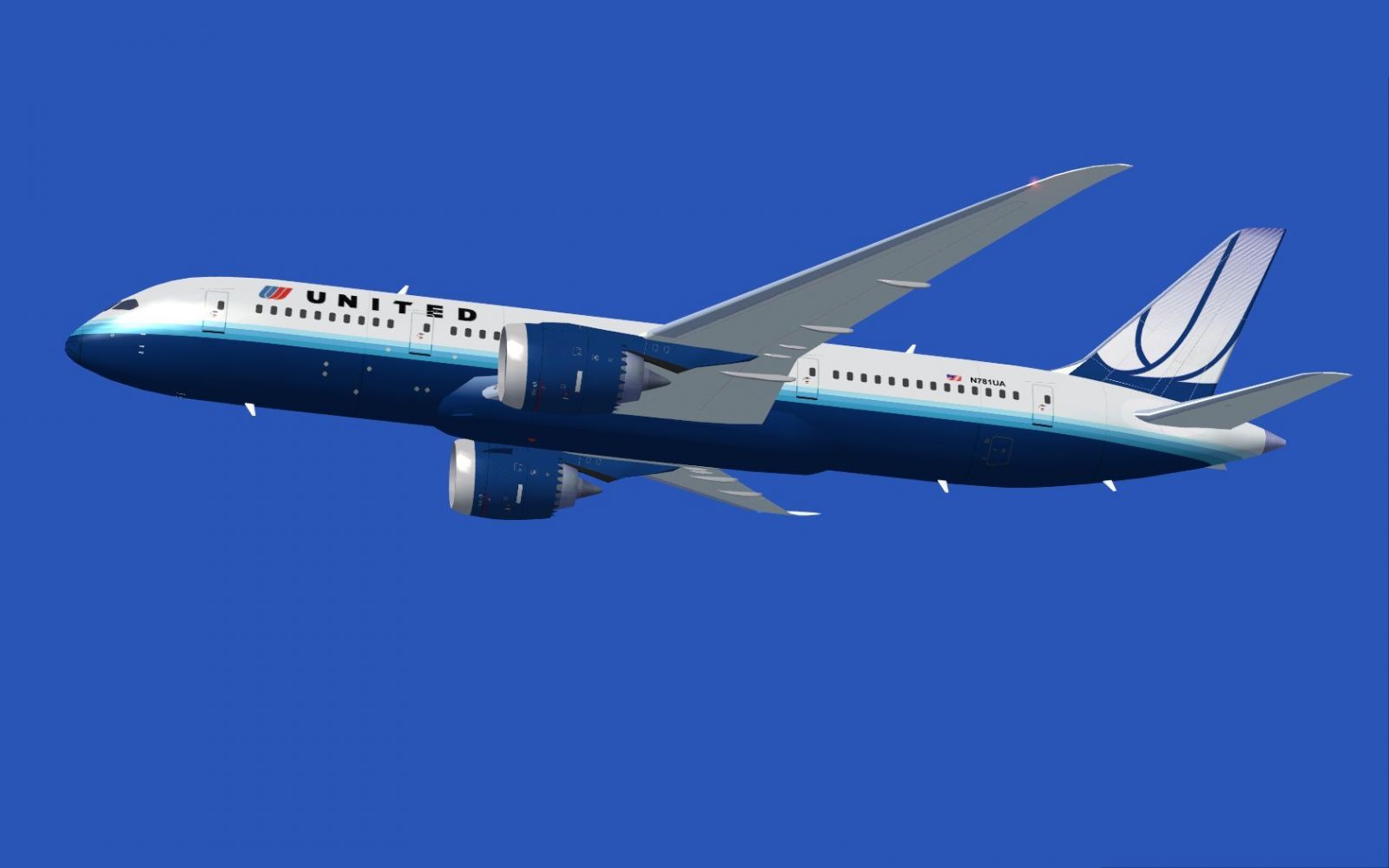
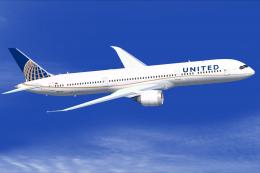
United Airlines Boeing 787-8 in flight.
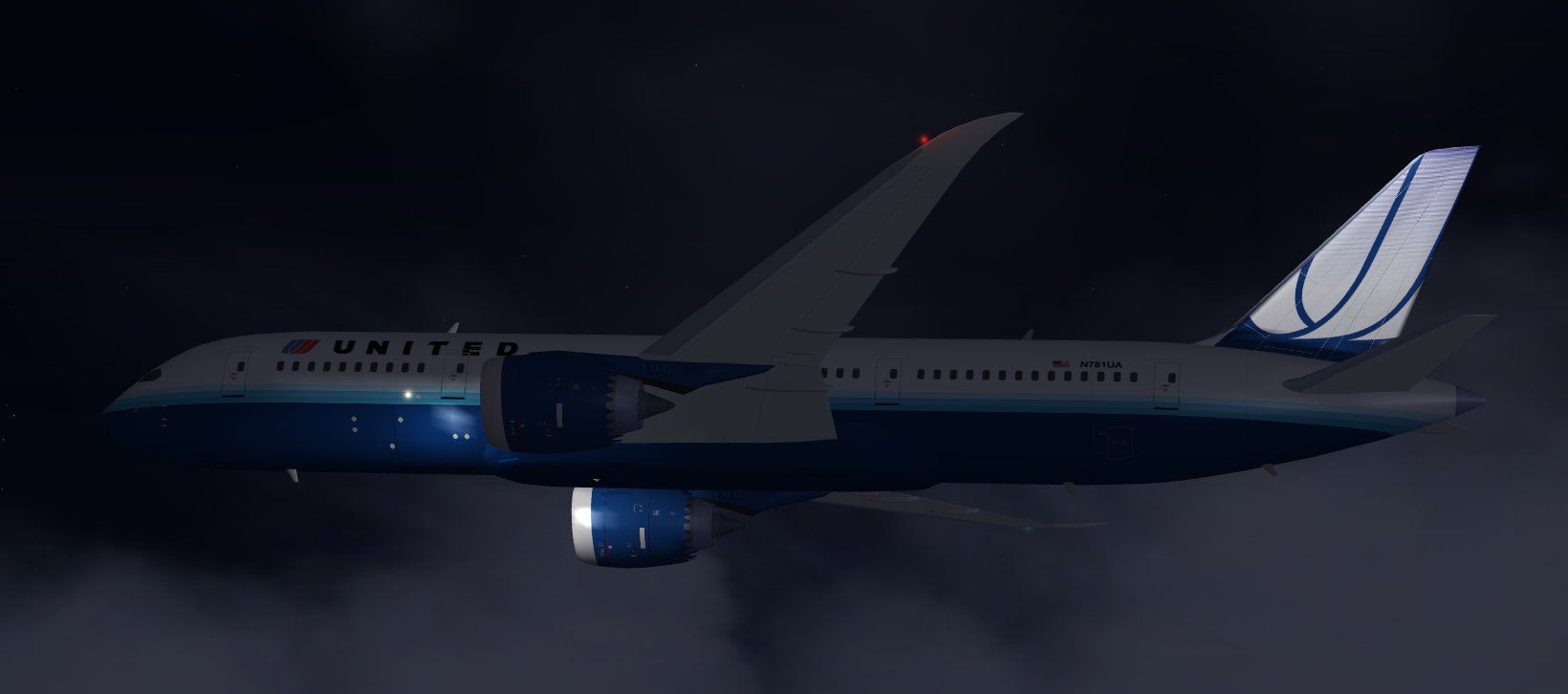
If none of the developer’s other AGS aircraft are installed, unzip “Effects.zip” into your main FSX directory. These specialized night effects will be placed automatically in the Effects folder.
By default, coverage includes both passenger and cargo entrances. Use the following commands for smooth operation:
In the “Options” section of FSX, assign these key combinations to the wing fold/unfold (Shift + C) and tail hook up/down (Shift + D) controls, ensuring uninterrupted transitions on the ramp.
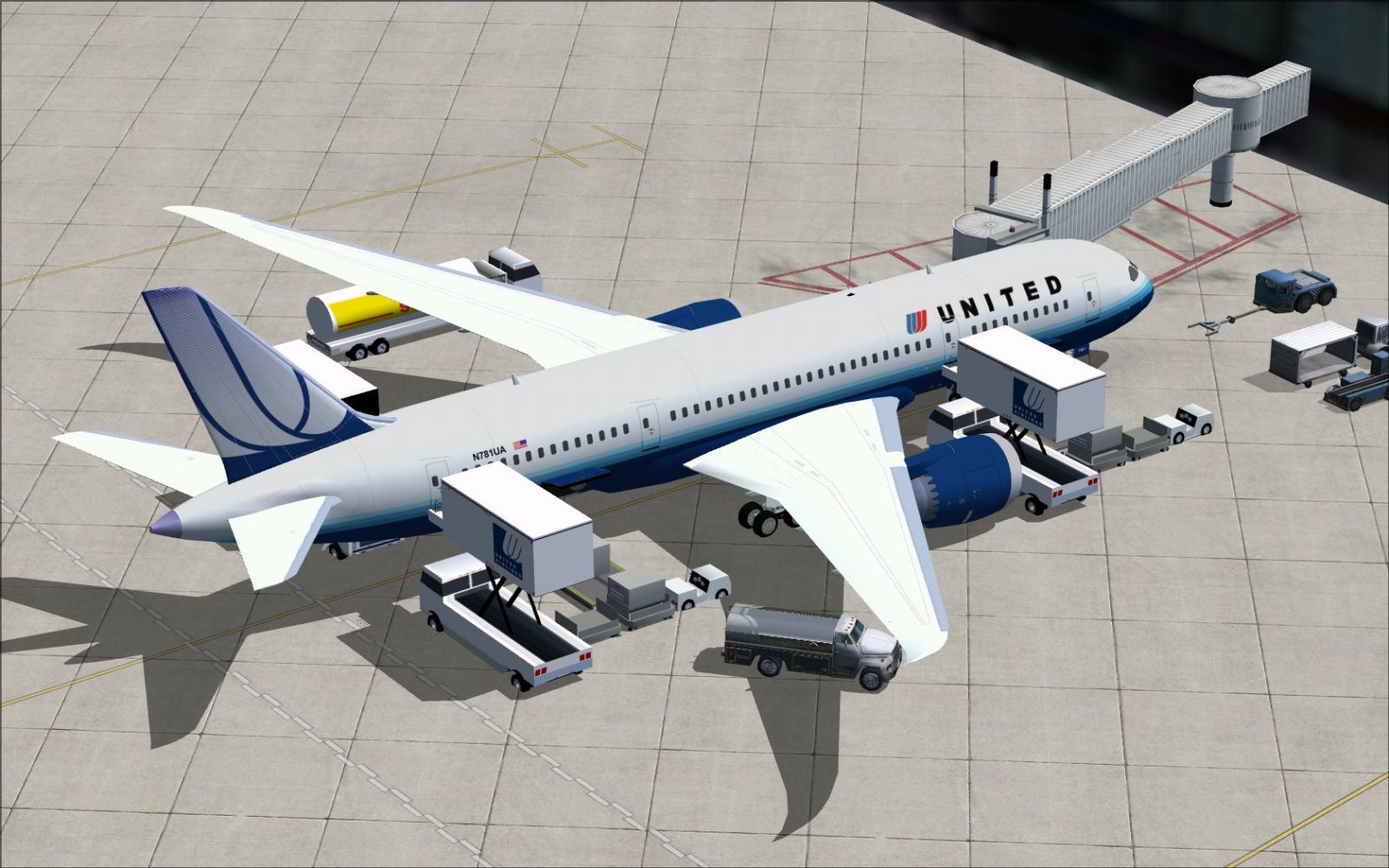
United Airlines Boeing 787-8 at boarding gate.
The complete model design, along with the distinctive United Airlines finish, is the work of creator Camil Valiquette, who continues to refine his 787 series for flight simulation enthusiasts. This freeware release merges authentic external visual details with user-friendly servicing animations to provide a comprehensive FSX jetliner experience.
Free for all simmers · 2.44 MB · Scanned clean Oct 2026
Download speed: Free tier is capped at 0.5 Mbps. PRO members download at full line speed.
This add-on may require the following files to function properly. If this is a repaint, the dependency below is likely the base aircraft package.
FSX\SimObjects\Airplanes\. The folder must contain an aircraft.cfg file. Effects go into FSX\Effects\; gauges go into FSX\Gauges\.readme.txt or README file. It tells you exactly where files go, what dependencies are needed, and any quirks specific to this add-on.The archive 787v2uax.zip has 32 files and directories contained within it.
This list displays the first 500 files in the package. If the package has more, you will need to download it to view them.
| Filename/Directory | File Date | File Size |
|---|---|---|
| CamSim Boeing 787-8 V2 United | 12.10.09 | 0 B |
| 787-8.air | 02.22.06 | 12.76 kB |
| 787v2 ua_.jpg | 12.09.09 | 72.00 kB |
| 787v2ua ags fsx.jpg | 12.09.09 | 295.79 kB |
| 787v2ua nuit fsx.jpg | 12.09.09 | 43.99 kB |
| aircraft.cfg | 12.09.09 | 14.64 kB |
| Effects.zip | 03.25.06 | 1.80 kB |
| file_id.diz | 12.10.09 | 195 B |
| model.787-8 ags | 12.10.09 | 0 B |
| 787-8 ags.mdl | 12.08.09 | 2.67 MB |
| Model.cfg | 03.16.06 | 28 B |
| Panel | 12.10.09 | 0 B |
| panel.cfg | 05.27.09 | 33 B |
| Read Me_FSX.txt | 12.10.09 | 2.46 kB |
| sound | 12.10.09 | 0 B |
| Sound.cfg | 05.27.09 | 30 B |
| texture.ua | 12.10.09 | 0 B |
| 787eng_t.bmp | 12.09.09 | 1.00 MB |
| 787ext_L.bmp | 12.09.09 | 4.00 MB |
| 787ext_t.bmp | 12.09.09 | 1.00 MB |
| 787int_L.bmp | 12.09.09 | 4.00 MB |
| 787int_t.bmp | 12.09.09 | 1.00 MB |
| 787tail_t.bmp | 08.05.07 | 1.00 MB |
| 788fuse_t.bmp | 12.09.09 | 1.00 MB |
| 789wings_t.bmp | 11.24.09 | 1.00 MB |
| gris_t.bmp | 12.09.09 | 16.07 kB |
| pilot1.bmp | 09.10.09 | 257.05 kB |
| pilot1_l.bmp | 12.06.06 | 1.00 MB |
| thumbnail.jpg | 12.09.09 | 4.37 kB |
| w_t.bmp | 12.06.08 | 16.07 kB |
| flyawaysimulation.txt | 10.29.13 | 959 B |
| Go to Fly Away Simulation.url | 01.22.16 | 52 B |
Only PRO members can place votes.
More FSX & P3D add-ons hand-picked based on this download.
FSX Civil Aircraft
Experience a meticulously repainted Boeing 787-8 Dreamliner representing Unit…
 FSX Civil Aircraft
This updated package showcases a United Airlines Boeing 787-8 in the post-mer…
 FSX Civil Aircraft
Experience an enhanced rendition of United Airlines’ Boeing 787-10, developed…
 FSX Civil Aircraft
This full-featured Boeing 787-9 package, wearing the United Airlines livery, …
 FSX Civil Aircraft
This complete freeware package offers a highly detailed rendition of the Boei…
 FSX Civil Aircraft
This updated freeware release depicts the classic United Airlines Retro Jet l…
 FSX Civil Aircraft
Experience a meticulously crafted repaint of the Boeing 787-9 in the distinct…
 FSX Civil Aircraft
This release features a dedicated repaint of the United Airlines livery for B…
Be the first to leave a comment on this download.
Be the first to share your thoughts on this download.