

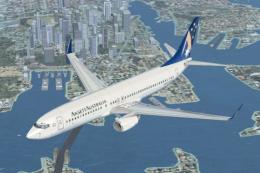
 FSX Civil Aircraft
Ansett Australia Boeing 737-800
FSX Ansett Australia Boeing 737-800. Textures for the default B737-800 in the…
Ansett Australia’s Boeing 737-800 wears a special Sydney 2000 Olympics scheme featuring the official mascots Sam, Millie and Ollie, bringing a distinctive period look to everyday airline ops. Designed for Microsoft Flight Simulator X, these textures refresh the default 737-800 with accurate markings and clean exterior detailing, and require the stock aircraft.
 Rate
Rate
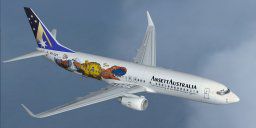
Ansett Australlia Boeing 737-800 in special 2000 Olympics livery. Textures only for the default B737-800. By Donald C. Forbes.
Ansett Australlia Boeing 737-800.
This is the Ansette Australia 2000 Sydney Olympics livery featuring the official Sydney Olympic mascots Sam, Millie and Ollie.
Originally created for the Dream Fleet 737 for FS2000/FS2002, I have now ported it over to the FSX default 737.
INSTALL NOTES:
Place the "Texture.ans2k" folder in your ~\Microsoft Flight Simulator X\SimObjects\Airplanes\B737_800\ folder.
Then add The text below to your ~\B737-800\aircraft.cfg file.
Change XXX (below) to the next availalble aircraft number in the aircraft.cfg file.
[fltsim.XXX]

title=Boeing 737-800 Ansette

sim=Boeing737-800

model=

panel=

sound=

texture=ans2k

kb_checklists=Boeing737-800_check

kb_reference=Boeing737-800_ref

// Leave atc_id blank or it scribbles ugly stuff on the paint job... ;)

// Use a flight_number for your ATC callsign instead. -dc4bs

atc_id=

atc_airline=Boeing

atc_flight_number=

ui_manufacturer="Boeing"

ui_type="737-800"

ui_variation="Ansette Australia"

ui_typerole="Commercial Airliner"

ui_createdby="dc4bs"

description="Ansette Australia 2000 Olympics"
Free for all simmers · 2.65 MB · Scanned clean Oct 2026
Download speed: Free tier is capped at 0.5 Mbps. PRO members download at full line speed.
texture.{airline}) inside FSX\SimObjects\Airplanes\{base-aircraft}\.aircraft.cfg in Notepad. Add a new [fltsim.X] section per the readme.readme.txt or README file. It tells you exactly where files go, what dependencies are needed, and any quirks specific to this add-on.The archive ansett2k.zip has 12 files and directories contained within it.
This list displays the first 500 files in the package. If the package has more, you will need to download it to view them.
| Filename/Directory | File Date | File Size |
|---|---|---|
| b737_800_1_T.dds | 12.18.09 | 682.80 kB |
| b737_800_1_T_Specular.dds | 12.18.09 | 682.80 kB |
| b737_800_2_T.dds | 09.04.06 | 1.33 MB |
| b737_800_2_T_Specular.dds | 09.04.06 | 1.33 MB |
| Fresnel_Ramp.dds | 09.04.06 | 640 B |
| texture.cfg | 08.14.06 | 137 B |
| thumbnail.jpg | 12.18.09 | 5.62 kB |
| Readme.txt | 12.18.09 | 1.09 kB |
| file_id.diz | 12.18.09 | 100 B |
| thumbnail.jpg | 12.18.09 | 2.70 kB |
| flyawaysimulation.txt | 10.29.13 | 959 B |
| Go to Fly Away Simulation.url | 01.22.16 | 52 B |
Only PRO members can place votes.
More FSX & P3D add-ons hand-picked based on this download.
FSX Civil Aircraft
FSX Ansett Australia Boeing 737-800. Textures for the default B737-800 in the…
 FSX Civil Aircraft
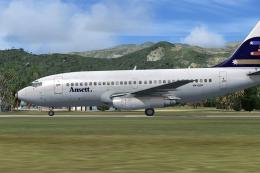
A repaint of the payware Captain Sim B737-100 model in Ansett New Zealand liv…
 FSX Civil Aircraft
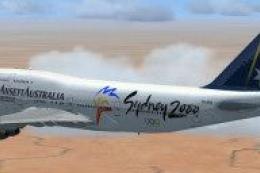
A repaint of the payware Captain Sim B737-200 ADV in livery of Ansett Austral…
 FSX Civil Aircraft
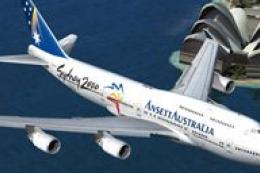
Registration VH-ANB (standard livery) and VH-ANA (Sydney 2000 livery). Textur…
 FSX Civil Aircraft
Textures only for the payware PMDG B747-400 model. Repaint by Johnny Lawrence…
 FSX Civil Aircraft
Sydney 2000 livery. Textures only for the payware PMDG B747-400 model. Repain…
 FSX Civil Aircraft
FSX Ansett Australia Airbus A321. Textures only for the default Airbus A321 i…
 FSX Civil Aircraft
Ansett Australia operated BAe 146 aircraft on domestic routes. VH-EWR was ori…
Be the first to leave a comment on this download.
Be the first to share your thoughts on this download.