

 FSX Civil Aircraft
VARIG Boeing 737-800
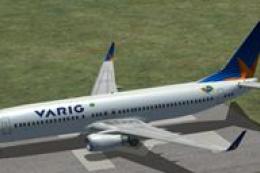
FSX VARIG Boeing 737-800 (new livery). A repaint from the default B737-800. R…
Varig (VRG Linhas Aéreas) Boeing 737-800 livery pack brings the airline’s newer colors to the default 737-800 in FSX, with three included texture variants that change the tail star design. Ideal for Brazilian route flying, it keeps the stock virtual cockpit and aircraft systems while refreshing the exterior look.
 Rate
Rate
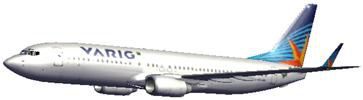
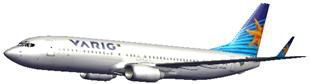
Varig Boeing 737-800. A Boeing 737-800 in new colors of Varig (VRG Linhas Aereas). There are three textures with the three variations of the star in the tail. Only for the default model of FSX. By Felipe Bossart.
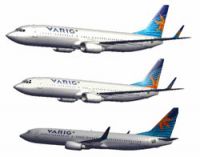
Varig Boeing 737-800.
737-800 VARIG - VRG Linhas Aéreas
- Thankyou for downloading this textures. For more textures of Brazilian airlines to all versions of Flight Simulator.
Attention: Texture files only for the 737-800 FSX default.
>> Instructions:
1) Unzip downloaded folders to a Temp directory on your system.
2) Copy the texture into C:\Program Files\Microsoft Games\Microsoft Flight Simulator X\SimObjects\Airplanes\B737_800
3) Add this entry into your 737-800 Aircraft.cfg file.
PS : Paste it in sequence right after the last [fltsim.x]. Rename "fltsim.X" to next number in sequence.
[fltsim.x]

title=Boeing 737-800 Varig 1

sim=Boeing737-800

model=

panel=

sound=

texture=varig1

kb_checklists=Boeing737-800_check

kb_reference=Boeing737-800_ref

atc_id=N737W

atc_airline=Boeing

atc_flight_number=

ui_manufacturer="Boeing"

ui_type="737-800"

ui_variation="Varig 1"

ui_typerole="Commercial Airliner"

ui_createdby="FSDownload"

description="Boeing 737-800 nas novas cores da Varig (VRG Linhas Aéreas). A textura é somente para o modelo default do Flight Simulator X / Boeing 737-800 in Varig (VRG Linhas Aéreas) new colors. The texture is for default's model of Flight Simulator X only"
[fltsim.x]

title=Boeing 737-800 Varig 2

sim=Boeing737-800

model=

panel=

sound=

texture=varig2

kb_checklists=Boeing737-800_check

kb_reference=Boeing737-800_ref

atc_id=N77SAN

atc_airline=Varig

atc_flight_number=N77

ui_manufacturer="Boeing"

ui_type="737-800"

ui_variation="Varig 2"

ui_typerole="Commercial Airliner"

ui_createdby="FSDownload"

description="Boeing 737-800 nas novas cores da Varig (VRG Linhas Aéreas). A textura é somente para o modelo default do Flight Simulator X / Boeing 737-800 in Varig (VRG Linhas Aéreas) new colors. The texture is for default's model of Flight Simulator X only"
[fltsim.x]

title=Boeing 737-800 Varig 3

sim=Boeing737-800

model=

panel=

sound=

texture=varig3

kb_checklists=Boeing737-800_check

kb_reference=Boeing737-800_ref

atc_id=N77SAN

atc_airline=Varig

atc_flight_number=N77

ui_manufacturer="Boeing"

ui_type="737-800"

ui_variation="Varig 3"

ui_typerole="Commercial Airliner"

ui_createdby="FSDownload"

description="Boeing 737-800 nas novas cores da Varig (VRG Linhas Aéreas). A textura é somente para o modelo default do Flight Simulator X / Boeing 737-800 in Varig (VRG Linhas Aéreas) new colors. The texture is for default's model of Flight Simulator X only"
Free for all simmers · 11.03 MB · Scanned clean Oct 2026
Download speed: Free tier is capped at 0.5 Mbps (this file takes approximately 3 mins at the cap). PRO members download at full line speed.
texture.{airline}) inside FSX\SimObjects\Airplanes\{base-aircraft}\.aircraft.cfg in Notepad. Add a new [fltsim.X] section per the readme.readme.txt or README file. It tells you exactly where files go, what dependencies are needed, and any quirks specific to this add-on.The archive 738vrg-1.zip has 28 files and directories contained within it.
This list displays the first 500 files in the package. If the package has more, you will need to download it to view them.
| Filename/Directory | File Date | File Size |
|---|---|---|
| readme.txt | 03.04.10 | 3.17 kB |
| texture.varig1 | 03.04.10 | 0 B |
| b737_800_1_T.dds | 03.04.10 | 1.33 MB |
| b737_800_1_T_Specular.dds | 09.04.06 | 1.33 MB |
| b737_800_2_T.dds | 09.04.06 | 1.33 MB |
| b737_800_2_T_Specular.dds | 09.04.06 | 1.33 MB |
| Fresnel_Ramp.dds | 09.04.06 | 640 B |
| texture.cfg | 08.14.06 | 137 B |
| thumbnail.jpg | 03.04.10 | 16.75 kB |
| texture.varig2 | 03.04.10 | 0 B |
| b737_800_1_T.dds | 03.04.10 | 1.33 MB |
| b737_800_1_T_Specular.dds | 09.04.06 | 1.33 MB |
| b737_800_2_T.dds | 09.04.06 | 1.33 MB |
| b737_800_2_T_Specular.dds | 09.04.06 | 1.33 MB |
| Fresnel_Ramp.dds | 09.04.06 | 640 B |
| texture.cfg | 08.14.06 | 137 B |
| thumbnail.jpg | 03.04.10 | 15.69 kB |
| texture.varig3 | 03.04.10 | 0 B |
| b737_800_1_T.dds | 12.25.09 | 1.33 MB |
| b737_800_1_T_Specular.dds | 09.04.06 | 1.33 MB |
| b737_800_2_T.dds | 09.04.06 | 1.33 MB |
| b737_800_2_T_Specular.dds | 09.04.06 | 1.33 MB |
| Fresnel_Ramp.dds | 09.04.06 | 640 B |
| texture.cfg | 08.14.06 | 137 B |
| thumbnail.jpg | 03.04.10 | 14.54 kB |
| 738varig.gif | 03.05.10 | 15.54 kB |
| flyawaysimulation.txt | 10.29.13 | 959 B |
| Go to Fly Away Simulation.url | 01.22.16 | 52 B |
Only PRO members can place votes.
More FSX & P3D add-ons hand-picked based on this download.
FSX Civil Aircraft
FSX VARIG Boeing 737-800 (new livery). A repaint from the default B737-800. R…
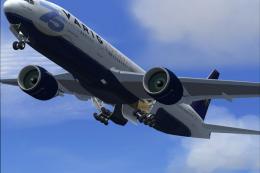 FSX Civil Aircraft
Model by Melvin Rafi. Repaint by Felipe Cascales. VARIG Boeing 777-200ER rais…
 FSX Civil Aircraft
This complete freeware Boeing 767-300 rendition in classic Varig livery bring…
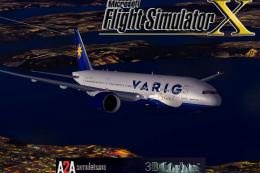 FSX Civil Aircraft
This freeware package offers a refined Boeing 777-200ER in Varig’s updated li…
 FSX Civil Aircraft
FSX Varig Boeing 747-400. Textures only for the default B747-400.
 FSX Civil Aircraft
Varig Boeing 747-400 (old colors). Textures only for the default B747-400. By…
 FSX Civil Aircraft
Textures for the Camil Valiquette model of the B787-8 v3 in Varig colors. By …
 FSX Civil Aircraft
Continental Boeing 737-800. Fictional textures for the default B737-800. Repa…
Be the first to leave a comment on this download.
Be the first to share your thoughts on this download.