

 FSX Civil Aircraft
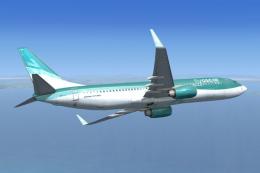
FlyOscar VA Boeing 737-800
Replacement textures for the default B737-800 in the colors of FlyOscar virtu…
Maurair-VA Boeing 737-800 livery brings a clean, airline-style repaint to the default 737-800, with matching exterior textures and authentic sim selection details for easy identification in the hangar. Built for FSX, it requires the stock Boeing 737-800 model and complements flights with a polished, realistic look.
 Rate
Rate
Maurair-VA Boeing 737-800. Textures only for the default B737-800 model. By J. M. Studios Bavaria.
[fltsim.XXX]

title=Boeing 737-800 Maurair ORG.

sim=Boeing737-800

model=""

panel=""

sound=""

texture=ma

kb_checklists=Boeing737-800_check

kb_reference=Boeing737-800_ref

atc_id=

atc_airline=Boeing

atc_flight_number=""

ui_manufacturer=Boeing

ui_type=737-800

ui_variation=Maurair

ui_typerole=Kommerzielles Linienflugzeug

ui_createdby=J.B. Studios Bavaria

description=Es dürfte kaum überraschen, dass es sich bei dem weltweit produktivsten Hersteller kommerzieller Luftfahrzeuge auch um den Hersteller der am weitesten verbreiteten Düsenflugzeuge handelt. Im Juni 1987 wurde die 737 mit der 1831. Order zum weltweit meistverkauften Düsenflugzeug (und überholte damit den vorherigen Spitzenreiter, die Boeing 727). Die Verkaufszahlen waren allerdings nicht immer so positiv, und in den ersten Produktionsjahren waren bei Boeing sogar Überlegungen im Gange, das Programm abzubrechen. Dazu kam es jedoch nicht, und das Flugzeug hat sich in mehr als drei Jahrzehnten mehr als bewährt.
Free for all simmers · 444.46 KB · Scanned clean Oct 2026
Download speed: Free tier is capped at 0.5 Mbps. PRO members download at full line speed.
texture.{airline}) inside FSX\SimObjects\Airplanes\{base-aircraft}\.aircraft.cfg in Notepad. Add a new [fltsim.X] section per the readme.readme.txt or README file. It tells you exactly where files go, what dependencies are needed, and any quirks specific to this add-on.The archive maurairliverydefault_737_800.zip has 7 files and directories contained within it.
This list displays the first 500 files in the package. If the package has more, you will need to download it to view them.
| Filename/Directory | File Date | File Size |
|---|---|---|
| Aircraft-Eintrag.txt | 01.06.11 | 994 B |
| b737_800_1_T.dds | 01.08.11 | 1.00 MB |
| Fresnel_Ramp.dds | 09.04.06 | 640 B |
| texture.cfg | 12.02.08 | 162 B |
| README, Deutsch-B738.pdf | 01.15.11 | 309.80 kB |
| flyawaysimulation.txt | 10.29.13 | 959 B |
| Go to Fly Away Simulation.url | 01.22.16 | 52 B |
Only PRO members can place votes.
More FSX & P3D add-ons hand-picked based on this download.
FSX Civil Aircraft
Replacement textures for the default B737-800 in the colors of FlyOscar virtu…
 FSX Civil Aircraft
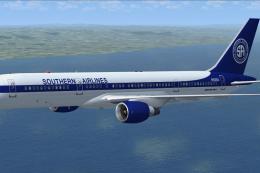
Repaint of the Project Open Sky B757-200PW. Complete aircraft with VC. Repain…
 FSX Civil Aircraft
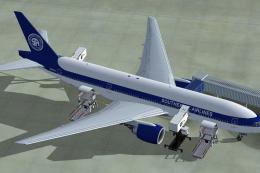
Repaint of the Project Open Sky B777-200ER for FSX only in Southern Airlines …
 FSX Civil Aircraft
FlyInternational VA Boeing 747-400. HD textures for the Project Open Sky B747…
 FSX Civil Aircraft
Eagle Flight VA Boeing 747. Textures only for the default B747-400. Eagle Fli…
 FSX Civil Aircraft
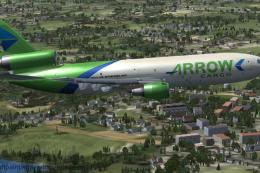
This exclusive repaint package showcases a Douglas DC-10-40F wearing the Arro…
 FSX Civil Aircraft
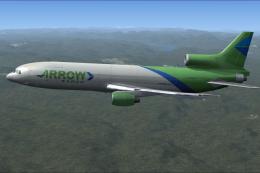
This freeware package brings a faithful Lockheed L-1011 rendition tailored fo…
 FSX Civil Aircraft
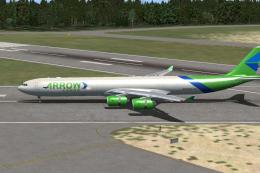
Immerse yourself in the world of dedicated freight operations with this detai…
Be the first to leave a comment on this download.
Be the first to share your thoughts on this download.