

 FSX Civil Aircraft
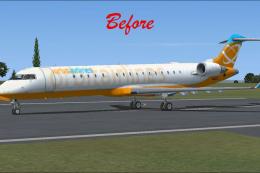
Default Bombardier CRJ-700 Blurred Texture Fix
This freeware package provides replacement surface detail files for the stand…
Bombardier CRJ-700 Gauge Fix refines the default glass cockpit in Microsoft Flight Simulator X with corrected MFD true airspeed and Mach readouts, improved Bearing Pointer 2 tooltips and ADF capability, streamlined map views, and more consistent night lighting across the PFD, MFD, radios, and standby display for clearer instrument use.
 Rate
Rate
Bombardier CRJ-700 Gauge Fix. Fixes several problems with the default FSX Bombardier CRJ700 gauges - includes Matt Smith's MFD fix (CRJ7MFDFIX.ZIP). This file fixes: "TAS" value on the MFD, tooltip for the "Bearing Pointer 2" button, ADF bearing indication on "Bearing Pointer 2", Mach number field on the MFD, moving map views, night lighting of the PFD, MFD, radio, and backup PFD. By Csaba Saghi.
Bombardier CRJ-700 Gauge Fix
Fixes several problems with the default FSX Bombardier CRJ-700 gauges - includes Matt Smith' MFD fix (crj7mfdfix.zip) with his kind permission. This file fixes the following issues:
1. The "TAS" number on the MFD now shows the correct True Airspeed. - fix by Matthew Smith
2. The tooltip for the "Bearing Pointer 2" button now indicates that it is #2 as well as its correct status (VOR, ADF etc). - fix by Matthew Smith
3. "Bearing pointer 2" can now be used to point to ADF as well as VOR2 (before, only pointer 1 could indicate ADF bearing). - fix by Matthew Smith
4. Slightly increased size of Mach number field on the PFD to avoid cutting off last digit. - fix by Matthew Smith
5. Eliminated not working moving map views (the MFD now has only HSI & Expanded HSI views). - fix by Matthew Smith
6. Several glass gauge elements on the PFD, MFD, radio, and backup PFD now don't go dim at night with panel lights off - fix by Csaba Sághi
Installation:
- backup your original Bombardier_CRJ_700.cab file in the SimObjects/Airplanes/Bombardier_CRJ_700/panel folder
- replace the original Bombardier_CRJ_700.cab file in the SimObjects/Airplanes/Bombardier_CRJ_700/panel folder with the one provided here
Authors:
Csaba Sághi
Free for all simmers · 2.14 MB · Scanned clean Oct 2026
Download speed: Free tier is capped at 0.5 Mbps. PRO members download at full line speed.
FSX\SimObjects\Airplanes\{aircraft}\panel\. Back up the existing panel folder first.readme.txt or README file. It tells you exactly where files go, what dependencies are needed, and any quirks specific to this add-on.The archive crj7gaufix.zip has 5 files and directories contained within it.
This list displays the first 500 files in the package. If the package has more, you will need to download it to view them.
| Filename/Directory | File Date | File Size |
|---|---|---|
| Bombardier_CRJ_700.cab | 08.07.09 | 2.20 MB |
| Readme.txt | 08.12.09 | 1.63 kB |
| crj7gaufix | 08.12.09 | 0 B |
| flyawaysimulation.txt | 10.29.13 | 959 B |
| Go to Fly Away Simulation.url | 01.22.16 | 52 B |
Only PRO members can place votes.
More FSX & P3D add-ons hand-picked based on this download.
FSX Civil Aircraft
This freeware package provides replacement surface detail files for the stand…
 FSX Civil Aircraft
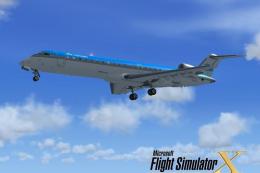
Experience a fictional KLM Cityhopper repaint for the Bombardier CRJ-700 in M…
 FSX Civil Aircraft
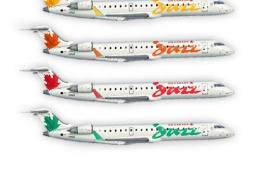
FSX Air Canada Bombardier CRJ-700. Textures only for the default CRJ700 inclu…
 FSX Civil Aircraft
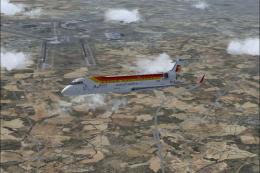
Repainting of the Bombardier CRJ 700 FSX default included in the colors of Ai…
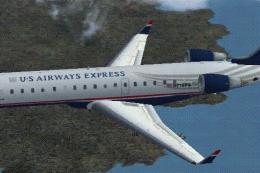 FSX Civil Aircraft
A repaint of the FSX default CRJ700 aircraft. Textures only. Painted in the n…
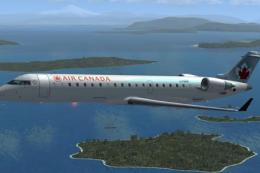 FSX Civil Aircraft
This repaint package offers an updated Air Canada livery for the Bombardier C…
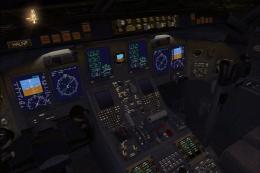 FSX Civil Aircraft
FSX Malev Bombardier CRJ-700. Textures only for the default Canadair CRJ700. …
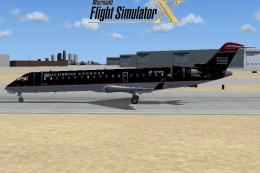 FSX Civil Aircraft
FSX US Airways Express Bombardier CRJ-700. A repaint of the default CRJ700, r…
Be the first to leave a comment on this download.
Be the first to share your thoughts on this download.