

 FSX General Aviation Aircraft
Cessna C206H Stationair V2.0
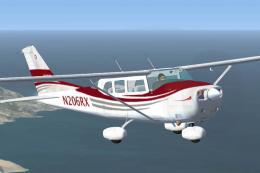
This is a North American Registry (N206RX) re-paint of the Cessna C206H Stati…
Cessna C206H Stationair in N206RX livery brings a sturdy six-seat utility single to Microsoft Flight Simulator X with crisp DXT3 textures, tuned flight dynamics, and a reworked v2.1 package with corrected files. Includes a custom panel and sound set plus both analog and Garmin G1000 2D cockpit options.
 Rate
Rate
Cessna C206H Stationair, v2.1, registration N206RX. A repaint of the Cessna 206 Stationairby Blue Sky Simulations, Roger Bonne and Guidee Francois-Denis. Version 2.1 has been reworked after reports of a few errors in the files; all errors have been corrected. This model has been throughly flight tested and flys like a dream. All textures are rendered in DXT3 format for crisp texturing without sacrificing frame rates. Originally modeled for FS04, this rendition of the sturdy aircraft has been modified to work within the FSX platform. Includes customized panel and sound package by Peter Spanakos. Both an analog and Garmin G1000 glass panel versions have been included. Package by Brian C. Selb.

Cessna C206H Stationair.
* * * * * CESSNA C206H STATIONAIR V2.1 * * * * *
This is a North American Registry (N206RX) re-paint of the FREEWARE Cessna C206H Stationair VERSION 2.1 (Complete Aircraft) by Blue Sky Simulations, Roger Bonne & GUIDEE Francois-Denis. VERSION 2.1 has been reworked after reports of a few errors in the files. ALL ERRORS HAVE BEEN CORRECTED! This model has been throughly flight tested and flys like a dream! All textures are rendered in DXT-3 format for crisp texturing without sacrificing frame rates. Originally modeled for FS2004, this rendition of the sturdy aircraft has been modified to work within the FS-X platform. Includes customized panel and sound package by Peter Spanakos. Both an analog and Garmin G1000 glass panel versions have been included. ***** This file superceeds my earlier C206H Stationair (file name: c206_n206rx_v2.zip) and is recommended as a stand-alone download or a replacement for existing users of my previous version. The only difference is a self-installation program and corrected sound ***** This aircraft has no VC (Virtual Cockpit) and is meant to be flown with the 2-D panel only! This file is for FS-X only!
INSTALLATION
NEW USERS
Run the enclosed Setup.exe file
EXISTING EARLIER VERSION USERS
Follow the new users installation instructions and overwrite files if prompted.
* * * * * INTRODUCTION * * * * *
Production of the six-seat single-engine Cessna 206 was halted in 1986. The problem with the 80’s was high interest rates, and high product liability cost. The general aviation revitalization act in 1994 removed the need for the high product liability policies. The piston engine 206 was again being made starting in 1994.
Staionair’s high-wing design offers exceptional visibility from the cockpit. The 206 H has a 360° visual capability. The 206 H side door is actually a double door. The double doors give the aircraft an advantage when loading cargo. The door can also be removed for photo operations. When the door is removed there are no changes in flight characteristics except for wind noise and a slight degradation in climb and cruise performance. The pilots side has a single door for the pilot
Cessna 206H
Engine: Lycoming IO-540 (Fuel injected, 300 hp)
Avionics: Standard to Full IFR. GPS & Autopilot
Max Useful Load: 1438 lbs.
Cruise Speed: 163 mph at 6,200 ft
Seats: 6
* * * * * * * * * * * * * * * * * * * * * * * * * * * * * * * * * * * * * * * * * * * * * * * * * * * * *
Brian C. Selb
Free for all simmers · 3.74 MB · Scanned clean Oct 2026
Download speed: Free tier is capped at 0.5 Mbps (this file takes approximately 1 min at the cap). PRO members download at full line speed.
FSX\SimObjects\Airplanes\. The folder must contain an aircraft.cfg file. Effects go into FSX\Effects\; gauges go into FSX\Gauges\.readme.txt or README file. It tells you exactly where files go, what dependencies are needed, and any quirks specific to this add-on.The archive c206_6rx.zip has 5 files and directories contained within it.
This list displays the first 500 files in the package. If the package has more, you will need to download it to view them.
| Filename/Directory | File Date | File Size |
|---|---|---|
| README.txt | 12.23.06 | 2.69 kB |
| Setup.exe | 12.29.06 | 3.80 MB |
| c206h_gf.gif | 01.02.07 | 5.90 kB |
| flyawaysimulation.txt | 10.29.13 | 959 B |
| Go to Fly Away Simulation.url | 01.22.16 | 52 B |
Only PRO members can place votes.
More FSX & P3D add-ons hand-picked based on this download.
FSX General Aviation Aircraft
This is a North American Registry (N206RX) re-paint of the Cessna C206H Stati…
 FSX General Aviation Aircraft
Cessna C206H Stationair Fix. A 2D panel/VC gauge fix for use with C206_6RX.ZI…
 FSX General Aviation Aircraft
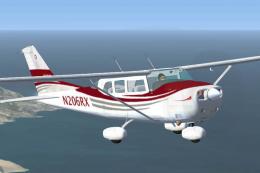
High Flight Simulations is pleased to introduce the Cessna C206T Turbo Statio…
 FSX General Aviation Aircraft
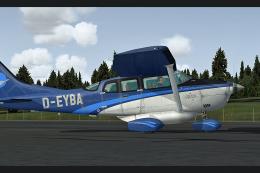
Enhance your experience flying the classic single-engine Cessna 206 Stationai…
 FSX General Aviation Aircraft
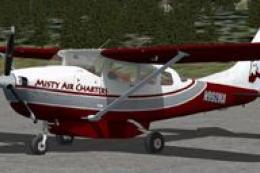
This carefully crafted repaint is designed for the cargo variant of the Caren…
 FSX General Aviation Aircraft
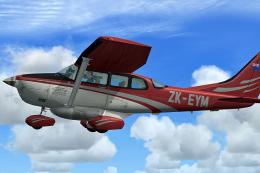
This repaint, created by B. Lechner, brings a realistic texture set to the ca…
 FSX General Aviation Aircraft
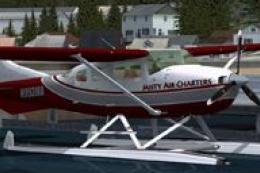
This freeware repaint integrates seamlessly with the payware Carenado 206 Sta…
 FSX General Aviation Aircraft
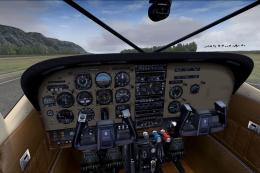
A photoreal skin of a real world paint for Carenado's payware U206G Stationai…
Read what other simmers think, or add your own.

Guages and panel still not showing up. I've done everything you've asked and even used the install program. Nothing fixes. UGH!!!