

 FSX General Aviation Aircraft
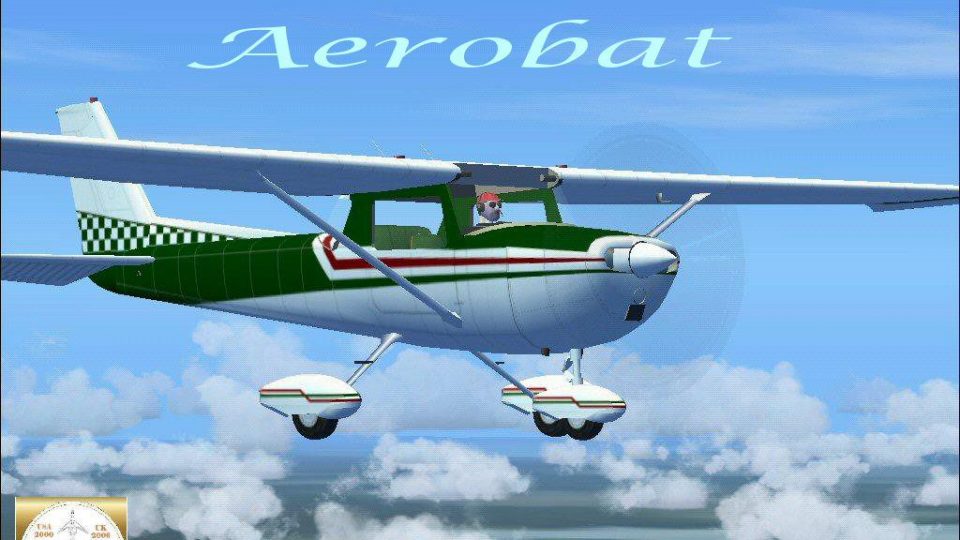
Retro Aqua Green Cessna 150 Aerobat
Bring a fresh look to your virtual hangar with this Retro Aqua Green Cessna 1…
Dark green and red Cessna 150 Aerobat livery brings a crisp, high-contrast look to the classic two-seat trainer while honoring Bill K. Kershner and supporting Angel Flight awareness. Built from the included RanchoJEN Aerobat files, it installs as a complete freeware aircraft package for Microsoft Flight Simulator X with updated textures and configuration.
 Rate
Rate

Dedicated to the memory of Bill K. Kershner, this Dark Green and Red Cessna 150 Aerobat package offers a captivating nod to general aviation’s iconic two-seat trainer. It’s presented as a freeware release that modifies RanchoJEN’s base model for Microsoft Flight Simulator X, ensuring a seamless integration without reliance on external downloads. In addition, Mark Rooks of RSDG Rooks Silva Design Group painstakingly crafted the paintwork and updated files, supporting the spirit of Angel Flight through this distinctive livery.
The Cessna 150 has served as a reliable gateway for aspiring pilots throughout its history, and its Aerobat variant has added extra flair through basic aerobatic capability. This particular repaint features bold dark green and red tones, providing strong contrast that stands out on ramps or in midair. Such a combination also honors Bill K. Kershner’s contributions to flight instruction, especially regarding the Cessna family of light trainers.

Dark Green/Red Cessna 150 Aerobat.
C:\Program Files\Microsoft Games\FSX\SimObjects\Airplanes (depending on your setup).Thanks to the refined external paintwork, the finished model showcases a well-balanced aesthetic, reinforcing the Cessna 150’s role as an enduring staple of flight instruction fleets. Moreover, the bright accents illustrate the aircraft’s aerobatic flair, which can be explored safely in the simulator environment.
All textures were personally developed by Mark “Fire Ball” Rooks, who infused meaningful detail into every angle of the exterior. Enjoy this repaint as a tribute to Bill K. Kershner, and consider supporting an Angel Flight organization in your locale.
– Mark “Fire Ball” Rooks and the RSDG Rooks Silva Design Group
Free for all simmers · 3.27 MB · Scanned clean Oct 2026
Download speed: Free tier is capped at 0.5 Mbps. PRO members download at full line speed.
FSX\SimObjects\Airplanes\. The folder must contain an aircraft.cfg file. Effects go into FSX\Effects\; gauges go into FSX\Gauges\.readme.txt or README file. It tells you exactly where files go, what dependencies are needed, and any quirks specific to this add-on.The archive rsx1504.zip has 7 files and directories contained within it.
This list displays the first 500 files in the package. If the package has more, you will need to download it to view them.
| Filename/Directory | File Date | File Size |
|---|---|---|
| 4Text.txt | 01.13.07 | 247 B |
| C-150 Green & Red Aerobat.zip | 01.13.07 | 2.89 MB |
| In Memory Of.zip | 01.13.07 | 208.86 kB |
| Read Me First.txt | 01.13.07 | 890 B |
| Screen Shot.jpg | 01.13.07 | 220.53 kB |
| flyawaysimulation.txt | 10.29.13 | 959 B |
| Go to Fly Away Simulation.url | 01.22.16 | 52 B |
Only PRO members can place votes.
More FSX & P3D add-ons hand-picked based on this download.
FSX General Aviation Aircraft
Bring a fresh look to your virtual hangar with this Retro Aqua Green Cessna 1…
 FSX General Aviation Aircraft
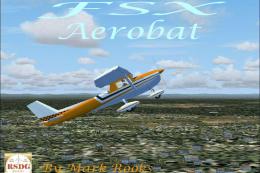
This specialized repaint of the Cessna 150 Aerobat merges bright orange and b…
 FSX General Aviation Aircraft
This add-on features a specially repainted Cessna 150 Aerobat with Hawaii Pol…
 FSX General Aviation Aircraft
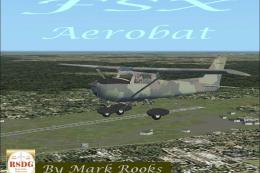
This special edition livery for the classic Cessna 150 Aerobat features a woo…
 FSX General Aviation Aircraft
This exclusive package brings together an enhanced rendition of the well-know…
 FSX General Aviation Aircraft
This fully freeware repaint package features the classic Cessna 150 Aerobat o…
 FSX General Aviation Aircraft
This repaint package adds a green-and-white N7714L skin to the freeware “Just…
 FSX General Aviation Aircraft
Repaint textures for the Just Flight freeware Cessna 152, depicting real worl…
Be the first to leave a comment on this download.
Be the first to share your thoughts on this download.