

 FSX General Aviation Aircraft
Christen Eagle Gauge Fix For FSX SP2
Christen Eagle Gauge Fix For FSX SP2. This is one small file to improve the w…
Spartan Executive SP2 compatibility fix restores smooth operation in Microsoft Flight Simulator X by disabling two error-prone gauges, updating panel configuration files, and refining the propeller texture for clearer transparency. It also adds a thumbnail so the aircraft displays properly in the selection menu, and requires the original Spartan Executive package.
 Rate
Rate
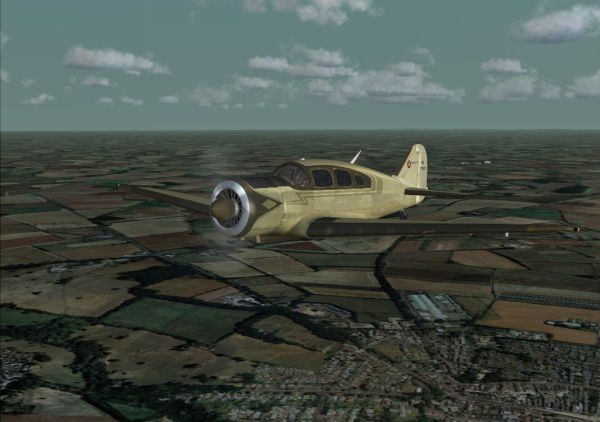
SP2 Fix For The Spartan Executive. These three files make the Spartan Executive by Milton Shupe, Scott Thomas, and Urs Burkhardt compatible with FSX SP2 (SPARTAN.ZIP). By Nick Cooper.
Spartan Executive in flight.
These three files make the excellent Spartan Executive for FS2004/FS9 by Milton Shupe, Scott Thomas, and Urs Burkhardt for FS2004/FS9/ACoF compatible with FSX SP2. (Spartan.zip)
Installation into FSX SP2.
The Spartan comes with a self installer.
I recommend that you install the aircraft to an empty folder of your choice.
Then copy the Spartan folder to your ...FSX\simobjects\airplanes folder and the contents of the effects folder to your ...FSX\effects folder.
There are two gauges,both freeware, which generate error messages in FSX SP2.
I have disabled these two gauges in the two attached panel.cfg files which you will find in the two "To panel... "folders.
I would stress that I have not modified the panel.cfg files in any other way as it is the property of the designers.
Copy the relevant panel.cfg file to each of the Spartan\panel folders and let them overwrite.
The "To texture..." folder contains a modified propellor texture which makes the prop more transparent and a thumbnail.jpg file to make the aircraft display correctly in the FSX aircraft menu.
Copy the two folders to your texture folder(s) and let the .bmp file overwrite.
Nick Cooper.
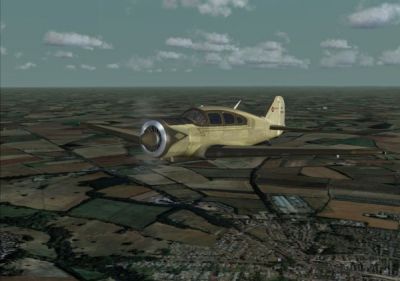
Spartan Executive in flight.
Free for all simmers · 156.45 KB · Scanned clean Oct 2026
Download speed: Free tier is capped at 0.5 Mbps. PRO members download at full line speed.
This file is a repaint — the package below is the base model it paints onto. Install it first, or the textures will have nothing to load onto.
texture.{airline}) inside FSX\SimObjects\Airplanes\{base-aircraft}\.aircraft.cfg in Notepad. Add a new [fltsim.X] section per the readme.readme.txt or README file. It tells you exactly where files go, what dependencies are needed, and any quirks specific to this add-on.The archive sparfix.zip has 11 files and directories contained within it.
This list displays the first 500 files in the package. If the package has more, you will need to download it to view them.
| Filename/Directory | File Date | File Size |
|---|---|---|
| readme.txt | 01.18.09 | 1.20 kB |
| Spartan ext.jpg | 01.18.09 | 78.74 kB |
| To panel.novc folder | 01.18.09 | 0 B |
| panel.cfg | 01.18.09 | 10.39 kB |
| To panel.vc folder | 01.18.09 | 0 B |
| panel.cfg | 01.18.09 | 11.51 kB |
| To texture folder | 01.18.09 | 0 B |
| spinpropb18.bmp | 01.18.09 | 341.40 kB |
| Thumbnail.jpg | 01.18.09 | 11.83 kB |
| flyawaysimulation.txt | 10.29.13 | 959 B |
| Go to Fly Away Simulation.url | 01.22.16 | 52 B |
Only PRO members can place votes.
More FSX & P3D add-ons hand-picked based on this download.
FSX General Aviation Aircraft
Christen Eagle Gauge Fix For FSX SP2. This is one small file to improve the w…
 FSX General Aviation Aircraft
FSX/SP2 Antonov AN2 Fix. These two files will make the cockpit glass transpar…
 FSX General Aviation Aircraft
SP2 Flight1 Cessna Conquest II Fix. If you own Flight One's Cessna Conquest I…
 FSX General Aviation Aircraft
FSX/SP2 Piper Archer III PA28-181. Version for FSX with SP2. LOD's, xml gauge…
 FSX General Aviation Aircraft
SP2 Acceleration I.C.P. Savannah UltraLight v3.8. The ICP Savannah is one of …
 FSX General Aviation Aircraft
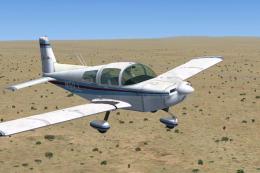
FSX/SP2 Grumman American AA1-5B Tiger. An FSX rebuild of the earlier AA-5B Ti…
 FSX General Aviation Aircraft
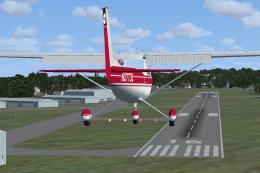
SP2 Cessna 150. repaint textures for the freeware RanchoJEN Cessna 150 v2 by …
 FSX General Aviation Aircraft
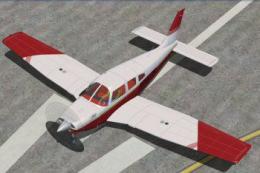
FSX/SP2 Piper Turbo Arrow III PA28RT-201, in U.S. and U.K. liveries. Model ma…
Read what other simmers think, or add your own.

Man, this aircraft is awesome. It flies like a dream come true. I enjoyed just listening to that engine the first time I fired it up. Thank you!