

 FSX General Aviation Aircraft
Blue With Orange Flames Cessna 172
This vibrant repaint applies a distinctive blue fuselage adorned with eye-cat…
Cessna 172 hotrod-style livery brings a deep black finish and vivid orange flame graphics to the default Skyhawk, creating a ramp presence that stands out while keeping the familiar virtual cockpit and handling intact in Microsoft Flight Simulator X. Requires the stock FSX C172 files and installs as a dedicated texture set.
 Rate
Rate
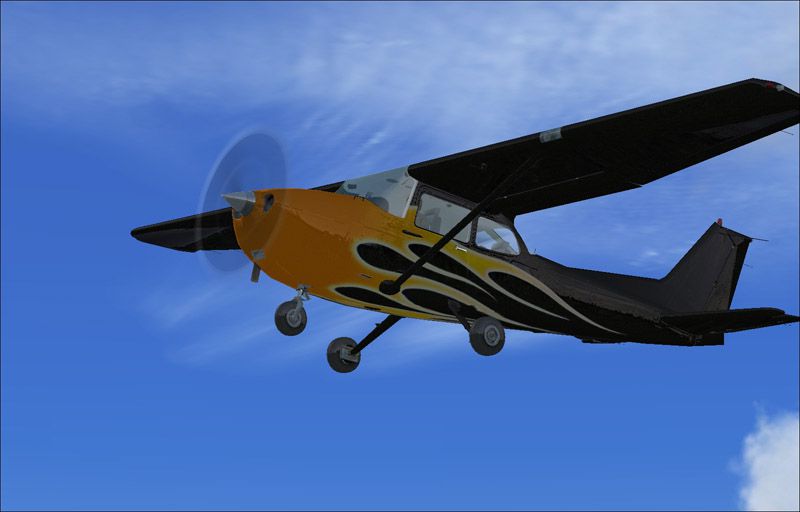
This unique repaint for the Cessna 172 offers an aggressive black finish paired with striking orange flame details, making it a head-turning addition to Microsoft Flight Simulator X. It builds upon the widely recognized default C172 airframe, yet adds a distinct hotrod-style visual character. The original design was created by Cronan Doyle, 2011.
The Cessna 172 is a popular single-engine, high-wing aircraft that serves as the training backbone for numerous flight schools worldwide. Its dependable handling and versatile performance make it a favorite among general aviation enthusiasts. With this custom paint job, you can refresh your in-sim flying and enjoy a dramatic exterior reminiscent of classic flame-patterned hotrods. The carefully layered orange flame accents on the fuselage and cowling stand out sharply against the deep black base, offering a visually distinctive presence on any ramp or runway.
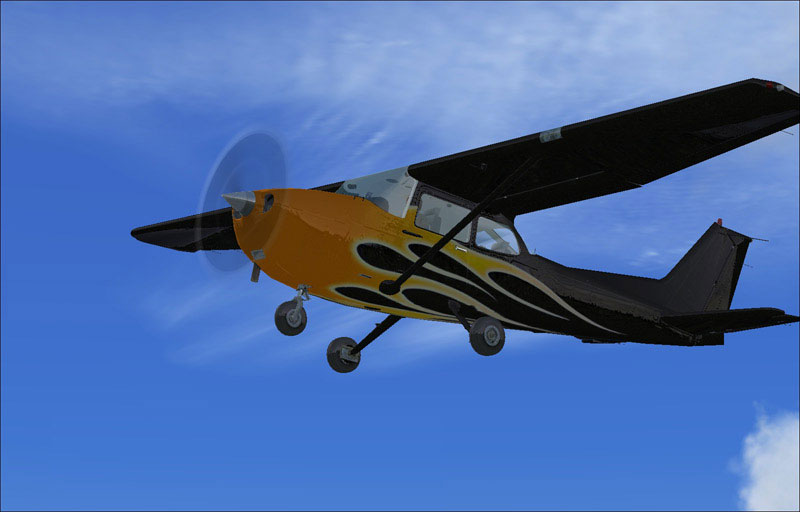
Black With Orange Flames Cessna 172 in flight.
This repaint applies only to the default Cessna 172 included in Microsoft Flight Simulator X. The Texture.Hotrod Black folder introduces a distinctive color scheme without modifying the aircraft’s fundamental flight dynamics or cockpit layout. To properly use this add-on, ensure that you have access to the base airplane files, which remain part of the default installation. This mod is freeware and requires you to have the standard FSX C172 installed (available through the Fly Away Simulation mod library if needed).
The Texture.Hotrod Black directory includes all relevant image files that define the exterior paint. These specialized textures have been carefully calibrated to avoid any impact on the interior or instrument panel, so your cockpit layout remains unchanged. The vivid orange flames use a layered technique to produce a realistic gradient effect along the front and sides of the aircraft’s fuselage.
Flight Simulator X/SimObjects/Airplanes/C172 directory.aircraft.cfg file in a text editor of your choice and append the following code block. Be sure to update [fltsim.XX] by substituting “XX” with the next sequential number for your paints.[fltsim.xx]
title=Cessna Skyhawk 172SP Hotrod Black
sim=Cessna172SP
model=
panel=
sound=
texture=Hotrod Black
kb_checklists=Cessna172SP_check
kb_reference=Cessna172SP_ref
atc_id=CD-HOT
ui_manufacturer="Cessna"
ui_type="C172SP Skyhawk"
ui_variation="Hotrod Black"
ui_typerole="Single Engine Prop"
ui_createdby="Microsoft Corporation"
description="Hotrod Black. These textures apply to the default Cessna 172SP Skyhawk in FSX."
This repaint is credited to Cronan Doyle. The core Cessna 172 model and flight characteristics remain the property of Microsoft Corporation, originally featured in Microsoft Flight Simulator X. The mod is provided at no cost, enhancing the aesthetic tone of your general aviation fleet without compromising performance or realism.
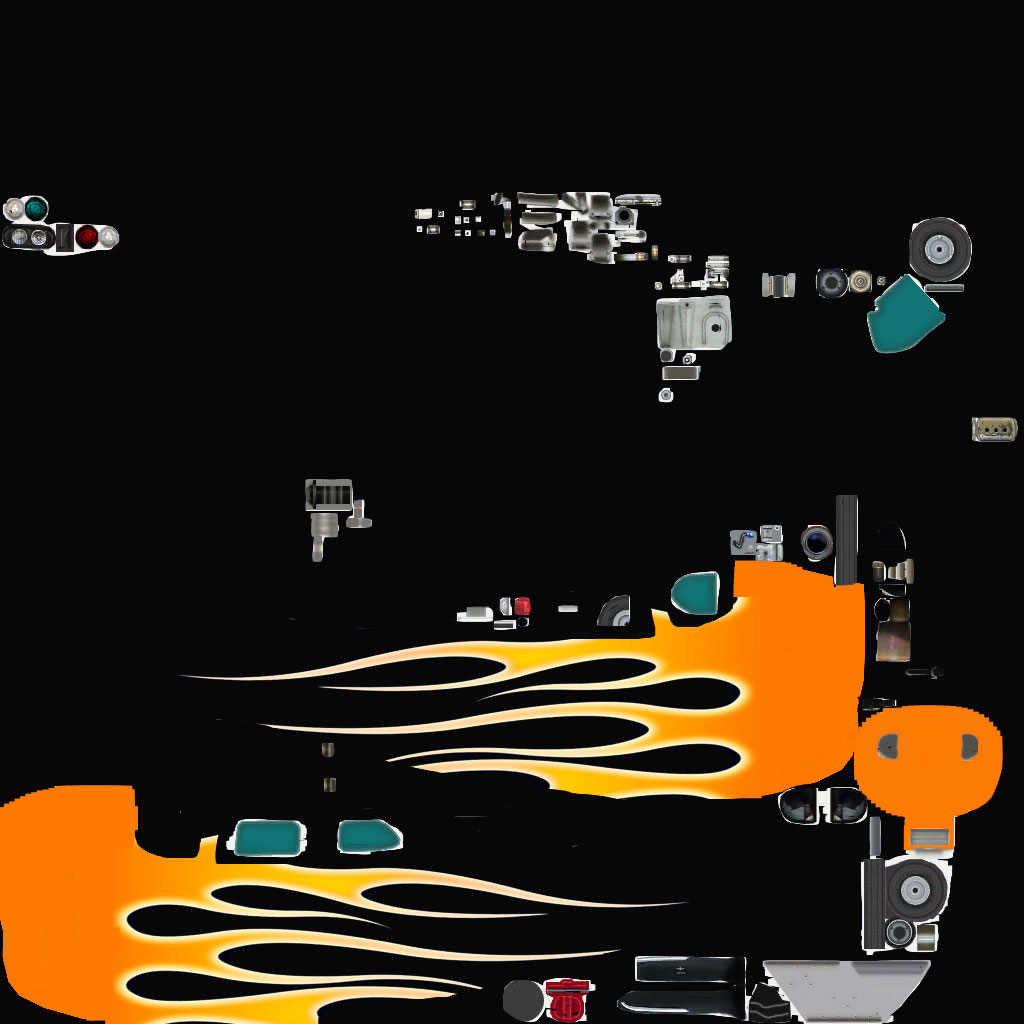
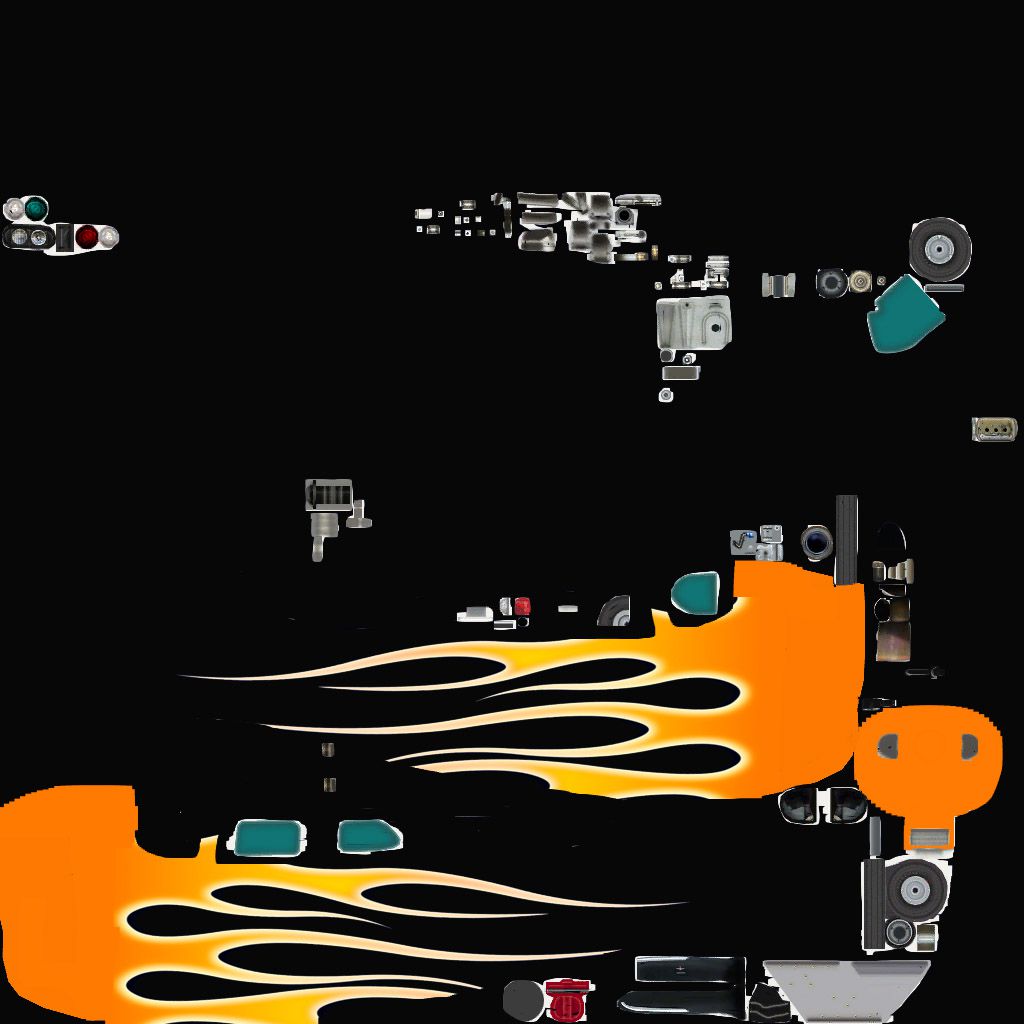
Black With Orange Flames Cessna 172 texture.
Free for all simmers · 5.38 MB · Scanned clean Oct 2026
Download speed: Free tier is capped at 0.5 Mbps (this file takes approximately 2 mins at the cap). PRO members download at full line speed.
texture.{airline}) inside FSX\SimObjects\Airplanes\{base-aircraft}\.aircraft.cfg in Notepad. Add a new [fltsim.X] section per the readme.readme.txt or README file. It tells you exactly where files go, what dependencies are needed, and any quirks specific to this add-on.The archive c172hotrodblack.zip has 26 files and directories contained within it.
This list displays the first 500 files in the package. If the package has more, you will need to download it to view them.
| Filename/Directory | File Date | File Size |
|---|---|---|
| Alpha.jpg | 04.23.11 | 152.56 kB |
| C172_1_C.dds | 09.04.06 | 682.79 kB |
| C172_1_night_C.dds | 09.04.06 | 682.79 kB |
| C172_2_C.dds | 09.04.06 | 682.79 kB |
| C172_2_night_C.dds | 09.04.06 | 682.79 kB |
| C172_3_C.dds | 09.04.06 | 682.79 kB |
| C172_3_night_C.dds | 09.04.06 | 682.79 kB |
| C172_4_C.dds | 09.04.06 | 170.79 kB |
| C172_4_night_C.dds | 09.04.06 | 170.79 kB |
| c172_c.bmp | 05.12.06 | 170.74 kB |
| C172_Interior_T.dds | 09.04.06 | 341.45 kB |
| c172_interior_t_night.dds | 09.04.06 | 42.79 kB |
| C172_Pilot.dds | 09.04.06 | 682.79 kB |
| C172_reflection.dds | 09.04.06 | 170.79 kB |
| C172_T.dds | 04.23.11 | 1.33 MB |
| c172_t_bump.dds | 09.04.06 | 1.00 MB |
| c172_t_spec.dds | 09.04.06 | 1.33 MB |
| fresnel_ramp.dds | 09.04.06 | 640 B |
| Prop_C172.dds | 09.04.06 | 85.46 kB |
| texture.cfg | 08.14.06 | 137 B |
| thumbnail.jpg | 04.23.11 | 70.18 kB |
| thumbnail.jpg | 04.23.11 | 70.18 kB |
| Readme.txt | 04.23.11 | 1.67 kB |
| FILE_ID.DIZ | 04.23.11 | 95 B |
| flyawaysimulation.txt | 10.29.13 | 959 B |
| Go to Fly Away Simulation.url | 01.22.16 | 52 B |
Only PRO members can place votes.
More FSX & P3D add-ons hand-picked based on this download.
FSX General Aviation Aircraft
This vibrant repaint applies a distinctive blue fuselage adorned with eye-cat…
 FSX General Aviation Aircraft
Blue With Orange Flames Beech Baron 58. Textures only for the default Beechcr…
 FSX General Aviation Aircraft
This specialized repaint of the Cessna 150 Aerobat merges bright orange and b…
 FSX General Aviation Aircraft
Experience a distinctive take on the iconic Cessna Skyhawk 172 with these uni…
 FSX General Aviation Aircraft
Cessna Skyhawk 172SP with Flames Skin. Textures only for the default Cessna 1…
 FSX General Aviation Aircraft
This repaint package offers a Rutan Model 61 Long-EZ in a striking “Blue Flam…
 FSX General Aviation Aircraft
Repaint textures for the fictional Canadian registered C-ITOH, an orange on w…
 FSX General Aviation Aircraft
Textures only for the payware Carenado Cessna C152. Repaint by Paul Gandy. Sc…
Be the first to leave a comment on this download.
Be the first to share your thoughts on this download.