

 FSX Other Aircraft & Vehicles
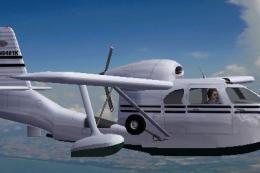
Classic Green Republic Seabee
Classic Green Republic Seabee (based upon actual aircraft), with reflective s…
Red/White/Blue Republic Seabee repaint brings a real-world inspired scheme with a glossy, reflective finish to the classic amphibian in Microsoft Flight Simulator X. It pairs with the SuperBee conversion’s 315hp Lycoming power, reversible three-blade prop, extended wingtips, and modern instrumentation, and requires SUPERBEE_X_N_N6684K.ZIP.
 Rate
Rate

Red/White/Blue Republic Seabee (based upon actual aircraft), with reflective surface. Needs SUPERBEE_X_N6684K.ZIP by Jean-Pierre Brisard and Bob May - Premier Aircraft Design. Repaint only by Jim Boynton.
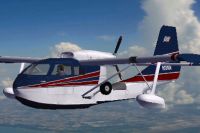
Red/White/Blue Republic Seabee.
Installation:
Place texture.Seabee Classic Green in your simobjects/airplanes folder in FSX.
Cut and paste this to your aircraft.cfg file:
[fltsim.3]

	title=Seabee N6386K

	sim=Seabee

	model=

	panel=seabeex

	sound=

	texture=Superbee N6386K

	checklists=

	kb_checklists=Seabee_check

	kb_reference=Seabee_ref

	ui_manufacturer=Republic

	ui_type=Seabee RC-3

	ui_variation=Superbee N6386K

	prop_anim_ratio=1.015

	description=1947 Republic Seabee modified to "SuperBee". Power: 315hp Lycoming GO-480, Propeller:3 blade Hartzell fully reversible, Extended 'Horner' wingtips, modern instrumentation.
atc_heavy=0

	atc_id=N6386K

	atc_airline=

	atc_flight_number=
Free for all simmers · 547.93 KB · Scanned clean Oct 2026
Download speed: Free tier is capped at 0.5 Mbps. PRO members download at full line speed.
This add-on may require the following files to function properly. If this is a repaint, the dependency below is likely the base aircraft package.
SimObjects\Airplanes\, Addon Scenery\, Effects\, or Gauges\.readme.txt or README file. It tells you exactly where files go, what dependencies are needed, and any quirks specific to this add-on.The archive superbeerwb.zip has 16 files and directories contained within it.
This list displays the first 500 files in the package. If the package has more, you will need to download it to view them.
| Filename/Directory | File Date | File Size |
|---|---|---|
| Elevator.bmp | 04.25.10 | 1.00 MB |
| Interiors_seabee.bmp | 04.24.10 | 1.00 MB |
| lights.bmp | 04.24.10 | 32.07 kB |
| lights_L.bmp | 04.24.10 | 65.05 kB |
| Panel.bmp | 04.24.10 | 1.00 MB |
| PanelSpot.bmp | 04.24.10 | 512.07 kB |
| pilote.bmp | 04.24.10 | 8.07 kB |
| prop2_TBX.bmp | 04.24.10 | 1.00 MB |
| roueseabee.bmp | 04.24.10 | 65.05 kB |
| seabee_fuse.bmp | 04.25.10 | 1.00 MB |
| thumbnail.jpg | 04.25.10 | 101.86 kB |
| Thumbs.db | 04.24.10 | 10.00 kB |
| Wings.bmp | 04.25.10 | 1.00 MB |
| File Id.txt | 04.26.10 | 886 B |
| flyawaysimulation.txt | 10.29.13 | 959 B |
| Go to Fly Away Simulation.url | 01.22.16 | 52 B |
Only PRO members can place votes.
More FSX & P3D add-ons hand-picked based on this download.
FSX Other Aircraft & Vehicles
Classic Green Republic Seabee (based upon actual aircraft), with reflective s…
 FSX Other Aircraft & Vehicles
SP1 Republic/Horten Atomic Rocketplanes. Fifteen repaints for the CDesigns Ho…
 FSX Other Aircraft & Vehicles
Republic RC-3 SuperBee amphibian. This is the famous Republic SeaBee with per…
 FSX Other Aircraft & Vehicles
This is a Repaint of Mike Stone's Stingray For Microsoft Flight Simulator X..…
 FSX Other Aircraft & Vehicles
A fully-featured, freeware aircraft carrier add-on for all versions of Micros…
 FSX Other Aircraft & Vehicles
Completely re-worked model and textures . New flight dynamics optimized for S…
 FSX Other Aircraft & Vehicles
FSX NASA Space Shuttle. The shuttle has been modified so that it takes off an…
 FSX Other Aircraft & Vehicles
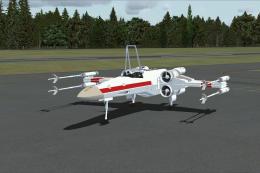
FSX Star Wars Incom T-65 X-Wing. This model features a reasonable Mach 1.8 Vm…
Be the first to leave a comment on this download.
Be the first to share your thoughts on this download.