

 FSX Other Aircraft & Vehicles
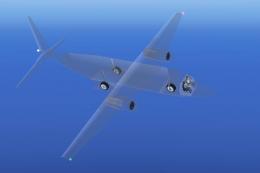
Invisijet Cargo Jet
Unveil a one-of-a-kind cargo-liner that showcases a virtually see-through fus…
Invisijet Regional Jet delivers a futuristic, semi-transparent commuter aircraft that turns the whole airframe into a “glass everywhere” view while keeping authentic regional-jet handling. Built for Microsoft Flight Simulator X, it includes a detailed virtual cockpit, animated control surfaces, custom XML gauges for core systems, and night lighting that showcases the interior structure.
 Rate
Rate
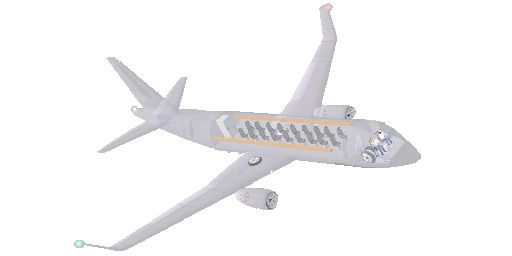
This inventive freeware add-on features a concept-oriented regional jet with a see-through fuselage, all designed by Andy Johnston. Users of Microsoft Flight Simulator X will find that this project pushes the boundaries of the classic glass cockpit by making not just the instrument displays see-through, but much of the entire aircraft skin itself. Despite its unconventional appearance, the jet remains fully operational and includes many practical flight features.
The fuselage on the Invisijet Regional Jet is built in a way that most of its structural components appear semi-transparent. Areas such as the central cabin framework and select interior segments retain their solidity, giving you a fascinating view of the flight deck and seating arrangement. This concept offers an intriguing opportunity to observe flight dynamics from a perspective rarely seen in standard commuter designs.
Andy Johnston crafted the airframe and aerodynamic elements using FSDS (Flight Simulator Design Studio), ensuring that key moving parts are fully articulated. All primary control surfaces, including the ailerons, rudder, and elevators, are depicted with precise animation. The exterior scheme may look unconventional, yet the aerodynamic profile closely mirrors typical regional jets designed for short-to-medium-haul operations.
A major highlight is the uniquely assembled panel system, which relies on custom XML gauges for vital flight information such as engine performance, navigation, and environmental readings. The panel is structured to blend smoothly with the transparent fuselage, thus enhancing the conceptual idea of a “glass everywhere” cockpit interface. These tools provide a user-friendly yet thoroughly detailed flight experience suited for virtual pilots of intermediate and advanced skill levels.
Beyond the 2D panel, a fully modeled virtual cockpit (VC) enriches the immersion by allowing a three-dimensional view of flight instruments. The VC includes switches, throttle levers, and flight displays arranged in a manner that offers clear visibility while retaining essential ergonomics. Andy Johnston’s emphasis on realism extends throughout the module, and the see-through cabin design lets you monitor operational details from various camera viewpoints.
This conceptual regional jet upholds flight responses similar to utility aircraft of comparable size. Short runway capabilities align well with domestic routes, and the stable handling is suitable for users who want to explore the novelty of near-invisible structures without sacrificing in-flight performance. Although the fuselage is transparent, underlying aerodynamic behavior remains realistic for typical commuter profiles.
Invisijet Regional Jet.
This aircraft’s defining feature is the semi-transparent fuselage matched with discreet interior detailing. Flight control levers, seats, and other instrumentation remain visible, achieving a balance between futuristic styling and functional design. Night lighting is also integrated, contributing additional visual appeal during low-light conditions.
The entire add-on, including the underlying aircraft model, panel, gauges, and textures, is provided as freeware. Andy Johnston invested meticulous care in producing a cohesive design that is both experimental and usable. No separate downloads are required beyond this complete package, making it straightforward to add into your simulator and enjoy the unconventional look of a hidden-in-plain-sight jet.
Free for all simmers · 7.78 MB · Scanned clean Oct 2026
Download speed: Free tier is capped at 0.5 Mbps (this file takes approximately 2 mins at the cap). PRO members download at full line speed.
FSX\SimObjects\Airplanes\. The folder must contain an aircraft.cfg file. Effects go into FSX\Effects\; gauges go into FSX\Gauges\.readme.txt or README file. It tells you exactly where files go, what dependencies are needed, and any quirks specific to this add-on.The archive ijet_regionaljet_aj.zip has 108 files and directories contained within it.
This list displays the first 500 files in the package. If the package has more, you will need to download it to view them.
| Filename/Directory | File Date | File Size |
|---|---|---|
| Aircraft.cfg | 09.01.09 | 18.93 kB |
| file_id.diz | 04.23.10 | 431 B |
| Invisijet 3.air | 09.04.06 | 8.63 kB |
| model | 04.23.10 | 0 B |
| Invisijet3.mdl | 04.16.10 | 1.20 MB |
| Model.cfg | 07.25.09 | 29 B |
| panel | 04.16.10 | 0 B |
| forward_640.bmp | 06.21.09 | 1.56 MB |
| Invisijet.cab | 04.08.07 | 45.04 kB |
| InvisiPanel.bmp | 06.05.09 | 3.00 MB |
| Panel.cfg | 04.16.10 | 6.59 kB |
| Panel_backup001.cfg | 07.31.09 | 6.55 kB |
| throttle_quadrant_640.bmp | 04.17.01 | 42.69 kB |
| Thumbs.db | 01.31.04 | 20.50 kB |
| readme.html | 04.23.10 | 2.10 kB |
| sound | 11.25.09 | 0 B |
| door_large_close.wav | 05.12.06 | 131.81 kB |
| door_large_open.wav | 05.12.06 | 116.30 kB |
| laapdis.wav | 05.12.06 | 11.25 kB |
| lagear.wav | 05.12.06 | 18.25 kB |
| lan11.wav | 08.01.06 | 68.23 kB |
| lan12.wav | 08.01.06 | 68.73 kB |
| lan13.wav | 08.01.06 | 60.23 kB |
| lan14.wav | 08.01.06 | 63.19 kB |
| lan1shut.wav | 08.01.06 | 243.77 kB |
| lan1strt.wav | 08.01.06 | 493.84 kB |
| lan21.wav | 08.01.06 | 46.23 kB |
| lan22.wav | 08.01.06 | 68.23 kB |
| lan23.wav | 08.01.06 | 59.73 kB |
| lan24.wav | 08.01.06 | 44.69 kB |
| lan2shut.wav | 08.01.06 | 59.30 kB |
| lan2strt.wav | 08.01.06 | 100.27 kB |
| lan2t.wav | 08.01.06 | 101.34 kB |
| laover.wav | 05.12.06 | 13.25 kB |
| lbn11.wav | 08.01.06 | 69.23 kB |
| lbn12.wav | 08.01.06 | 69.73 kB |
| lbn13.wav | 08.01.06 | 63.73 kB |
| lbn14.wav | 08.01.06 | 61.19 kB |
| lbn1shut.wav | 08.01.06 | 211.77 kB |
| lbn1strt.wav | 08.01.06 | 459.34 kB |
| lbn21.wav | 08.01.06 | 57.23 kB |
| lbn22.wav | 08.01.06 | 33.73 kB |
| lbn23.wav | 08.01.06 | 37.23 kB |
| lbn24.wav | 08.01.06 | 44.73 kB |
| lbn2shut.wav | 08.01.06 | 65.30 kB |
| lbn2strt.wav | 08.01.06 | 96.77 kB |
| lbn2t.wav | 08.01.06 | 97.34 kB |
| lmflaps.wav | 05.12.06 | 68.31 kB |
| lmgeardn.wav | 05.12.06 | 54.27 kB |
| lmgearup.wav | 05.12.06 | 59.27 kB |
| lncrash1.wav | 05.12.06 | 70.19 kB |
| lncrash2.wav | 05.12.06 | 102.69 kB |
| lncrash3.wav | 05.12.06 | 136.19 kB |
| lnsplash.wav | 05.12.06 | 85.69 kB |
| Sound.cfg | 07.05.06 | 18.63 kB |
| xlan11.wav | 05.12.06 | 67.73 kB |
| xlan12.wav | 05.12.06 | 68.23 kB |
| xlan13.wav | 05.12.06 | 65.23 kB |
| xlan14.wav | 05.12.06 | 62.69 kB |
| xlan1shut.wav | 05.12.06 | 220.75 kB |
| xlan1strt.wav | 05.12.06 | 464.31 kB |
| xlan21.wav | 05.12.06 | 62.23 kB |
| xlan22.wav | 05.12.06 | 56.73 kB |
| xlan23.wav | 05.12.06 | 60.73 kB |
| xlan24.wav | 05.12.06 | 64.23 kB |
| xlan2shut.wav | 05.12.06 | 195.25 kB |
| xlan2strt.wav | 05.12.06 | 71.75 kB |
| xlan2t.wav | 05.12.06 | 100.81 kB |
| xlbn11.wav | 05.12.06 | 68.73 kB |
| xlbn12.wav | 05.12.06 | 69.23 kB |
| xlbn13.wav | 05.12.06 | 60.23 kB |
| xlbn14.wav | 05.12.06 | 64.19 kB |
| xlbn1shut.wav | 05.12.06 | 203.75 kB |
| xlbn1strt.wav | 05.12.06 | 459.81 kB |
| xlbn21.wav | 05.12.06 | 41.69 kB |
| xlbn22.wav | 05.12.06 | 53.69 kB |
| xlbn23.wav | 05.12.06 | 69.19 kB |
| xlbn24.wav | 05.12.06 | 68.19 kB |
| xlbn2shut.wav | 05.12.06 | 192.25 kB |
| xlbn2strt.wav | 05.12.06 | 72.25 kB |
| xlbn2t.wav | 05.12.06 | 96.81 kB |
| xlmflap.wav | 05.12.06 | 67.81 kB |
| xlncras1.wav | 05.12.06 | 70.19 kB |
| xlncras2.wav | 05.12.06 | 102.69 kB |
| xlncras3.wav | 05.12.06 | 136.19 kB |
| xlnsplash.wav | 05.12.06 | 85.69 kB |
| texture | 04.18.10 | 0 B |
| browneye_T.bmp | 02.24.04 | 17.05 kB |
| flesh.bmp | 12.30.09 | 1.30 kB |
| glass.bmp | 12.28.09 | 65.05 kB |
| ijet-details_24.bmp | 01.30.10 | 3.00 MB |
| ijet-details_L.bmp | 06.14.09 | 1.00 MB |
| ijet-details_T.bmp | 01.30.10 | 512.07 kB |
| ijet-details2.pspimage | 06.27.09 | 887.95 kB |
| ijet-details2_T.bmp | 06.27.09 | 1.00 MB |
| invisijet_decals_1.bmp | 02.01.04 | 65.05 kB |
| InvisiPanel.bmp | 06.05.09 | 3.00 MB |
| logo.pspimage | 01.01.10 | 33.57 kB |
| metalh.bmp | 09.19.03 | 2.05 kB |
| metalr.bmp | 05.19.08 | 2.05 kB |
| metalv.bmp | 09.19.03 | 2.05 kB |
| navy.bmp | 12.30.09 | 1.30 kB |
| thumbnail.jpg | 04.18.10 | 10.26 kB |
| tire_l.bmp | 05.30.06 | 1.07 kB |
| tire_t.bmp | 06.06.07 | 16.07 kB |
| white.bmp | 12.30.09 | 1.30 kB |
| flyawaysimulation.txt | 10.29.13 | 959 B |
| Go to Fly Away Simulation.url | 01.22.16 | 52 B |
Only PRO members can place votes.
More FSX & P3D add-ons hand-picked based on this download.
FSX Other Aircraft & Vehicles
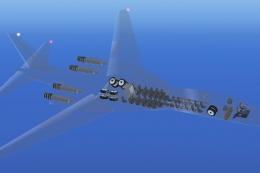
Unveil a one-of-a-kind cargo-liner that showcases a virtually see-through fus…
 FSX Other Aircraft & Vehicles
Discover a pioneering approach to supersonic travel with this freeware add-on…
 FSX Other Aircraft & Vehicles
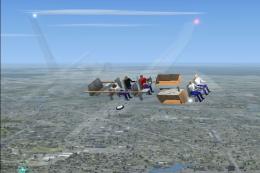
FSX Invisijet. Taking the concept of the glass cockpit one step further would…
 FSX Other Aircraft & Vehicles
A fully-featured, freeware aircraft carrier add-on for all versions of Micros…
 FSX Other Aircraft & Vehicles
Completely re-worked model and textures . New flight dynamics optimized for S…
 FSX Other Aircraft & Vehicles
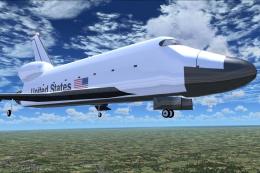
FSX NASA Space Shuttle. The shuttle has been modified so that it takes off an…
 FSX Other Aircraft & Vehicles
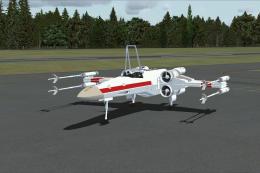
FSX Star Wars Incom T-65 X-Wing. This model features a reasonable Mach 1.8 Vm…
 FSX Other Aircraft & Vehicles
This freeware package contains over 800 AI ships, boats, traffic FSX, and P3D…
Be the first to leave a comment on this download.
Be the first to share your thoughts on this download.