


 Slovenia
 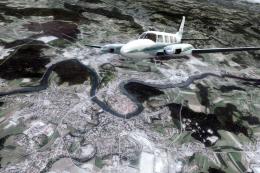 FSX Scenery
Slovenia Complete Photoreal
Take a trip to the Southern European nation of Slovenia, and you’ll soon see …
Slovenia FIR navigation coverage gets a practical upgrade for FSX, adding missing boundary fixes and the LJLJ west marker plus visual reporting points critical to common SIDs, STARs, and missed approaches. The included BGL ensures the fixes appear in the GPS and flight planner, supporting accurate route planning and online procedure flying.
Slovenia Scenery Upgrade. Includes a set of points and one navaid (LJLJ market west) within LJLA - Slovenia FIR that are missing from the default scenery. By Andrej Drobun.
What is it?
A set of points and one navaid (LJLJ marker west) within LJLA - Slovenia FIR Microsoft forgot to include into the scenery, but are cruical for flying quite a lot of published procedures. A must for online flyers.
1: Description:
One *.bgl file that includes three FIR boundary points: PETOV - a startnig point for STAR to LJMB and FIR boundary point on M725 airway; TISKO&OBUTI, also FIR boundary points on airway Q111;marker west at LJLJ, cruical point for missed approach and all SID's for runway 31 at LJLJ + full set of visual reporting points. All points will show
up on GPS and in flight planner and are usable for creation of a flight plan.
2: Archive contents:
ljla_pts.bgl
Install_readme.txt - this document
3: Install instructions:
Extract ljla_pts.bgl to your Addon Scenery\scenery folder, start your FS X, enjoy.
DO NOT USE THIS FILE IN OTHER VERSIONS OF MICROSOFT FLIGHT SIMULATOR (FS9, FS 2002)!
Uninstall:
DELETE file:
ljla-pts.bgl from Addon Scenery\scenery folder
4. Disclaimer
This software is provided "as is", without express or implied warranty. Use it at your own risk! The author accepts no liability for any damage or loss that this file may cause.
5. Legal
Public freeware - You can do anything You wish with these files, untill you use them in any way that results in any kind of money profit. The contents of this archive can be freely redistributed as long as their contents remain the same.
6. Author: Andrej Drobun/FS Slovenia Team
Manny happy landings!
Free for all simmers · 3.07 KB · Scanned clean Oct 2026
Download speed: Free tier is capped at 0.5 Mbps. PRO members download at full line speed.
FSX\Addon Scenery\ containing scenery and texture sub-folders.readme.txt or README file. It tells you exactly where files go, what dependencies are needed, and any quirks specific to this add-on.Use these coordinates to fly directly to this location once the mod is installed.
46.22370000,14.45760000
Launch FSX or Prepar3D and use Flights → Load to open the downloaded .pln file. Your aircraft will be positioned at this location.
The archive ljlaptsx.zip has 5 files and directories contained within it.
This list displays the first 500 files in the package. If the package has more, you will need to download it to view them.
| Filename/Directory | File Date | File Size |
|---|---|---|
| ljla_pts.BGL | 06.04.07 | 1.47 kB |
| Install_readme.txt | 06.04.07 | 2.68 kB |
| FILE_ID.DIZ | 06.14.07 | 182 B |
| flyawaysimulation.txt | 10.29.13 | 959 B |
| Go to Fly Away Simulation.url | 01.22.16 | 52 B |
Only PRO members can place votes.
More FSX & P3D add-ons hand-picked based on this download.
FSX Scenery
Take a trip to the Southern European nation of Slovenia, and you’ll soon see …
 FSX Scenery
Scenery Antigua (TAPA) Upgrade Corrects bug effect on Antigua scenery (ANTIGU…
 FSX Scenery
Barbuda Upgrade. Correct sound effect for the Barbuda scenery (BARBUDA.ZIP). …
 FSX Scenery
These new textures for FSX enhance your default ground airport textures. This…
 FSX Scenery
This is the NL2000 v4.03 tree upgrade package for the NL2000 scenery version …
 FSX Scenery
NFNM Matei Airport Upgrade for the default scenery. Includes more parking spa…
FSX Scenery
Skara Scenery Bonaire X. Flamingo International Airport or Bonaire Internatio…
 FSX Scenery
Iwo Jima Scenery 1945 Update. This is a complete scenery with added effects a…
Be the first to leave a comment on this download.
Be the first to share your thoughts on this download.