

 FSX Scenery
Harewood House
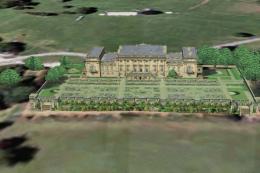
Harewood House, Leeds, UK; The Castles and Halls series. Optimised for FSX wi…
Harewood House in the UK displays correctly with this scenery fix, restoring terrace details by replacing the original BGL so misplaced plant pots stay put. Built for Microsoft Flight Simulator X and requires HARWUD.ZIP, it integrates seamlessly with the existing Harewood House scenery for cleaner, more authentic visuals.
 Rate
Rate
 United Kingdom
Harewood House Fix, UK, for use with HARWUD.ZIP. Some plant pots are charging across the terrace in the original. This replacement .bgl file should fix the problem. By Chris Brown.
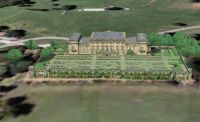
Harewood House Scenery.
ABOUT THESE FILES:
These files are distributed as freeware, and must not be distributed for profit.
This file is to replace the harwud.bgl file in the scenery file of thwe Harewood House scenery by Chris Brown. Some flower pots had migrated to the middle of the terrace... I don't really know why. But this file should put it right.
INSTALLATION:
- Unzip the harwdfix folder to a temporary folder. cut and paste the harwud.bgl file to the harwud/scenery folder. When asked to confirm replacement file click OK.
Others in the Castles and Halls series: Chatsworth House, Belton House, Haddon Hall, Hardwick Hall, Laycock Abbey, Castle Howard.
Free for all simmers · 307.23 KB · Scanned clean Oct 2026
Download speed: Free tier is capped at 0.5 Mbps. PRO members download at full line speed.
This add-on may require the following files to function properly. If this is a repaint, the dependency below is likely the base aircraft package.
FSX\Addon Scenery\ containing scenery and texture sub-folders.readme.txt or README file. It tells you exactly where files go, what dependencies are needed, and any quirks specific to this add-on.Use these coordinates to fly directly to this location once the mod is installed.
53.89730000,-1.51930000
Launch FSX or Prepar3D and use Flights → Load to open the downloaded .pln file. Your aircraft will be positioned at this location.
The archive harwdfix.zip has 4 files and directories contained within it.
This list displays the first 500 files in the package. If the package has more, you will need to download it to view them.
| Filename/Directory | File Date | File Size |
|---|---|---|
| harwud.bgl | 09.12.07 | 1.00 MB |
| README.TXT | 09.12.07 | 1.27 kB |
| flyawaysimulation.txt | 10.29.13 | 959 B |
| Go to Fly Away Simulation.url | 01.22.16 | 52 B |
Only PRO members can place votes.
More FSX & P3D add-ons hand-picked based on this download.
FSX Scenery
Harewood House, Leeds, UK; The Castles and Halls series. Optimised for FSX wi…
 FSX Scenery
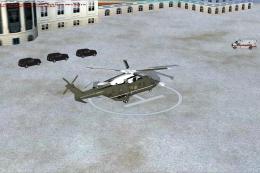
Scenery White House Lawn Helipad, Washington, DC. Includes helipad, ambulance…
 FSX Scenery
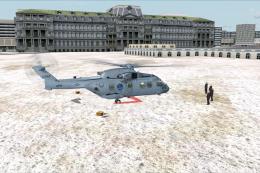
White House Landing Pad (KWH), Washington, DC, v1.0. By Kai P. Kamjunke. Inst…
 FSX Scenery
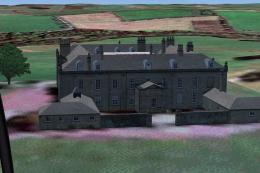
Wallington House, Northumbria. The National Trust, Wallinton House near Alnwi…
 FSX Scenery
Scenery Fix--Madeira LPMA, Porto Santo LPPS, Portugal. The default scenery di…
FSX Scenery
Sofia International Airport Fix. Fixed version for FSX of Sofia International…
 FSX Scenery
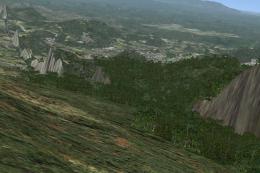
Rio Mesh Fix. Corrections for the default mesh for Rio de Janeiro (SBRJ), Bra…
 FSX Scenery
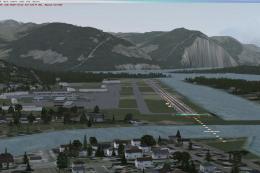
Juneau Alaska Scenery Fix (AK), for use with JUNEAU_JD.ZIP. This file fixes t…
Be the first to leave a comment on this download.
Be the first to share your thoughts on this download.