


 Brazil
  FSX Scenery
Carrier In Rio De Janeiro
Carrier In Rio De Janeiro, Brazil. This is fictional scenery for the USS Nimi…
Rio de Janeiro terrain around SBRJ gets smoother, more consistent elevation with corrected mesh that removes abrupt relief cuts and preserves detailed landmarks like Sugar Loaf. It rebuilds surrounding tiles at higher LOD to blend transitions cleanly across north, west, and east coverage in FSX, and requires Mesh X.
Rio Mesh Fix. Corrections for the default mesh for Rio de Janeiro (SBRJ), Brazil. By Jose Lobo and Oseas Dourado.
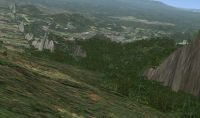
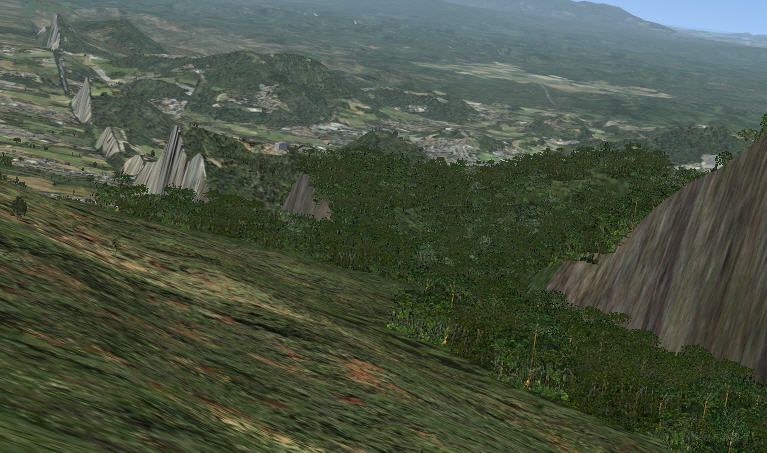
(Fig. 1) Rio Mesh Fix Scenery.
brings as default a very good mesh for Rio de Janeiro City, showing the Sugar Loaf very detailed, in LOD 10. However, that mesh cover a limited area and changes its resolution to LOD 6, yet in a mountainous region. The consequences are visibles cuts in the relief, mainly in Paralel S22* 30'. (Fig. 1)
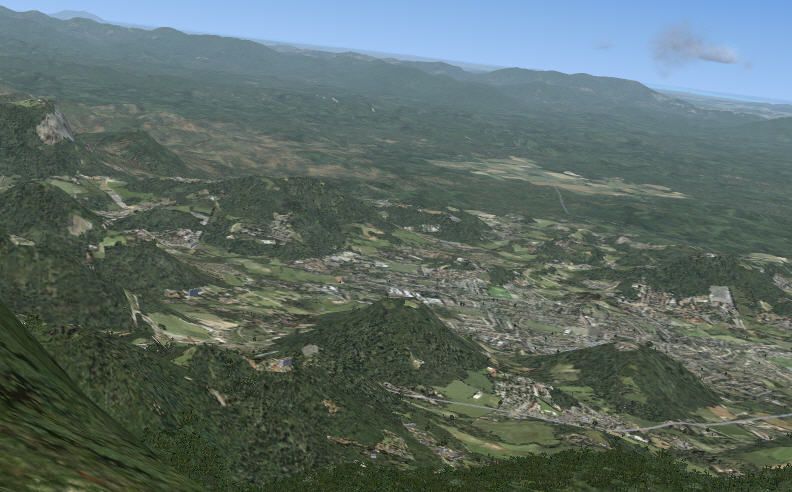
The solution we found was to compile the neighbours area at North, West and East, in LOD10 resolution changing to LOD 9, so to smooth the transition from those differents resolutions. (Fig 2).
Boundaries:
NorthLat = -22.4121
WestLon = -48.7500
SouthLat = -28.1250
EastLon = -41.2500
Unzip the file to \Microsoft Flight Simulator X\Addon Scenery\scenery.
You should have three files:
MeshX_FSX_E7_N.bgl, MeshX_FSX_E7_W.bgl, MeshX_FSX_E7_S.bgl.
Those files are compatible with FSX only and with Mesh X, available in avsim.
Jose Lobo and Oseas Dourado
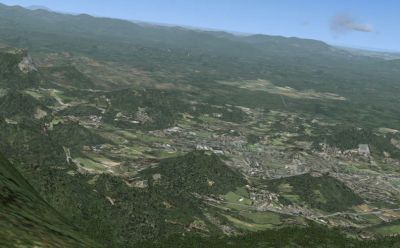
(Fig. 2) Rio Mesh Fix Scenery.
Free for all simmers · 36.85 MB · Scanned clean Oct 2026
Download speed: Free tier is capped at 0.5 Mbps (this file takes approximately 10 mins at the cap). PRO members download at full line speed.
FSX\Addon Scenery\ containing scenery and texture sub-folders.readme.txt or README file. It tells you exactly where files go, what dependencies are needed, and any quirks specific to this add-on.Use these coordinates to fly directly to this location once the mod is installed.
-22.90680000,-43.17290000
Launch FSX or Prepar3D and use Flights → Load to open the downloaded .pln file. Your aircraft will be positioned at this location.
The archive fsxptrio.zip has 8 files and directories contained within it.
This list displays the first 500 files in the package. If the package has more, you will need to download it to view them.
| Filename/Directory | File Date | File Size |
|---|---|---|
| MeshX_FSX_E7_E.bgl | 04.16.07 | 1.39 MB |
| MeshX_FSX_E7_W.bgl | 04.16.07 | 33.50 MB |
| MeshX_FSX_E7_S.bgl | 04.15.07 | 2.66 MB |
| README.TXT | 04.18.07 | 2.29 kB |
| Corte2.jpg | 04.18.07 | 75.04 kB |
| Corte1.jpg | 04.18.07 | 79.52 kB |
| flyawaysimulation.txt | 10.29.13 | 959 B |
| Go to Fly Away Simulation.url | 01.22.16 | 52 B |
Only PRO members can place votes.
More FSX & P3D add-ons hand-picked based on this download.
FSX Scenery
Carrier In Rio De Janeiro, Brazil. This is fictional scenery for the USS Nimi…
 FSX Scenery
This freeware add-on offers a carefully enhanced representation of Rio Branco…
 FSX Scenery
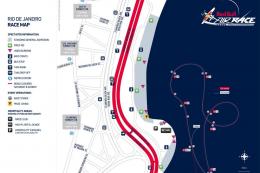
This add-on showcases the 2010 Red Bull Air Race course set against the iconi…
 FSX Scenery
Scenery SRTM Meshes Correction. Corrects the wrong altitude on lakes and dams…
 FSX Scenery
For users of Flight Simulator X (and FSX: Steam Edition) and/or Prepar3D, ter…
 FSX Scenery
FSX World Wide Coverage SRTM 3, version 2, mesh of Europe. Includes the compl…
 FSX Scenery
Alaska 38 Terrain Mesh Part 1 & 2. FSX Alaska 38 Terrain Mesh Replacement ter…
 FSX Scenery
FSX World Wide Coverage SRTM 3, version 2, mesh of Africa. Includes the compl…
Be the first to leave a comment on this download.
Be the first to share your thoughts on this download.