


 United States of America
  FSX Scenery
St-Barthelemy Island Sloped Runway
St Barthelemy island (TFFJ) is situated in the Caribbean Sea. It's small slop…
Wake Island (PWAK) scenery refines the atoll’s shapes, coastlines, and landclass to better match real-world imagery, while correcting the airport layout and placement for more believable approaches. Built for FSX, it uses autogen from updated land and waterclass and includes ground outlines indicating building positions for added context.
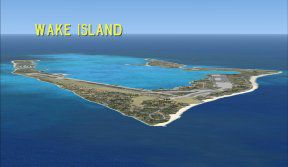
Wake Island (PWAK). Improves the atolls shapes, coastlines and landclass. Also corrects the layout of the airport. By Tony Arnold.
Wake Island Scenery.
This scenery is a remodelling of the basic FSX Wake Island based on Google Earth's representation. I have used FSX-KML to change the Atoll's shapes and coastlines and EZ-Landclass to play with the Landclass and Waterclass. I have used AFX to move the airport to fit the Google Earth position and to look more like the Google Earth setout.
I haven't included any buildings at all. What you will see will be Autogen buildings produced from the Landclass file. I haven't been able to find any pictures of the actual buildings and will continue to search for some and later add any I find as Gmax objects. You may notice outlines on the ground surface which I have included to show building positions (as shown on Google Earth).
Wake Island exists in FSX (covered in immense rainforest trees) and although apparently still a military airport from what I've gleaned off the net, it is an emergency strip in the middle of a big bit of ocean. Good for practicing long over-water navigation legs for those inclined to this. I've found that Google Earth has good coverage for a lot of the Pacific Atolls and have been working on more of them with FSX-KML. Wake is the first that I worked on and I intend to continue to release them once they've got to a good enough standard. If anyone wants to add buildings - airport and/or surrounds feel free to go right ahead.
This is the first scenery that I have released for FSX and should not cause any problems to anyone's system that I can think of. Nothing radical in the way of textures (haven't added any) and no changes to Navaids. Comments, criticism welcomed - and anyone who wants to add improvements, go right ahead. I think this a bit of an improvement on the basic FSX representation.
Zip contents are based on the standard FSX scenery library setup. The AFX file goes into the Addon Scenery/Scenery folder and then just add the 'WakeIsland-PWAK' and 'WakeIsland-LC' folders to your Addon Scenery folder and activate both in your FSX Scenery Library.
(You can add Sebastian Jaeger's Carrier and 2 escorts - wake.zip - also at Avsim - which gives you a landable carrier to practice with offshore of Wake!)
Cheers Tony Arnold
Free for all simmers · 35.46 KB · Scanned clean Oct 2026
Download speed: Free tier is capped at 0.5 Mbps. PRO members download at full line speed.
FSX\Addon Scenery\ containing scenery and texture sub-folders.readme.txt or README file. It tells you exactly where files go, what dependencies are needed, and any quirks specific to this add-on.Use these coordinates to fly directly to this location once the mod is installed.
19.30000000,166.60000000
Launch FSX or Prepar3D and use Flights → Load to open the downloaded .pln file. Your aircraft will be positioned at this location.
The archive wake-isl.zip has 16 files and directories contained within it.
This list displays the first 500 files in the package. If the package has more, you will need to download it to view them.
| Filename/Directory | File Date | File Size |
|---|---|---|
| FSX | 12.19.07 | 0 B |
| Addon Scenery | 12.19.07 | 0 B |
| scenery | 12.19.07 | 0 B |
| AFX_PWAK-2.bgl | 12.19.07 | 21.47 kB |
| Wake Island-PWAK | 12.19.07 | 0 B |
| scenery | 12.19.07 | 0 B |
| cvxWAKE-ISLAND-02.BGL | 12.19.07 | 19.47 kB |
| WakeIsland-LC | 12.19.07 | 0 B |
| scenery | 12.19.07 | 0 B |
| FSX-WakeIs-WC.bgl | 12.19.07 | 345 B |
| FSXWakeIs-LC.bgl | 12.19.07 | 339 B |
| WI-sml-Logo.jpg | 12.19.07 | 7.84 kB |
| Readme.txt | 12.19.07 | 2.24 kB |
| Wake-Is-FSX | 12.19.07 | 0 B |
| flyawaysimulation.txt | 10.29.13 | 959 B |
| Go to Fly Away Simulation.url | 01.22.16 | 52 B |
Only PRO members can place votes.
More FSX & P3D add-ons hand-picked based on this download.
FSX Scenery
St Barthelemy island (TFFJ) is situated in the Caribbean Sea. It's small slop…
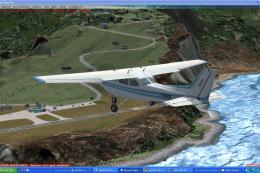 FSX Scenery
Island Of Saba. Includes redesign of all coasts and land class; SABA airport;…
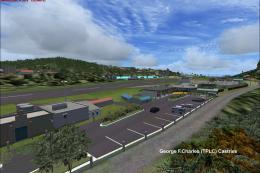 FSX Scenery
(Caraibes). Saint Lucia Island scenery including the correct redefinition of …
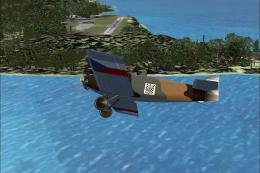 FSX Scenery
Saba Island (TNCS). Saba island in FSX is much improved over the flat island …
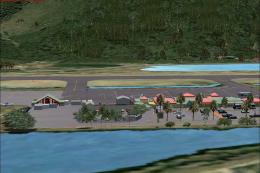 FSX Scenery
Grande Case Island, St Marteen (TFFG). This scenery is fully compatible with …
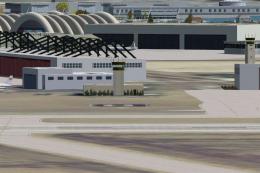 FSX Scenery
NAS North Island (KNZY), v1.01. After a hard day of trapping it's nice to hav…
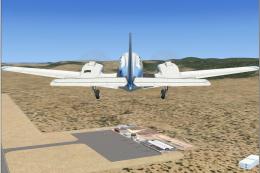 FSX Scenery
FSX Corse Island Scenery version I. Know as Corse to the French, Corsica to t…
 FSX Scenery
Scenery Mahon/Menorca Island, Islas Baleares (Balearic Islands), Spain (LEMH)…
Be the first to leave a comment on this download.
Be the first to share your thoughts on this download.