


 United States of America
  FSX Scenery
Princess Juliana International Airport
Princess Juliana International Airport (TNCM) in Saint Marteen, Netherlands A…
Wilmington International Airport (KILM) scenery update sharpens operations in southeastern North Carolina with corrected runway numbering based on current magnetic headings and realistic AI parking codes that improve gate usage and traffic flow. Built for Microsoft Flight Simulator X, it focuses on accurate ground behavior without adding custom 3D buildings.
This freeware add-on enhances Wilmington International Airport (KILM) in North Carolina by refining runway numbering and implementing precise AI parking assignments for a more realistic traffic flow. Created by developer Dusty Bizub, it offers an updated design compatible with Microsoft Flight Simulator X.
KILM, known officially as Wilmington International, is an important aviation gateway for southeastern North Carolina, located near the Atlantic coastline. This modification adjusts the runway identifiers in accordance with current magnetic headings. In addition, the update includes custom AI parking codes to align aircraft parking with real-world gate assignments. These changes deliver a more authentic atmosphere without requiring any external 3D décor or custom structures.

Wilmington International Scenery.
This release marks the 17th airport improvement by Dusty Bizub. The package rectifies gate assignments and labeling at KILM so that virtual air traffic behaves more reliably. The author welcomes suggestions for future airport modifications, though projects requiring entirely new building models may not be feasible.
KILM file into your C:/[Your Name]/Microsoft Games/Microsoft Flight Simulator X/Addon Scenery/Scenery directory.Previous works by Dusty Bizub include refinements to numerous locations, each receiving tailored improvements for smoother AI operations and corrected runway references:
This freeware Wilmington International Airport scenery evokes a more accurate representation of ground traffic, runway markings, and overall operational flow in the North Carolina region. Created and refined by Dusty Bizub, it expands immersion for those who wish to experience a detailed environment without complex modeling or excessive visual elements.
Free for all simmers · 31.14 KB · Scanned clean Oct 2026
Download speed: Free tier is capped at 0.5 Mbps. PRO members download at full line speed.
FSX\Addon Scenery\ containing scenery and texture sub-folders.readme.txt or README file. It tells you exactly where files go, what dependencies are needed, and any quirks specific to this add-on.Use these coordinates to fly directly to this location once the mod is installed.
34.27060000,-77.90260000
Launch FSX or Prepar3D and use Flights → Load to open the downloaded .pln file. Your aircraft will be positioned at this location.
The archive kilm.zip has 4 files and directories contained within it.
This list displays the first 500 files in the package. If the package has more, you will need to download it to view them.
| Filename/Directory | File Date | File Size |
|---|---|---|
| KILM.bgl | 04.22.08 | 61.84 kB |
| Readme.txt | 04.22.08 | 1.19 kB |
| flyawaysimulation.txt | 10.29.13 | 959 B |
| Go to Fly Away Simulation.url | 01.22.16 | 52 B |
Only PRO members can place votes.
More FSX & P3D add-ons hand-picked based on this download.
FSX Scenery
Princess Juliana International Airport (TNCM) in Saint Marteen, Netherlands A…
 FSX Scenery
Barbados International Airport (TBPB). Grantley Adams International Airport f…
 FSX Scenery
Dubai International Airport (OMDB), Dubai. Includes a new passenger terminal …
 FSX Scenery
Soekarno-Hatta International Airport (WIII), Jakarta, Indonesia. An update to…
 FSX Scenery
San Diego International Airport, California (CA), USA. This photoreal scenery…
 FSX Scenery
Suvarnabhumi International Airport (VTBS), Bangkok, Thailand, v1.1. Includes …
 FSX Scenery
Scenery Miami International Airport (KMIA), Florida (FL). Includes updated ta…
 FSX Scenery
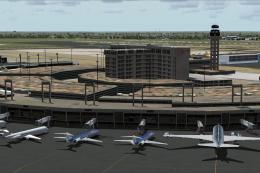
Dallas-Fort Worth International Airport (KDFW), Texas (TX), with Terminal D. …
Be the first to leave a comment on this download.
Be the first to share your thoughts on this download.