

 FSX Scenery
Auburn/Lewiston Municipal
Auburn/Lewiston Municipal Airport, Maine (ME). By Curtis Weeman. Unzip the fi…
Auburn Municipal Airport (KAUN) scenery refresh brings Northern California’s Gold Country airfield closer to real-world references with corrected runway, taxiway, and apron geometry, plus satellite-backed ground alignment for more believable pattern work. Built with Airport Design Editor for Microsoft Flight Simulator X, it requires at least NORMAL scenery settings for full object visibility.
 Rate
Rate
 United States of America
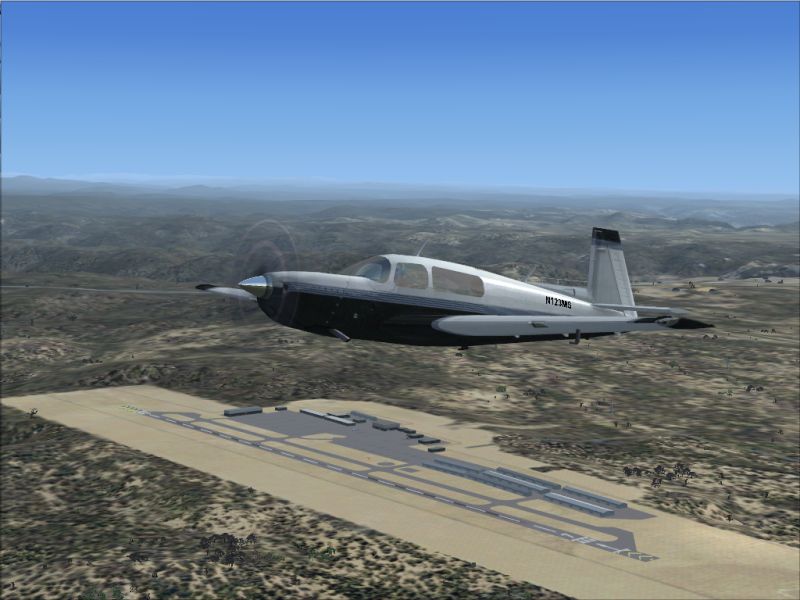
This comprehensive add-on refines Auburn Municipal Airport (ICAO: KAUN), situated in the rolling terrain of Northern California. Created by developer Phillip Coyle, it modifies the default airport in Microsoft Flight Simulator X to more closely align with real-world terrain and facility data. Enthusiasts who frequent smaller, general aviation fields will appreciate the detailed runway, taxiway, and apron revisions. Accuracy is improved through the integration of satellite imagery derived from Google Earth, ensuring a more realistic preflight experience for those exploring the Gold Country region.
Meticulous adjustments within the Auburn Municipal Airport Scenery include a more accurate runway layout, enhanced aprons, and carefully aligned taxiways. The creator positioned various default FSX scenery objects, ensuring that the environment captures the unmistakable look and feel of this general aviation field in Northern California. This modification complements fixed-wing traffic operations and offers a faithful depiction of the real-life airfield, making local circuit work far more immersive.
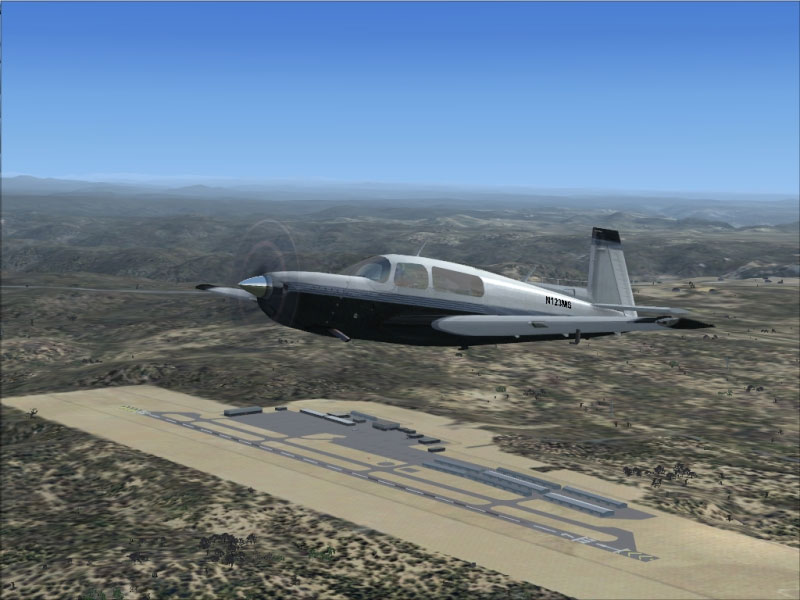
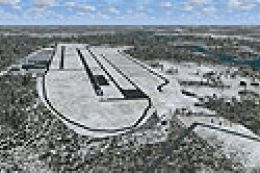
Auburn Municipal Airport Scenery.
To achieve a faithful representation, the developer leveraged Google Earth for precise location mapping. Runway markings and taxiway positioning reflect the airfield’s actual dimensions, which benefits virtual pilots looking for realistic performance planning. The package blends nicely with the surrounding topography and serves as an excellent landmark for navigation in this portion of California.
All BGL files included in this scenery have been created with Airport Design Editor, a specialized utility that facilitates layout modifications within the simulator. This toolset ensures smooth integration into your existing FSX environment without interrupting other add-ons you may have installed.
The add-on requires at least NORMAL scenery settings to guarantee the visibility of the included objects. If you tend to fly with higher-end graphics presets, you will benefit from improved detail levels across the airfield, such as more extensive apron markings and a fuller 3D environment. Meanwhile, pilots with mid-range systems should still enjoy stable frame rates when using NORMAL or slightly higher settings.
Thanks for downloading this freeware package! Remember, you can apply it safely and experiment with different settings to discover enhanced realism. This add-on is provided as is; you bear all responsibility if any issues arise, though it has been tested to ensure stability.
No official support is offered, but dedicated hobbyists in the community often help one another troubleshoot. Acknowledgments go to Phillip Coyle for undertaking the design and to flight simulation enthusiasts worldwide who enjoy these timely updates.
Free for all simmers · 270.82 KB · Scanned clean Oct 2026
Download speed: Free tier is capped at 0.5 Mbps. PRO members download at full line speed.
FSX\Addon Scenery\ containing scenery and texture sub-folders.readme.txt or README file. It tells you exactly where files go, what dependencies are needed, and any quirks specific to this add-on.Use these coordinates to fly directly to this location once the mod is installed.
38.95480000,-121.08190000
Launch FSX or Prepar3D and use Flights → Load to open the downloaded .pln file. Your aircraft will be positioned at this location.
The archive kaun_sce.zip has 7 files and directories contained within it.
This list displays the first 500 files in the package. If the package has more, you will need to download it to view them.
| Filename/Directory | File Date | File Size |
|---|---|---|
| KAUN_ADE.BGL | 12.13.08 | 15.21 kB |
| KAUN_ADE_CVX.bgl | 12.13.08 | 400 B |
| KAUN_Scenery.jpg | 12.13.08 | 271.15 kB |
| Readme.txt | 12.13.08 | 4.17 kB |
| FILE_ID.DIZ | 12.16.08 | 169 B |
| flyawaysimulation.txt | 10.29.13 | 959 B |
| Go to Fly Away Simulation.url | 01.22.16 | 52 B |
Only PRO members can place votes.
More FSX & P3D add-ons hand-picked based on this download.
FSX Scenery
Auburn/Lewiston Municipal Airport, Maine (ME). By Curtis Weeman. Unzip the fi…
 FSX Scenery
Immerse yourself in a carefully overhauled representation of Naples Municipal…
 FSX Scenery
Morristown Municipal Airport serves Morristown and Morris County and is owned…
 FSX Scenery
Pueblo Municipal Airport. Pueblo Memorial is the airport located in Pueblo, C…
 FSX Scenery
Orofino Municipal Airport (S68), Orofino, Idaho (ID). Includes photoreal terr…
 FSX Scenery
Chilliwack Municipal Airport (CYCW), British Columbia, Canada. Enhances the a…
 FSX Scenery
Flying Cloud Municipal Airport (KFCM), Minnesota. Flying Cloud, now with an e…
 FSX Scenery
La Crosse Municipal Airport (KLSE), La Crosse, Wisconsin (WI). This scenery i…
Be the first to leave a comment on this download.
Be the first to share your thoughts on this download.