


 Turkey
  FSX Scenery
Princess Juliana International Airport
Princess Juliana International Airport (TNCM) in Saint Marteen, Netherlands A…
Sabiha Gokcen International Airport (LTFJ) brings Istanbul’s second-busiest hub to life with scratch-built terminals, hangars, and accurately placed parking bays, plus photoreal ground textures. Custom night lighting, animated details, and realistic airport layout enhance arrivals and departures in Microsoft Flight Simulator X.
Scenery Of Sabiha Gokcen International Airport (LTFJ). Extensively detailed and realistically depicted scenery for Sabiha Gokcen International Airport, Istanbul, Turkey. Created with 3ds max from scratch, the scenery includes accurate buildings, hangars, parking bays, night texturing and illumination effects. The scenery contains a variety of animations and photoreal terrain texture. This is a complete scenery for FSX. By Serdar Nuzhet.

Scenery Of Sabiha Gokcen International.
The airport is the second busiest Istanbul airport and was named after the first woman combat pilot of Turkey.
This is acomplete scenery for FSX.
INSTALLATION:
a) Unzip the ‘LTFJ2009.zip’ file to a temporary folder.
b) Cut and paste the ‘LTFJ-Sabiha Gokcen’ folders and files into
c:/ Program Files/Microsoft Games/Microsoft Flight Simulator X/Addon Scenery/LTFJ-Sabiha Gokcen.
I would like to thank to all those people who helped and contributed.
This scenery and the attached files are freeware.
Serdar Nuzhet
Free for all simmers · 29.77 MB · Scanned clean Oct 2026
Download speed: Free tier is capped at 0.5 Mbps (this file takes approximately 8 mins at the cap). PRO members download at full line speed.
FSX\Addon Scenery\ containing scenery and texture sub-folders.readme.txt or README file. It tells you exactly where files go, what dependencies are needed, and any quirks specific to this add-on.Use these coordinates to fly directly to this location once the mod is installed.
40.89860000,29.30920000
Launch FSX or Prepar3D and use Flights → Load to open the downloaded .pln file. Your aircraft will be positioned at this location.
The archive ltfj2009-1.zip has 6 files and directories contained within it.
This list displays the first 500 files in the package. If the package has more, you will need to download it to view them.
| Filename/Directory | File Date | File Size |
|---|---|---|
| LTFJ2009.exe | 01.27.09 | 29.83 MB |
| LTFJ_Logo.gif | 01.21.09 | 9.43 kB |
| Readme.txt | 01.27.09 | 2.29 kB |
| FILE_ID.diz | 01.21.09 | 466 B |
| flyawaysimulation.txt | 10.29.13 | 959 B |
| Go to Fly Away Simulation.url | 01.22.16 | 52 B |
Only PRO members can place votes.
More FSX & P3D add-ons hand-picked based on this download.
FSX Scenery
Princess Juliana International Airport (TNCM) in Saint Marteen, Netherlands A…
 FSX Scenery
Barbados International Airport (TBPB). Grantley Adams International Airport f…
 FSX Scenery
Dubai International Airport (OMDB), Dubai. Includes a new passenger terminal …
 FSX Scenery
Soekarno-Hatta International Airport (WIII), Jakarta, Indonesia. An update to…
 FSX Scenery
San Diego International Airport, California (CA), USA. This photoreal scenery…
 FSX Scenery
Suvarnabhumi International Airport (VTBS), Bangkok, Thailand, v1.1. Includes …
 FSX Scenery
Scenery Miami International Airport (KMIA), Florida (FL). Includes updated ta…
 FSX Scenery
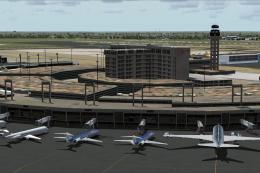
Dallas-Fort Worth International Airport (KDFW), Texas (TX), with Terminal D. …
Be the first to leave a comment on this download.
Be the first to share your thoughts on this download.