

 FSX Scenery
AI Carrier
This is just a demo, right, so no complaints if there are any shortcomings. T…
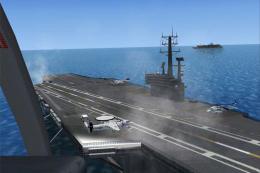
Carrier CV71 scenery brings a flyable Navy deck three miles southeast of Pensacola NAS (KNPA), Florida, complete with GPS identifier CV71 and an ILS approach on 245 degrees at 108.15 for precise carrier-style arrivals in FSX. It requires the Acceleration Pack to enable the mission-ready carrier environment and approach aids.
 Rate
Rate
 United States of America
Carrier CV71, located 3 miles southes of Pensacola NAS (KNPA), Florida (FL).
ATTENTION: This Addon only works with Accelleration Pack installed!
This is a self extracting Zip-File. Please check if your FSX installation folder is on "C:\Program Files\Microsoft Games\Microsoft Flight Simulator X" If not use the "browse" function to find your FSX Installation before you click on "unzip".
Carrier Location: 3 Miles southeast of "KNPA" Pensacola NAS - Florida.
GPS ID: CV71
ILS Approach heading: 245°
NAV Frequency for ILS: 108.15
Have fun and join our server "Pensacola NAVY Training" where the Scenery is always on!
Karl
Free for all simmers · 565.13 KB · Scanned clean Oct 2026
Download speed: Free tier is capped at 0.5 Mbps. PRO members download at full line speed.
FSX\Addon Scenery\ containing scenery and texture sub-folders.readme.txt or README file. It tells you exactly where files go, what dependencies are needed, and any quirks specific to this add-on.Use these coordinates to fly directly to this location once the mod is installed.
30.32000000,-87.28000000
Launch FSX or Prepar3D and use Flights → Load to open the downloaded .pln file. Your aircraft will be positioned at this location.
The archive cv71.zip has 4 files and directories contained within it.
This list displays the first 500 files in the package. If the package has more, you will need to download it to view them.
| Filename/Directory | File Date | File Size |
|---|---|---|
| CV71.exe | 08.01.09 | 648.00 kB |
| Installation.txt | 07.30.09 | 568 B |
| flyawaysimulation.txt | 10.29.13 | 959 B |
| Go to Fly Away Simulation.url | 01.22.16 | 52 B |
Only PRO members can place votes.
More FSX & P3D add-ons hand-picked based on this download.
FSX Scenery
This is just a demo, right, so no complaints if there are any shortcomings. T…
 FSX Scenery
AI Carrier Battle Groups, pack 1. Adds moving naval ships as AI traffic at a …
 FSX Scenery
Four Carrier Scenery v5.0. Includes Miramar, Oceana, Pensacola U.S., and Yoko…
 FSX Scenery
FSX Midway Carrier Patch. A patch for Yanco San's WWII Midway Carrier Battle …
 FSX Scenery
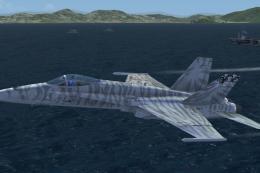
Carrier In Rio De Janeiro, Brazil. This is fictional scenery for the USS Nimi…
 FSX Scenery
Honolulu Carrier, boats and balloons. This add-on places a carrier off the co…
 FSX Scenery
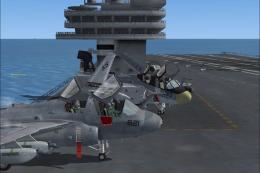
Carrier Oceana Miramar Pensacola 4.5. Carrier scenery of all three locations …
 FSX Scenery
Pensacola NAS Carrier Trial Scenery updated with CV-69 carrier for multiplaye…
Be the first to leave a comment on this download.
Be the first to share your thoughts on this download.