

 FSX Scenery
AI Carrier
This is just a demo, right, so no complaints if there are any shortcomings. T…
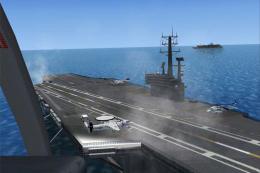
CV69 aircraft carrier scenery fix refreshes the install guidance for the CV69.ZIP package, helping ensure the updated carrier replaces older CV-71 files cleanly in Microsoft Flight Simulator X. It also notes navigation details including ILS 108.30 and a position about 20 miles south of KNPA, plus optional multiplayer catapult support.
 Rate
Rate
 United States of America
CV69 Carrier Scenery Fix, for use with CV69.ZIP. Includes only an updated install text file. By Karl Meindl.
NOTE: This Scenery replaces our old CV-71 Carrier Scenery. Before you use the new one you have to delete the following "*.bgl" files in your "Addon Scenery\scenery":
CarrierCV.bgl
ADE_CV71.bgl
KNPC_Carrier.bgl
After this is done, you can proceed with placing the "CV69" folder fron this pack in your "Addon Scenery" Folder ("Microsoft Flight Simulator X\Addon Scenery\CV69\").
To activate the scenery you have to go into your Scenery Library and add the "CV69" scenery! If you do not, you will not see the new carrier.
CatapultForMultiplayer.zip is the only working Catapult Software for Multiplayer right now. As you may not know = Catapult's do not work because AI guided things do never work in Multiplayer. ARRCAB 2.6 is a Software that allows you to bypass this problem! Read the included README!!!
Credits for the Carrier:
Many thanks go to Timothy Marson, who managed to use Javier Fernandez's Carriers as Scenery.
GPS: CV69
ILS/NAV: 108.30
Location: 20 miles south of KNPA
Free for all simmers · 1.54 KB · Scanned clean Oct 2026
Download speed: Free tier is capped at 0.5 Mbps. PRO members download at full line speed.
This add-on may require the following files to function properly. If this is a repaint, the dependency below is likely the base aircraft package.
FSX\Addon Scenery\ containing scenery and texture sub-folders.readme.txt or README file. It tells you exactly where files go, what dependencies are needed, and any quirks specific to this add-on.Use these coordinates to fly directly to this location once the mod is installed.
30.06000000,-87.32000000
Launch FSX or Prepar3D and use Flights → Load to open the downloaded .pln file. Your aircraft will be positioned at this location.
The archive install-cv69.zip has 3 files and directories contained within it.
This list displays the first 500 files in the package. If the package has more, you will need to download it to view them.
| Filename/Directory | File Date | File Size |
|---|---|---|
| Install-CV69.txt | 09.19.09 | 1.09 kB |
| flyawaysimulation.txt | 10.29.13 | 959 B |
| Go to Fly Away Simulation.url | 01.22.16 | 52 B |
Only PRO members can place votes.
More FSX & P3D add-ons hand-picked based on this download.
FSX Scenery
This is just a demo, right, so no complaints if there are any shortcomings. T…
 FSX Scenery
AI Carrier Battle Groups, pack 1. Adds moving naval ships as AI traffic at a …
 FSX Scenery
Four Carrier Scenery v5.0. Includes Miramar, Oceana, Pensacola U.S., and Yoko…
 FSX Scenery
FSX Midway Carrier Patch. A patch for Yanco San's WWII Midway Carrier Battle …
 FSX Scenery
Carrier In Rio De Janeiro, Brazil. This is fictional scenery for the USS Nimi…
 FSX Scenery
Honolulu Carrier, boats and balloons. This add-on places a carrier off the co…
 FSX Scenery
Carrier Oceana Miramar Pensacola 4.5. Carrier scenery of all three locations …
 FSX Scenery
Pensacola NAS Carrier Trial Scenery updated with CV-69 carrier for multiplaye…
Be the first to leave a comment on this download.
Be the first to share your thoughts on this download.